LadderTouch
graphical programming language
Designed for iPhone, iPad, iPod touch
$3.99
- Age rating4+
- CategoryDeveloper Tools
- DeveloperMotonari Hibi
- LanguagesEnglish+ 1 more
- Size6.2 MB
Links to the official App Store page
Download.org hosts no file of LadderTouch. The button opens its official App Store page, published by Motonari Hibi. Listing last checked on Nov 7, 2026.
Screenshots


About
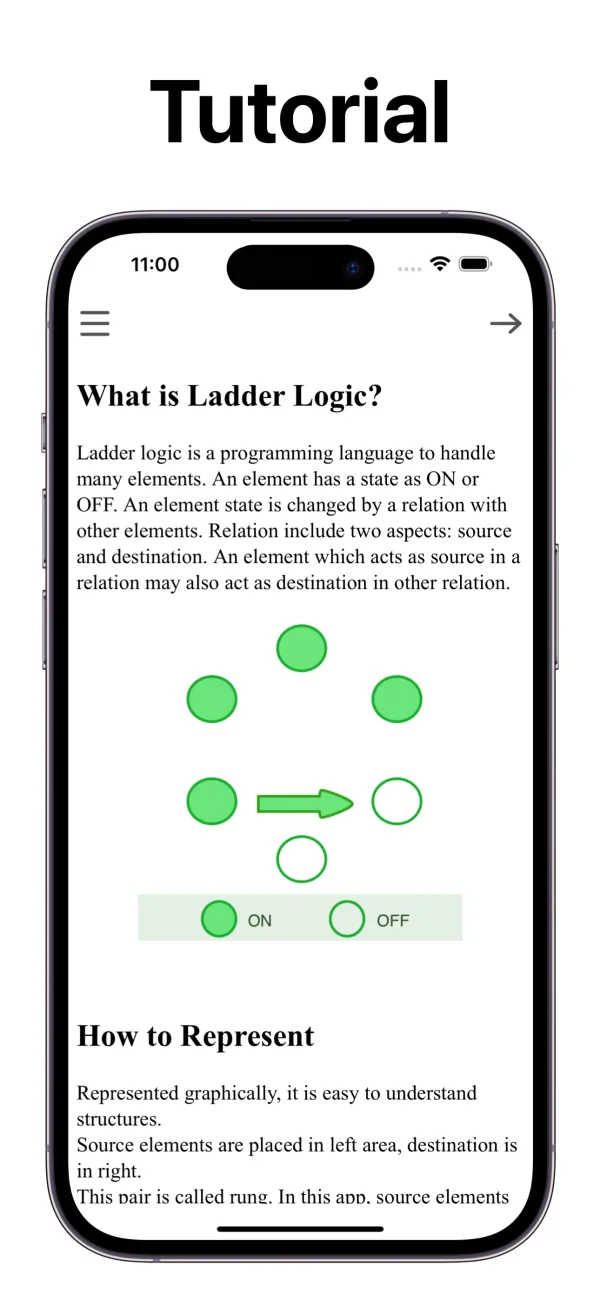
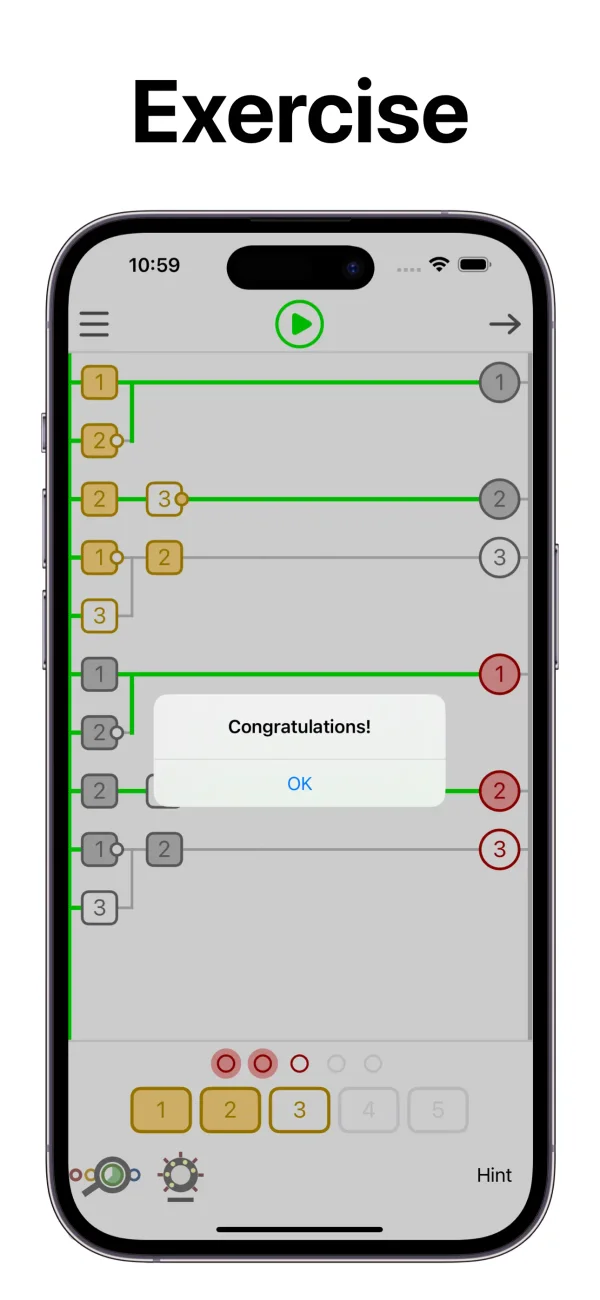
LadderTouch is an app to learn the basics of ladder logic, which is a graphical programming language.
This app has three functions.
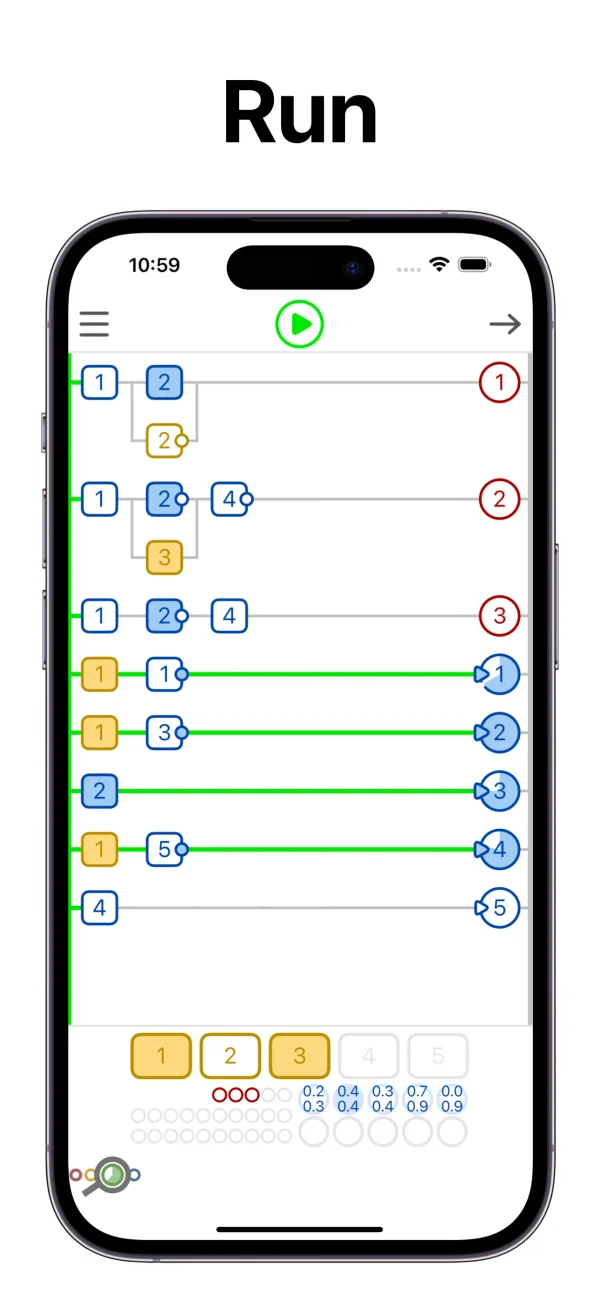
You can learn about that mechanism by executing some of the prepared samples.
You can check your understanding with questions.
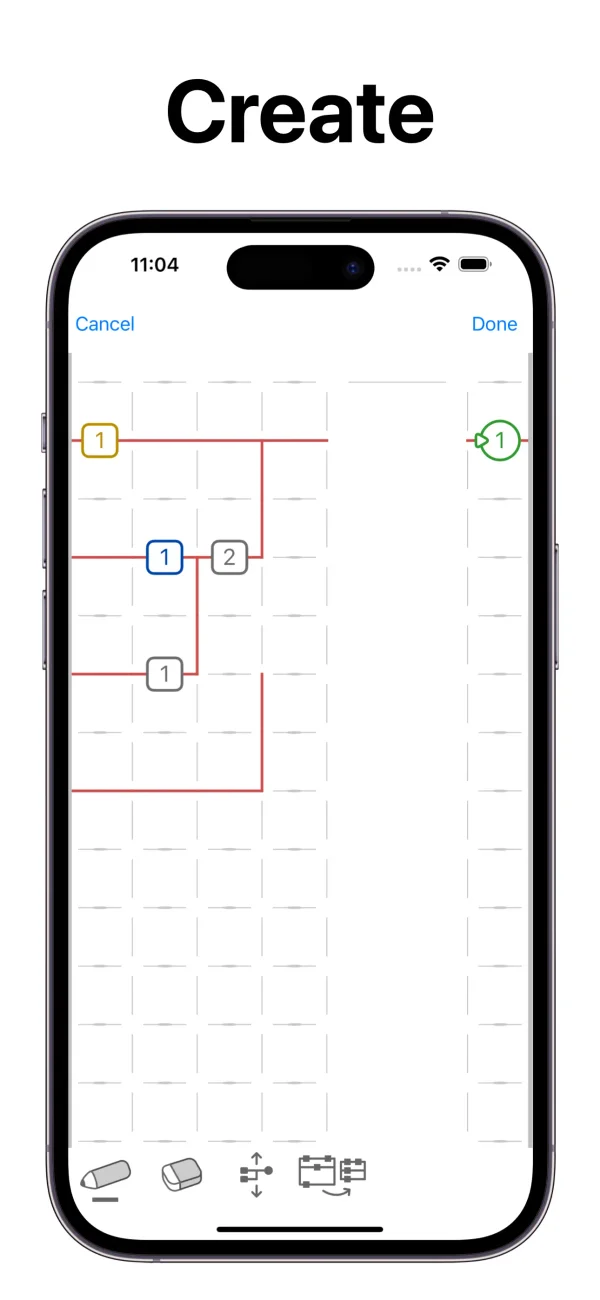
In addition, you can create and execute your own ladder.
Ladder functions of the timer, counter, and logical inverse are provided.
The user interface is designed to be easy to operate. The lines are written by tracing the screen. You can set an element by tapping a cell at which you want to add it.
---------------ELEMENTS---------------
Input(yellow)
Up to 5 elements.
You can control the input signal by tapping the buttons at the bottom of the display.
Virtual output(red)
Up to 5 elements.
Internal memory(gray)
Up to 20 elements.
Virtual output(red) and internal memory(gray) are the same for logical behavior.
But the difference is in usage.
The virtual output is the last element in the ladder logic chain.
The Internal memory is for the processing element of the ladder logic chain.
These are an imitation of the actual ladder logic with the output devices.
Timer(blue)
Up to 5 elements.
The timer can be set from 0.1 seconds to 10.0 seconds. The setting unit is 0.1 second.
The timer works only 'on delay'. This app does not include 'off delay'.
On Delay.
---++++++++++ source
-------++++++ destination
Off Delay.
+++---------- source
++++++++----- destination
+ ON
- OFF
Time flows from left to right
Counter(green)
Up to 5 elements.
You can set from 1 to 50.
There is no counter reset element in this app. Many other ladder logic software has it.
The way to reset the counter is to stop running the ladder.
All elements can be inverse in the source area.
However, timers and counters cannot do it in the destination area.
It is difficult to understand the inverse logic of a timer and counter in the destination area.
---------------EDIT---------------
You can edit ladders only with the paid version.
How to write elements or lines
Select the pencil icon.
To add an element: Tap where you want to set the element and select the element.
To draw a line: Draw where you want to write a line.
How to delete elements or lines
Select the eraser icon.
Tap where you want to delete the element.
How to scroll
Select the scroll icon, then you can scroll.
How to remove useless spaces
Select the order icon.
Tap order icon to remove useless spaces.
Line color
Green with complete ladder logic.
Red with something wrong.
--------------Other--------------
There is no function that connects to outer devices.
What’s new
Version 2.1.5 · Mar 4, 2026
Supports iPad's compact window.
App privacy
What Motonari Hibi declares on the App Store about how this app handles data.
-
Data not collected
The developer does not collect any data from this app.
Privacy practices may vary, for example with the features you use or your age.
Information
- Seller
- Motonari Hibi
- Category
- Developer Tools
- Version
- 2.1.5
- Updated
- Mar 4, 2026
- Released
- Oct 30, 2010
- Size
- 6.2 MB
- Requires
- iOS 15.5 or later
- Age rating
- 4+
- Price
- $3.99
- Languages
- English, Japanese
- Copyright
- © motonari hibi
You might also like
-
 LispPad GoWrite Scheme code on the go
-
 Snap-On EEDM585Snap On EEDM585
-
 Easy CSV Editor MobileElegant & powerful CSV editor
-
 ProxygenInteractive HTTP proxy
-
 Json Viewer SimpleJson Reader
-
 JSON Editor MobileDeveloper Tools
-
 WorldWideWeb – MobileA web server for developers
-
 Taro: Engineering CoursesTech Courses For Engineers
-
 La Terminal: Mosh & SSH ClientSFTP, Files + AI Agent Remote
-
 C/C++ LLVM ClangGood Helper in C/C++ Language