
Landscape Game Browser
Play on a big external display
Designed for iPhone
Free · In-app purchases
- Age rating17+
- CategoryUtilities
- DeveloperMakoto Kobayashi
- LanguagesEnglish+ 1 more
- Size4.3 MB
Links to the official App Store page
Download.org hosts no file of Landscape Game Browser. The button opens its official App Store page, published by Makoto Kobayashi. Listing last checked on Nov 26, 2026.
Screenshots
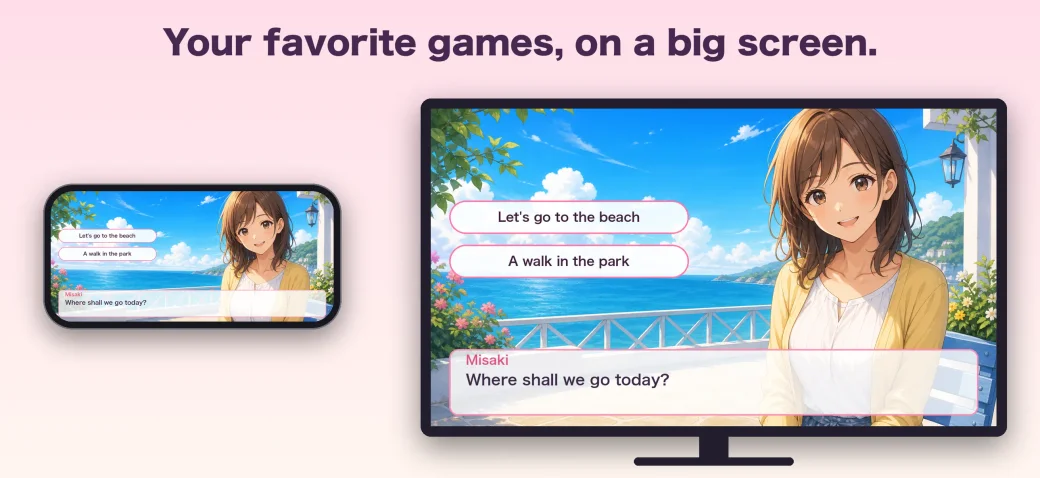
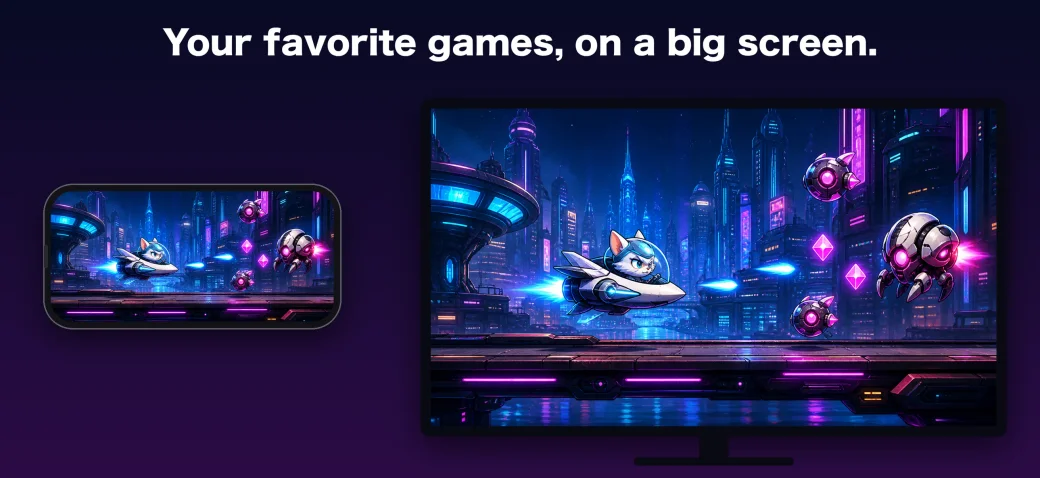


About
Play landscape browser games on a big screen.
Landscape Game Browser is a browser built for playing landscape-oriented browser games, such as DMM and other web games, on AR glasses like XREAL and VITURE, or on an extended display. Connect your iPhone with USB-C, and the page appears on the external display at full size while keeping the original smartphone layout.
[Features]
• External display output: connect an iPhone with a USB-C port to AR glasses or a monitor, and the game fills the big screen.
• Keeps the game's look: the layout stays exactly as designed for smartphones, simply enlarged.
• Control from your iPhone: tap and scroll on the phone in your hand while you watch the big screen.
• Landscape mode: rotate your iPhone and the toolbar hides, so the page fills the screen.
• Tabs and bookmarks: keep several games open and save your favorite pages.
• Verified with AR glasses.
[Requirements]
• iPhone 15 or later (USB-C), iOS 17 or later
• An external display or AR glasses that accept USB-C video output, and a compatible cable or adapter
[Notes]
• This app displays third-party websites. The content, operation, login, and in-game purchases of each game are the responsibility of its operator.
• Results may vary depending on your device, and operation is not guaranteed.
• XREAL, VITURE, DMM, and other names are trademarks of their respective owners. This app is not affiliated with or endorsed by them.
Terms of Use: https://www.apple.com/legal/internet-services/itunes/dev/stdeula/
Privacy Policy: https://monoshiri.jp/land-browser/privacy/
What’s new
Version 1.0.4 · Nov 24, 2026
- The new-tab page now shows your favorites. Long-press to reorder, and use Edit to remove.
- The tab list is now a grid of thumbnails. Swipe a tab to close it.
- When a video goes full screen, it now plays in landscape even if rotation lock is on.
- Use the star button in the bottom toolbar to add the current page to your favorites.
App privacy
What Makoto Kobayashi declares on the App Store about how this app handles data.
-
Data used to track you
May be used to track you across apps and websites owned by other companies.
- Location
- Identifiers
- Usage data
-
Data linked to you
May be collected and linked to your identity.
- Location
- Contact info
- User content
- Identifiers
- Usage data
-
Data not linked to you
May be collected but is not linked to your identity.
- Diagnostics
Privacy practices may vary, for example with the features you use or your age.
Information
- Seller
- Makoto Kobayashi
- Category
- Utilities
- Version
- 1.0.4
- Updated
- Nov 24, 2026
- Released
- Nov 8, 2026
- Size
- 4.3 MB
- Requires
- iOS 17.0 or later
- Age rating
- 17+
- Price
- Free
- In-app purchases
- Yes
- Languages
- English, Japanese
- Copyright
- © 2026 ものしり 小林 誠
You might also like
-
 oXBrowser - Extension BrowserUtilities
-
 Astor — Liquid Glass BrowserBrowsing, Reimagined.
-
 Bifrost BrowserUtilities
-
 HalfMoon BrowserThe ideal browser
-
 ポチゲーブラウザUtilities
-
 Perfect Browser - Dark ModeAI Summary & Auto Reload
-
 Anti BrowserDumb Phone Mode. Digital Detox
-
 Internet Browser ۬Adblock & Privacy Web Browser
-
 Side Browser: Content HubAd blocker for clean reading
-
 Scroll - Auto Scroll BrowserLong Reads, Articles, Manga