
LaTeX Math Notes: Ink2TeX
Handwriting to Equations & PDF
Designed for iPhone
Free · In-app purchases
- Age rating4+
- CategoryProductivity
- DeveloperNiko Inas
- LanguagesEnglish
- Size80.1 MB
Links to the official App Store page
Download.org hosts no file of LaTeX Math Notes: Ink2TeX. The button opens its official App Store page, published by Niko Inas. Listing last checked on Nov 18, 2026.
Screenshots




About
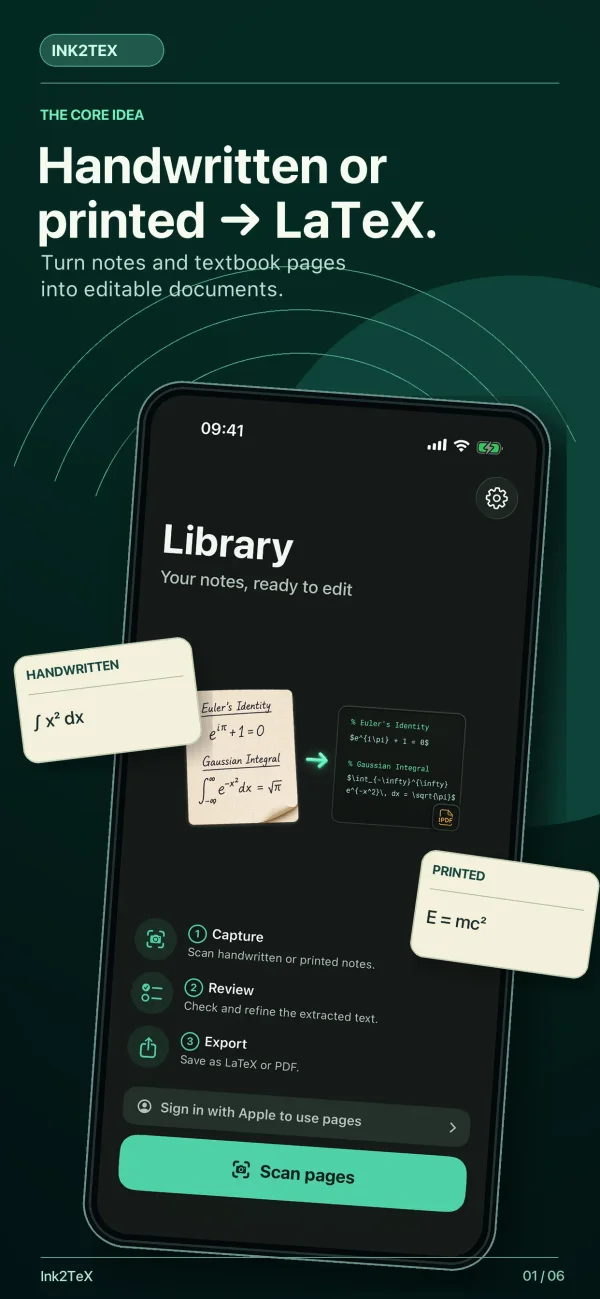
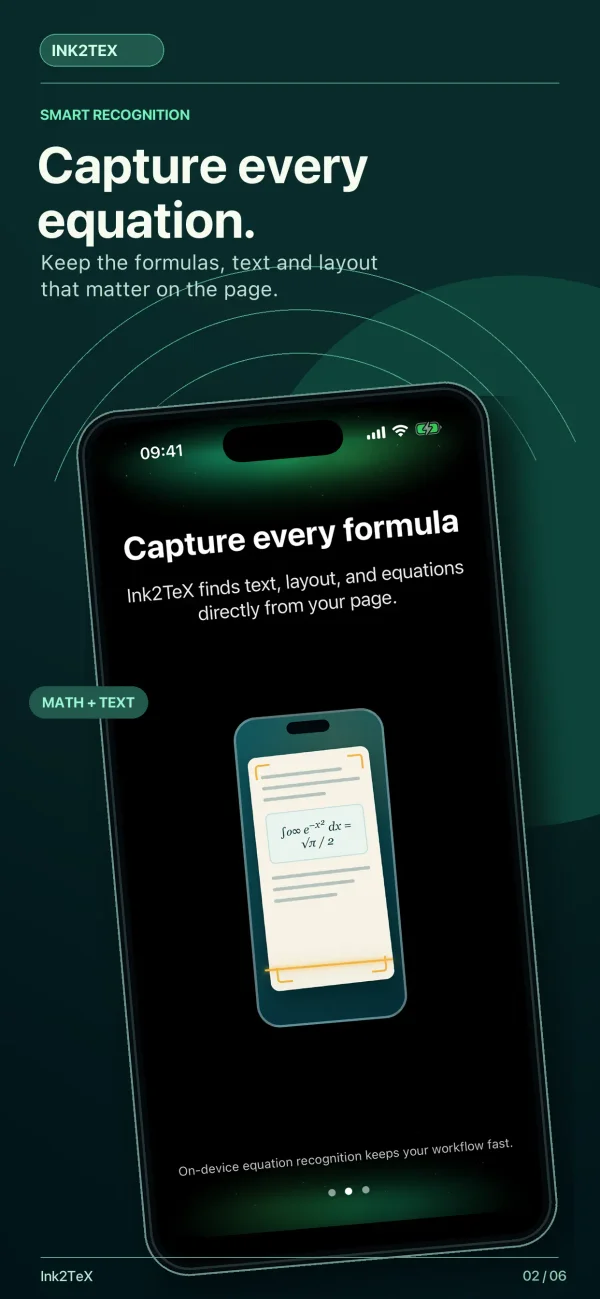
Ink2TeX turns handwritten and printed pages into editable LaTeX. Scan equations, formulas, text, and scientific notes with your iPhone, then review the result before adding it to your work.
Writing mathematics on paper is often the quickest way to think. Recreating every symbol in a digital document takes time. Ink2TeX helps you move from a notebook, worksheet, or printed page to LaTeX you can inspect, correct, and continue editing.
Scan a page, choose the recognition mode that fits your source, and review the generated LaTeX. Edit the source directly, preview the document, and make corrections before you export or share it.
With Ink2TeX, you can:
• Scan handwritten and printed pages
• Recognize equations, formulas, text, and page layout
• Convert your pages into editable LaTeX
• Review and correct the LaTeX source
• Create and preview multi-page documents
• Copy LaTeX code into your preferred editor
• Export LaTeX and PDF files
• Send a LaTeX document directly to Overleaf
• Save documents in your library and return to them later
• Sign in with Apple to restore your page balance
• Get additional pages with a subscription or page pack
Ink2TeX is built for students, researchers, teachers, and engineers working with mathematical or scientific material. Use it to digitize class notes, prepare lecture material, capture calculations, or bring handwritten research notes into an editable document.
Recognition gives you a starting point. You can check each result, refine the LaTeX, and keep control of the finished document.
Ink2TeX is not affiliated with or endorsed by Overleaf.
Terms of Use: https://www.apple.com/legal/internet-services/itunes/dev/stdeula/
What’s new
Version 1.0.1 · Nov 16, 2026
Fixes and improvements:
• Documents that quote text with « » or ‹ › — common in scanned and translated papers — no longer fail to compile. Those marks, along with „ and the prime symbols ′ and ″, are now converted automatically so the page produces a PDF.
• The Overleaf view can be zoomed, making the editor easier to read on iPhone.
• Internal cleanups and additional tests.
App privacy
What Niko Inas declares on the App Store about how this app handles data.
-
Data linked to you
May be collected and linked to your identity.
- Purchases
- Contact info
- Identifiers
Privacy practices may vary, for example with the features you use or your age.
Information
- Seller
- Niko Inas
- Category
- Productivity
- Version
- 1.0.1
- Updated
- Nov 16, 2026
- Released
- Nov 9, 2026
- Size
- 80.1 MB
- Requires
- iOS 18.0 or later
- Age rating
- 4+
- Price
- Free
- In-app purchases
- Yes
- Languages
- English
- Copyright
- © 2026 Inas Group
You might also like
-
 Book Scanner - Scan to TextTurn book pages into an e-book
-
 BlockMyApps: App BlockerFocus & Screen Time Control
-
 WriteTex - Math OCR & LaTeXHandwriting to Markdown/LaTex
-
 Scan to PDF Scanner : ScanlyGoPhotos to PDF & Combine PDF
-
 MathWrite NotesHandwriting to LaTeX with AI
-
 PDF OCR: Scanner & EditorSign, Annotate, Convert, Merge
-
 VerbTeX LaTeX EditorCompile LaTeX to PDF
-
 LaTeX Editor Tex ProLaTeX compiler typeset writer
-
 Mathpix SnipPDF and Notes app for STEM
-
 Orange Max it - RDCProductivity