Launcher with Multiple Widgets
Customize Lock and Home Screen
Designed for iPhone, iPad
Free · In-app purchases
- Age rating4+
- CategoryProductivity
- DeveloperCromulent Labs
- LanguagesEnglish+ 11 more
- Size114.8 MB
Links to the official App Store page
Download.org hosts no file of Launcher with Multiple Widgets. The button opens its official App Store page, published by Cromulent Labs. Listing last checked on Nov 25, 2026.
Screenshots


About
Launcher is the original app launching widget -- and still the best!
Launcher puts your favorite apps, people, and actions one tap away: on your Home Screen, your Lock Screen, in the Dynamic Island, and on your Apple Watch.
Top 10 Productivity App in over 80 countries and counting! Over 5 million downloads!
"It belongs on everyone's iDevice for one-swipe access to favorites" - AppAdvice.com
"One of the most flexible widgets out there." - Gizmodo.com
"It will speed up your iOS usage in a real way." - Tidbits.com
"One of the best time-saving apps out there." - BusinessInsider.com
NEW: QUICK WIDGET (iOS 27)
Launch any app or shortcut on your device straight from the widget, with no detour through the Launcher app. Choose your shortcuts, pick an icon size, and go.
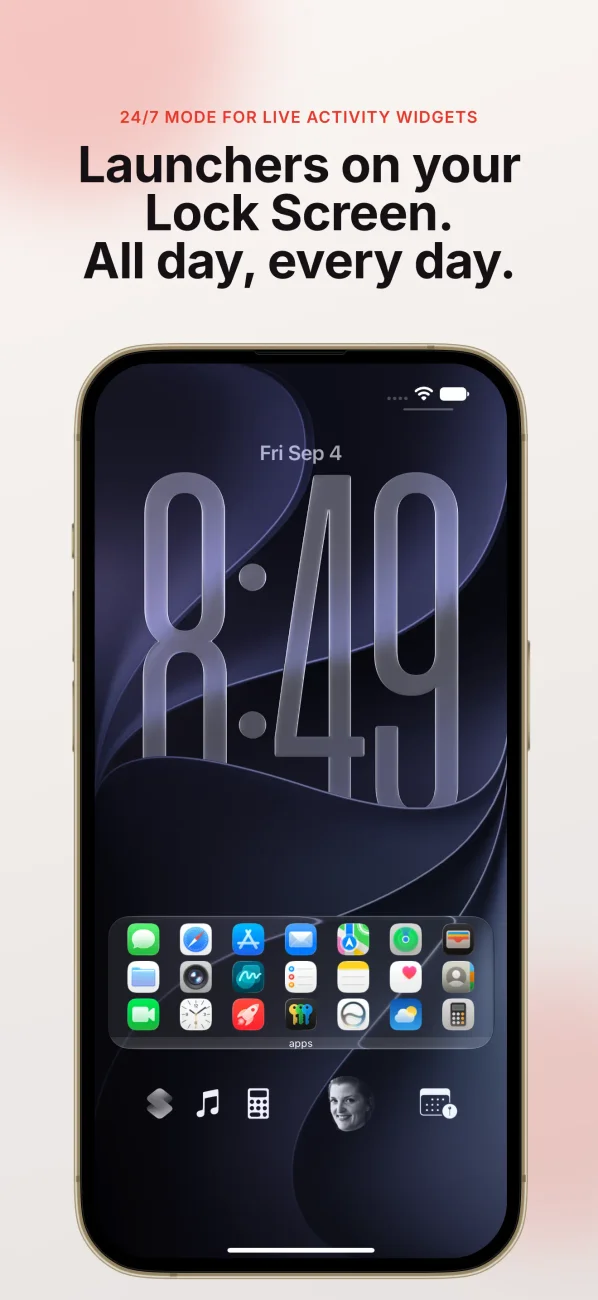
LIVE ACTIVITIES WIDGETS ON YOUR LOCK SCREEN AND DYNAMIC ISLAND
Put launchers where you see them most. Launcher can keep your Live Activities widget running 24/7 by automatically restarting it throughout the day, so it's always there when you pick up your phone.
With just a tap on a Launcher widget you can:
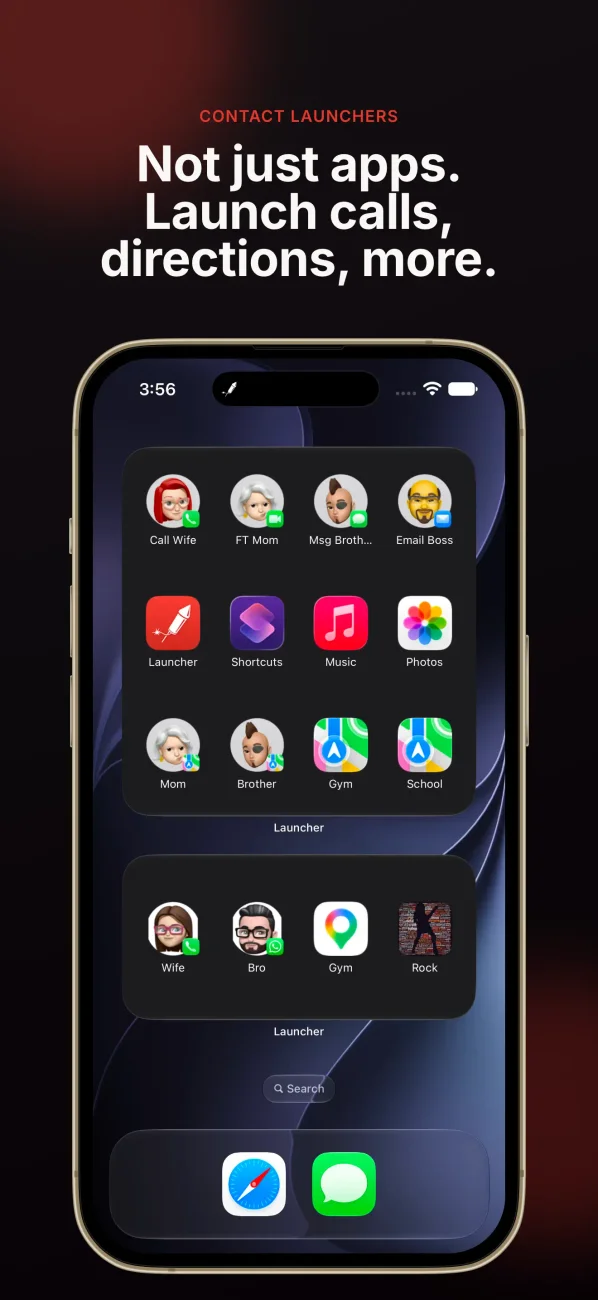
- Call, message, email, and FaceTime the people you contact the most.
- Get directions to specific locations or search for nearby businesses.
- Quickly access your favorite websites.
- Run Shortcuts, fire off a canned email or message, and perform actions inside your favorite apps.
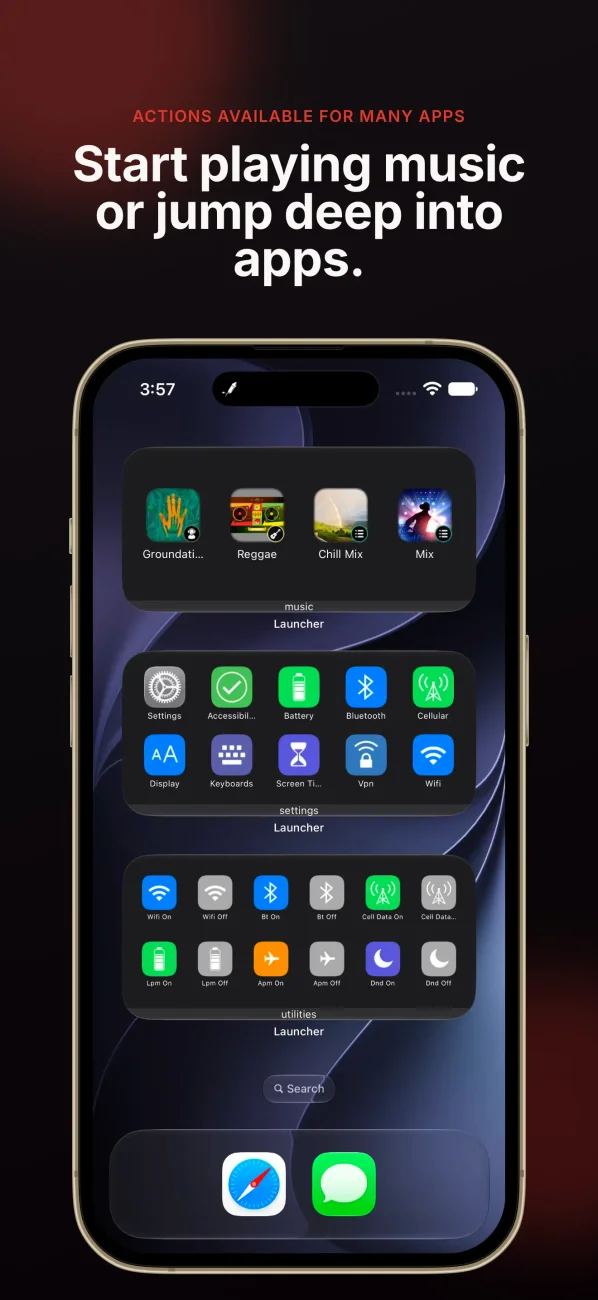
- Start playing your favorite music immediately with music launchers.
- Launch any app on your device.
WIDGETS FOR EVERY SCREEN
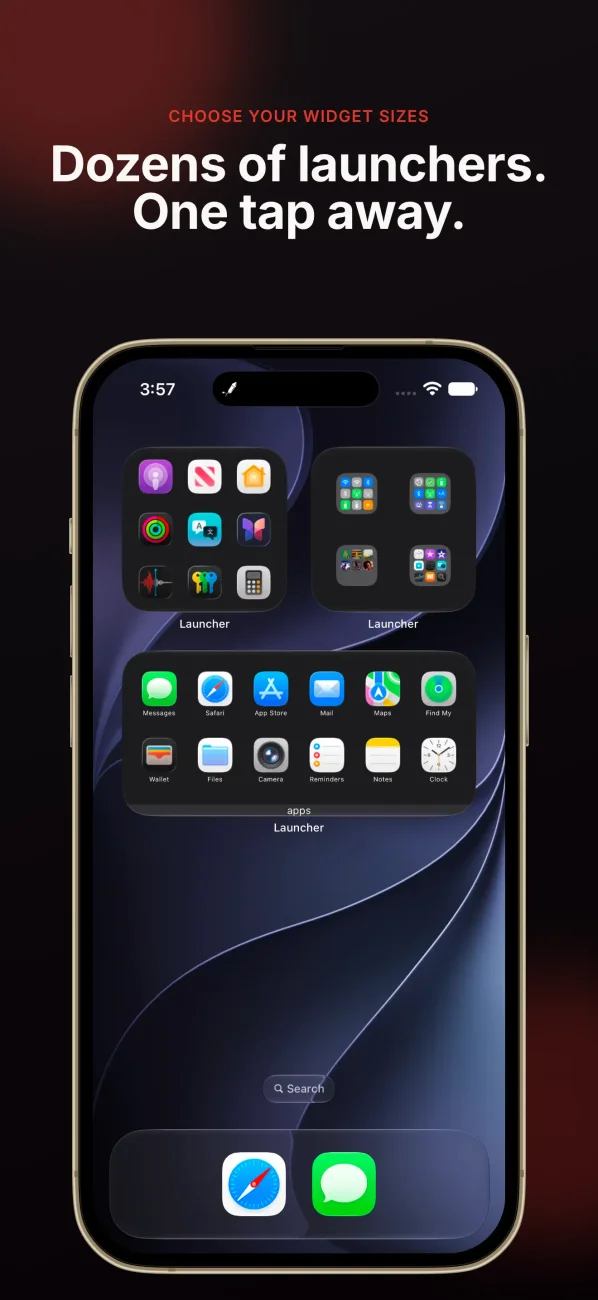
- Home Screen widgets in small, medium, large, extra large portrait, and extra large (iPad) sizes.
- Lock Screen widgets, both circular and rectangular.
- Live Activities widgets for the Lock Screen and Dynamic Island.
- Quick Widget for direct launching of apps and shortcuts on iOS 27.
- Apple Watch: initiate calls, messages, map directions, and music from your wrist.
- Designed for the new look of iOS 26 and iOS 27, with icons that adapt to tinted, clear, and dark Home Screens.
Unlock these features with Launcher Premium:
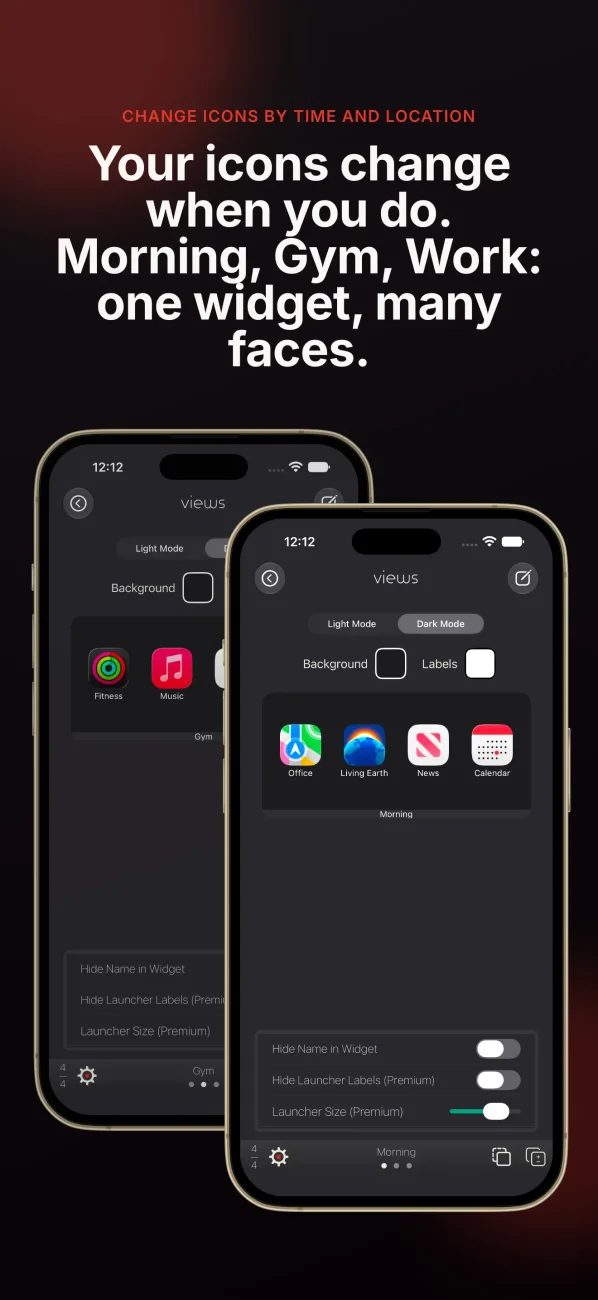
- Change widget icons automatically based on day, time or location! Set up specific widget views for morning, weekends, home, work, gym, etc. and always have relevant launchers just a swipe away.
- Change icon sizes from tiny to huge and fit dozens of launchers in a single widget.
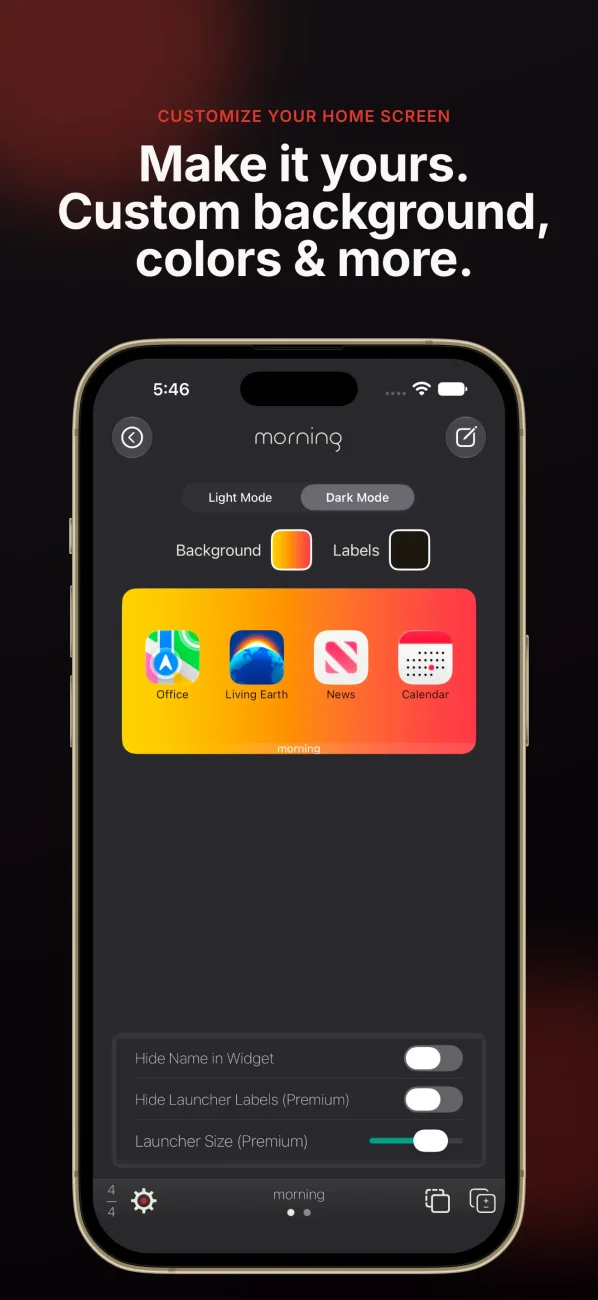
- Remove icon labels for a cleaner look.
- Folders. Save space and keep your launchers more organized by grouping them into folders.
- Stack widgets for better space utilization.
- Backup and restore your launchers with iCloud.
- Unlimited number of widgets!
FREE FEATURES:
- Customize your icons and backgrounds with colors or images.
- Import wallpaper to create simulated transparent widget backgrounds. Optionally add a transparent color overlay.
- Shortcut Launchers bring even more power to Launcher. Utilize the power of the Shortcuts app easily without the complexity.
- Launch every app on your device. No more limits.
- Settings shortcut launchers have the ability to launch to most screens in the Settings app.
- One tap launchers for turning Wifi, Bluetooth, Low Power Mode, DND, Cellular Data, and Airplane Mode on and off.
- Option to open Web Launchers in different web browsers.
- Launcher triggers: Get a notification to launch an app at set times or locations.
- Ability to create custom launchers for apps and actions that aren't yet supported.
- Great accessibility for the sight-impaired.
- Available in 12 languages.
Please support further development on the app by unlocking Launcher Premium today.
Thanks!
Subscriptions renew automatically unless canceled at least 24 hours before the end of the current period. You can cancel anytime in your Apple account settings.
Privacy Policy: https://www.cromulentlabs.com/launcher/privacy/
Terms of Use: https://www.apple.com/legal/internet-services/itunes/dev/stdeula/
What’s new
Version 5.8.3 · Nov 23, 2026
- Fix for extra large portrait widget editing on iPhone Duo. Full iPhone Duo support coming soon.
- Bug fixes and improvements.
App privacy
What Cromulent Labs declares on the App Store about how this app handles data.
-
Data not linked to you
May be collected but is not linked to your identity.
- Purchases
- Location
- Usage data
- Diagnostics
Privacy practices may vary, for example with the features you use or your age.
Information
- Seller
- Cromulent Labs, Inc
- Category
- Productivity
- Version
- 5.8.3
- Updated
- Nov 23, 2026
- Released
- Sep 17, 2014
- Size
- 114.8 MB
- Requires
- iOS 17.0 or later
- Age rating
- 4+
- Price
- Free
- In-app purchases
- Yes
- Languages
- English, Dutch, French, German, Italian, Japanese, Korean, Portuguese, Russian, Simplified Chinese, Spanish, Traditional Chinese
- Copyright
- © 2026 Cromulent Labs, Inc.
You might also like
-
 Widgets 27: Custom Home ScreenLock Launcher & Widget Maker
-
 Lock Screen 27 - Top WidgetsWallpapers & Themes Custom
-
 Magic Launcher WidgetsWidgets, Launchers, AI Toolkit
-
 G App LauncherProductivity
-
 Paste – Limitless ClipboardCopy, Search, Manage, Share
-
 Lock + Home Widgets widgetopiaAesthetic Lock + Home Screen
-
 Ai Launcher - Icon ShortcutsWidget Launch App,Phone,Image
-
 Favorites Widget ProLock Screen Contact Quick Dial
-
 Widget Custom HomeScreenLock Screen & StandBy Widgets
-
 Turn Off the Lights for SafariDarkens the rest of the web