Launchmeter: 0-60 Drag Timer
Car acceleration & G meter
Designed for iPhone
Free · In-app purchases
- Age rating4+
- CategoryUtilities
- Developer耀民 王
- LanguagesEnglish+ 12 more
- Size2.0 MB
Links to the official App Store page
Download.org hosts no file of Launchmeter: 0-60 Drag Timer. The button opens its official App Store page, published by 耀民 王. Listing last checked on Nov 20, 2026.
Screenshots

About
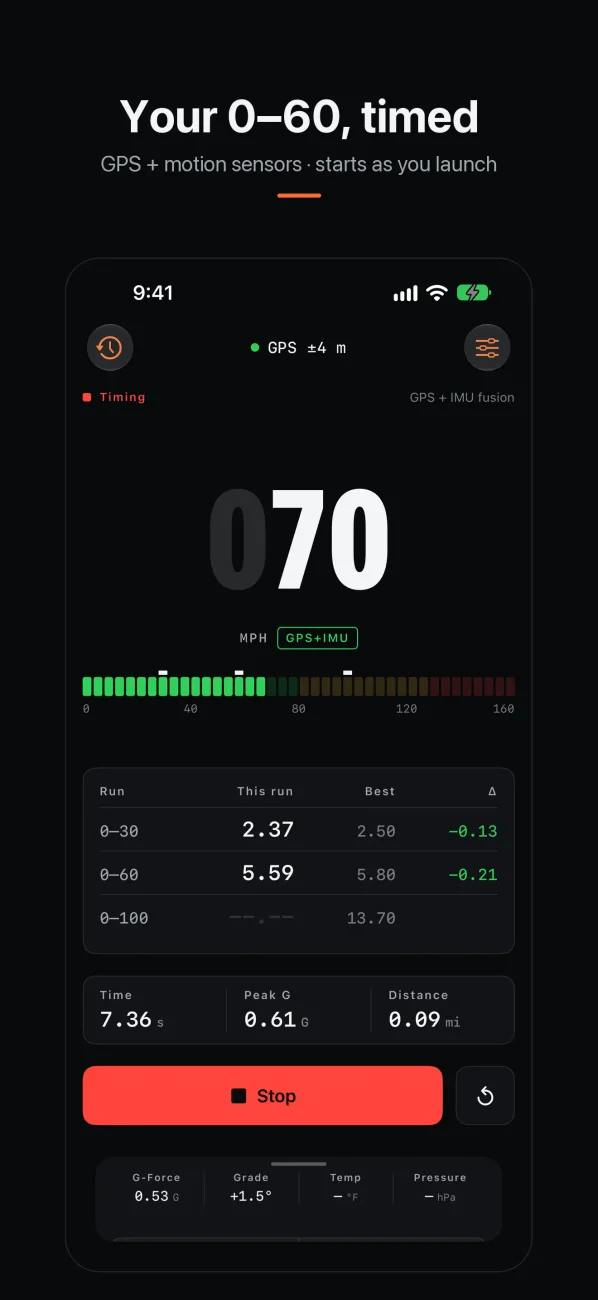
Launchmeter turns your iPhone into a performance meter. Find a safe, open space and measure your car's 0-60 mph time with one tap.
ACCELERATION TIMING & SPLITS
• 3-second countdown, then timing starts automatically when you pull away
• Time several runs at once — 0-30, 0-60 and 0-100 mph — and set your own targets
• Every split is compared with your personal best: green when faster, red when slower
GPS + MOTION-SENSOR FUSION
• Speed fuses GPS with your iPhone's accelerometer and gyroscope: accurate GPS gets more weight, the sensors fill the gaps between fixes
• The launch moment is detected by the accelerometer, so the start isn't delayed by GPS updates
• Hand shakes and road bumps are filtered out, so readings stay steady
EVERYTHING AT A GLANCE
• Big three-digit speed and a segmented speed bar
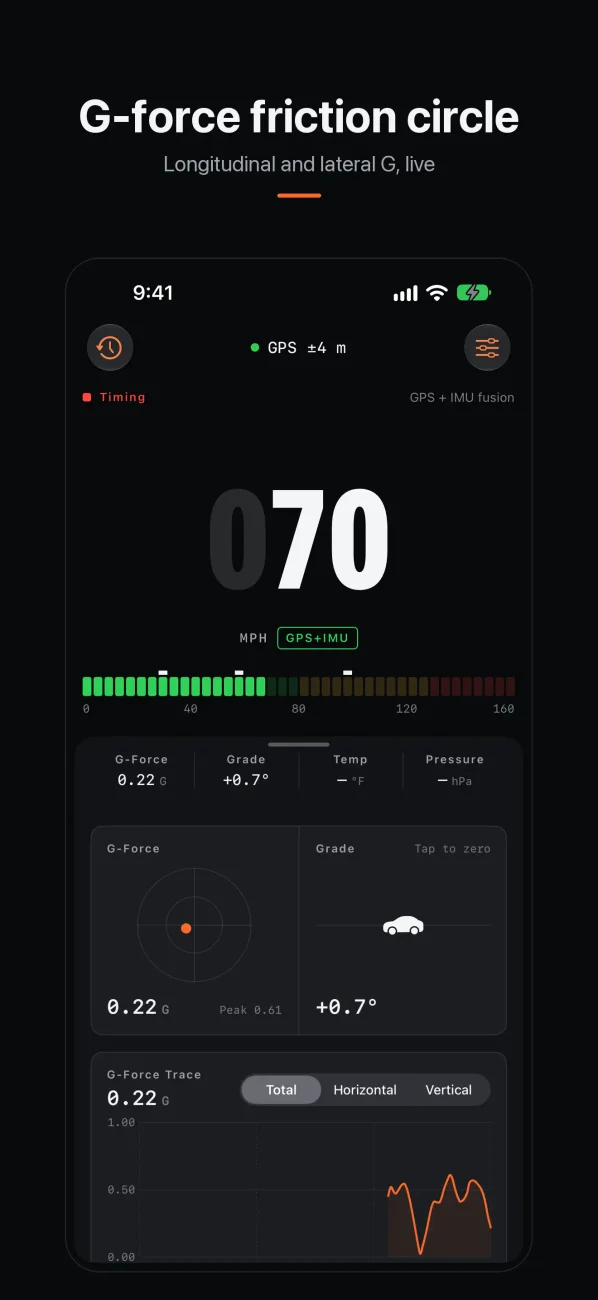
• Friction circle for longitudinal and lateral G, plus a live G-force trace
• Grade meter — tap to zero
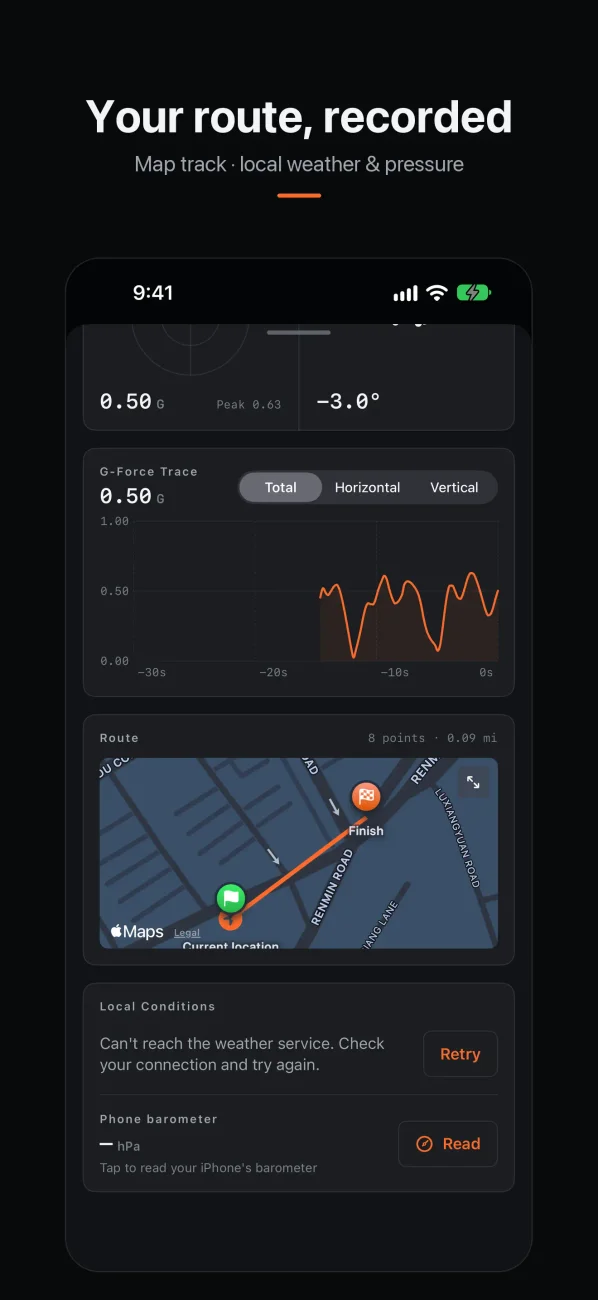
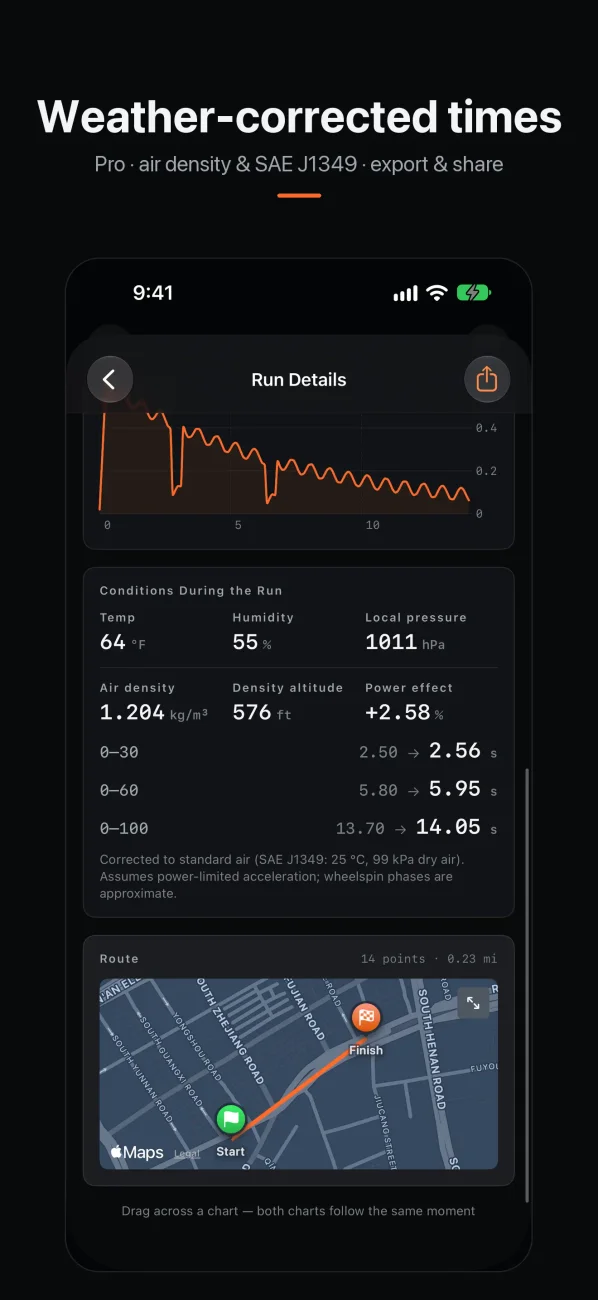
• Local temperature, humidity and pressure from Apple Weather, plus your iPhone's barometer
RUNS & ROUTES SAVED
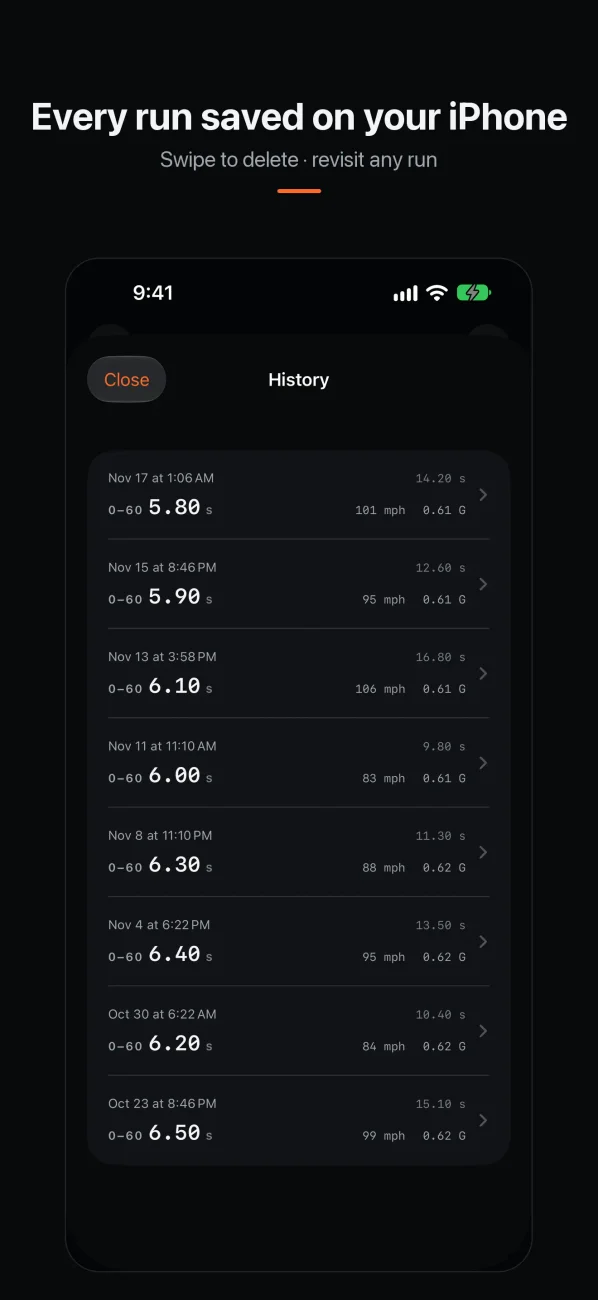
• Speed and G-force traces, splits and route are saved on your iPhone for every run
• Drag across the charts to replay any moment
• Routes keep recording with the screen locked
LAUNCHMETER PRO (OPTIONAL, ONE-TIME PURCHASE)
• Weather-corrected times: air density, density altitude and SAE J1349 correction so runs compare fairly across seasons and altitude
• Export CSV data and GPX tracks
• Share cards with your splits and speed trace
• Multiple cars: log and compare runs per car
Everything else stays free forever.
PRIVACY
Your runs stay on your iPhone and are never uploaded. Location is only used to measure speed, record routes and look up local weather.
SAFETY
Only test on closed courses or where it's safe and legal. Obey traffic laws and never use your phone while driving. Continuous GPS use during a run increases battery drain. Results depend on GPS signal and phone mounting and are for reference.
What’s new
Version 1.5 · Nov 19, 2026
Improved the app’s energy use and speed.
App privacy
What 耀民 王 declares on the App Store about how this app handles data.
-
Data not collected
The developer does not collect any data from this app.
Privacy practices may vary, for example with the features you use or your age.
Information
- Seller
- 耀民 王
- Category
- Utilities
- Version
- 1.5
- Updated
- Nov 19, 2026
- Released
- Jan 12, 2025
- Size
- 2.0 MB
- Requires
- iOS 17.0 or later
- Age rating
- 4+
- Price
- Free
- In-app purchases
- Yes
- Languages
- English, Arabic, French, German, Italian, Japanese, Korean, Portuguese, Russian, Simplified Chinese, Spanish, Traditional Chinese + 1 more
- Copyright
- © 汽水西瓜
You might also like
-
 测速仪-实时仪表盘测速Utilities
-
 测车速-车速实时测试助手Utilities
-
 Speed Lab: SpeedometerGPS Speed, 0-100 & G-Force
-
 Launchly - 0-60 & Quarter MileGPS Acceleration Drag Timer
-
 Trackbook: Auto Trip DiaryAuto-record every walk & drive
-
 VroomistVehicle Performance Meter
-
 LM - Vehicle AnalysisVehicle performance logger
-
 GPS Speed Measurement Apps mphSpeedometer Mileage Tracker
-
 Zero100: Car Performance Meter0–60 mph & 0–100 km/h by GPS
-
 CarSpeedTestEasy to use speed measurement