
Lavapup - Calendar & Notes
Easy to write, clear to see
Designed for iPhone, iPad
In-app purchases
- Age rating4+
- CategoryProductivity
- Developer伟 洪
- LanguagesTraditional Chinese+ 2 more
- Size10.3 MB
Links to the official App Store page
Download.org hosts no file of Lavapup - Calendar & Notes. The button opens its official App Store page, published by 伟 洪. Listing last checked on Nov 12, 2026.
Screenshots

About
A calendar you'll actually want to write in.
One tap to jot it down.
Tap a day, write a line, and it's saved. Need a time? Just type 0930Coffee. Want a reminder? Type @0900. No pop-ups, no checkboxes to wade through — the fewer the steps, the more you'll write down.
A tap to add color.
Pick a color as you type. Sort plans, to-dos, and the things that matter — or however you like — and tell them apart in an instant.
Your whole week, in view.
Every day's plans appear right on the month view. What's on this week, what's coming next — no need to open each day. It's all there in front of you.
Plan ahead, and look back.
A calendar isn't only about what's next. Note what you did today, too, and looking back later, you'll see exactly where your time went — no week feels wasted.
Details, only when you need them.
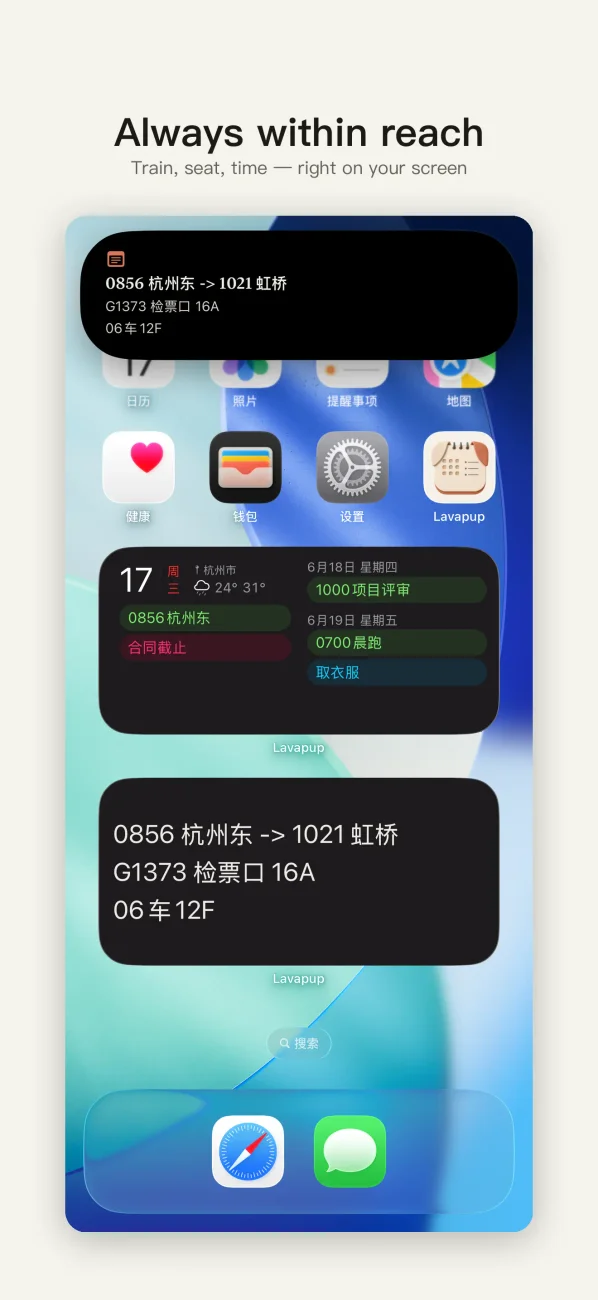
A few words are usually enough: Meeting, Car wash, 0730Flight. The rest waits quietly in the day's details, ready when you are. Heading out? Pin it to a Lock Screen Live Activity or a Home Screen widget — gate, seat, boarding time, right there on your screen, without opening the app again and again.
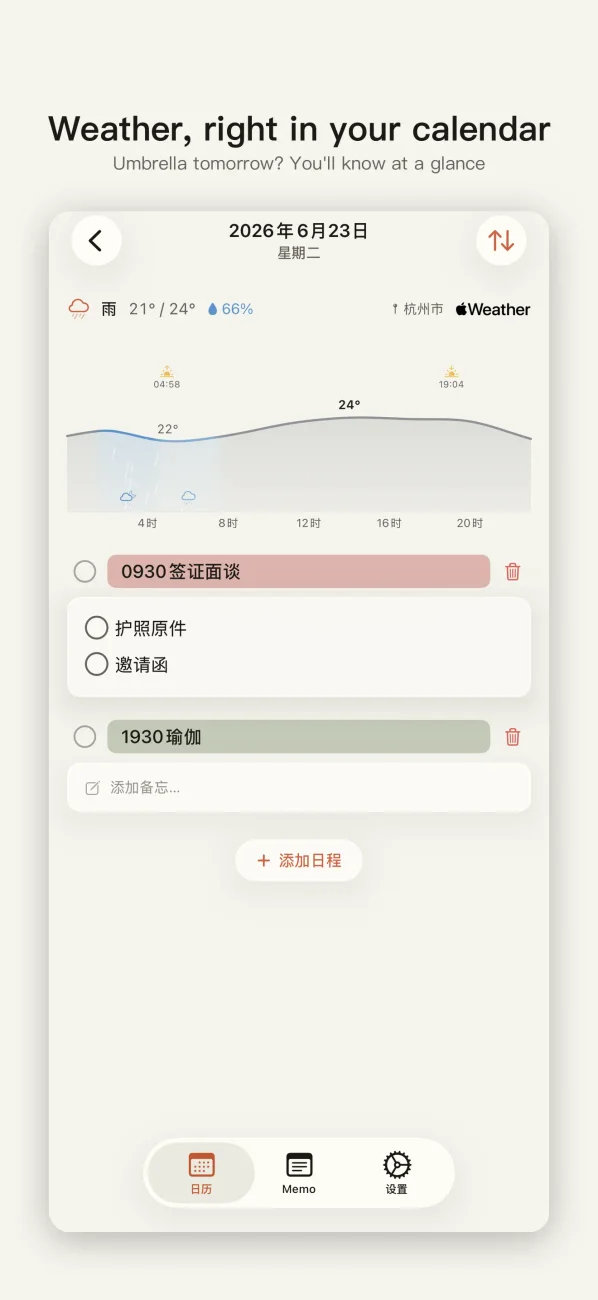
Weather, right in your calendar.
Each day's weather sits in that day. Need an umbrella tomorrow? You'll know at a glance.
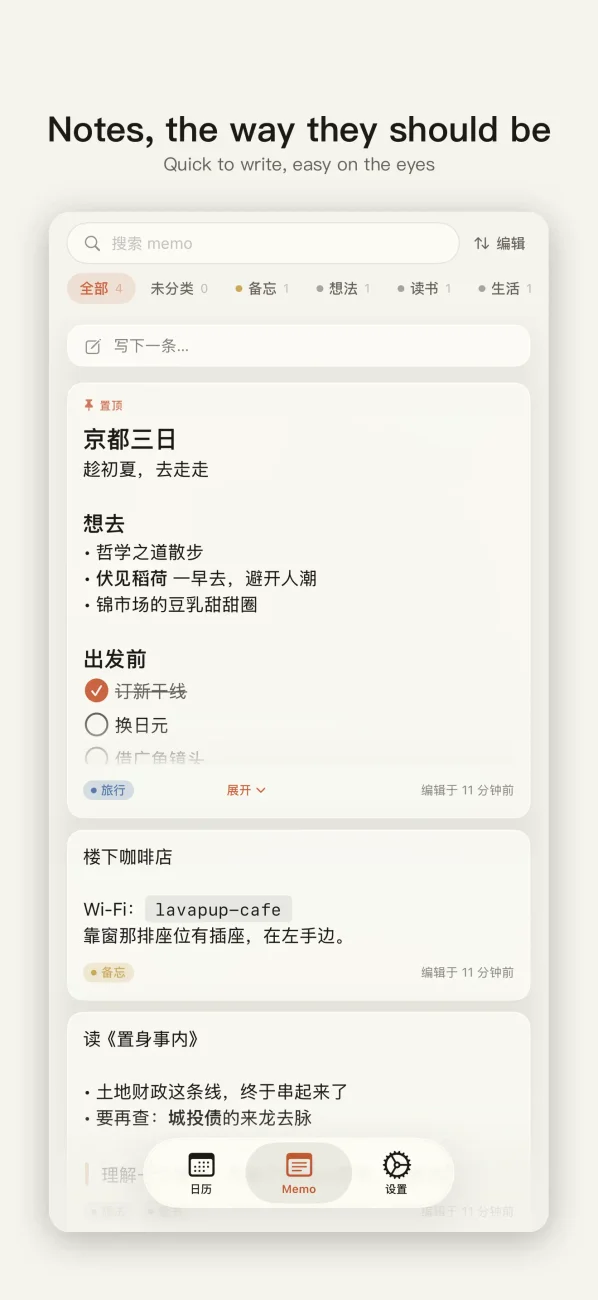
Notes, the way they should be.
Tap where you want to edit, and the cursor lands right there — it won't drop you at the end. Photos are kept at full resolution, never compressed. Everything stays on your device, syncs through your own iCloud, and works offline.
Bulk entry, with a little help from AI.
A sentence, or a photo of a class schedule or a list — pair it with the prompt Lavapup writes for you, hand it to your favorite AI, and import the result in one tap. A month of bills, a whole semester of classes, or one note split into many — the complex, repetitive stuff takes minutes.
Yours, always.
Lavapup works on iPhone and iPad, with a Mac version on the way. Export and import everything as JSON, anytime, and take it anywhere. Built by one person, to be a tool that's handy and quietly elegant.
———
Terms of Use (EULA): https://legal.lavapup.com/app/terms
What’s new
Version 1.1 · Aug 10, 2026
· Much smoother overall: the calendar scrolls better, and returning from the background no longer keeps you waiting
· Fixed event lines after rotating the device — no more stray blank lines or text cut in half
· Jump to the previous or next day right from the day detail screen, no more bouncing back to the calendar
· Swipe left on the calendar to open today's detail
· Event titles in the day detail screen now take r / b / g color shortcuts too — same feel as the main calendar
· Inline code now matches body text size, and neighboring lines no longer crowd each other
· Collapsed notes dropped the bottom gradient, leaving just a clean "Show more"; links and code inside now open or copy on the first tap
· "Collapse long notes" now applies to notes in the calendar as well
· Plus a handful of small fixes you'll never notice — everything should just feel a little better
App privacy
What 伟 洪 declares on the App Store about how this app handles data.
-
Data not linked to you
May be collected but is not linked to your identity.
- Location
Privacy practices may vary, for example with the features you use or your age.
Information
- Seller
- 伟 洪
- Category
- Productivity
- Version
- 1.1
- Updated
- Aug 10, 2026
- Released
- Jun 30, 2026
- Size
- 10.3 MB
- Requires
- iOS 26.2 or later
- Age rating
- 4+
- In-app purchases
- Yes
- Languages
- Traditional Chinese, Simplified Chinese, English
- Copyright
- © 2026 Wei Hong
You might also like
-
 FamilyCal: Family CalendarShared events & reminders
-
 HIYORI - Shift CalendarRota & Shift Planner
-
 Reflow: ADHD Daily PlannerThe plan that fixes itself
-
 VoiceCalendar AISpeak once. Schedule it.
-
 TimeGlass Notes - Sticky NotesYour day beautifully organized
-
 Complete Stuff PlannerDrag Drop, Done.Daily Planner.
-
 Your New CalendarEasy clear appearance calendar
-
 Tertiary PlannerProductivity
-
 Pocket Pages: Paper PlannerPhoto, voice & sticky notes
-
 簡單排班Productivity