
Laytr: Save & Read Later
Bookmarks that come back
Designed for iPhone, iPad, Mac
Free · In-app purchases
- Age rating4+
- CategoryProductivity
- DeveloperWaitery Inc
- LanguagesEnglish+ 6 more
- Size34.4 MB
Links to the official App Store page
Download.org hosts no file of Laytr: Save & Read Later. The button opens its official App Store page, published by Waitery Inc. Listing last checked on Nov 23, 2026.
Screenshots
About
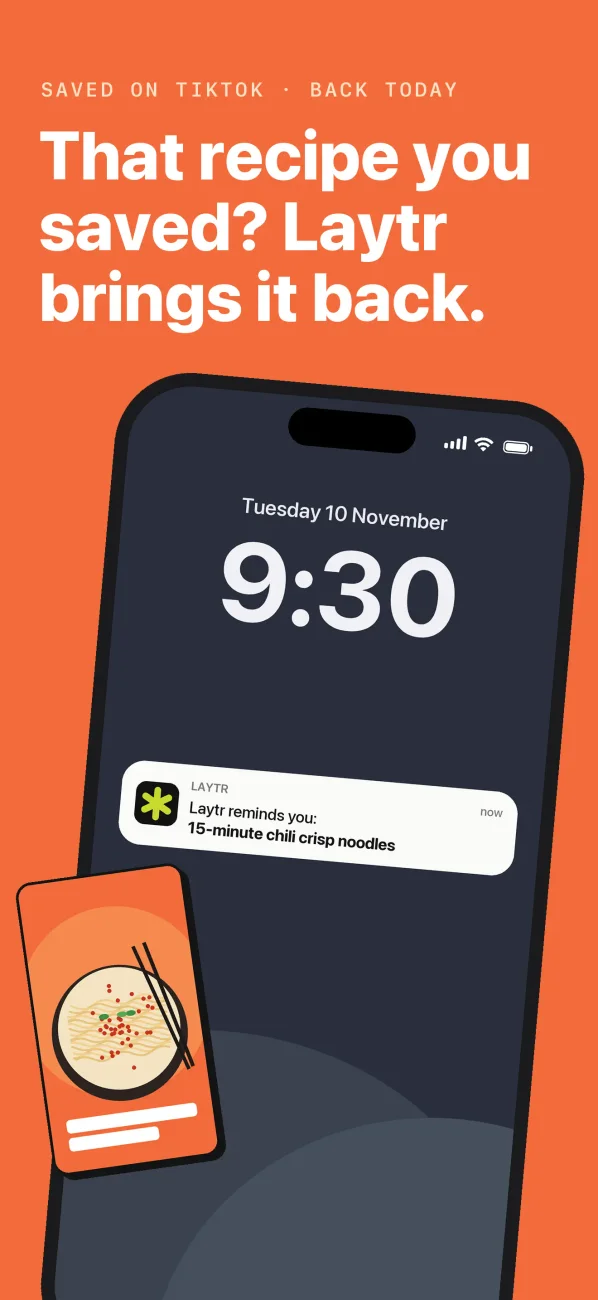
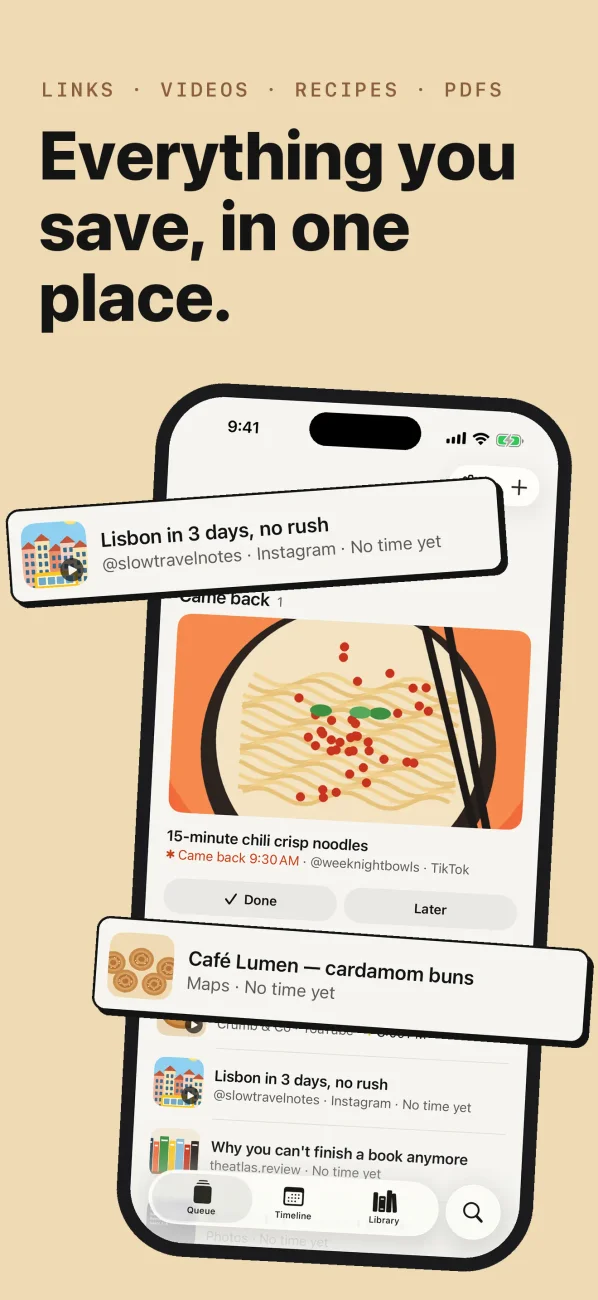
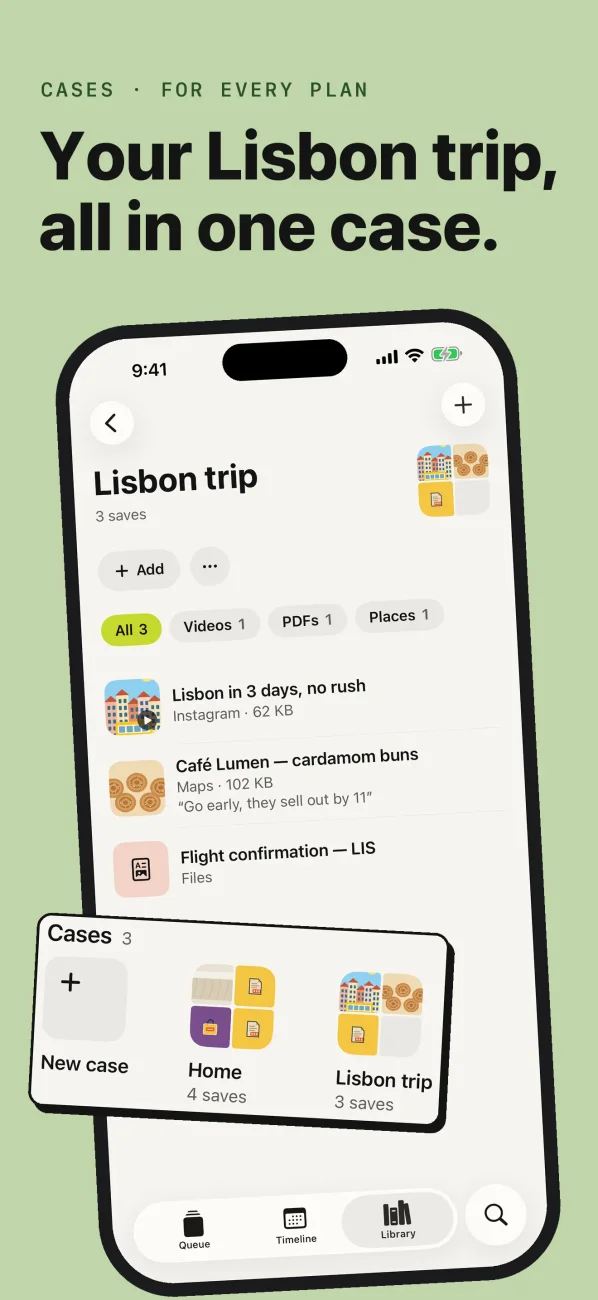
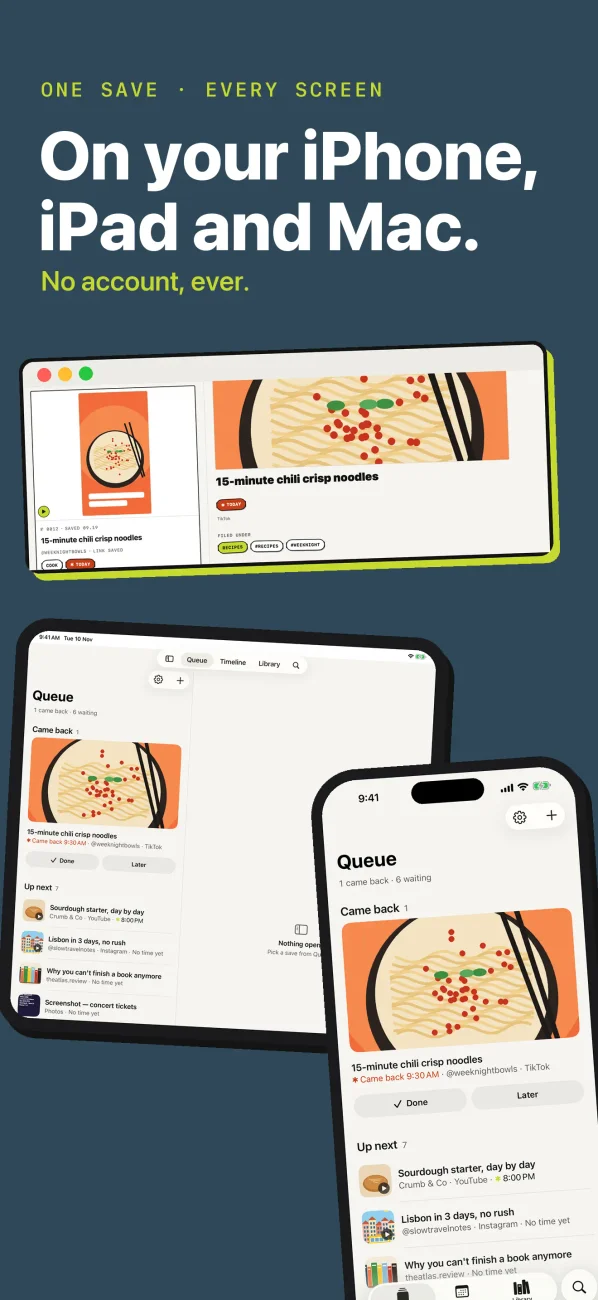
Save anything from any app, pick when you want it back, and Laytr puts it at the top of the app that day. Links, recipes, videos, screenshots and PDFs, all in one place, on your iPhone, iPad and Mac.
You save things all day, and most of it disappears into whatever app it was saved in. Laytr keeps it in one place and hands each thing back on the day you picked.
NO ACCOUNT, NO SERVER OF OURS
There is no Laytr account and no Laytr server. Your saves live on your phone, and if you leave backup or sync on, in your own iCloud, where we cannot read them. Nothing you save passes through us, so it can't be scanned, profiled or sold.
SAVE FROM ANYWHERE
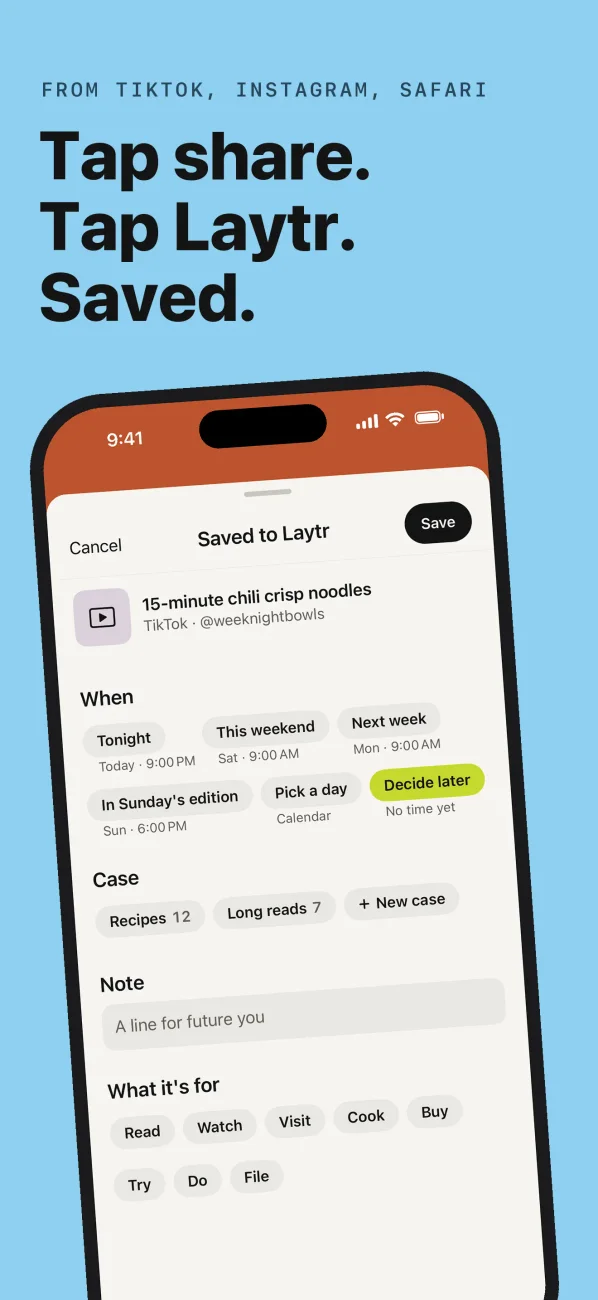
Laytr sits in the share sheet, so it works from Safari, Photos, Files, Maps, YouTube, TikTok, Instagram, and anywhere else you can share from. Links, articles, videos, places, PDFs, images and screenshots each get a card that fits what they are. Saving takes two taps. You can file things properly later, or never.
IT COMES BACK WHEN YOU SAID
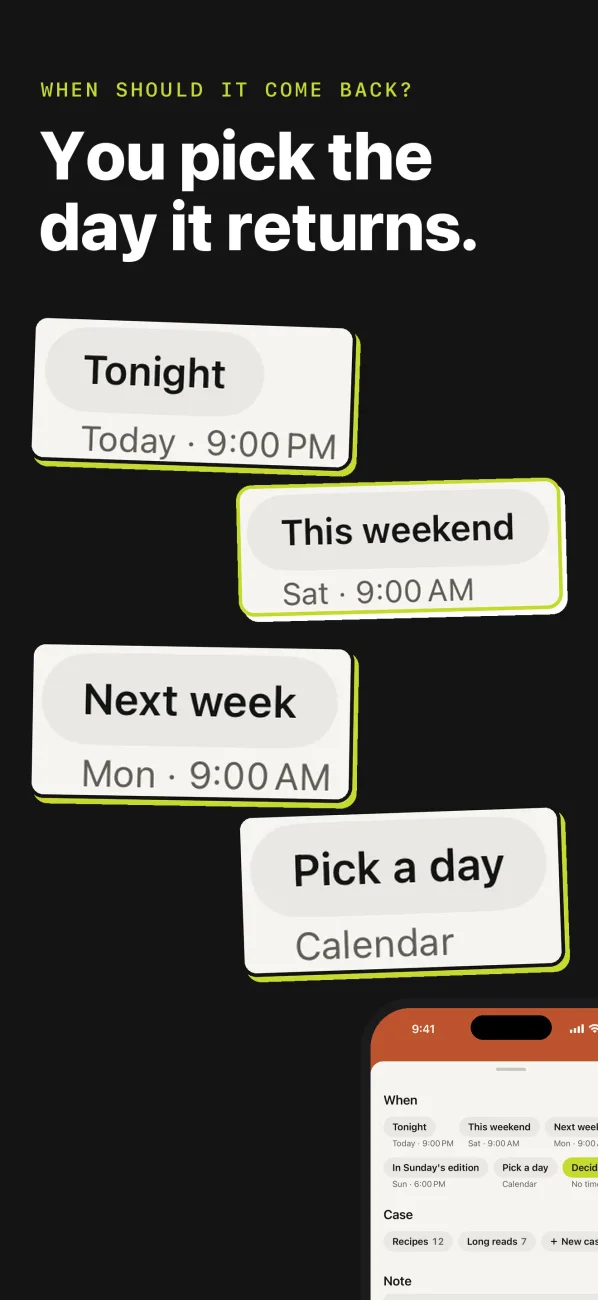
Tonight, this weekend, next week, a date you pick, or Someday. Each choice shows the actual time it means, like "Sat 9:00 AM". When that time arrives, the save appears at the top of the Now tab. If it's a bad moment, "Not now" sits right next to "Done", and nothing nags you afterwards. There are no streaks and no overdue badges.
READ IT LATER, KEPT FOR GOOD
Saving an article stores the full text and images on your phone, not just the link, so it still opens years later, when the original site is gone. The reader has three page themes, serif or sans-serif type, adjustable text size, and it remembers where you stopped.
SEARCH INSIDE EVERYTHING
Search covers titles, sources, notes, tags, the full text of saved articles, and the text inside your screenshots. Screenshot text is read on the phone using Apple's Vision framework; the images are never sent to us. Filter by kind, browse by tag, change the sort.
ONE LIBRARY ON EVERY DEVICE
Sign in to the same Apple Account on your iPhone, iPad and Mac and you have one archive across all of them: the same saves, cases and tags, the same things you put away or deleted. It goes through your own iCloud, so there is still nothing of yours on a server of ours. It is on when you install Laytr, free on every plan, and Settings has a switch that turns it off there.
EXPORT AND IMPORT
Your whole archive exports as one ZIP: Markdown and HTML you can read anywhere, plus your original files, unchanged. Export is available on every plan, including free, always. There are importers for Pocket, Instapaper and Omnivore, and Laytr re-imports its own exports.
FREE, THEN PREMIUM
The free version holds 30 saves. Premium removes the limit, and that is the only difference. $1.99 a month, $14.99 a year, or $39.99 once.
Since there's no server of ours, a fair question is what a subscription pays for. It pays for the app itself: Laytr is built by one person, and Premium funds that work. There is no infrastructure you're renting, which is why a one-time lifetime price can exist, and why cancelling costs you nothing. If you stop paying, every save stays, and reading, search, export and the copy between your devices keep working. The one thing that pauses is adding new saves while you're over 30. Nothing you saved is ever deleted, hidden or locked, on any device.
Save now. Come back Laytr.
SUBSCRIPTION DETAILS
Laytr Premium is available as a monthly subscription at $1.99 per month, or an annual subscription at $14.99 per year. Lifetime is a one-time purchase at $39.99 and never renews. Payment is charged to your Apple Account at confirmation of purchase. Subscriptions renew automatically for the same period and price unless auto-renew is turned off at least 24 hours before the end of the current period; manage or cancel any time in your App Store account settings.
Terms of Use (EULA): https://laytr.app/terms
Privacy Policy: https://laytr.app/privacy
What’s new
Version 1.0.18 · Nov 21, 2026
This update is mostly for people who are new to Laytr.
After the welcome article, setup now asks you to save one thing of your own. Share a page from Safari or paste a link you copied, and it's there when you finish. You can skip it.
While Laytr is still empty, Queue has a Paste button. Copy a link in any app, come back and tap it.
Paste in Save a link is fixed too. It could fail on iOS 18, and it ignored a link you copied from Safari's share sheet. Both work now.
App privacy
What Waitery Inc declares on the App Store about how this app handles data.
-
Data linked to you
May be collected and linked to your identity.
- Purchases
- Identifiers
-
Data not linked to you
May be collected but is not linked to your identity.
- Usage data
- Diagnostics
Privacy practices may vary, for example with the features you use or your age.
Information
- Seller
- Waitery Inc
- Category
- Productivity
- Version
- 1.0.18
- Updated
- Nov 21, 2026
- Released
- Aug 25, 2026
- Size
- 34.4 MB
- Requires
- iOS 17.0 or later
- Age rating
- 4+
- Price
- Free
- In-app purchases
- Yes
- Languages
- English, Arabic, French, German, Italian, Portuguese, Spanish
- Copyright
- © 2026 Waitery Inc
You might also like
-
 KeyAlarm: Calendar Event AlarmRings on Silent for meetings
-
 Stash: Fast Add to ClipboardSnippets, links, photos, files
-
 Grit Method: Show Up DailyHabit Tracker for Character
-
 Kan Do: Project ManagementProductivity
-
 Loops: Think through anythingA notebook for open thoughts
-
 Flipnotes - Digital NotebookThe Fastest Notes App.
-
 Scrappy — Digitial ScrapbookFor ideas, research and fun
-
 Unforgetful: Never Lose a TaskTo-do reminders app for ADHD
-
 Prism NotesCapture thoughts and links
-
 Riff CalendarThe calendar you zoom