- Age rating4+
- CategoryProductivity
- DeveloperStephen Robles
- LanguagesEnglish
- Size65.8 MB
Links to the official App Store page
Download.org hosts no file of Kan Do: Project Management. The button opens its official App Store page, published by Stephen Robles. Listing last checked on Nov 25, 2026.
Screenshots


About
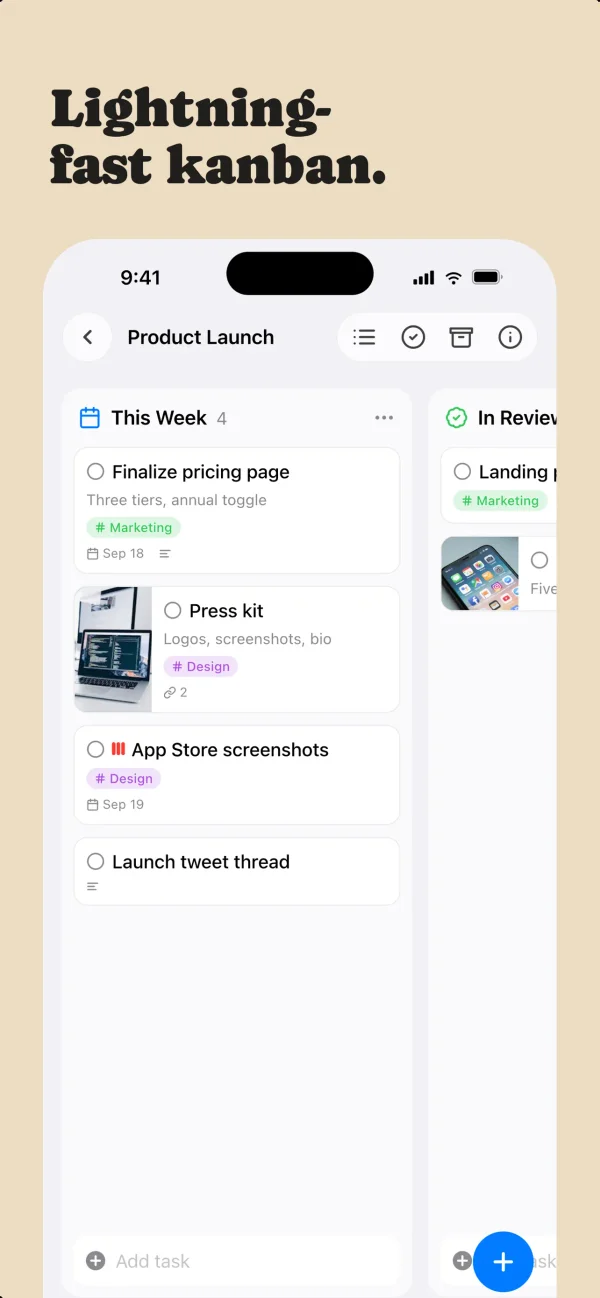
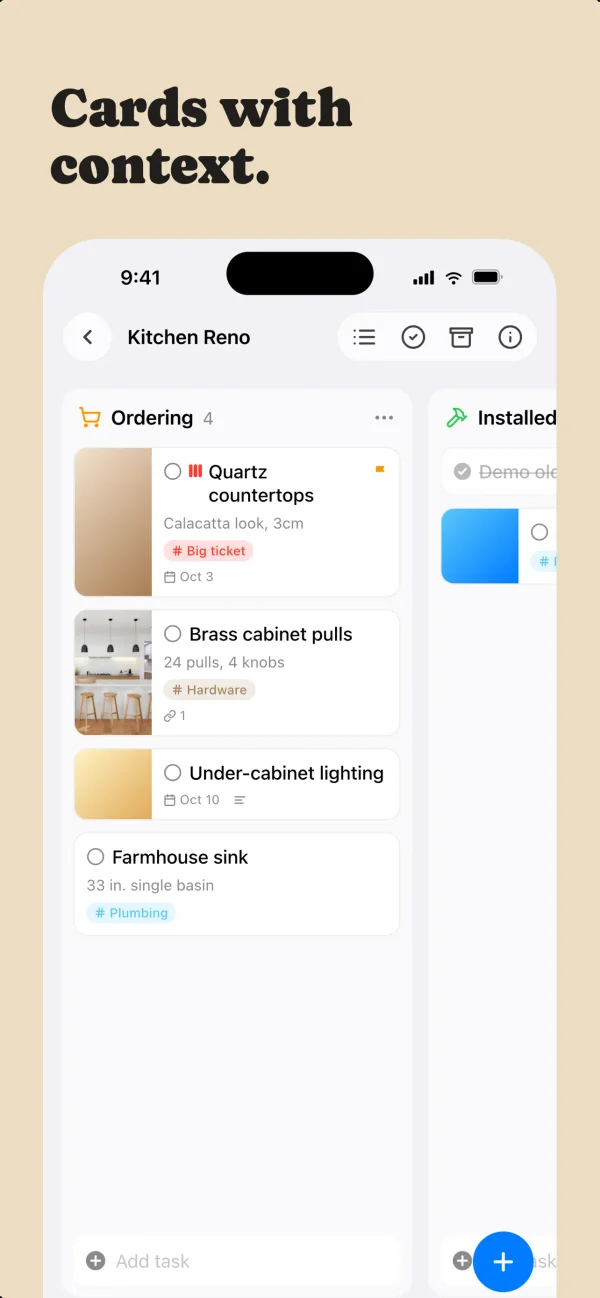
Organize your work into Spaces and Projects, then move tasks across the columns you define. Every card shows what matters at a glance: a cover image, subtitle, tags, priority, and due date. Open any task and you get a full markdown notes editor with headings, lists, checkboxes, images, and file attachments.
ORGANIZE YOUR WAY
• Kanban boards with drag-and-drop cards, columns, and dividers
• A list view for every project, with drag to reorder
• Spaces group your projects; tags cut across them
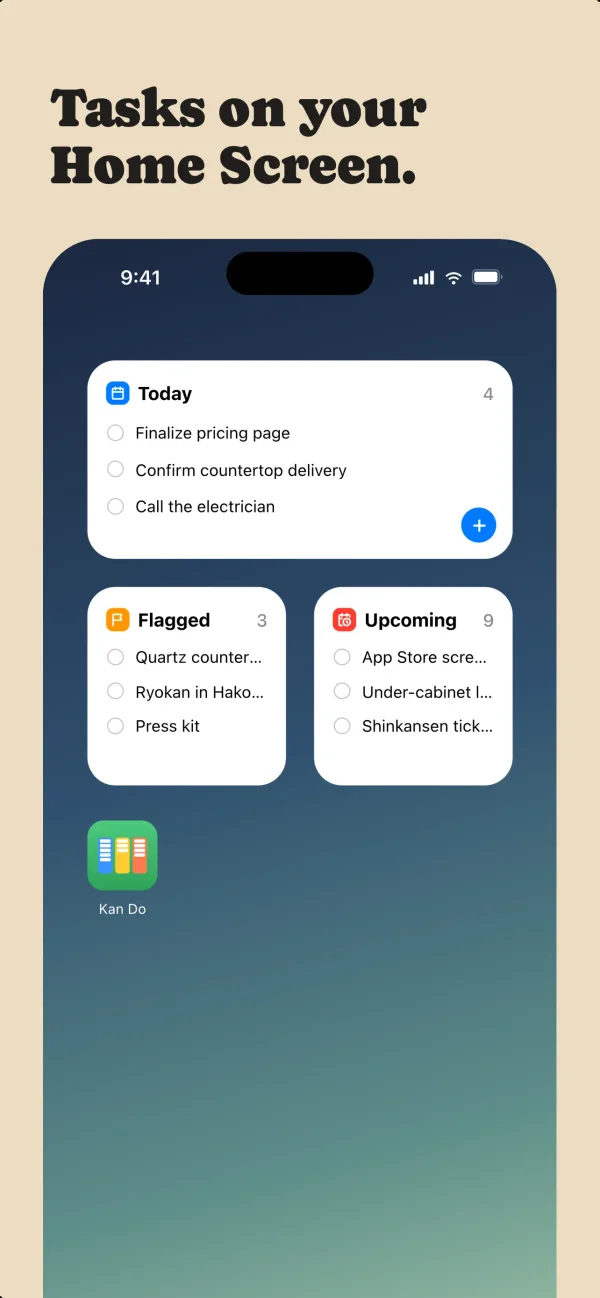
• Smart lists for Inbox, Today, Upcoming, and Flagged
• Archive completed work, or keep it crossed out on the board
CAPTURE THE DETAILS
• Rich notes on every task: headings, bold, lists, to-do checkboxes, quotes, and code
• Attach images and files right in the note
• Cover images, subtitles, priorities, flags, links, and due dates with reminders
EVERYWHERE YOU WORK
• Native on Mac, iPhone, iPad, and Apple Vision Pro
• iCloud sync keeps every device up to date
• Spotlight search and Shortcuts actions!
• Multi-select to move, complete, or delete tasks in bulk
• Light and Dark appearance, color themes, adjustable typography
No accounts. No subscriptions to manage your own tasks. Your data lives in your iCloud.
What’s new
Version 1.7.7 · Nov 21, 2026
Tasks
- The title and subtitle keep what you type. On some Macs, typing a new task's title or subtitle with short pauses could drop a letter or a space, or bring back the text from a moment earlier
- Nothing arriving from sync changes a title or subtitle while you are typing in it
- On iPhone and iPad, tapping Add subtitle while naming a new task now moves the keyboard to the subtitle. The typing used to stay in the title
Smart lists
- Started or No Start Date: a new choice in a smart list's Start Date filter. It hides only the tasks whose start date is still ahead and keeps everything else, including tasks with no start date
App privacy
What Stephen Robles declares on the App Store about how this app handles data.
-
Data not collected
The developer does not collect any data from this app.
Privacy practices may vary, for example with the features you use or your age.
Information
- Seller
- Stephen Robles
- Category
- Productivity
- Version
- 1.7.7
- Updated
- Nov 21, 2026
- Released
- Aug 5, 2026
- Size
- 65.8 MB
- Requires
- iOS 26.0 or later
- Age rating
- 4+
- Price
- $2.99
- Languages
- English
- Copyright
- © 2026 Stephen Robles
You might also like
-
 Contextly NotesNotes that work the way you do
-
 Parchment: Agenda & Daily NoteStay Organized Stay Productive
-
 The No ListA Thousand No's for Every Yes.
-
 ShortcutStudio - AI ShortcutsBuild Apple Shortcuts with AI
-
 Memo AI - Voice Notes TakerRecord & Transcribe Memos
-
 Laytr: Save & Read LaterBookmarks that come back
-
 Prazo: Calendar & To-Do ListDaily planner & reminders
-
 Quick Notes (easy voice notes)Dictate notes, privately
-
 DEVONthink To Go 4Document & Information Manager
-
 TextExpanderYour snippets in every app.