
Lazy Voice Type
Phone keyboard & voice for PC
Designed for iPhone, iPad
Free · In-app purchases
- Age rating4+
- CategoryProductivity
- DeveloperNexa Limited
- LanguagesEnglish+ 11 more
- Size3.1 MB
Links to the official App Store page
Download.org hosts no file of Lazy Voice Type. The button opens its official App Store page, published by Nexa Limited. Listing last checked on Nov 13, 2026.
Screenshots

About
Type on your computer with your phone — keyboard, voice, recordings and files.
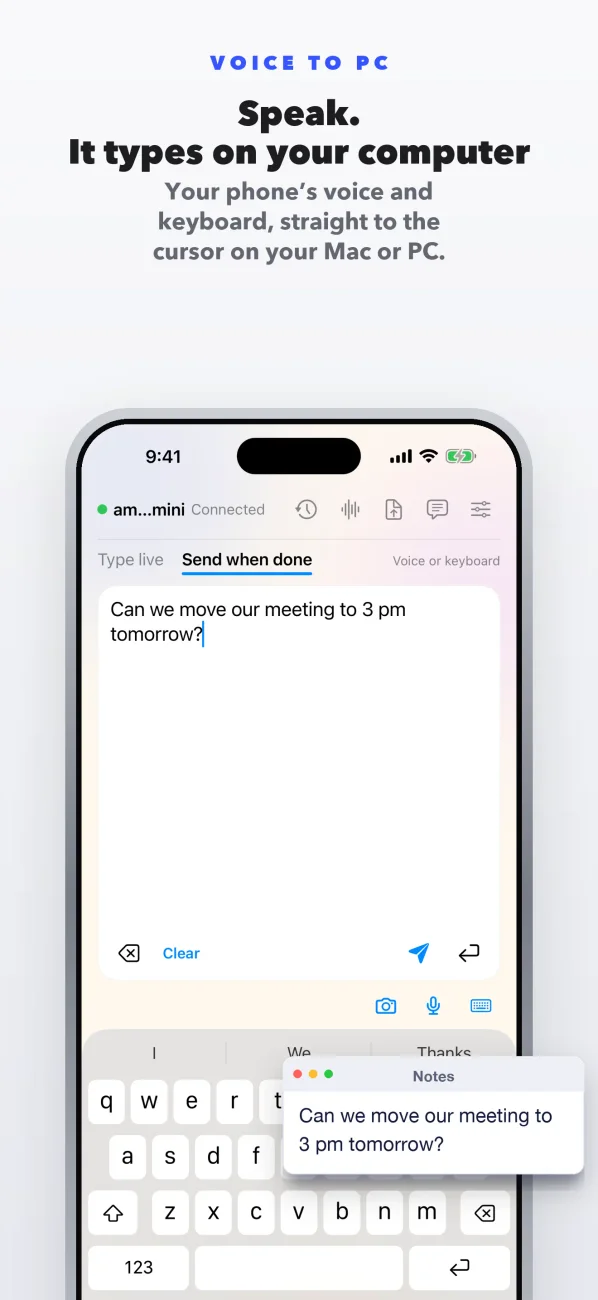
Your phone is where you type fastest: autocorrect knows your habits and dictation understands how you speak. LazyVoiceType sends what you type or say to the cursor on your computer — in any app, in any text field. Text is injected as Unicode, so every language, accent and emoji arrives intact whatever keyboard layout the computer uses.
WHAT YOU CAN DO
• Voice input: tap the mic and speak; after a pause the text appears at the computer's cursor, with punctuation or a space added between segments
• Standby microphone: start voice input with a hotkey on the computer, even when the phone is locked or the app is closed
• Phone keyboard: handwriting, Cangjie, Pinyin and every other input method, with the composition visible while you type. Send as you type, or compose first and send when it's right
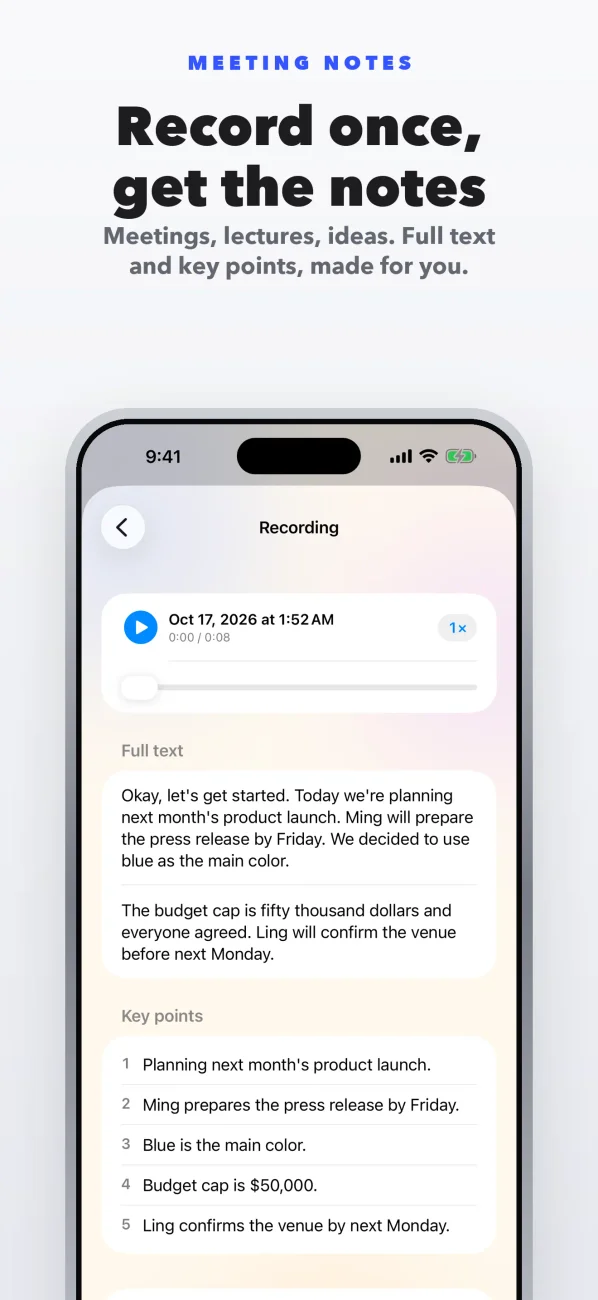
• Recording: record meetings, lectures or ideas and get the full text with the key points
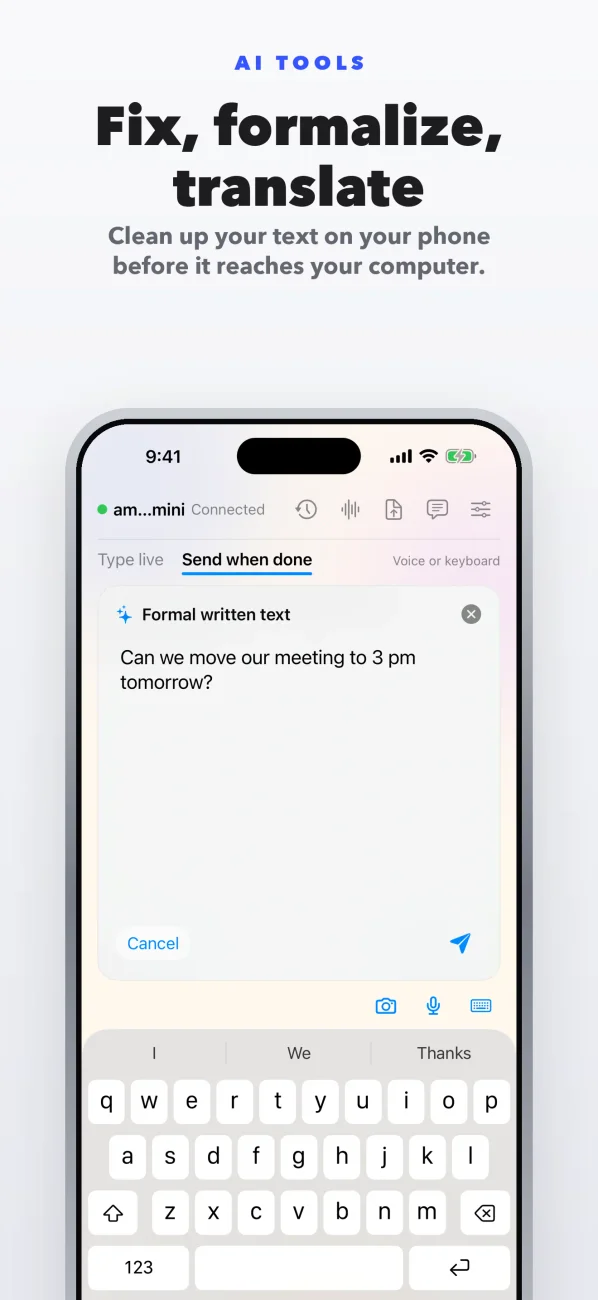
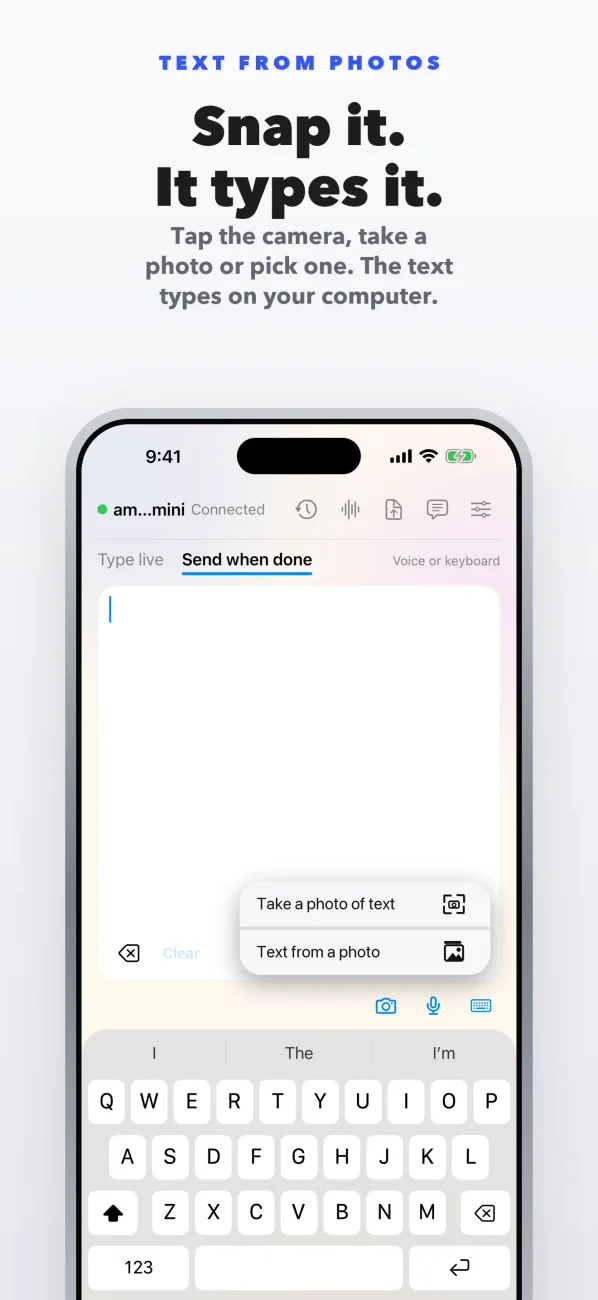
• AI tools: fix punctuation, rewrite more formally, translate, or read the text in a photo. They run on the iPhone and need a model that supports Apple Intelligence
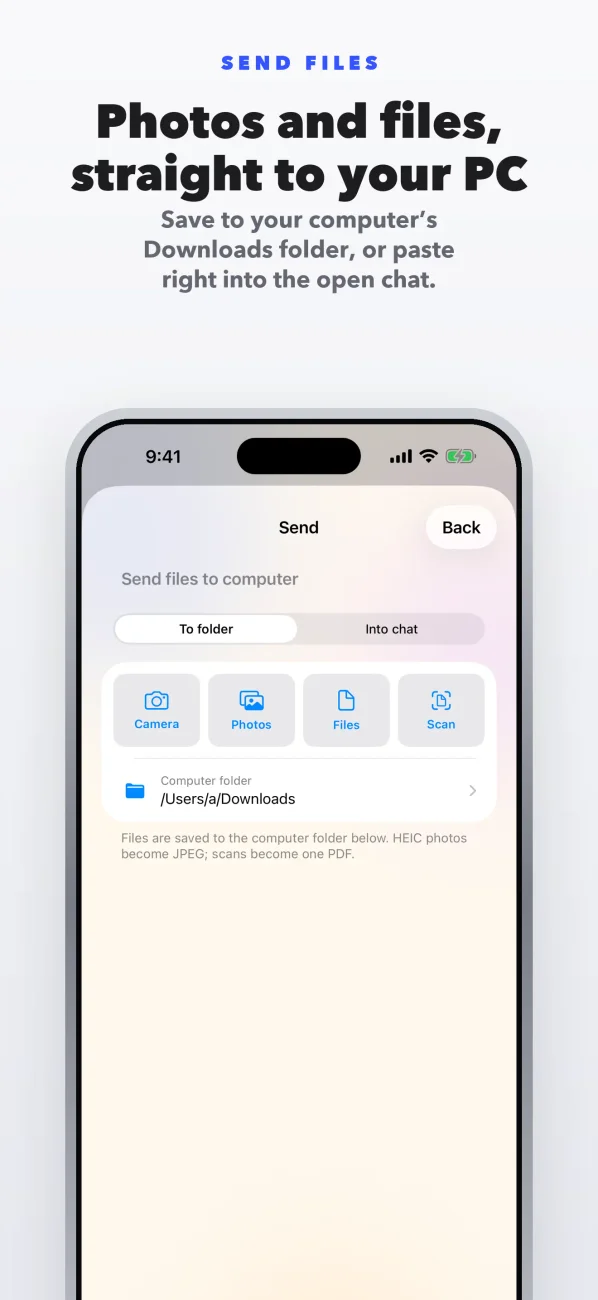
• Send files: photos, scans, screenshots and documents go to the computer's Downloads folder, or straight into the chat you have open
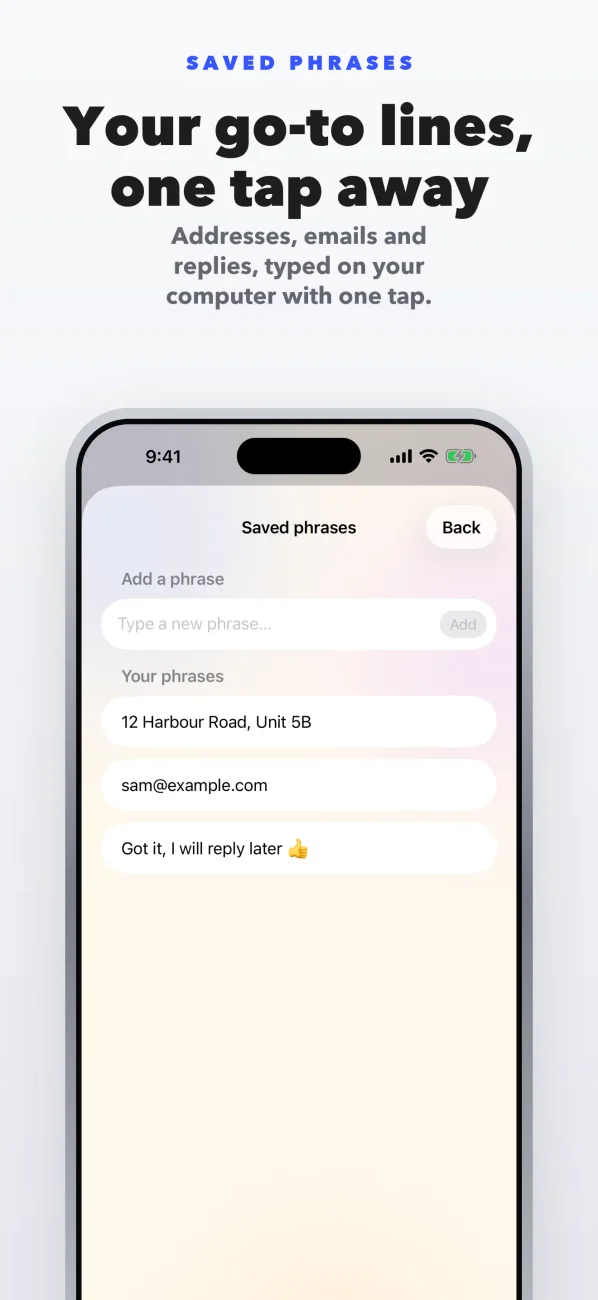
• Saved phrases: addresses, emails, usual replies — one tap types them on the computer
• Every send is kept on the phone. Tap one to send it again
HOW IT WORKS
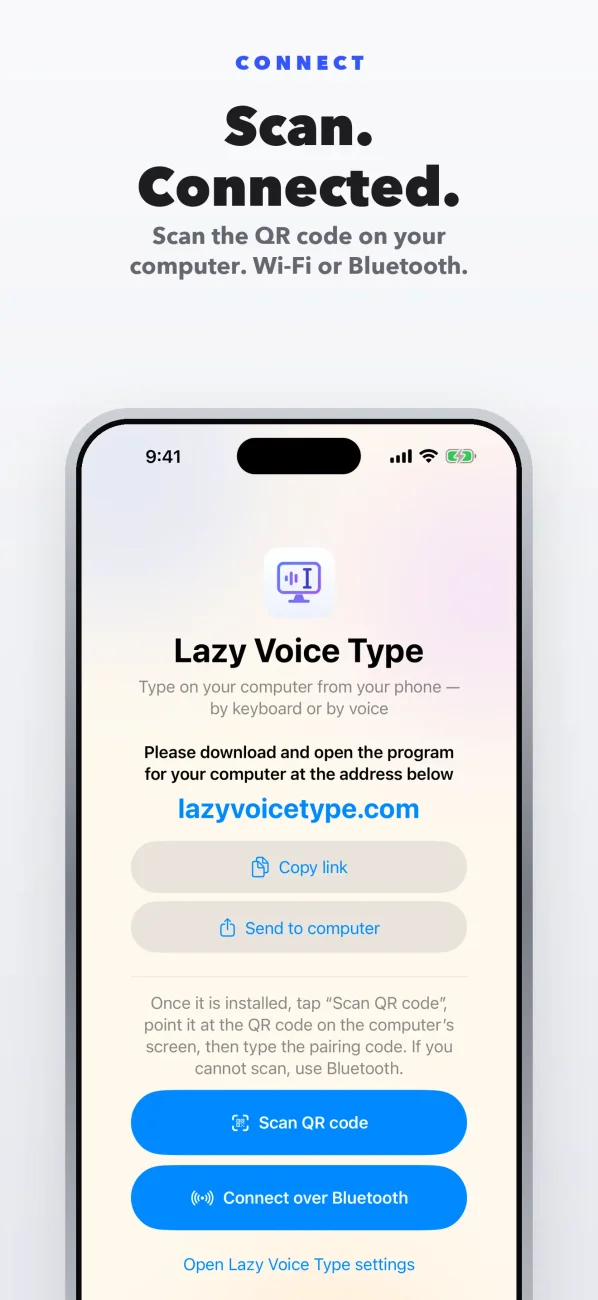
1. Run the free companion program on your Windows PC or Mac.
2. In the app, tap Scan QR code, point it at the code on the computer, then enter the 6-digit code it shows.
3. Start typing. Phone and computer need to be on the same Wi-Fi; if the network blocks them, use Bluetooth.
YOUR DATA
No account and no cloud. There is no server of ours in the middle: text goes from your phone to your computer.
RUNS ALONGSIDE MOUSEPAD PRO
Both apps can drive the same computer at once — separate ports, separate pairing.
SUBSCRIPTION
LazyVoiceType is Pro at US$2.99 per month (auto-renewing) or Premium at US$9.99 once. Both unlock every feature; there is no feature split. Payment is charged to your Apple Account at confirmation of purchase. The Pro subscription renews automatically unless cancelled at least 24 hours before the end of the current period. Your account is charged for renewal within 24 hours prior to the end of the current period. You can manage and cancel a subscription in your Apple Account settings after purchase. Premium does not renew. No refund is given for the unused portion of a term.
Terms of Use: https://lazyvoicetype.com/#terms
Privacy Policy: https://lazyvoicetype.com/#privacy
What’s new
Version 2.1.1 · Nov 7, 2026
Lazy Voice Type 2.1.1
• Fixed the app becoming unresponsive when the keyboard was open and no purchase or trial was active; the purchase screen now opens normally.
App privacy
What Nexa Limited declares on the App Store about how this app handles data.
-
Data not collected
The developer does not collect any data from this app.
Privacy practices may vary, for example with the features you use or your age.
Information
- Seller
- Nexa Ltd.
- Category
- Productivity
- Version
- 2.1.1
- Updated
- Nov 7, 2026
- Released
- Oct 11, 2026
- Size
- 3.1 MB
- Requires
- iOS 17.0 or later
- Age rating
- 4+
- Price
- Free
- In-app purchases
- Yes
- Languages
- English, French, German, Indonesian, Italian, Japanese, Korean, Portuguese, Spanish, Thai, Traditional Chinese, Vietnamese
- Copyright
- © 2026 Nexa Limited
You might also like
-
 UXAR KeyboardCustom keyboard
-
 AI Keyboard: Rewrite & GrammarFix Writing, Reply, Translator
-
 A Good Custom KeyboardAutocorrect & Calculator
-
 Diction: Speech to TextAI Dictation & Voice Keyboard
-
 TypeWhisper AppPrivate Voice-to-Text
-
 AI Keyboard Extension: TypeBotGrammar & Translator Keyboard
-
 Domoplius.ltProductivity
-
 Speakly: AI Voice KeyboardDon't type, just Speakly.
-
 PDF View-Picture CreateScan, Merge & Split Documents
-
 iCalc: Photo Math CalculatorSnap & Solve Question