Leaf Bookmarks
Links worth keeping, organized
Designed for iPhone, iPad
In-app purchases
- Age rating17+
- CategoryProductivity
- DeveloperTomas Frechou
- LanguagesSpanish+ 1 more
- Size53.3 MB
Links to the official App Store page
Download.org hosts no file of Leaf Bookmarks. The button opens its official App Store page, published by Tomas Frechou. Listing last checked on Nov 8, 2026.
Screenshots


About
Leaf Bookmarks is your personal space for links worth keeping.
Every day you come across articles, videos, products, recipes and ideas you want to come back to. Saving them is easy. Finding them again, and remembering why they mattered, is the hard part.
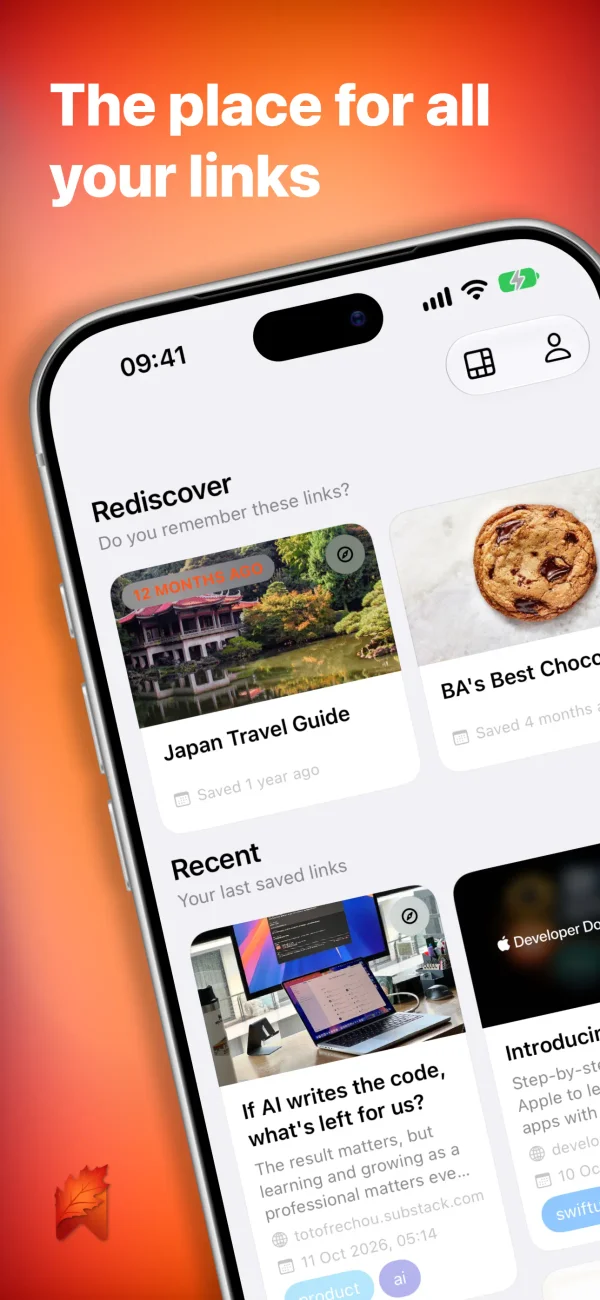
Leaf turns your saved links into a library that is easy to browse, search and actually use.
PRIVATE BY DESIGN
• No account and no sign-up. Open the app and start saving.
• Your library is stored on your device and synced through your own private iCloud.
• AI runs on your device. Your links are never sent to an AI service.
SAVE AND ORGANIZE
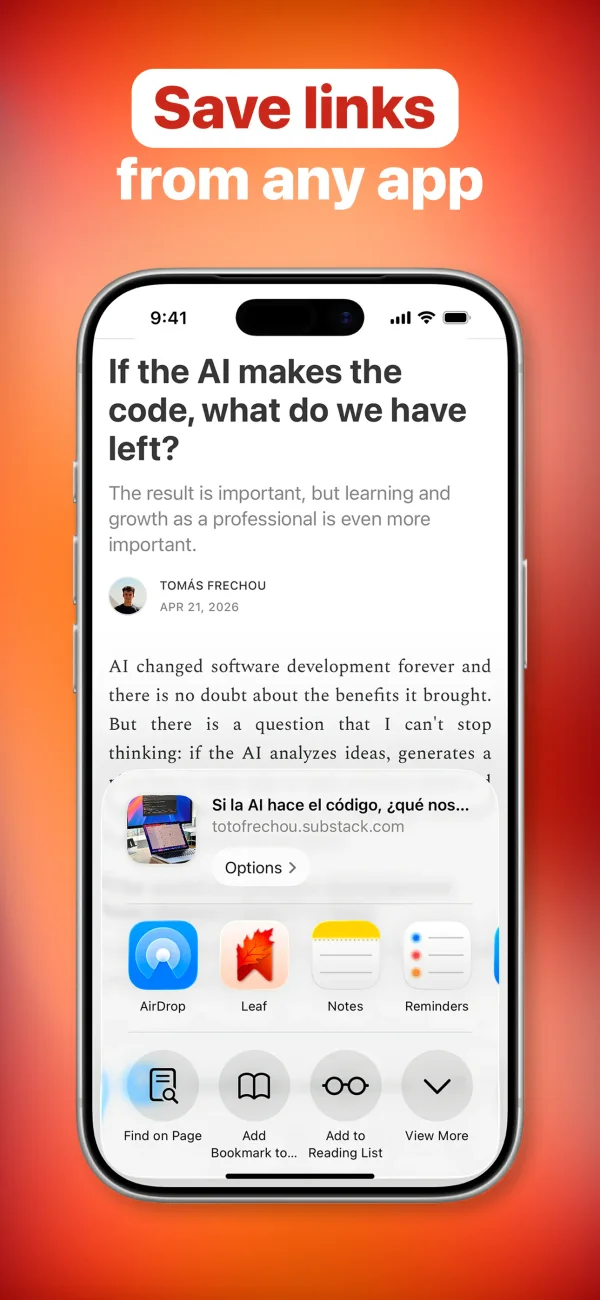
• Save links from the app or from the share sheet in any app.
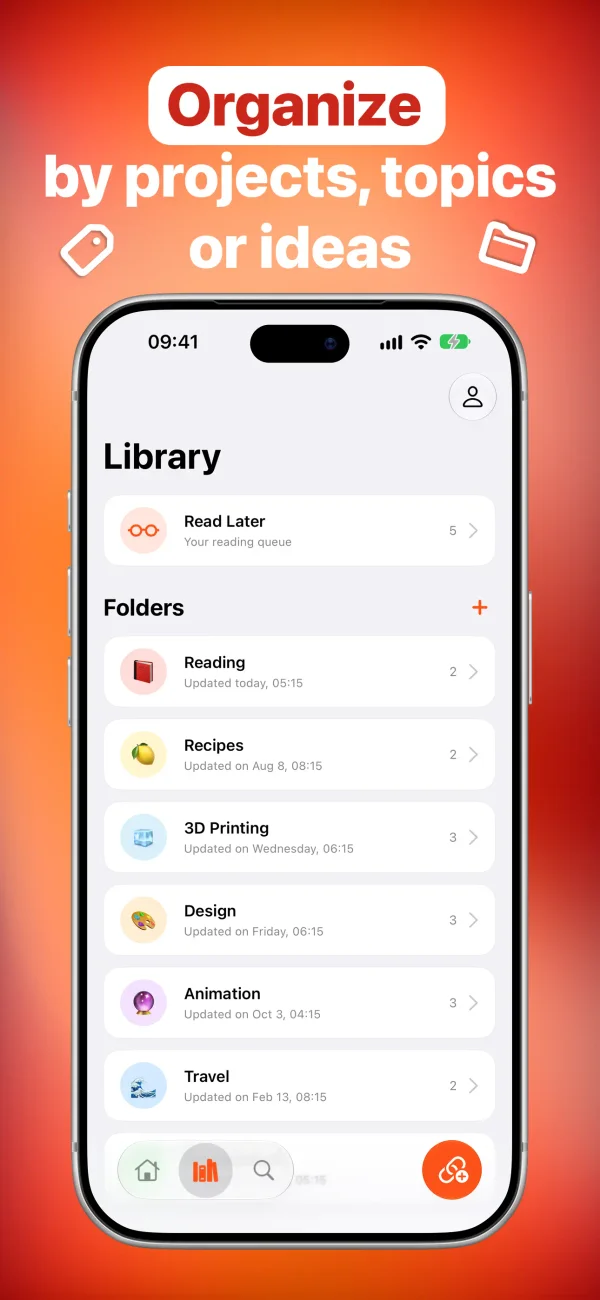
• Organize with folders, nested folders and tags.
• Add notes and custom thumbnails.
• Choose how your cards look.
FIND IT AGAIN
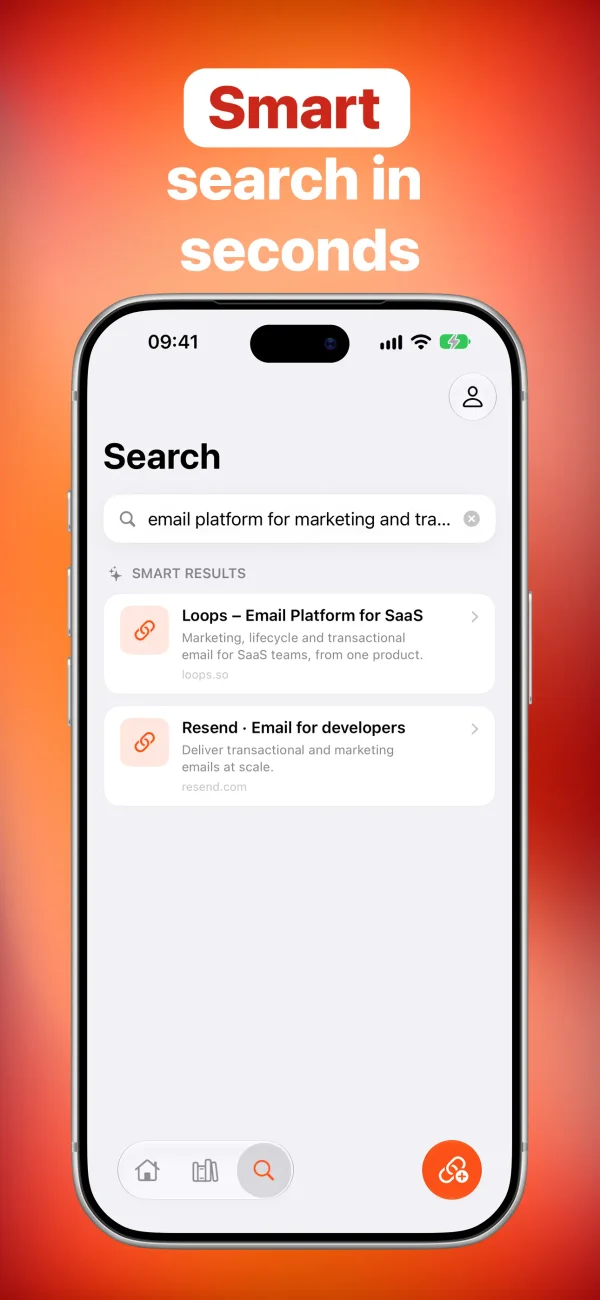
• Search by meaning, not only by the exact words.
• Read Later queue for what you want to get to next.
• Rediscover brings back links you saved and forgot.
• Find your links from Spotlight.
ON-DEVICE AI
• Summaries of what you save.
• Suggested tags and folders, chosen from the ones you already use. Summaries require a device with Apple Intelligence. On other devices Leaf still suggests tags and folders.
BRING YOUR LINKS, TAKE THEM WITH YOU
• Import bookmarks from Safari, Chrome, Firefox, Edge and Arc (HTML), or from a CSV file.
• Export your whole library any time, as a bookmarks file or as JSON.
• Save links with Shortcuts and Siri.
ONE PRICE, NO SUBSCRIPTION
Try everything free for 7 days. After that, a one-time purchase unlocks Leaf forever. There is no subscription and nothing renews automatically. If you decide not to buy, you can still export all your links.
Leaf works on iPhone and iPad, and on Mac with Apple silicon.
Terms of Use (EULA): https://www.apple.com/legal/internet-services/itunes/dev/stdeula/
Terms of Service: https://leafbookmarks.com/terms
Privacy Policy: https://leafbookmarks.com/privacy
What’s new
Version 2.0.1 · Nov 1, 2026
This update makes Leaf easier to use for everyone.
• VoiceOver: clearer labels on buttons and tabs, and each link reads as a single card with its actions.
• Larger text: layouts adapt to accessibility sizes instead of shrinking the text.
• Reduce Motion: animations switch to gentle fades.
• Better contrast and larger tap targets throughout the app.
• Restore purchases and redeem codes, now also in Settings.
Thank you for using Leaf.
App privacy
What Tomas Frechou declares on the App Store about how this app handles data.
-
Data not linked to you
May be collected but is not linked to your identity.
- Purchases
- Identifiers
- Usage data
Privacy practices may vary, for example with the features you use or your age.
Information
- Seller
- Tomas Frechou
- Category
- Productivity
- Version
- 2.0.1
- Updated
- Nov 1, 2026
- Released
- May 18, 2026
- Size
- 53.3 MB
- Requires
- iOS 26.0 or later
- Age rating
- 17+
- In-app purchases
- Yes
- Languages
- Spanish, English
- Copyright
- © 2026 Leaf Bookmarks. All rights reserved.
You might also like
-
 LinkBuckets: Bookmark ManagerSave & organize your links
-
 Takt: Save AnythingSave anything, find it fast
-
 DueVault: Expiration TrackerDeadlines, Expiry & Reminders
-
 Savefold : Save EverythingSave Links, Read & Watch Later
-
 Decisions: Pros and Cons"Make smarter choices easily"
-
 WournalCareer Achievement Tracker
-
 Veil: Redact & Hide InfoBlack out PDFs, photos & scans
-
 Darack - Media TrackerMovies, Books, Podcasts & More
-
 NoteTap - Voice to NotesVoice notes to text instantly
-
 Read Later Bookmarks: MarkSaveSave articles, videos & posts