Lede: Transcript & AI Summary
Turn videos into text & notes
Designed for iPhone, iPad, iPod touch
In-app purchases
- Age rating4+
- CategoryProductivity
- DeveloperZheng Pan Lim
- LanguagesEnglish
- Size26.0 MB
Links to the official App Store page
Download.org hosts no file of Lede: Transcript & AI Summary. The button opens its official App Store page, published by Zheng Pan Lim. Listing last checked on Nov 12, 2026.
Screenshots


About
Some videos are worth watching. Most are worth reading in two minutes.
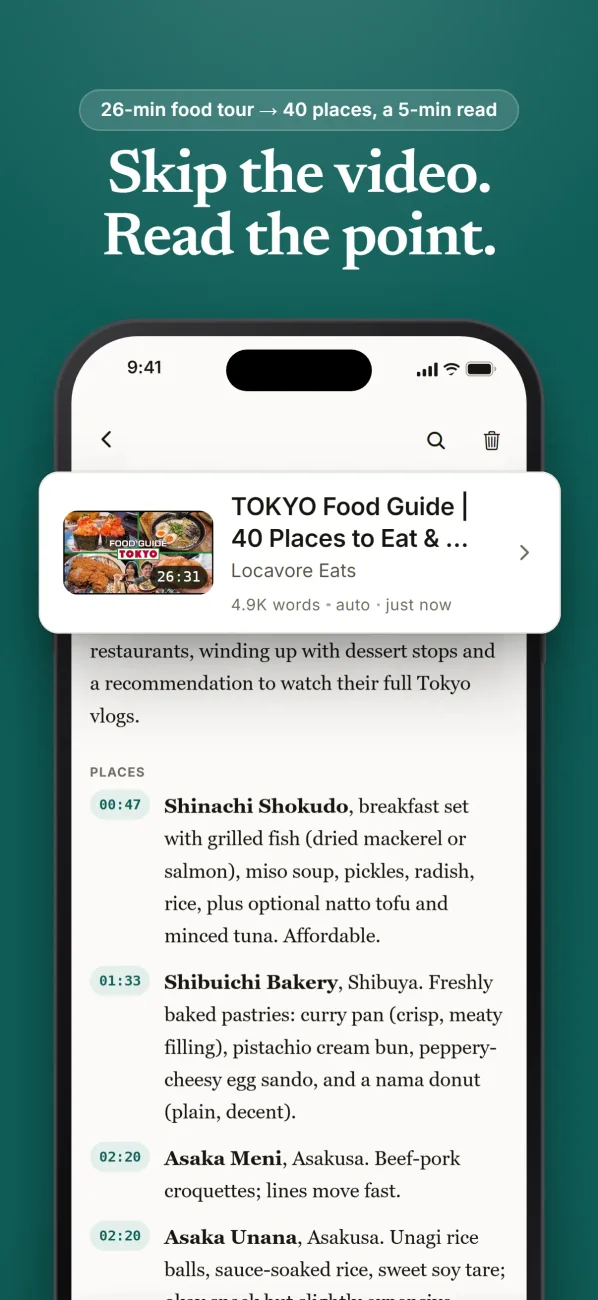
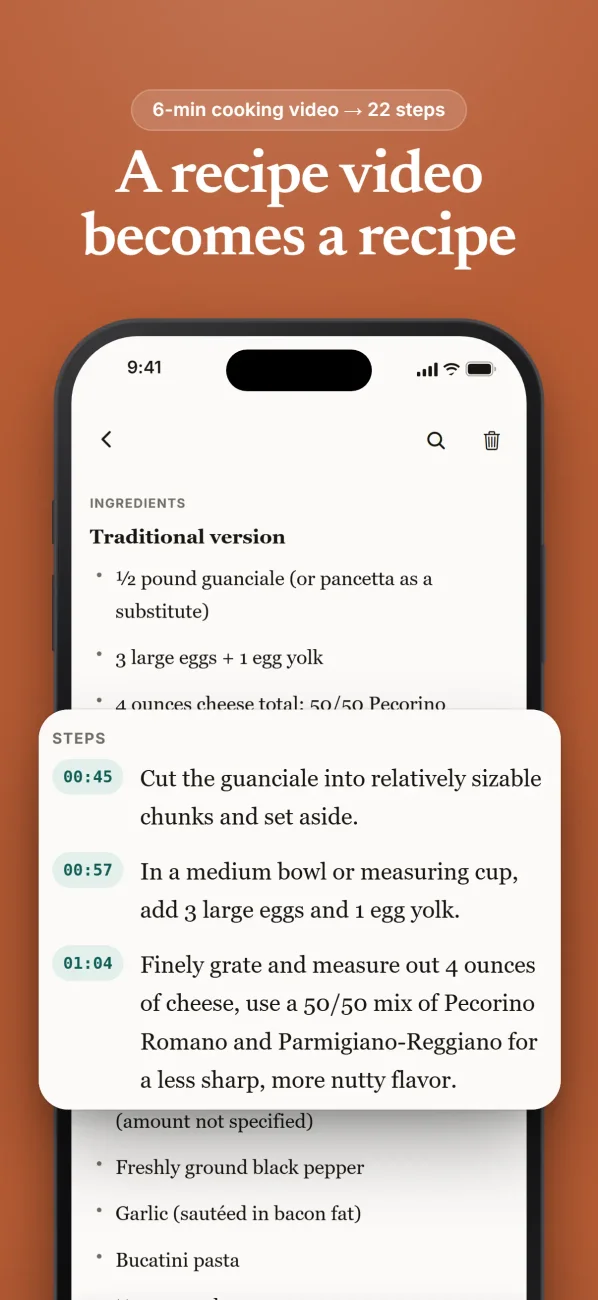
Lede turns a video link into a clean, searchable transcript, then writes an AI summary shaped to what the video actually is. A recipe becomes ingredients and steps. A review ends with the verdict. A travel vlog becomes a list of places with prices. A lecture becomes the points that matter, each with a timestamp that jumps you to the moment it was said.
HOW IT WORKS
1. Copy a YouTube link and open Lede. The full transcript appears in seconds.
2. Read it, search it, or jump around by timestamp.
3. Tap Summarise when you want the short version. Summaries are written in your device's language, whatever language the video is in.
TRANSCRIPTS ARE UNLIMITED AND FREE
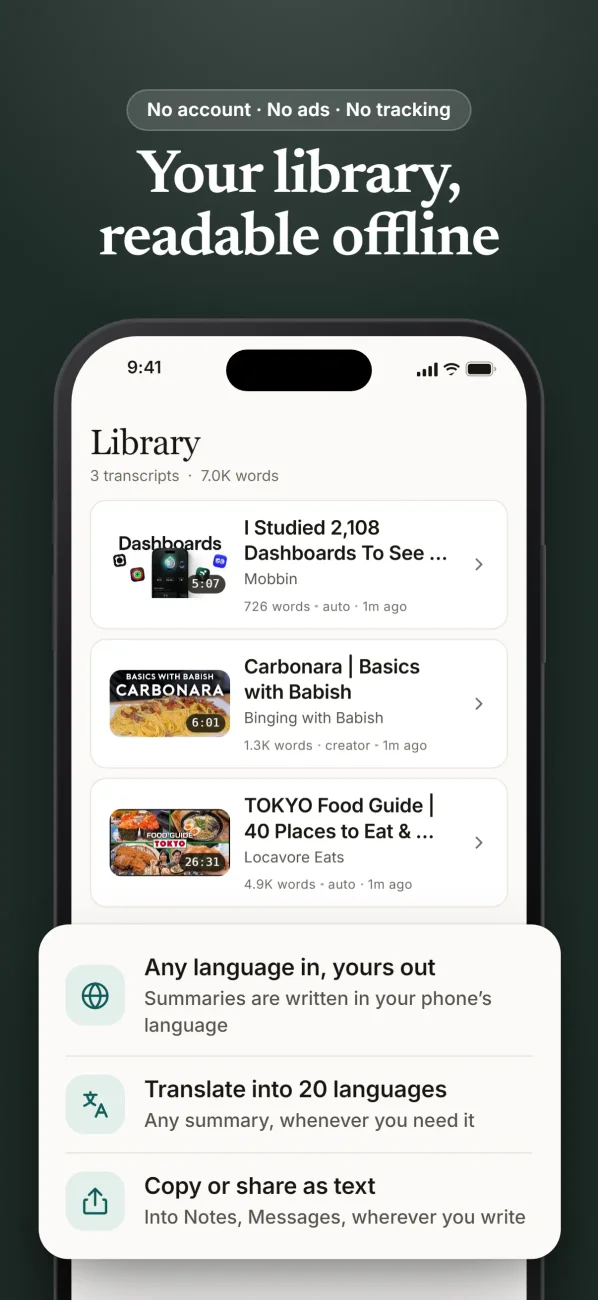
Every transcript, every video, every day. No account, no sign-up, no ads, no tracking. Extraction happens on your phone, and your library is stored on your phone, readable offline.
SUMMARIES THAT KNOW WHAT THEY ARE SUMMARISING
Most summary tools flatten everything into the same bullet soup. Lede reads the video first and picks a shape:
- Recipes: ingredients, then steps
- Reviews: what was tested, what stood out, the verdict
- Travel: places, areas, prices
- Tutorials: the steps, in order
- Talks and podcasts: the arguments, with timestamps
Summaries use credits. Each new device includes 3 free credits, and packs are available if you want more. Repeating a summary you have already generated is always free.
READS ANY LANGUAGE, WRITES IN YOURS
A Japanese interview, a Spanish tutorial, a French lecture: the transcript comes through in the video's language, and the summary is written in yours. You can also translate any finished summary into 20 languages.
BUILT FOR READING
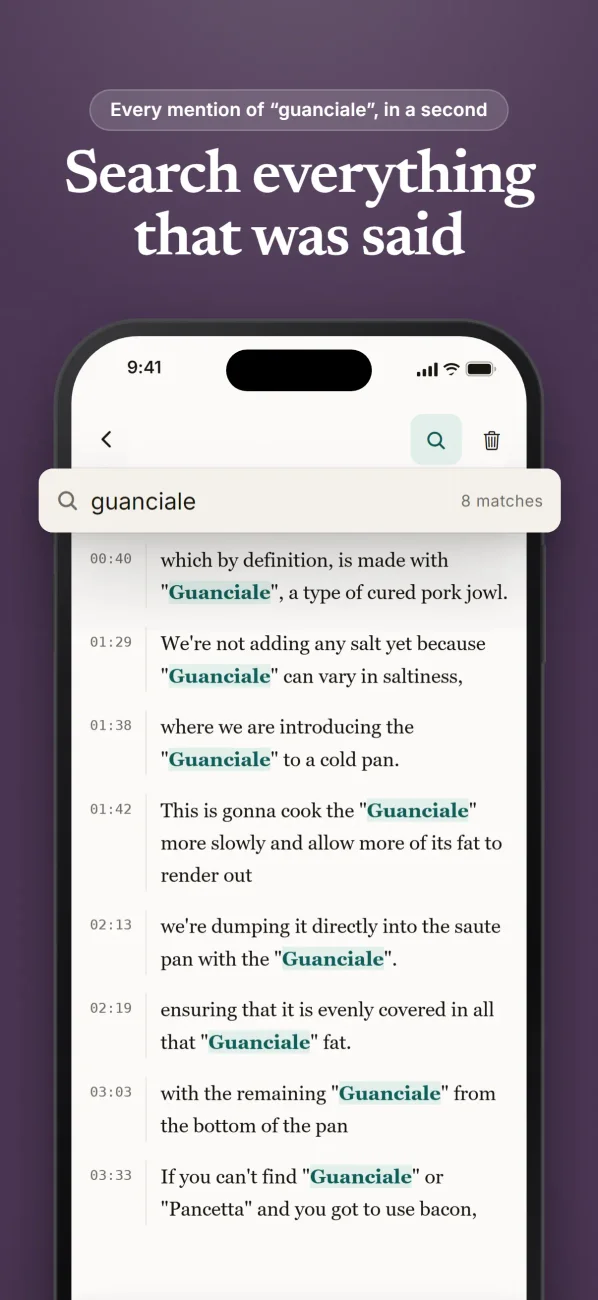
- Full-text search inside any transcript
- Tap a timestamp to jump to that moment in the video
- Offline library: everything you save is readable without a connection
- Copy or share transcripts and summaries as text
WHAT LEDE IS NOT
Lede works with the caption text a video already has. It does not save video or audio, and it cannot transcribe videos that have no captions. Text in, text out, that is the whole idea.
One more thing about the name: the lede is journalism's word for the part of the story you must not bury. That is what this app is for.
What’s new
Version 1.0.5 · Nov 5, 2026
Summarise a video straight from the top of its page, no tab switching needed. Plus small fixes and improvements.
App privacy
What Zheng Pan Lim declares on the App Store about how this app handles data.
-
Data not linked to you
May be collected but is not linked to your identity.
- Purchases
- User content
- Identifiers
- Usage data
Privacy practices may vary, for example with the features you use or your age.
Information
- Seller
- Zheng Pan Lim
- Category
- Productivity
- Version
- 1.0.5
- Updated
- Nov 5, 2026
- Released
- Sep 21, 2026
- Size
- 26.0 MB
- Requires
- iOS 15.1 or later
- Age rating
- 4+
- In-app purchases
- Yes
- Languages
- English
- Copyright
- © 2026 Zheng Pan Lim
You might also like
-
 Youbrain - Video IntelligenceTransform videos into insights
-
 Pinotes - Video Note TakerTake YouTube Timestamped Notes
-
 DeepSRT MobileAI captions for YouTube
-
 SumTube: AI YouTube SummarizerVideo Summary & Lecture Notes
-
 GeniePod - Create AI PodcastTurn any source into a podcast
-
 Mockify – App Screenshot MakerApp Store Preview Templates
-
 Transcript for YouTube VideoLecture Recorder & Transcriber
-
 BloopBrowserPrivate Browser
-
 Brainbubble: Ace your JobAI Career Productivity ToolKit
-
 Text Multiplier Repeater 2026Multiply Repeat Replace text