
- Age rating4+
- CategoryUtilities
- DeveloperStage Precision GmbH
- LanguagesEnglish
- Size1.1 MB
Links to the official App Store page
Download.org hosts no file of Lens Pattern. The button opens its official App Store page, published by Stage Precision GmbH. Listing last checked on Nov 13, 2026.
Screenshots

About
Grid Professional Test Patterns for Camera Calibration
Turn your iPad, iPhone, or Apple TV into a precision test pattern generator for camera and lens analysis.
Lens Pattern displays pixel-accurate test charts directly on your device screen — no printed charts, no extra hardware. Perfect for camera calibration, lens quality testing, color grading verification, and production monitoring.
INCLUDED TEST PATTERNS:
Markers & Calibration
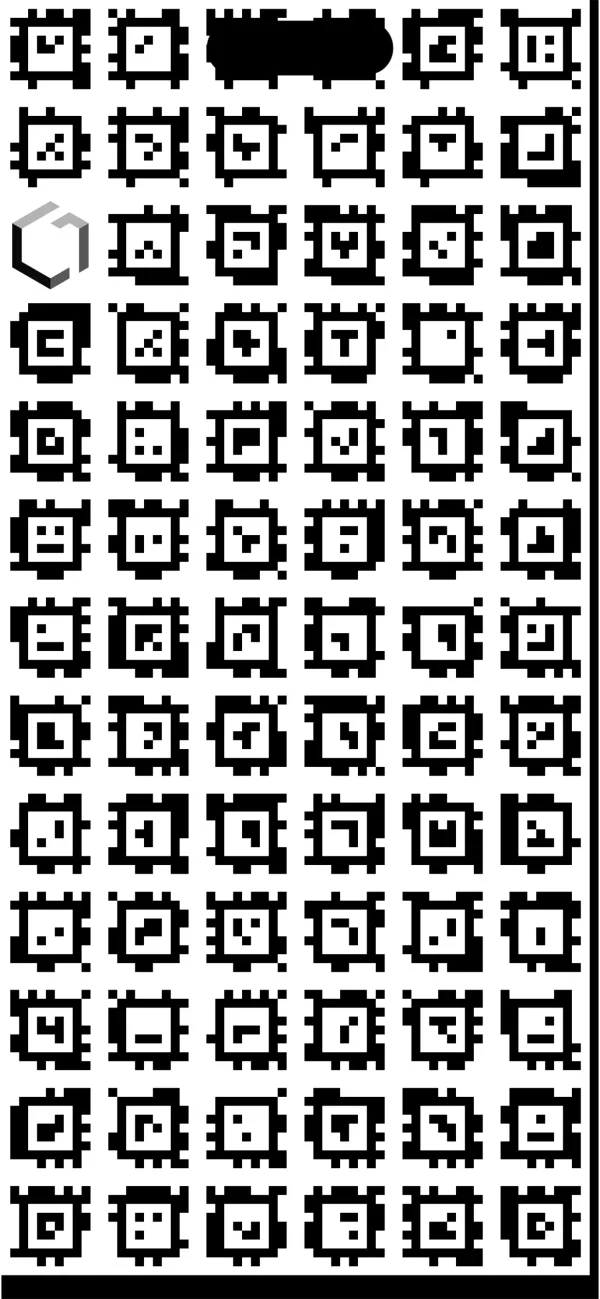
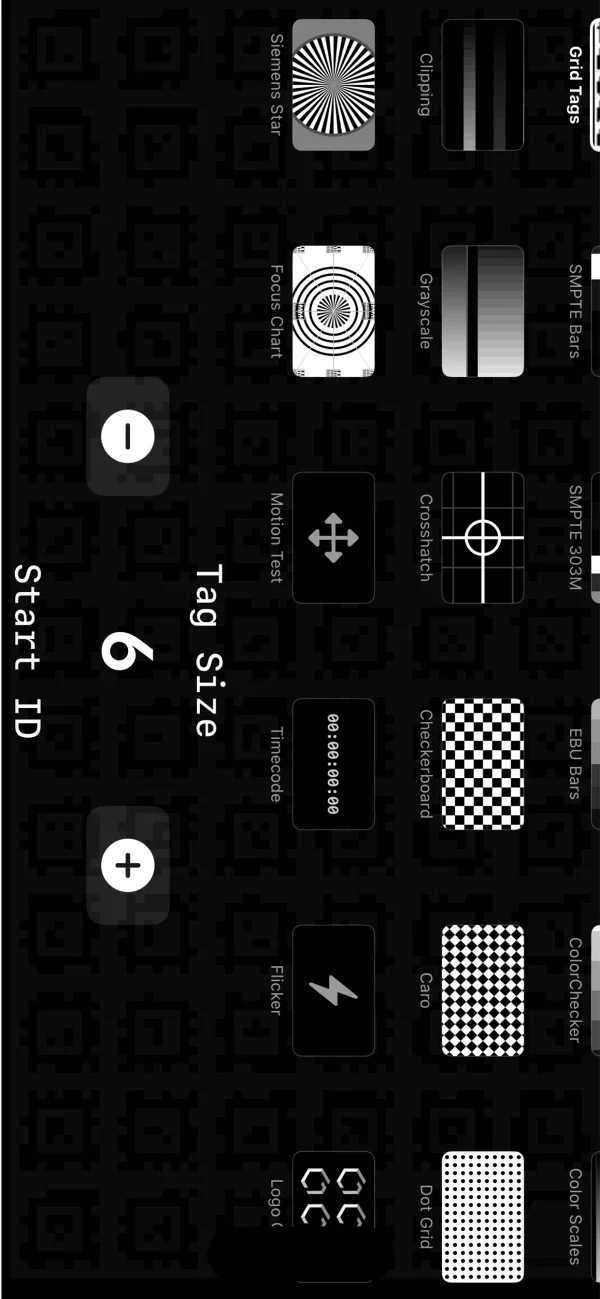
• Grid Tags — AprilTag marker grid with adjustable tag size and start ID, ideal for camera calibration and spatial tracking
Color & Exposure
• SMPTE Bars — Standard SMPTE EG-1-1990 color bars
• SMPTE 303M — HD color bars with PLUGE and Y-ramp zones
• EBU Bars — EBU Tech 3325 color bars (75% and 100%)
• ColorChecker — Classic 24-patch color reference chart
• Color Scales — R/G/B/C/M/Y/W gradient ramps with percentage markers
• Clipping — Shadow and highlight clipping test (1% steps) with stepped ramp
• Grayscale — 21-step grayscale ramp with percentage labels
Geometry & Focus
• Crosshatch — Grid pattern for distortion analysis
• Checkerboard — Black/white checkerboard for resolution testing
• Caro — Diamond pattern (45° rotated checkerboard)
• Dot Grid — Uniform dot array for distortion measurement
• Siemens Star — Resolution target for sharpness evaluation
• Focus Chart — Comprehensive focus and resolution target
Timing & Animation
• Motion Test — Moving bars for rolling shutter and motion blur analysis
• Timecode — Real-time HH:MM:SS:FF display at 60fps
• Flicker — Adjustable frequency flicker (0.5–30 Hz)
KEY FEATURES:
• Full-screen, pixel-perfect rendering on any screen size
• Physical dimensions in millimeters displayed on iOS devices
What’s new
Version 1.2 · Apr 15, 2026
disable Screensaver during display pattern
App privacy
What Stage Precision GmbH declares on the App Store about how this app handles data.
-
Data not collected
The developer does not collect any data from this app.
Privacy practices may vary, for example with the features you use or your age.
Information
- Seller
- Stage Precision GmbH
- Category
- Utilities
- Version
- 1.2
- Updated
- Apr 15, 2026
- Released
- Apr 2, 2026
- Size
- 1.1 MB
- Requires
- iOS 18.6 or later
- Age rating
- 4+
- Languages
- English
- Copyright
- © Stageprecision GmbH
You might also like
-
 FreeD TrackerPosition & rotation tracker
-
 Pixel Pitch: LED VisualizerFor virtual production.
-
 EXPOCALExposure & director's tools
-
 CameraTestSlateA data slate for camera tests
-
 Move CueGesture and Pose Trigger
-
 eighty32 Toolbox: RF & AudioRF coordination & audio meters
-
 ShowPatternUtilities
-
 Pattern GeneratorUtilities
-
 StreamingHubsInnovative streaming solution
-
 Light Meter: Photo ExposureEV Lux Reader for Cameras