
- Age rating4+
- CategoryFinance
- DeveloperHyunWoo Shim
- LanguagesKorean+ 4 more
- Size81.8 MB
Links to the official App Store page
Download.org hosts no file of LensBook. The button opens its official App Store page, published by HyunWoo Shim. Listing last checked on Nov 12, 2026.
Screenshots


About
LensBook helps you track travel and everyday expenses from photos, voice, shared images, and quick manual entries.
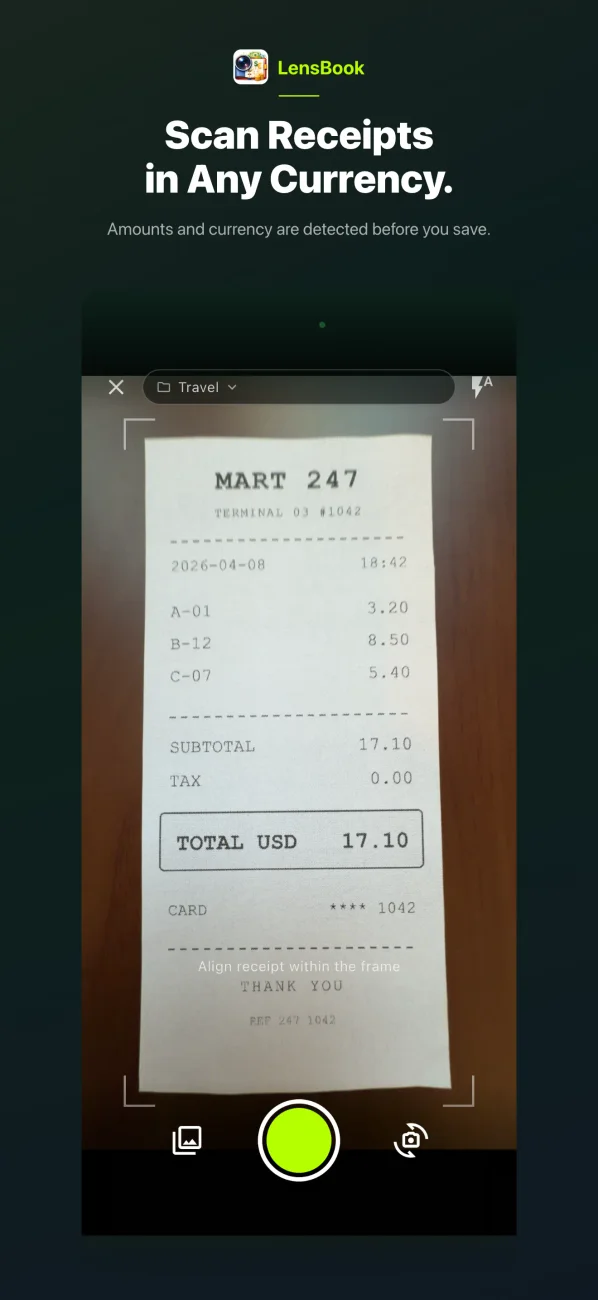
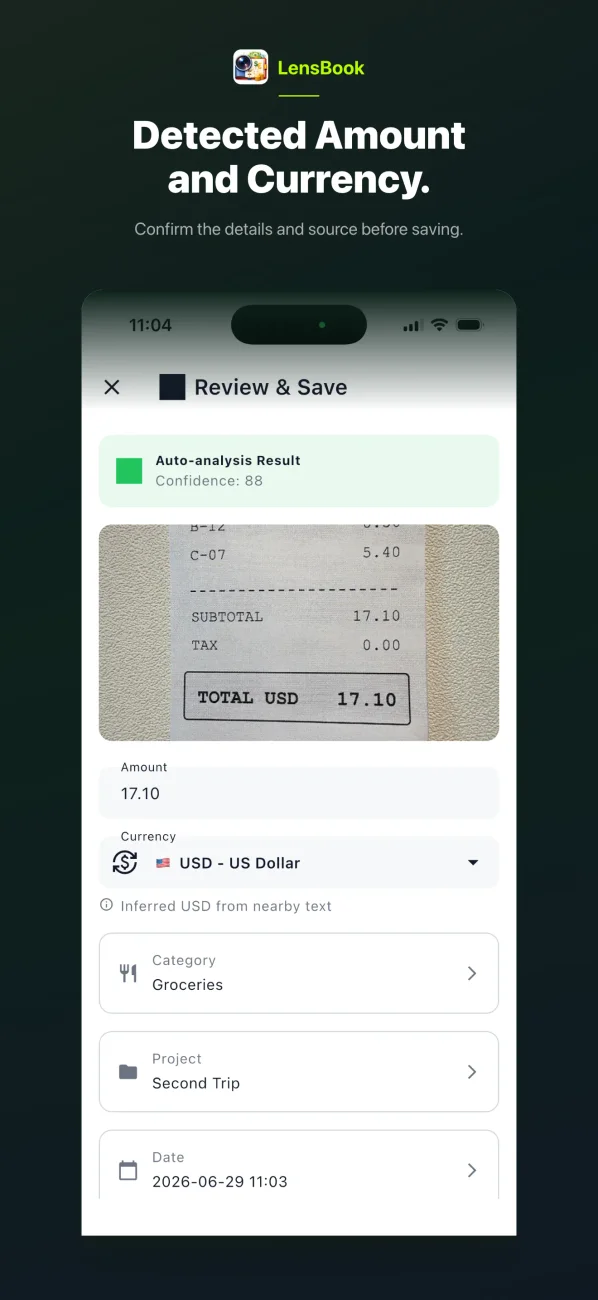
Take a photo of a receipt, menu, or price tag, or send a receipt screenshot from another app. LensBook helps turn it into an expense record by finding amounts, recognizing currencies, and letting you review, correct, or mark the amount yourself. You stay in control before anything is saved.
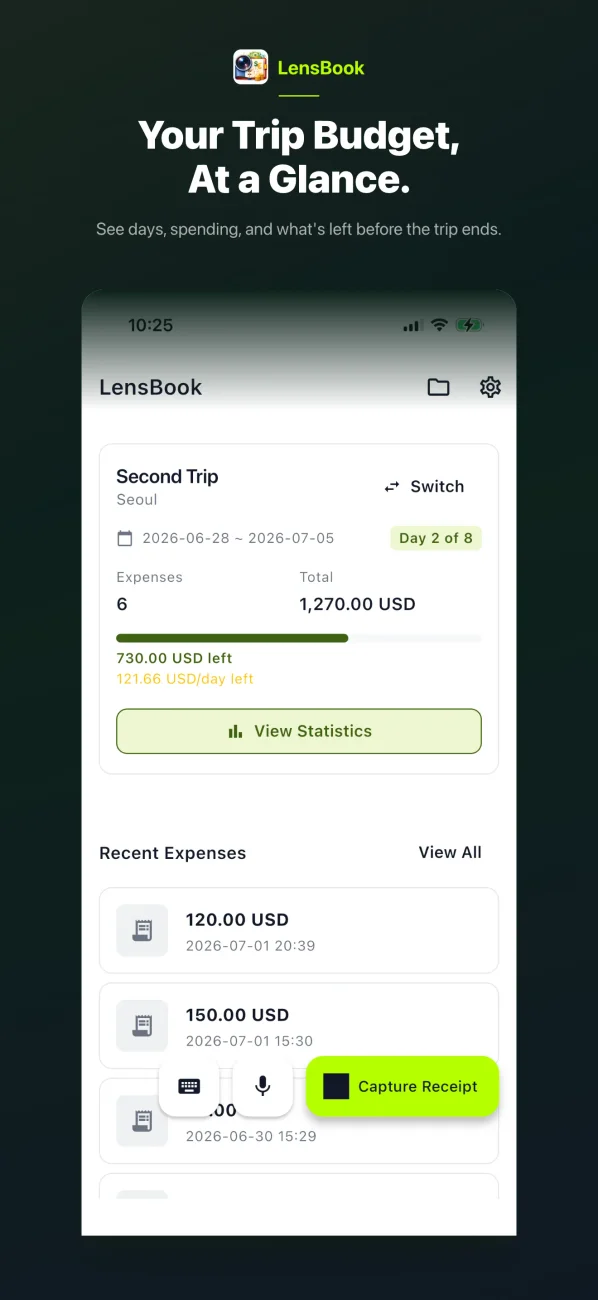
LensBook is designed for travel, daily budgets, and any situation where expenses come in different currencies. Projects keep each trip or budget separate, and LensBook can automatically activate the project that matches today's date. On the Home screen, travel projects show trip progress, remaining budget, and daily budget pace so you can see how your trip is going at a glance.
Need to add an expense without a receipt? Use voice input and say a simple sentence such as "Coffee 4 dollars 50 at Starbucks" or "Starbucks 4500 won." You can also use Quick Add when you just want to type the amount yourself.
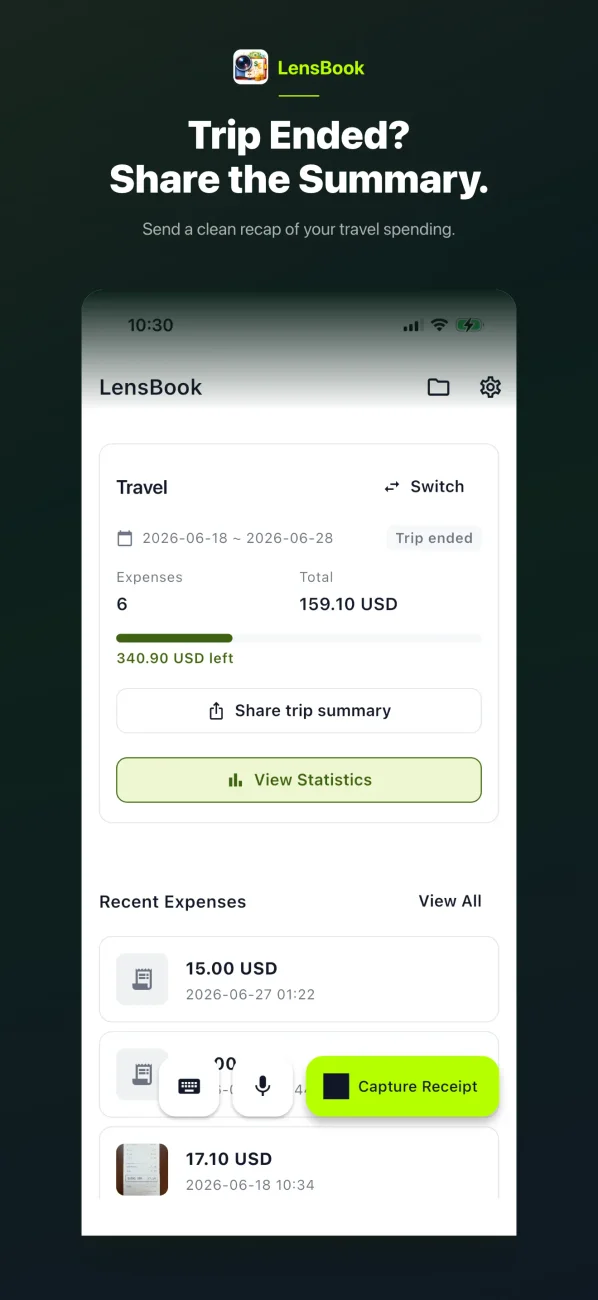
When a trip is over, LensBook can help you look back with statistics, category summaries, CSV export, and shareable recap cards. Your records are stored locally on your device, with no mandatory sign-up or cloud sync.
Key Features
* Camera-based expense capture for receipts, menus, and price tags
* Automatic amount and currency detection with clear manual review
* Mark the correct amount by circling or underlining it
* Voice expense input for English, Korean, Japanese, French, and Spanish
* Quick Add for fast manual expense entry
* Import receipt screenshots or images from the system share sheet
* Project-based tracking for trips, monthly budgets, and personal use
* Automatic project selection based on date
* Trip progress, remaining budget, and daily budget pace on Home
* Multi-currency records with exchange-rate based summaries where rates are available
* Project budget progress bars
* Project CSV export for settlement or record keeping
* Share saved expense cards, daily summaries, and trip recap cards
* Local-first data storage, backup, and restore
* Clear statistics, category summaries, and expense history
* No mandatory sign-up or cloud sync
LensBook is built to reduce friction, not add complexity.
Capture, review, save, and keep your spending organized.
What’s new
Version 1.4.0 · Jun 29, 2026
v1.4.0 focuses on travel expense tracking.
- See trip progress and remaining budget on Home
- Improved OCR for more currencies and number formats
- Added project budget progress bars
- Share a trip recap card after your journey
- Export project expenses as CSV
- Improved reliability across OCR and save flows
App privacy
What HyunWoo Shim declares on the App Store about how this app handles data.
-
Data used to track you
May be used to track you across apps and websites owned by other companies.
- Identifiers
- Usage data
-
Data linked to you
May be collected and linked to your identity.
- Location
-
Data not linked to you
May be collected but is not linked to your identity.
- Identifiers
- Usage data
- Diagnostics
Privacy practices may vary, for example with the features you use or your age.
Information
- Seller
- HyunWoo Shim
- Category
- Finance
- Version
- 1.4.0
- Updated
- Jun 29, 2026
- Released
- Apr 13, 2026
- Size
- 81.8 MB
- Requires
- iOS 15.5 or later
- Age rating
- 4+
- Languages
- Korean, Spanish, English, Japanese, French
- Copyright
- © 2026 LensBook. All rights reserved.
You might also like
-
 K-PockitSimple budget & spending stats
-
 SseumsaeExpenses, budgets & reflection
-
 RenoTally: Renovation BudgetProjects, payments & receipts
-
 SplyncShared Budget & Expense Splits
-
 CashlogNo-frills spending tracker
-
 Lens: Daily BudgetHow much you can spend today
-
 Pennylog: Expense TrackerTrack spending in any currency
-
 Pouch: Envelope Budget PlannerMoney Manager & Bill Tracker
-
 Receipt Scanner & VAT TrackerSole trader expense reports