
- Age rating4+
- CategoryFinance
- DeveloperJongsun Youk
- LanguagesKorean+ 1 more
- Size58.7 MB
Links to the official App Store page
Download.org hosts no file of Sseumsae. The button opens its official App Store page, published by Jongsun Youk. Listing last checked on Nov 14, 2026.
Screenshots
About
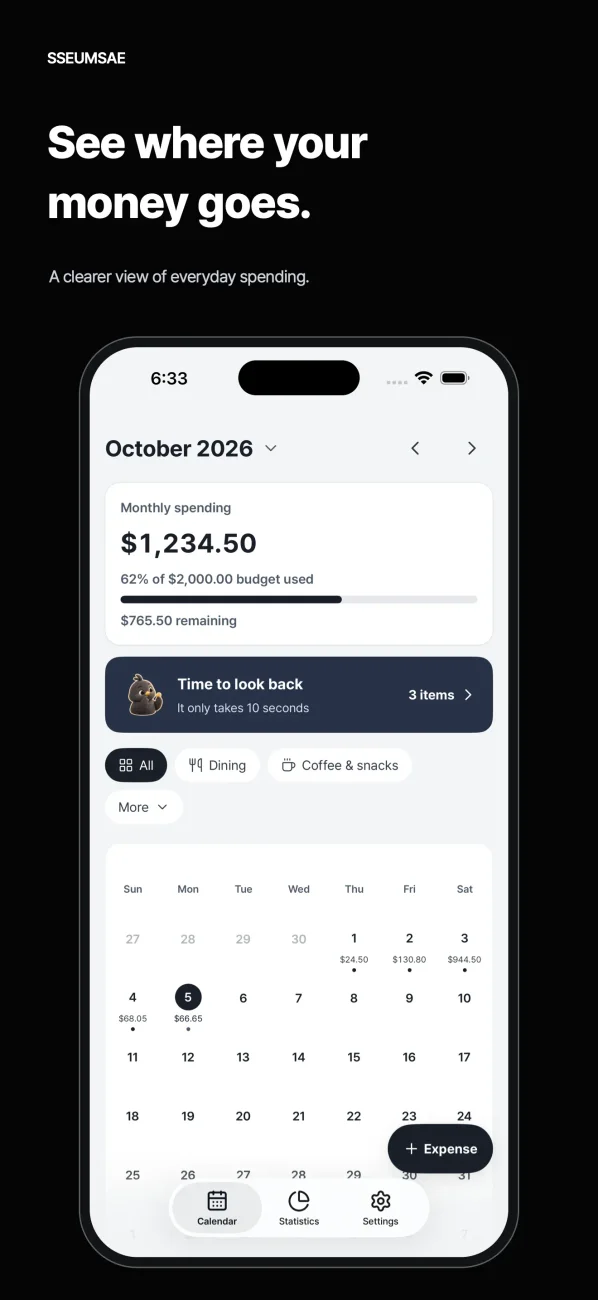
Where did your money go this month? Sseumsae helps you record expenses, check your budget, and reflect on your spending.
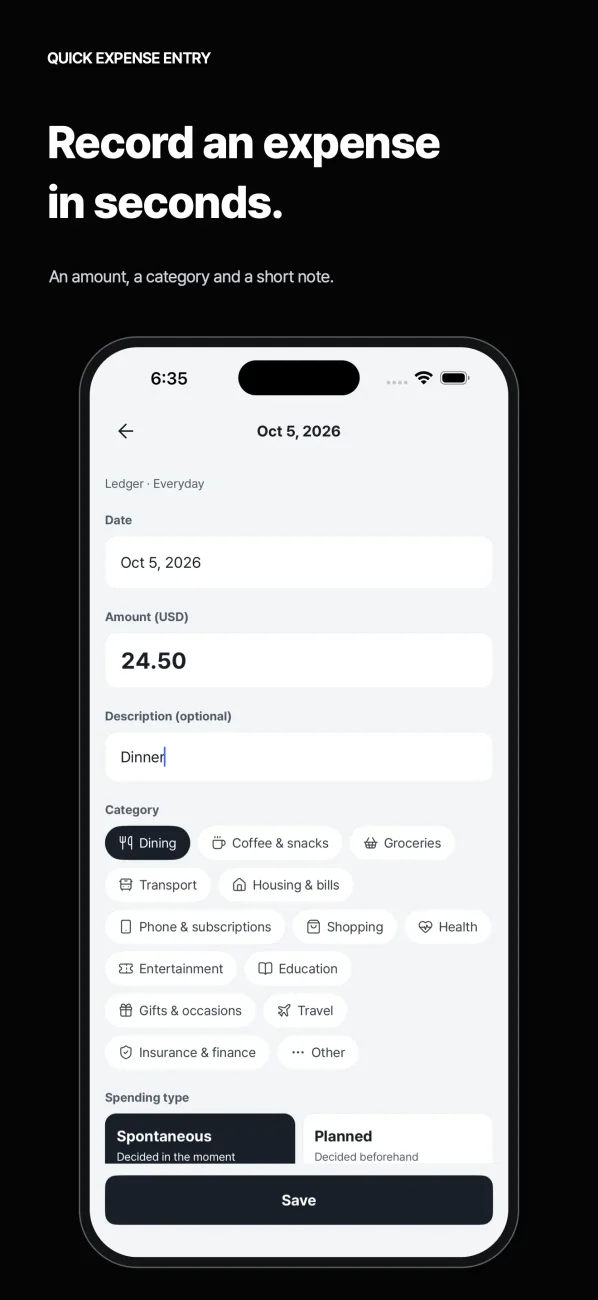
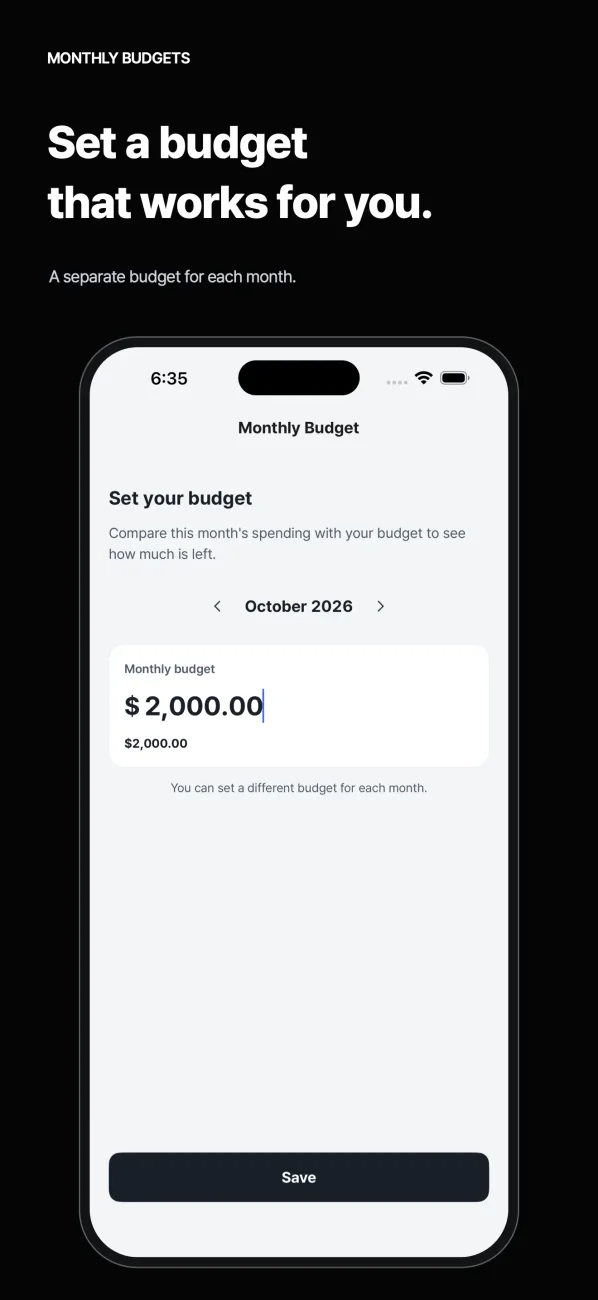
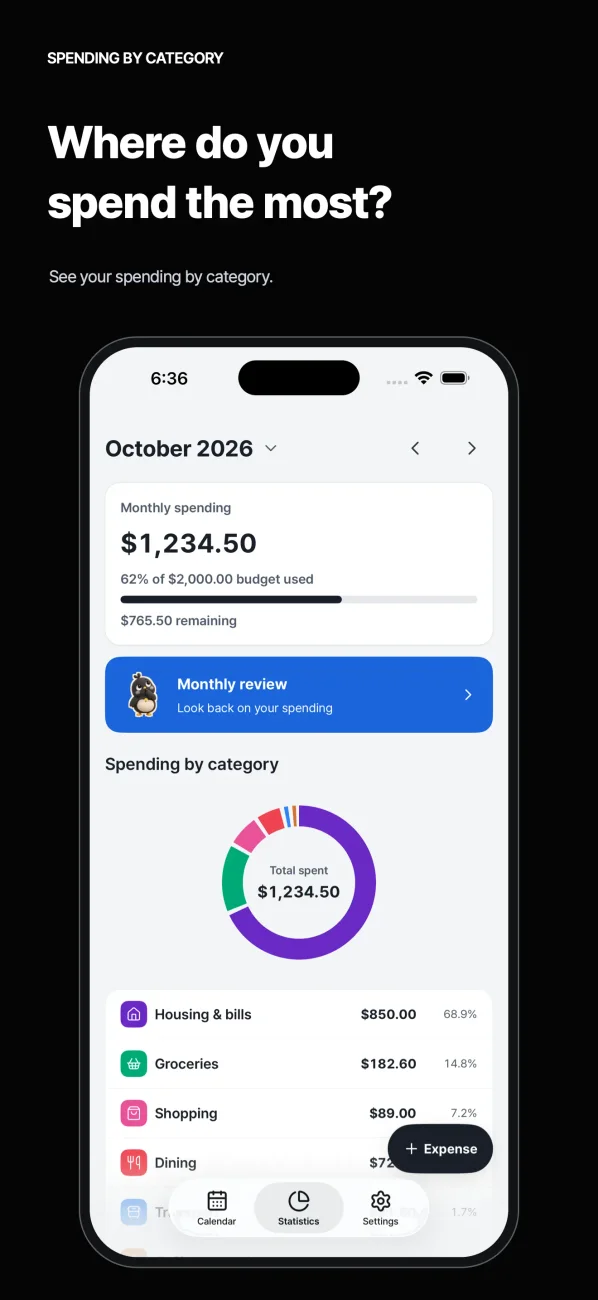
Record an expense when it comes to mind. See your spending on a calendar and compare categories in monthly statistics. Add a monthly budget to keep track of what is left.
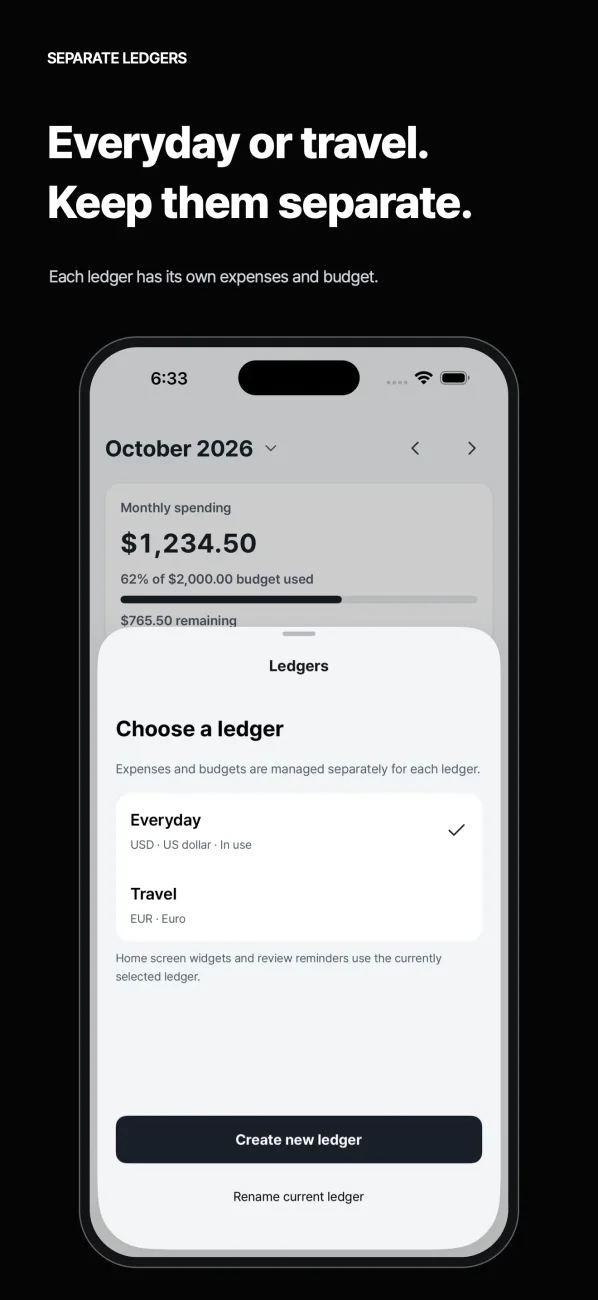
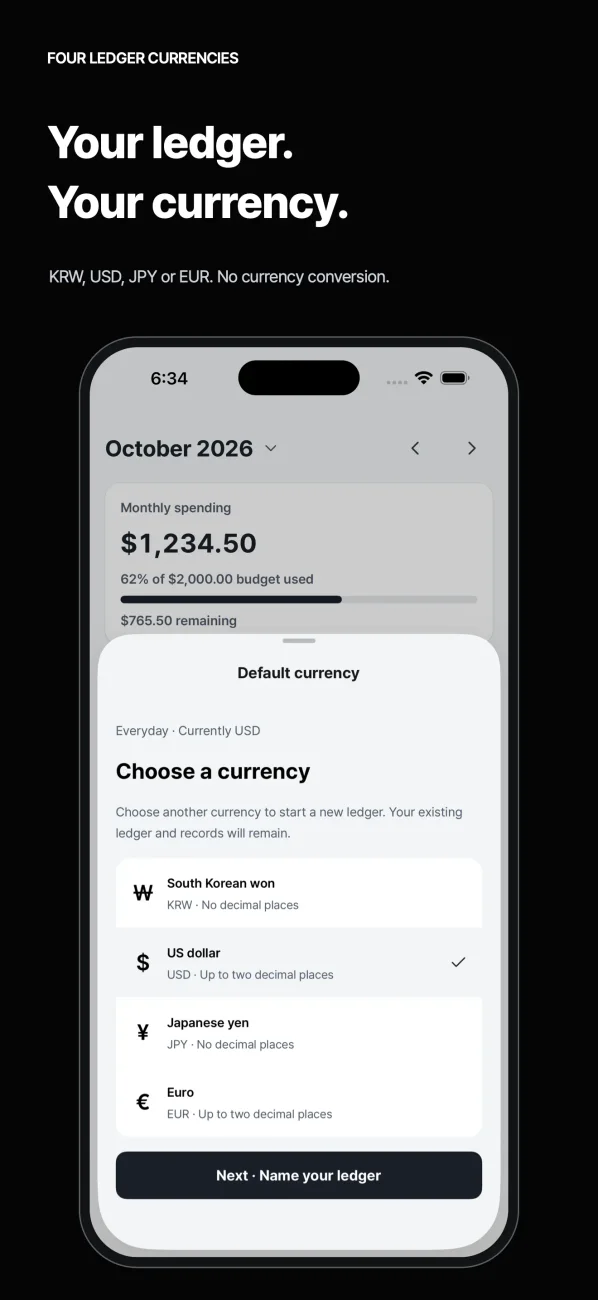
Keep separate ledgers for everyday spending or travel. Each ledger has its own expenses, budgets, and currency: KRW, USD, JPY, or EUR. Amounts are not converted between currencies.
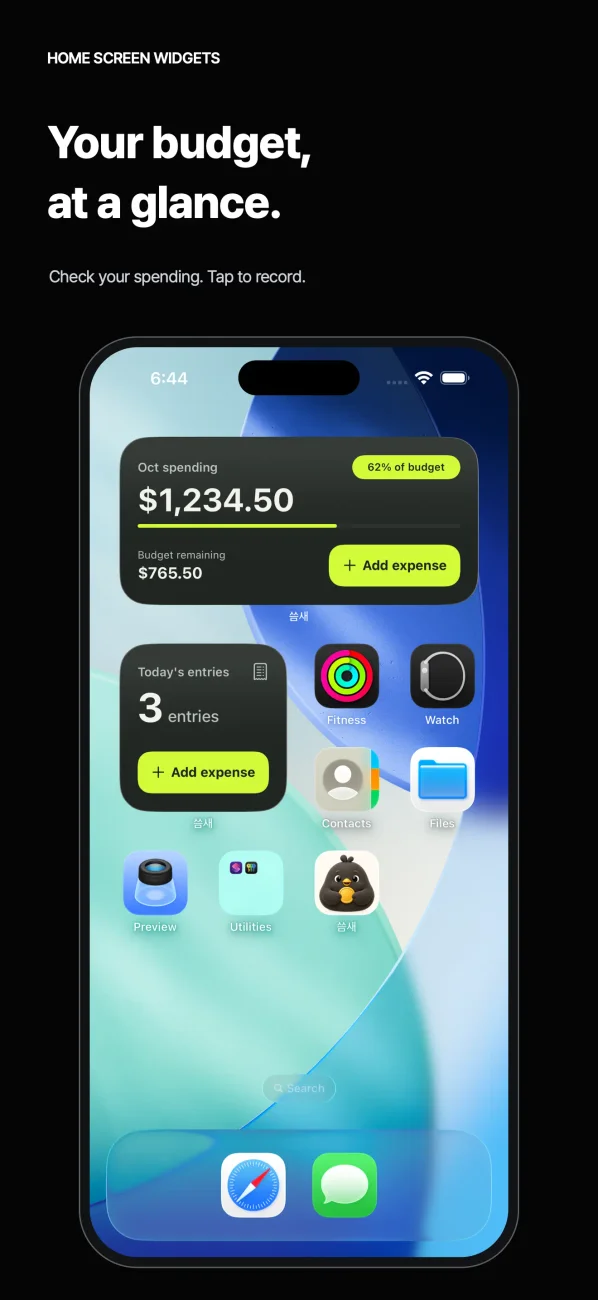
Add a Home Screen widget to check monthly spending and your remaining budget, or open expense entry with a tap. You can hide widget amounts when you prefer to keep them private.
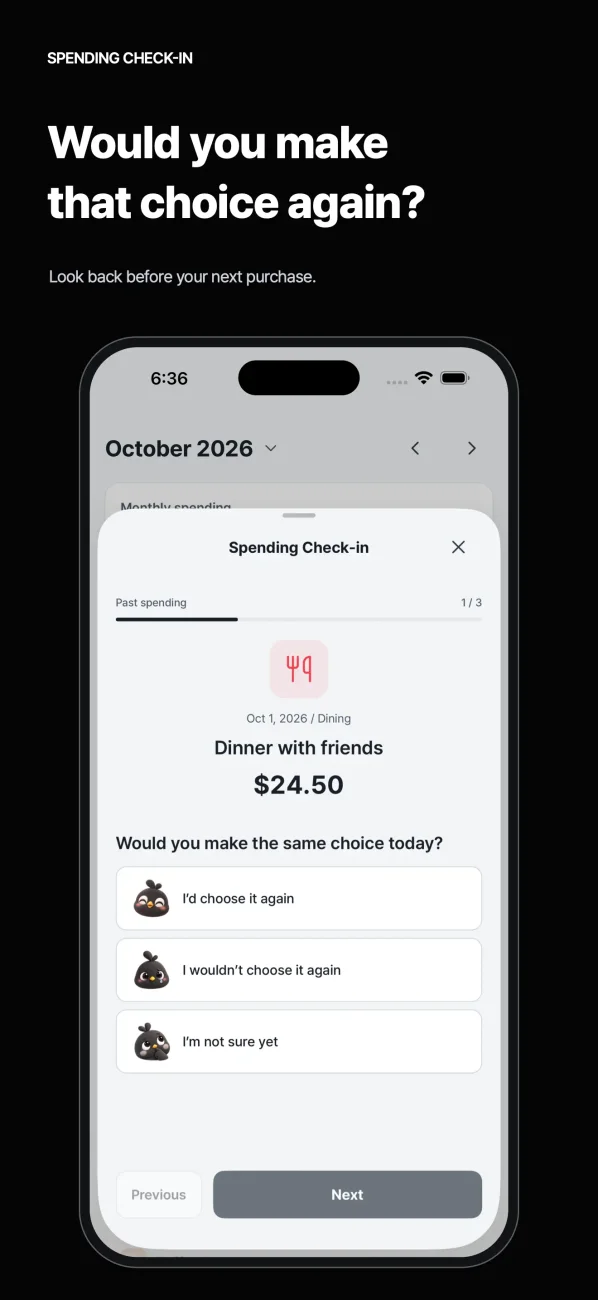
Spending reflections help you look back on your choices. Eligible manually entered expenses prompt a reflection three days later. For KRW, the minimum is ₩10,000. Other supported currencies have no minimum. Fixed and recurring expenses, and expenses imported from CSV, are excluded.
Use Sseumsae in Korean or English. The initial language is Korean when your primary system language is Korean and English otherwise. Your selection in Settings takes priority.
On iOS 27 or later, you can record supported KRW payment notifications from Hyundai Card, Shinhan SOL Pay and KB Pay. Follow the in-app guide to add each provider's ready-made shortcut and enable its automation in Shortcuts. Connect multiple providers and choose a separate KRW destination ledger for each. View each provider's connection status and recent automatically saved expenses in the current ledger.
The payment amount and date are saved to the Other category, along with merchant information when available. Cumulative totals and balances are not treated as expense amounts. Identical notifications are not saved twice.
Notifications are processed on your device without connecting to bank or card accounts. Not all card products or notification formats are supported. Please enter unrecognized expenses manually. Installments, foreign-currency payments and cancellation or refund reconciliation are not supported.
No sign-up is required. Expense records are stored on your device. Sseumsae does not connect to bank or card accounts or directly read other apps’ notifications. It does not provide cloud synchronization.
Import or export expense records as CSV files. CSV is not a full backup of reflection responses and settings. Keep a separate copy of important records before deleting the app. Receipt recognition is not included in this version.
Support: sseumsae.support@gmail.com
What’s new
Version 1.3.1 · Nov 11, 2026
Fixed an issue that could leave the merchant name blank in expenses automatically recorded from Shinhan SOL Pay and KB Pay notifications. Expenses automatically recorded from card notifications now default to Impulse spending.
App privacy
What Jongsun Youk declares on the App Store about how this app handles data.
-
Data not collected
The developer does not collect any data from this app.
Privacy practices may vary, for example with the features you use or your age.
Information
- Seller
- Jongsun Youk
- Category
- Finance
- Version
- 1.3.1
- Updated
- Nov 11, 2026
- Released
- Sep 21, 2026
- Size
- 58.7 MB
- Requires
- iOS 16.4 or later
- Age rating
- 4+
- Languages
- Korean, English
- Copyright
- © 2026 Layer Studio
You might also like
-
 LensBookTravel expense tracker
-
 K-PockitSimple budget & spending stats
-
 MoneyMemoFinance
-
 donggram베트남 생활 3중통화 가계부
-
 Pocketto: Cash Budget EnvelopeDaily allowance, spend tracker
-
 Expense Tracker - Simple&QuickAdd amount. Save. Done.
-
 PennyBird: Expense TrackerPrivate Budget, Bill Splitter
-
 CashlogNo-frills spending tracker
-
 Minimal Expense: Travel, SplitDaily, travel & shared ledgers