Lensodia: Pro Camera
Photo & Video, Manual Controls
Designed for iPhone
Free · In-app purchases
- Age rating4+
- CategoryPhoto & Video
- DeveloperGabor Lorant Kiss
- LanguagesEnglish+ 8 more
- Size76.9 MB
Links to the official App Store page
Download.org hosts no file of Lensodia: Pro Camera. The button opens its official App Store page, published by Gabor Lorant Kiss. Listing last checked on Nov 23, 2026.
Screenshots
About
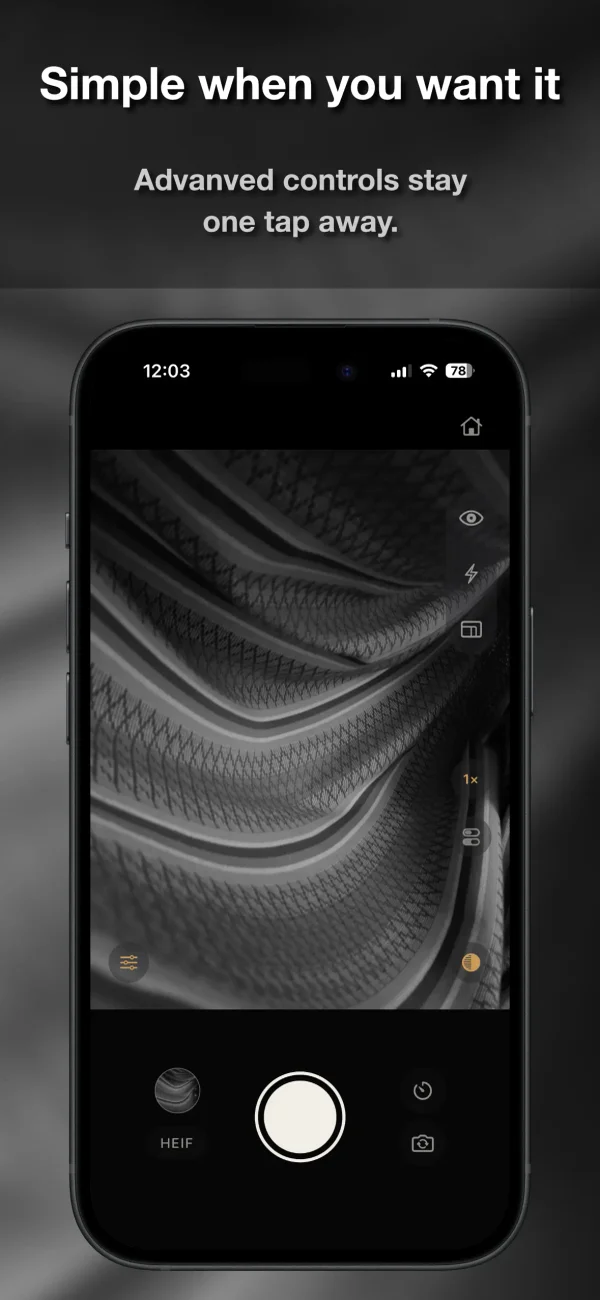
Lensodia is an advanced camera for iPhone photography and video, built around direct control and a real-time creative workflow.
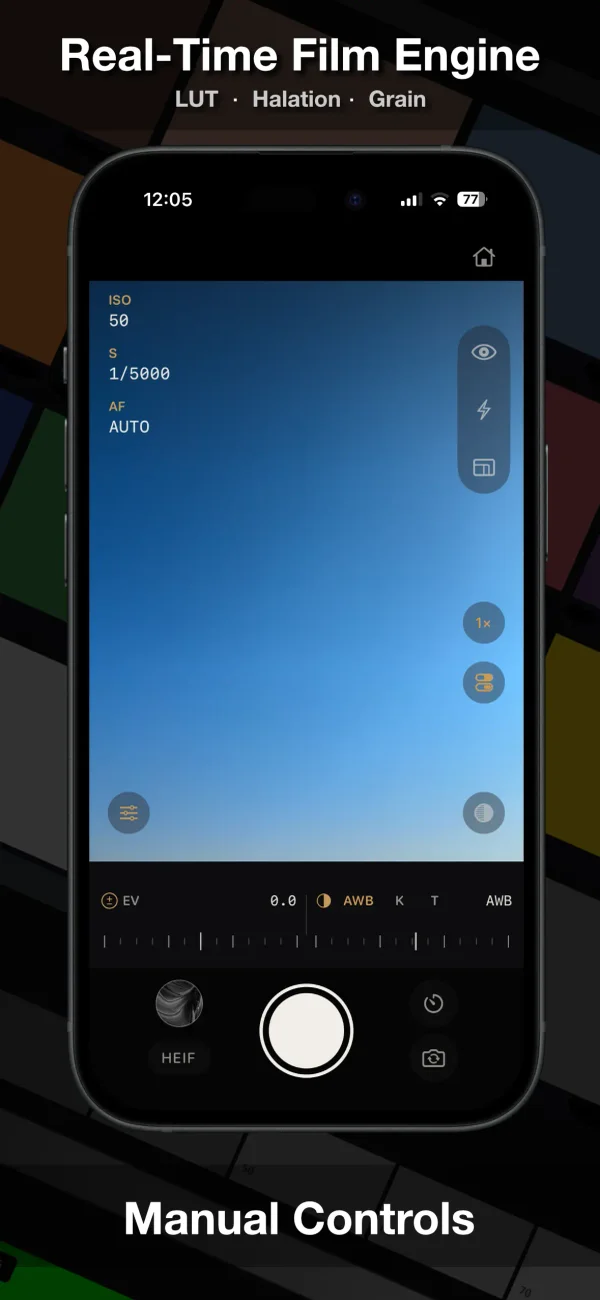
Take direct control of shutter speed, ISO, exposure compensation, white balance, tint and focus, or leave the camera to handle what you don’t want to set yourself.
Presets
Save your favorite combinations of creative Looks and camera settings as Presets. Preview, rename, update and instantly apply them whenever you need.
See the look before you take the photo
The real-time Film Engine lets you preview creative LUTs, film grain and highlight-aware halation while you compose. The same creative treatment is rendered into the processed photo at capture, so the look is part of the photographic process rather than something you have to build afterwards.
Hybrid Camera Engine
Combines continuous zoom for flexible framing with dedicated zoom levels for full manual camera control. Use pinch-to-zoom or the Zoom Wheel to fine-tune your composition, or switch directly to dedicated levels to control ISO, shutter speed, white balance and focus.
Manual control availability depends on your iPhone’s camera hardware and the selected zoom level.
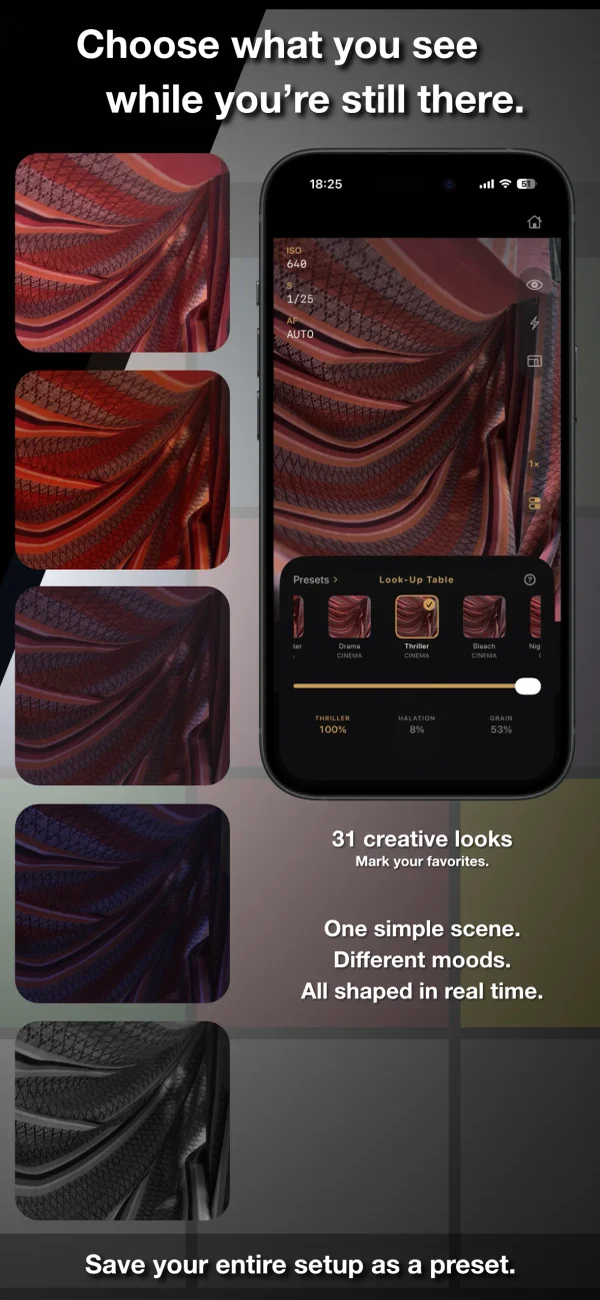
Creative LUTs
Choose from 31 carefully built Looks rendered with a high-precision 65³ LUT engine. Adjust their strength, preview the results live, and save your favorites for quick access.
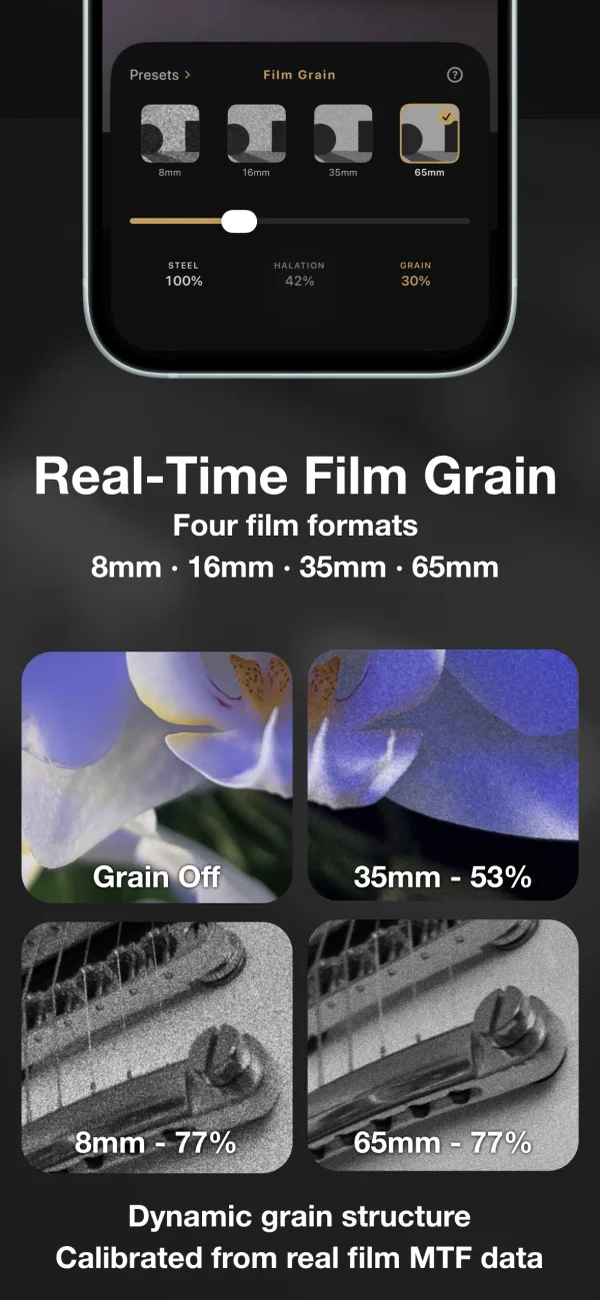
Real-time film grain
Add photographic grain directly in the camera. Grain is rendered live while shooting and carried through to the captured image. Calibrated from real film MTF data.
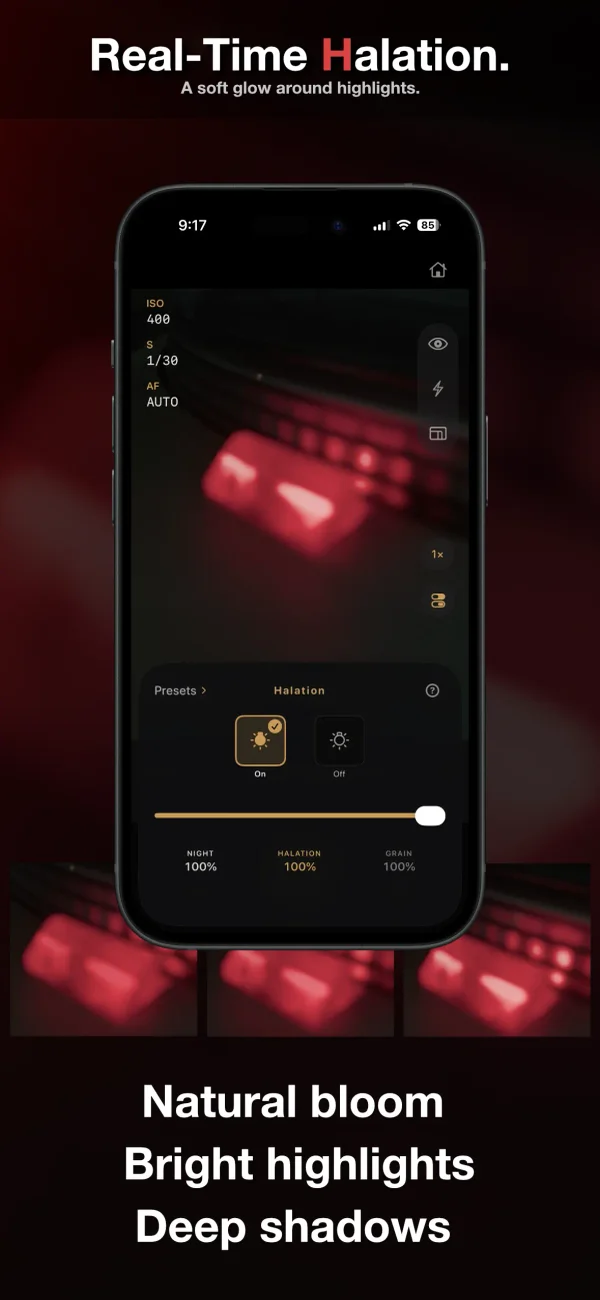
Highlight-aware halation
Add a subtle film-inspired response around bright highlights, rendered in real time as part of the same creative pipeline used for capture.
Video recording
Record 1080p video at 30 fps with creative Looks and film grain applied in real time. Adjust exposure, white balance and focus manually, with shutter-speed guidance to help control motion. Includes microphone controls, audio level monitoring and timer support.
Halation is available for photos only.
Photo & Video Features
• Manual and automatic exposure controls
• Manual focus and autofocus
• White balance and tint controls
• Focus peaking, zebra and histogram
• Grid, level, loupe and Attention Map
• Direct access to multiple iPhone camera lenses
• JPEG and HEIF
• Bayer RAW and RAW + HEIF
• Apple ProRAW on supported devices
• Framing guides for different aspect ratios with optional auto-crop: Full, Feed 4:5, Story/Reel 9:16, Square 1:1, Wide 16:9
• Timer and interval capture
• Photo review from inside the camera
• Film Engine setting recall from Lensodia photos
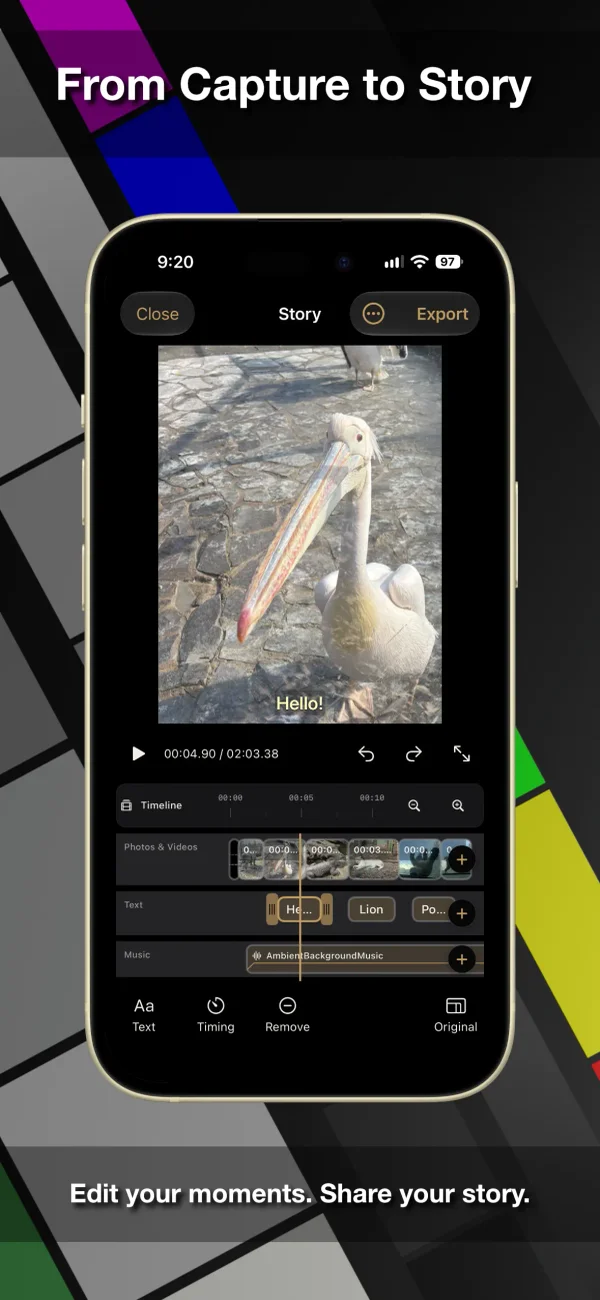
• Create Stories with photos and videos, a timeline, text, music, animations and MP4 export. Originals stay untouched.
Your camera, without the noise
Designed for photography and video, with essential controls and no advertising or tracking built into the shooting experience.
Designed with energy use in mind. The viewfinder avoids unnecessary frame processing.
Creative processing applies to the processed JPEG or HEIF image. RAW files remain unprocessed by the Film Engine, preserving them for workflows where you want to process the image yourself.
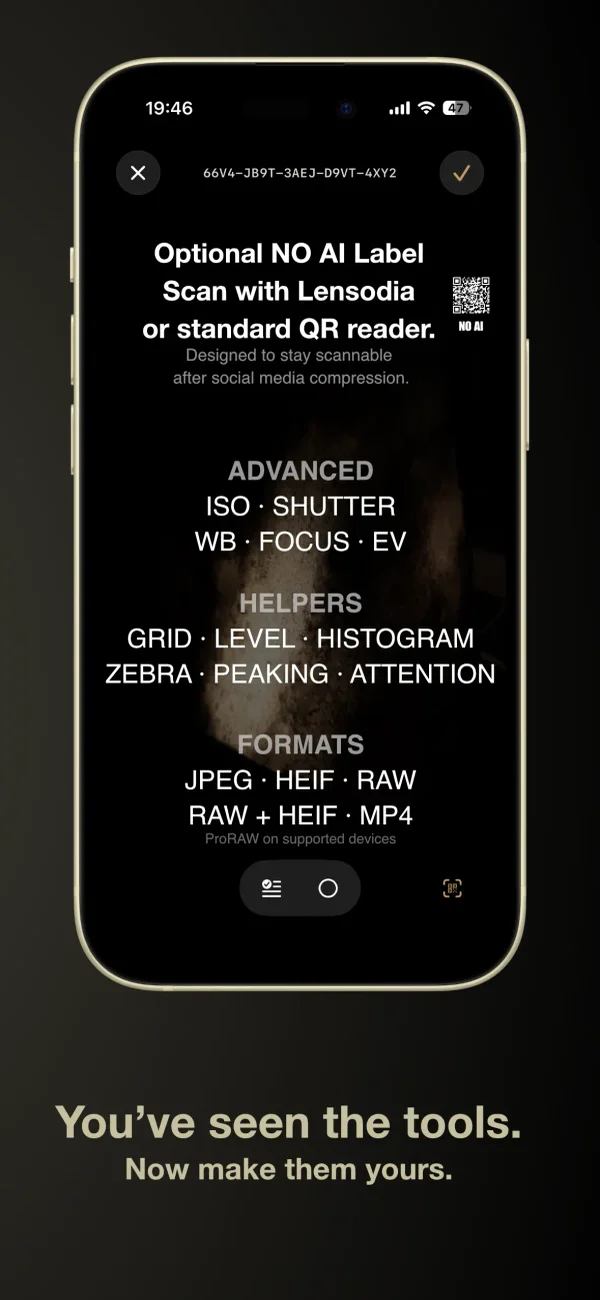
Optional NO AI Label
Lensodia can add an optional NO AI Label to a JPEG copy of your photo. Each capture has its own deterministic proof code derived from capture information, including when it was taken, the creative settings used, and other details unique to the capture.
The label includes a QR code that can be scanned with Lensodia or standard QR readers to open the verification page. It is designed to remain scannable after typical social media compression.
The original photo stays untouched. The proof verifies the internal consistency of the Lensodia capture information. (It is not a pixel-level authenticity seal.)
Terms of Use (EULA): https://www.apple.com/legal/internet-services/itunes/dev/stdeula/
Privacy Policy: https://lensodia.zerot.app/privacy/privacy.html
What’s new
Version 1.5 · Nov 14, 2026
Lensodia 1.5 adds support for iPhone Duo.
This update also includes minor bug fixes and stability improvements.
App privacy
What Gabor Lorant Kiss declares on the App Store about how this app handles data.
-
Data not collected
The developer does not collect any data from this app.
Privacy practices may vary, for example with the features you use or your age.
Information
- Seller
- Gabor Lorant Kiss
- Category
- Photo & Video
- Version
- 1.5
- Updated
- Nov 14, 2026
- Released
- Oct 25, 2026
- Size
- 76.9 MB
- Requires
- iOS 27.0 or later
- Age rating
- 4+
- Price
- Free
- In-app purchases
- Yes
- Languages
- English, French, German, Hungarian, Japanese, Korean, Simplified Chinese, Spanish, Traditional Chinese
- Copyright
- © 2026 Gabor Lorant Kiss
You might also like
-
 LUTSHOTShoot photos with video LUTs
-
 Rokkaku Camera Pro (DSSC-1)RAW & Manual Focus Pro Camera
-
 Point4 - The Real DSLR Cameraf/1.4 depth, pro-level color
-
 Pocket Log CameraNatural photos from Apple Log
-
 Shizuka - 高画質マナー カメラPhoto & Video
-
 Flat Color CameraProfessional video capture
-
 Grain+Film Grain & Noise Filter
-
 CropCameraPhoto/Video/Filter/Silent
-
 ProVideo Camera SpencerManual Cinema LUTs
-
 Filmify - Film FiltersTimeless Classics