
LEO Pay Tracker
Police/Fire Pay & OT Tracker
Designed for iPhone
Free · In-app purchases
- Age rating4+
- CategoryProductivity
- DeveloperMichael Juliano
- LanguagesEnglish
- Size98.4 MB
Links to the official App Store page
Download.org hosts no file of LEO Pay Tracker. The button opens its official App Store page, published by Michael Juliano. Listing last checked on Nov 22, 2026.
Screenshots


About
LEO Pay Tracker
Track your pay, OT, court time, details, training, and leave
in one place. See exactly what your check should be before it
hits your account. No accounts required. No data leaves your
device. Ever.
——————————————————————————
GHOST PAY STUB
See your estimated gross and net pay in real time as you log
shifts. Know what you're owed before payday — down to your OT
multiplier, night differential, and detail pay.
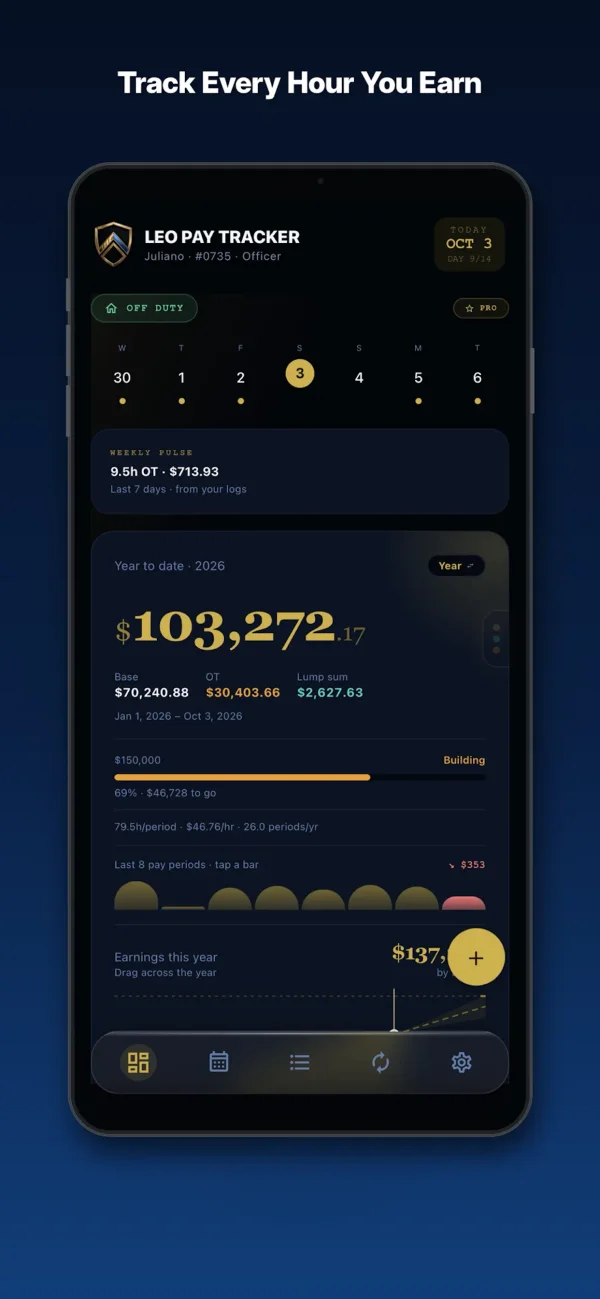
YTD EARNINGS TRACKER
Track your year-to-date earnings against your personal income
goal. Know exactly where you stand at any point in the year.
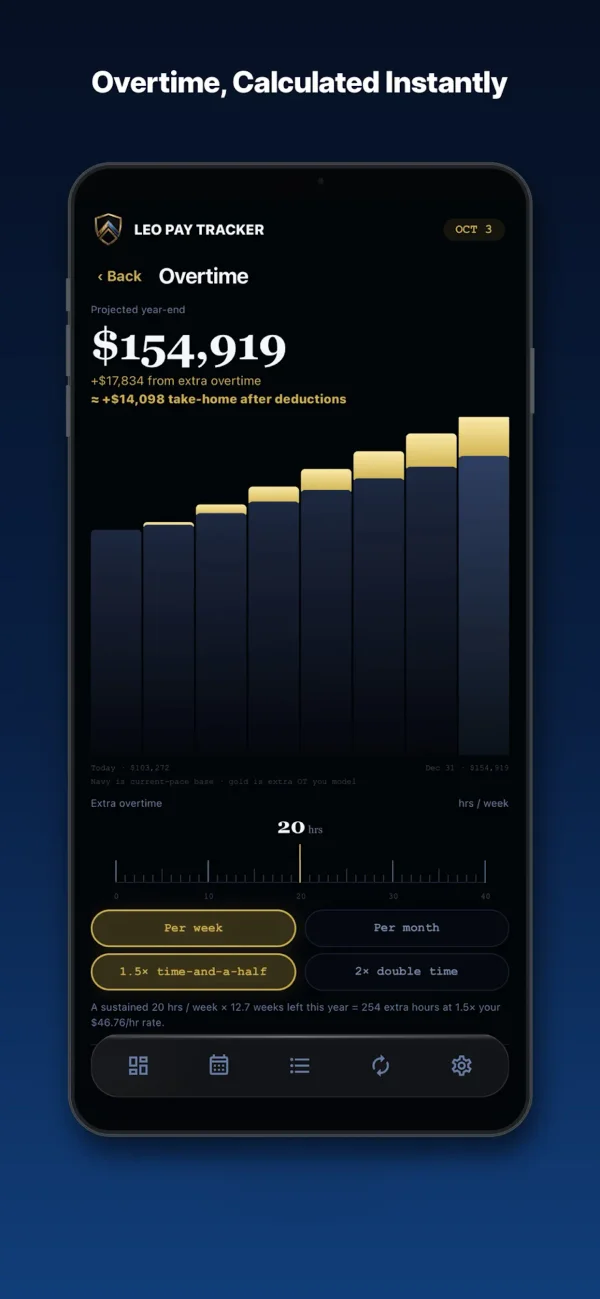
OVERTIME & SPECIAL PAY LOGGING
Log OT, court appearances, road jobs, training, callbacks, and
off-duty details with the correct pay rate applied automatically.
Supports split schedules, custom multipliers, and night
differential.
SMART SCHEDULE ROTATIONS
Built-in support for every common rotation — 4/2, Panama,
Pitman, DuPont, weekly, and fully custom. Your calendar knows
when you work.
HOME SCREEN & LOCK SCREEN WIDGETS
Six widget sizes — Small, Medium, and Large for your home
screen, plus Circular, Rectangular, and Inline for your lock
screen. Your YTD, next payday, and leave balances always visible.
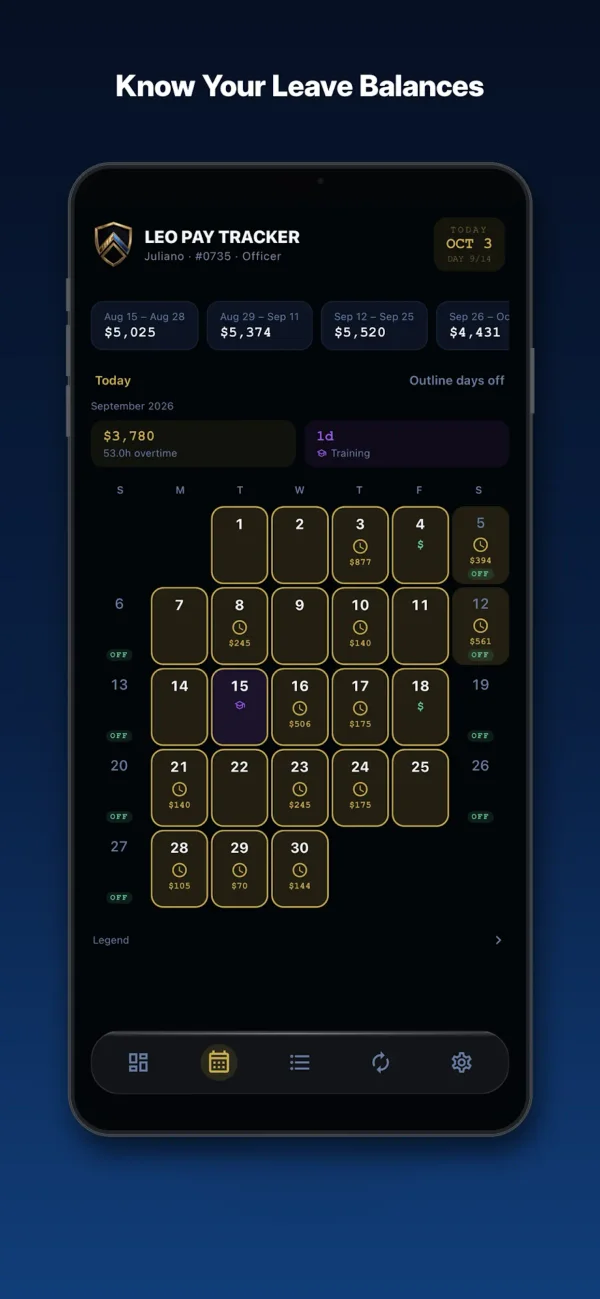
AUTO LEAVE ACCRUAL
Set your vacation and sick accrual rates once. Balances update
automatically every pay period.
RETIREMENT COUNTDOWN
See exactly how far you are from your 20, 25, or custom
retirement milestone. Pro users unlock full pension projections
with FAS averaging and OT impact.
SMART NOTIFICATIONS
Payday reminders, pay period ending alerts, low leave balance
warnings, and YTD goal nudges — all scheduled locally on your
device. No push servers. No tracking.
BIOMETRIC LOCK
Protect your pay data with Face ID or Touch ID.
iBACKUP & RESTORE
Automatic backup to your personal iCloud. Never lose your data
when switching phones. Goes to your iCloud, not our servers.
——————————————————————————
PRO FEATURES
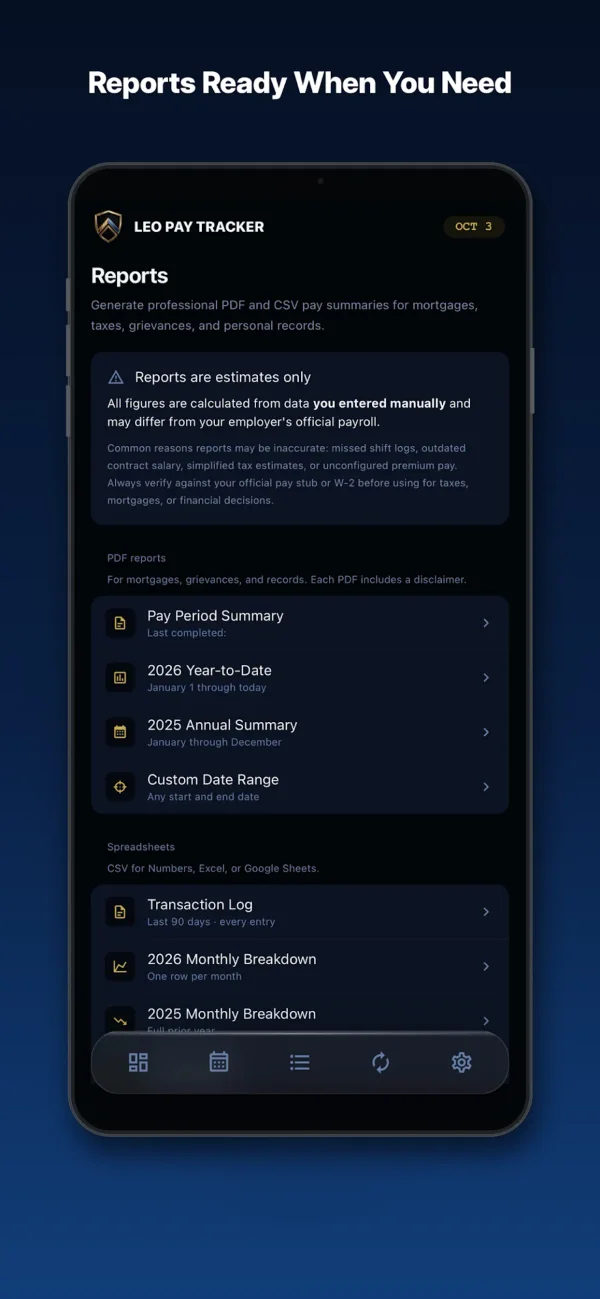
PDF EXPORTS
Generate professional pay summaries for mortgage applications,
union grievances, and tax preparation. Four report types: Pay
Period Summary, Year-to-Date, Annual, and Custom Date Range.
CSV EXPORTS
Export your raw pay data as spreadsheet-ready CSV files. Five
export types including Transaction Log, Monthly Breakdown, OT
by Source, and Pay Period History.
FULL PENSION PROJECTION ENGINE
See your estimated annual and monthly pension at 20-year,
25-year, and your custom retirement target. Configure Final
Average Salary averaging period, benefit multiplier, OT
inclusion, and pension cap.
PRO EDITION THEMES
Five exclusive premium themes curated for officers: Founder's
Edition, Federal Blue, Sniper, Honor Guard, and Special Ops.
Founding Member Lifetime — $14.99 one-time (first 500 officers)
Pro Annual — $19.99/year
Pro Monthly — $3.99/month
——————————————————————————
PRIVACY
Your pay data never leaves your device. No accounts. No cloud
sync for your earnings data. All figures stay private and local.
Purchases are processed securely by Apple. Subscription
management handled by RevenueCat. No pay data is ever shared
with any third party.
Note: Reports and exports are estimates based on your
self-entered data. Always verify against official employer
pay stubs before using for financial or legal purposes.
Terms of Use: https://www.apple.com/legal/internet-services/itunes/dev/stdeula/
What’s new
Version 1.54 · Nov 19, 2026
What's New in 1.54:
• Calmer Calendar & Cleaner Home: Routine shifts now use subtle shift-colored dots by default so logged overtime, court, leave, and paydays stand out immediately. Prefer full-color shift cells? Switch anytime in Settings → Display & Layout.
• "Which Paycheck?" — Now Free: See which check date any logged shift or training entry prints on right while logging or editing.
• Cash vs. Comp Helper (Pro): Compare estimated take-home pay on your check side-by-side against banking comp hours—including comp cap status and what those hours are worth after your next scheduled raise.
• Next 6 Checks Forecast (Pro): Look ahead 6 paydays from Ghost Pay Stub with upcoming 3-paycheck month highlights and mid-period raise split alerts.
• Line-by-Line Stub Match & Payroll Follow-Up (Pro): Compare expected Base, Overtime, Premiums, and Deductions line-by-line when reconciling a check, and mark shifts "Waiting on payroll" until a later stub clears them.
• Unpaid Off-Duty Tracker, Raise Watch & Court Book (Pro): Track pending off-duty detail payments and days waiting, count down to your next contract or step raise, and roll up court appearances with subpoena and case numbers.
• Stronger Privacy & Accuracy: Biometric Lock now requires authentication before turning off and includes an option to hide dollar amounts on Home Screen widgets. Improved unpaid-leave, leap-year, CSV, and PDF report calculations across all pay schedules.
As always, all pay and contract data stays privately on your device.
App privacy
What Michael Juliano declares on the App Store about how this app handles data.
-
Data not collected
The developer does not collect any data from this app.
Privacy practices may vary, for example with the features you use or your age.
Information
- Seller
- Michael Juliano
- Category
- Productivity
- Version
- 1.54
- Updated
- Nov 19, 2026
- Released
- Mar 25, 2026
- Size
- 98.4 MB
- Requires
- iOS 16.4 or later
- Age rating
- 4+
- Price
- Free
- In-app purchases
- Yes
- Languages
- English
- Copyright
- © 2026 Michael Juliano
You might also like
-
 SOBR aiSFST Field Sobriety Assistant
-
 DutyWire Police Shift CalendarTools for First Responder Life
-
 Officer OnePolice narratives and charges
-
 Loc8: Fuel Prices, EV ChargersSearch cafes & gyms on one map
-
 Frontline - Shift CalendarFirefighters, EMS & Police
-
 PackTrack AppK9 Record Keeping
-
 iSomsiSoms
-
 SSPBA Membership PortalPolice Benevolent Association
-
 CloudGavel 365Productivity
-
 PMAM HCMProductivity