- Age rating4+
- CategoryUtilities
- DeveloperCarl Sieber
- LanguagesEnglish
- Size1.0 MB
Links to the official App Store page
Download.org hosts no file of Level: Sound Level Meter. The button opens its official App Store page, published by Carl Sieber. Listing last checked on Nov 17, 2026.
Screenshots

About
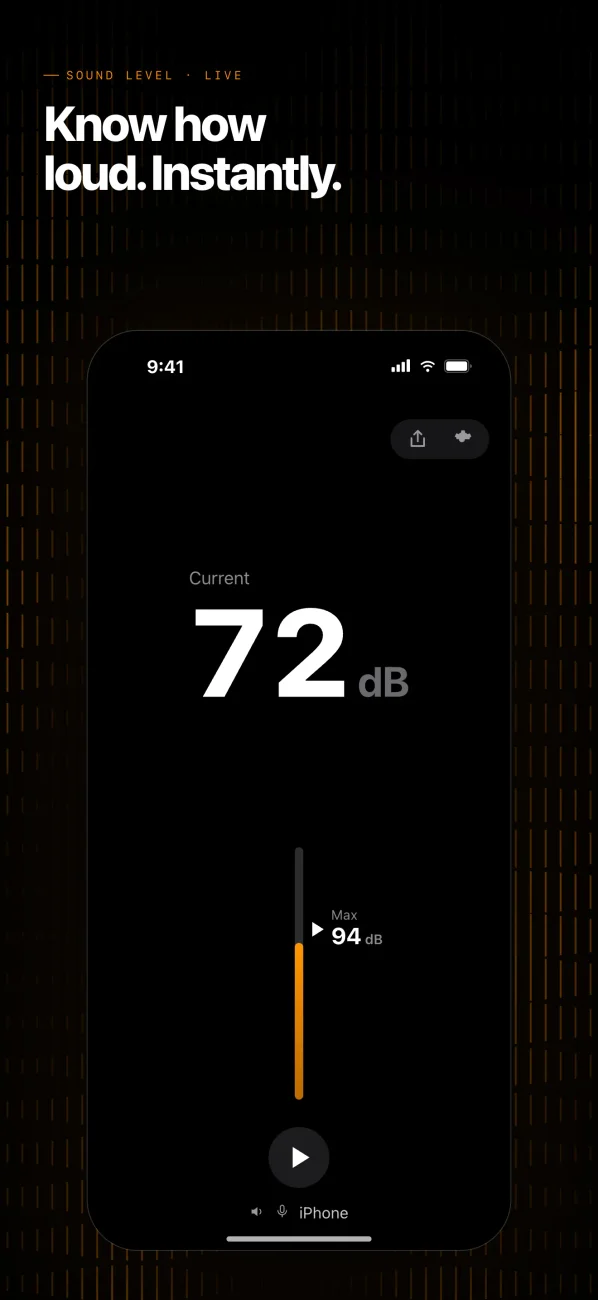
Level is a fast, honest sound-level meter for iPhone. A big live decibel reading, with Leq, Min, L90, L10, Peak, and elapsed time alongside it — show up to four, arranged the way you want. It tells you when the sound is louder than the mic can measure. A reference generator and calibrated-mic support are there for speaker work or true SPL. One clean instrument, not a busy suite.
FEATURES
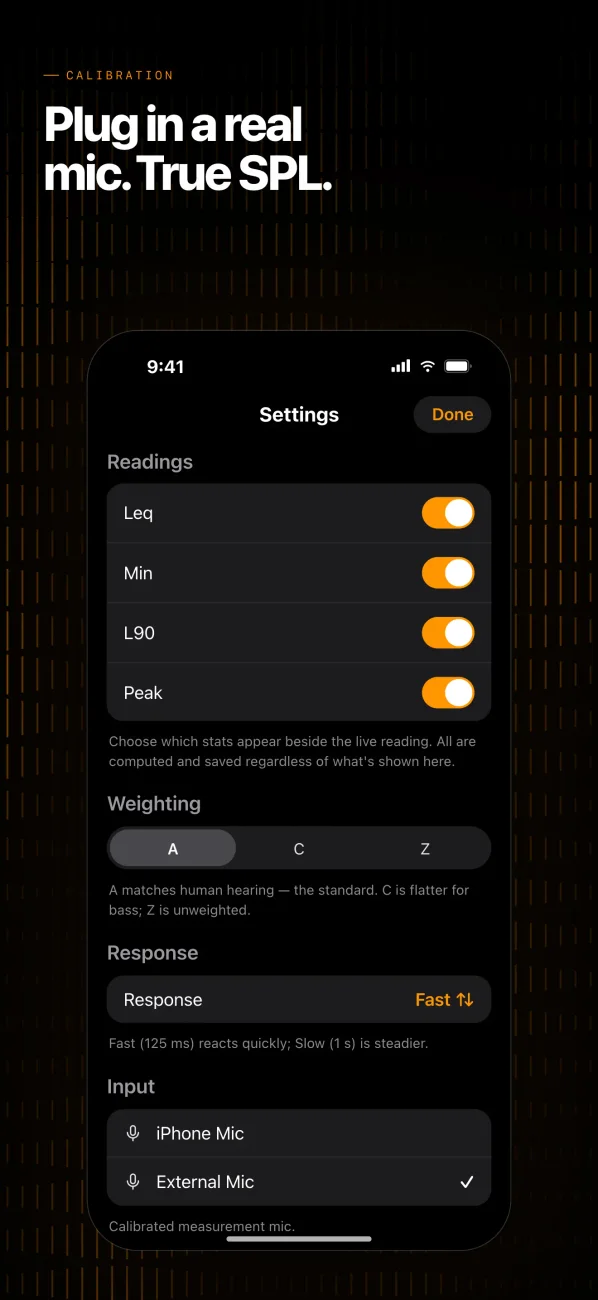
- Big decibel reading — A/C/Z weighting, Fast (125 ms) or Slow (1 s) response
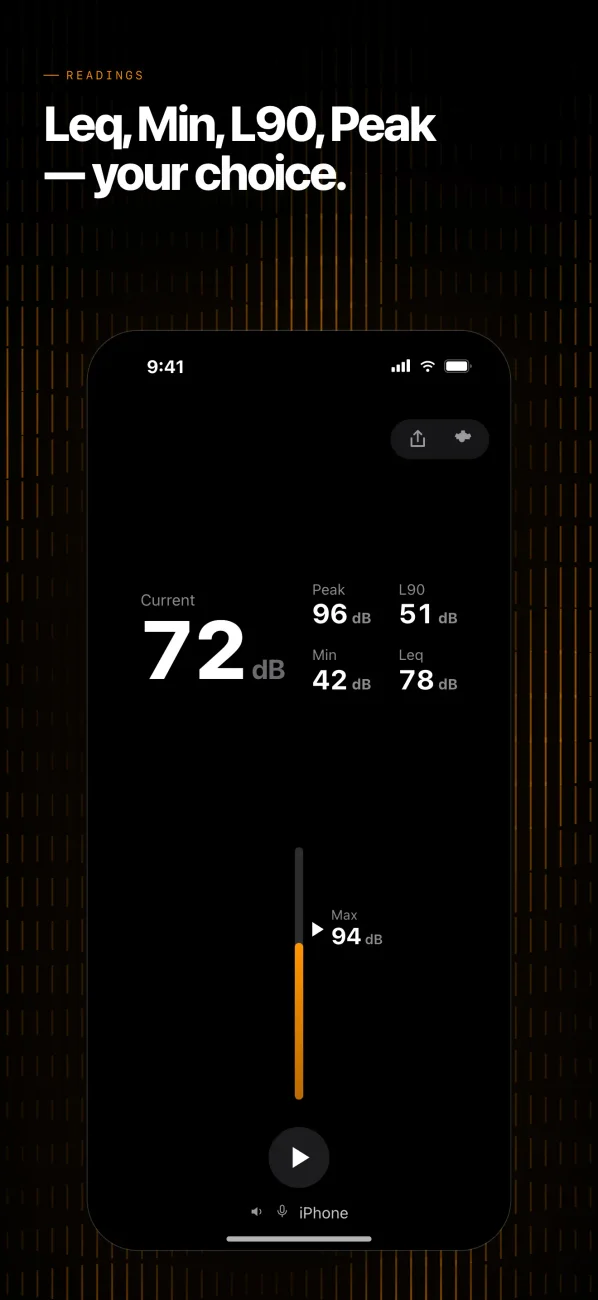
- Six readings, up to four on screen: Leq (energy-average), Min, L90 (background level — exceeded 90% of the time), L10 (exceeded 10% of the time), Peak (true instantaneous peak), and Time (how long you've been measuring). Always computed; show only what you need
- Arrange the readings yourself — hold one on the meter and drag it, or reorder in Settings. On iPhone Duo's open display, all six show
- Overload flag — "Current · OVER" and a tick on the meter while the sound is louder than the mic can measure; Peak stays marked for the rest of the measurement. Tap either to see what it means
- Peak-hold "Max" — a marker holds the loudest moment; tap the meter to start a new measurement
- Control bar — play, the mic and output in use, and the signal, together at the bottom of the screen
- Reference signals: pink noise, white noise, ten octave tones (31.5 Hz–16 kHz), level-matched. 1 kHz tone pairs with a 94 dB calibrator
- Play any output — iPhone speaker, AirPlay, Bluetooth, or USB — while the meter keeps reading
- Calibrated-mic support: Dayton iMM-6C, miniDSP UMIK-1/UMIK-2/EARS, Behringer ECM8000, REW. Frequency correction plus a true-SPL anchor from the file's 1 kHz sensitivity
- Set to 94 dB — fit a calibrator over the mic, tap once, and Level trims itself to the tone. Each mic keeps its own offset
- Share card — current reading, your readings as arranged, and the level bar
- Fits iPhone Duo — closed, open, and open held wide
- Full VoiceOver support
- No account, no analytics, no third-party SDKs, no in-app purchases, no network connections
HOW IT WORKS
Open Level, allow the microphone, and read the room. Turn on up to four readings in Settings → Readings to see them beside the live number; hold one on the meter to move it. Tap the meter to reset Max and every reading and start a new measurement — Time starts over too.
If the sound is louder than the mic can measure, Level says so: OVER appears beside the live number, and Peak stays marked until you reset. Tap the mark to see what it means.
For speaker work, the control bar has it all: play sends the reference signal — pink noise for level-setting, white noise for tweeters, an octave tone for room modes, or the 1 kHz tone against a 94 dB calibrator — and the mic, output, and signal buttons switch each in a tap.
With the built-in mic, readings are approximate but honest and well-behaved. A calibrated USB mic and its cal file give true SPL. Either way, Level is a measurement tool, not a certified Type 1/2 instrument.
GREAT FOR
- Checking if a room, party, nursery, or workspace is too loud
- Home theater/hi-fi — matching channels, setting levels, dialing in a subwoofer
- Car audio — matching and balancing components
- Live-sound hobbyists and DIY speaker builders
- Anyone who wants an honest number without a pro suite
PRIVACY
Audio is measured live only — never recorded, written to disk, or transmitted. No account, no analytics, no in-app purchases, no network connection at all.
QUICK START
1. Open Level, allow the microphone
2. Read the big number (A-weighted by default)
3. Settings → Readings: turn on up to four of Leq/Min/L90/L10/Peak/Time; hold one on the meter to move it
4. Tap the meter to reset Max and every reading
5. For speaker work: tap play in the control bar; the buttons beside it switch mic, output, and signal
IMPORTANT
Level is a general-purpose meter, not a certified Type 1/Type 2 instrument. Built-in mic readings are approximate; a calibrated USB mic with a cal file gives true SPL.
What’s new
Version 1.5 · Nov 4, 2026
Level 1.5 makes the meter more of a meter.
• OVER. When the sound is louder than the microphone can measure, "Current · OVER" appears beside the live number and a tick shows at the top of the meter. Peak stays marked for the rest of the measurement. Tap either to see what it means.
• Two new readings. L10 (the level exceeded 10% of the time) and Time (how long you've been measuring). Six readings now, up to four on screen.
• Arrange them yourself. Hold a reading on the meter and drag it onto another to swap them, or reorder in Settings. On iPhone Duo's open display, all six show.
• Set to 94 dB. Fit a calibrator over the mic and tap once; Level trims itself to the tone. Each mic keeps its own offset.
• Control bar. Play, which mic and output are in use, and the signal — together at the bottom of the screen. Tap the mic, speaker, or waveform to switch each.
• At the mic's floor, the reading dims instead of pretending.
Also: a one-time hint that tapping the meter resets everything, and tapping empty space no longer resets Max.
App privacy
What Carl Sieber declares on the App Store about how this app handles data.
-
Data not collected
The developer does not collect any data from this app.
Privacy practices may vary, for example with the features you use or your age.
Information
- Seller
- Carl Sieber
- Category
- Utilities
- Version
- 1.5
- Updated
- Nov 4, 2026
- Released
- Jun 23, 2026
- Size
- 1.0 MB
- Requires
- iOS 17.0 or later
- Age rating
- 4+
- Price
- Free
- Languages
- English
- Copyright
- © 2026, Carl Sieber
You might also like
-
 SoundLevel Pro: dB MeterDecibel sound level meter
-
 ng-audioRam Audio Subwoofer Control
-
 Ojo PRYour barrio in real time
-
 iSPL PRO+Utilities
-
 QiblaOneQibla Finder, Namaz & Tasbeeh
-
 Calculator SuiteSimple & Scientific Calculator
-
 Sound Meter: Noise & dB LevelDecibel Meter & SPL Analyzer
-
 Level - Aluminium Level SimBubble & Tilt Spirit Level
-
 Smart Cleaner: Photo CleanupRemove Duplicates, Save Space
-
 Timer tickFull-screen timer