Lexa Reader
PDF Translation & Study Notes
Designed for iPhone, iPad, iPod touch
Free · In-app purchases
- Age rating4+
- CategoryProductivity
- Developer培培 王
- LanguagesEnglish
- Size9.6 MB
Links to the official App Store page
Download.org hosts no file of Lexa Reader. The button opens its official App Store page, published by 培培 王. Listing last checked on Nov 20, 2026.
Screenshots


About
Lexa Reader — Read beyond your first language.
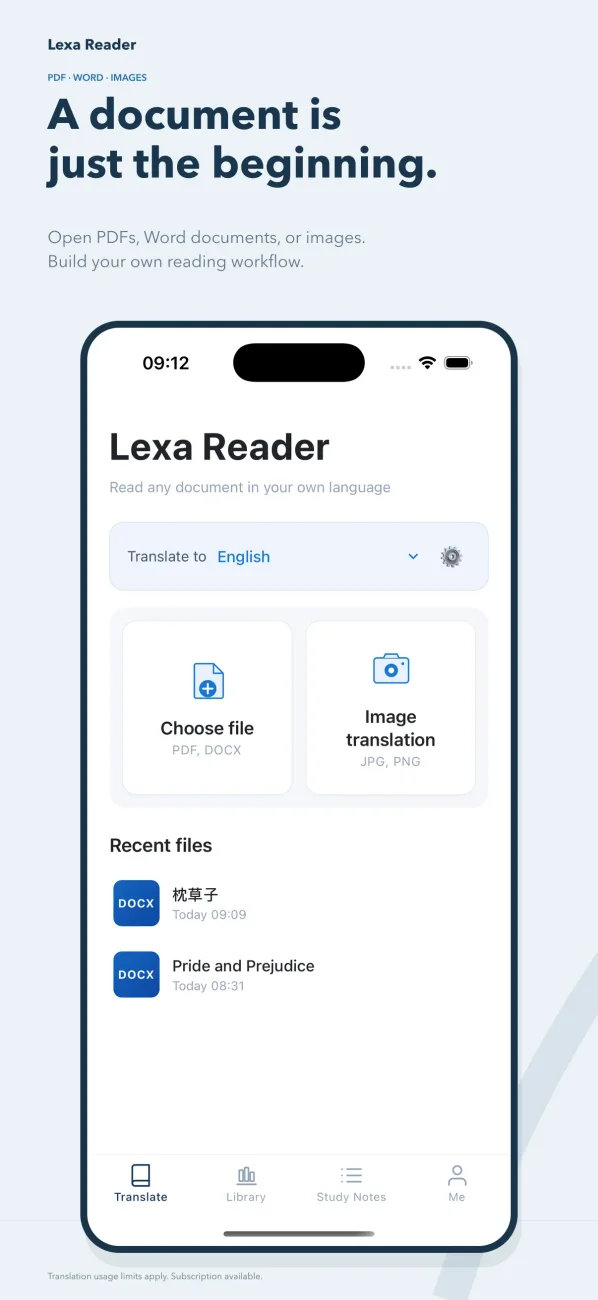
Open PDFs, Word documents, or images and read with the original close at hand. Move from translation to editing, bilingual notes, and Word export in one reading workflow.
SUPPORTED TRANSLATION LANGUAGES
Choose from Chinese, English, Arabic, Japanese, Korean, Thai, French, Spanish, German, Russian, Indonesian, and more.
READ WITH THE ORIGINAL
• Import PDFs, Word documents, and images.
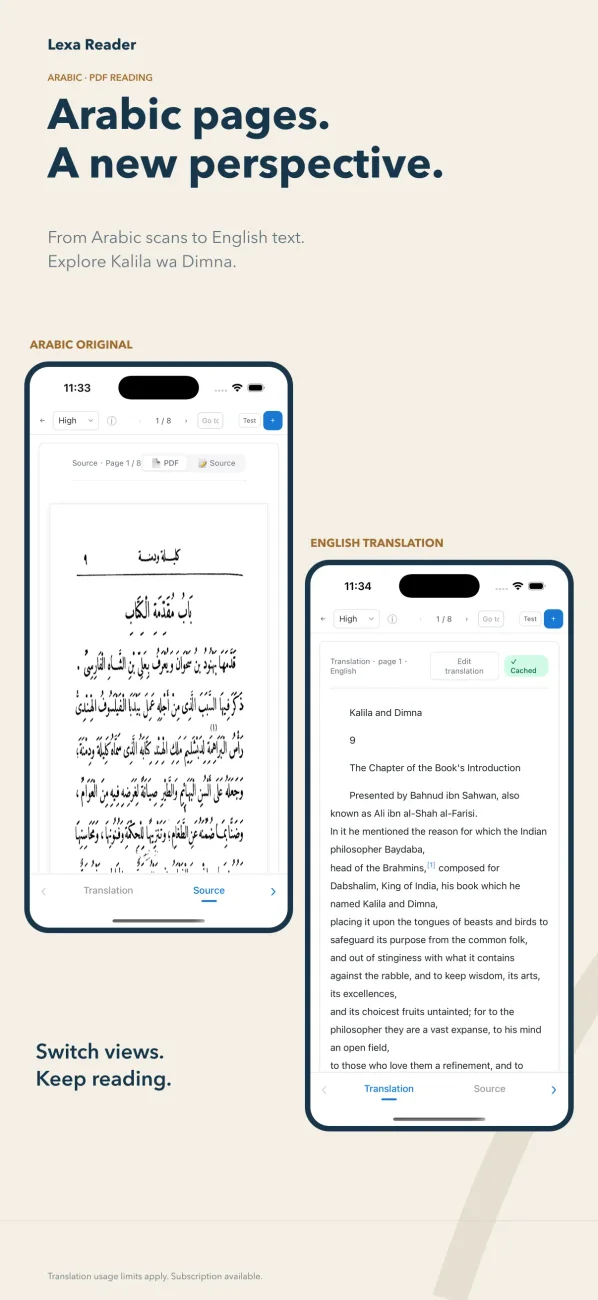
• Recognize and translate text from scanned pages.
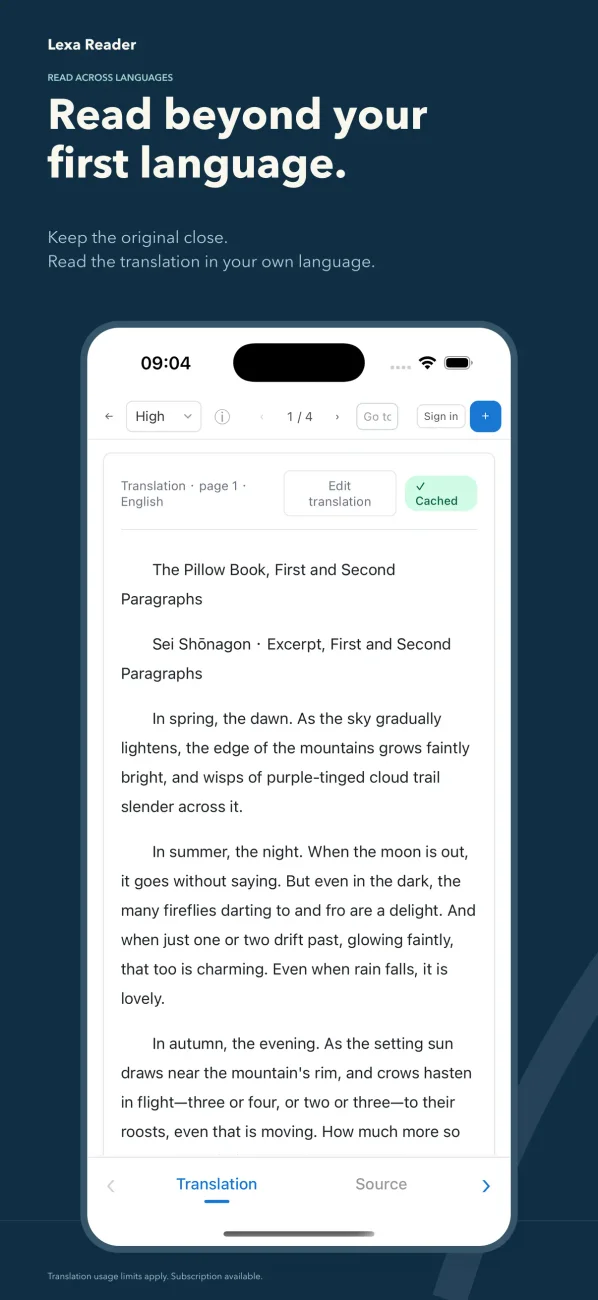
• Read side by side or switch between source and translation, depending on your device and document.
• Choose Smart, Advanced, or Visual translation modes.
• Use cross-page context for continuity, with the next translation prepared after the current page.
REFINE AS YOU READ
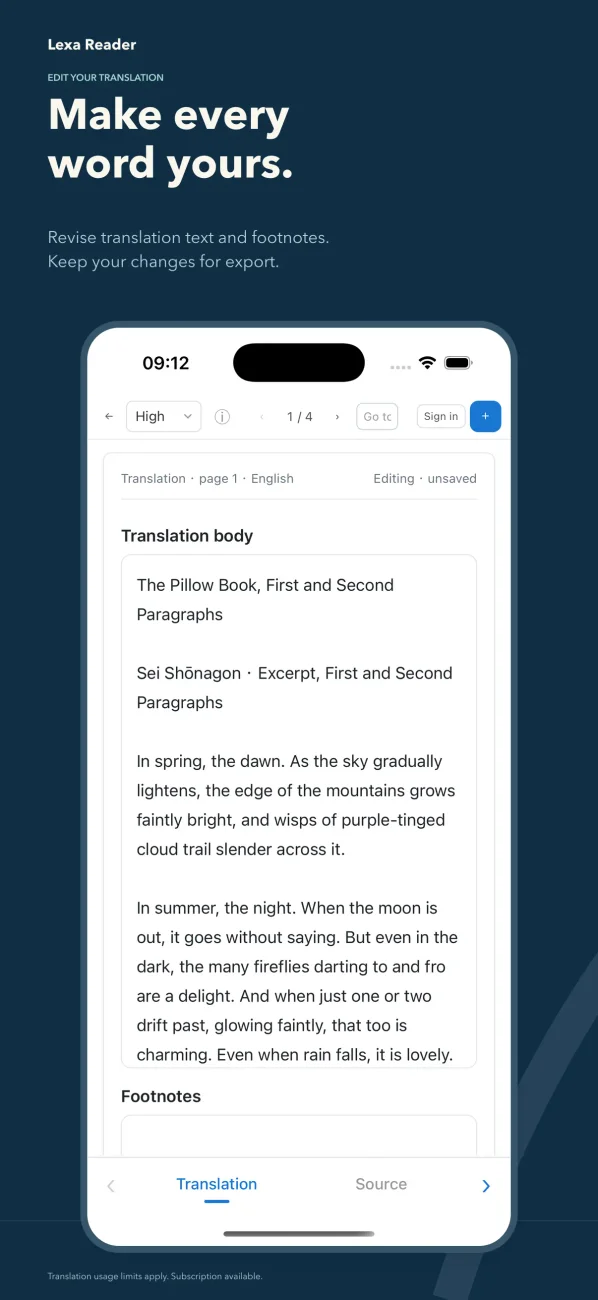
• Edit translated text and footnotes directly in the reader.
• Save your changes or restore the original translation.
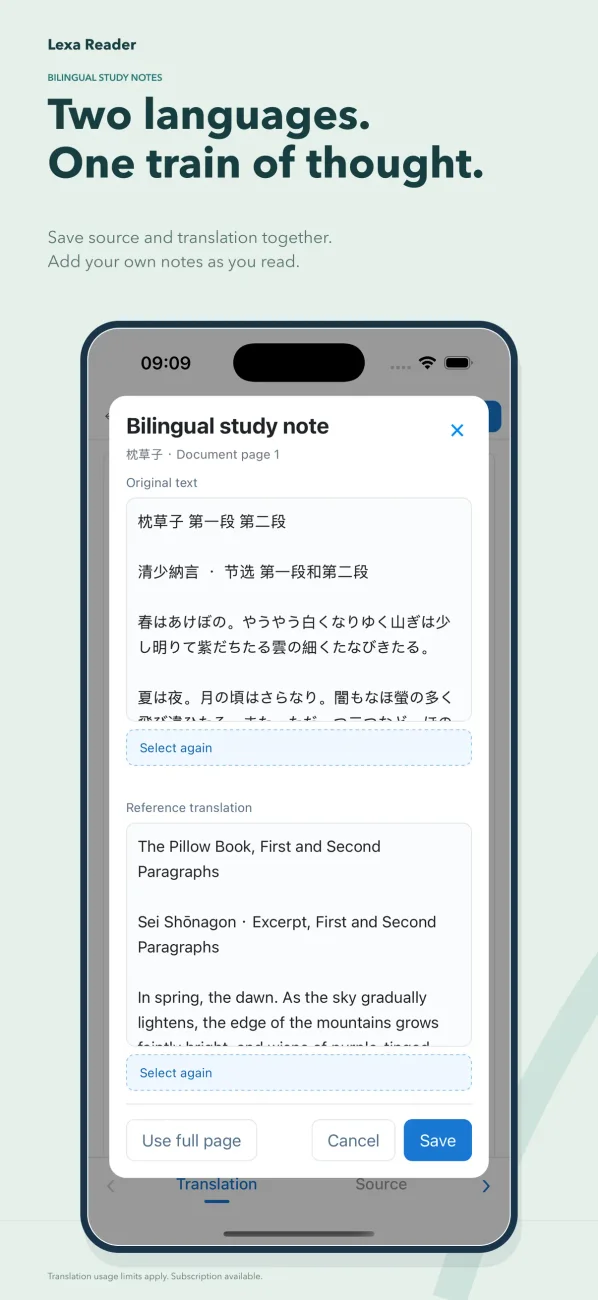
• Pair source and translation excerpts in bilingual study notes.
• Add your own comments for later reference.
KEEP YOUR READING ORGANIZED
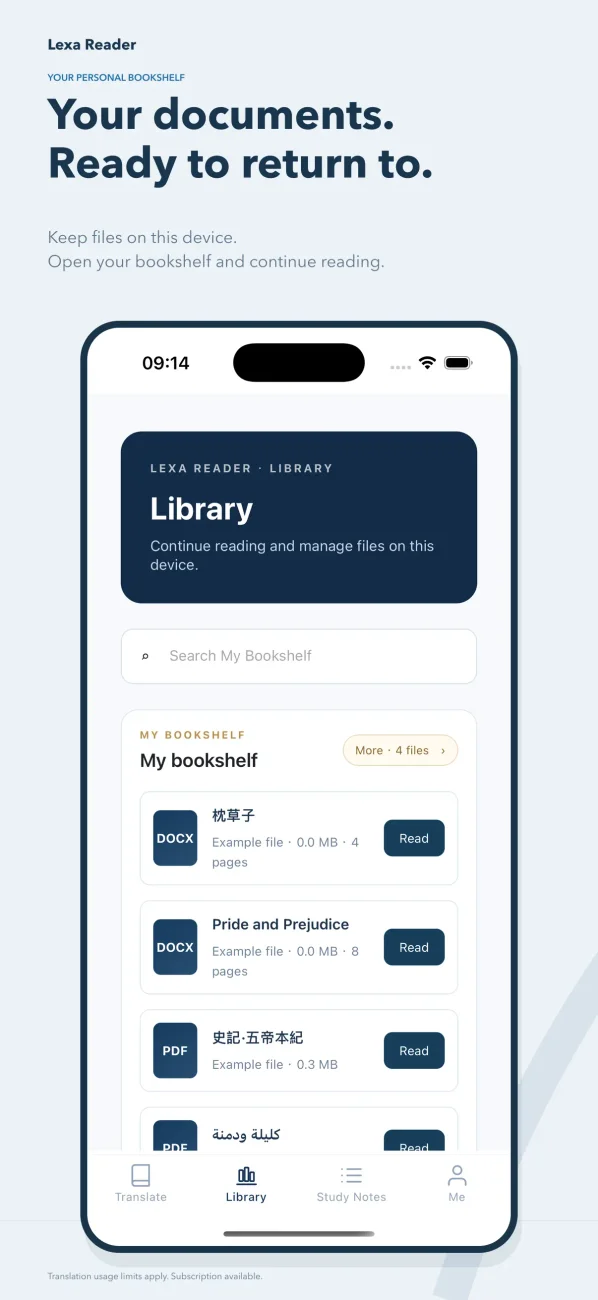
• Add documents to your device’s bookshelf and continue reading.
• Build a personal glossary to help maintain consistent terminology.
• Listen to source text or translations with read-aloud tools.
EXPORT TO WORD
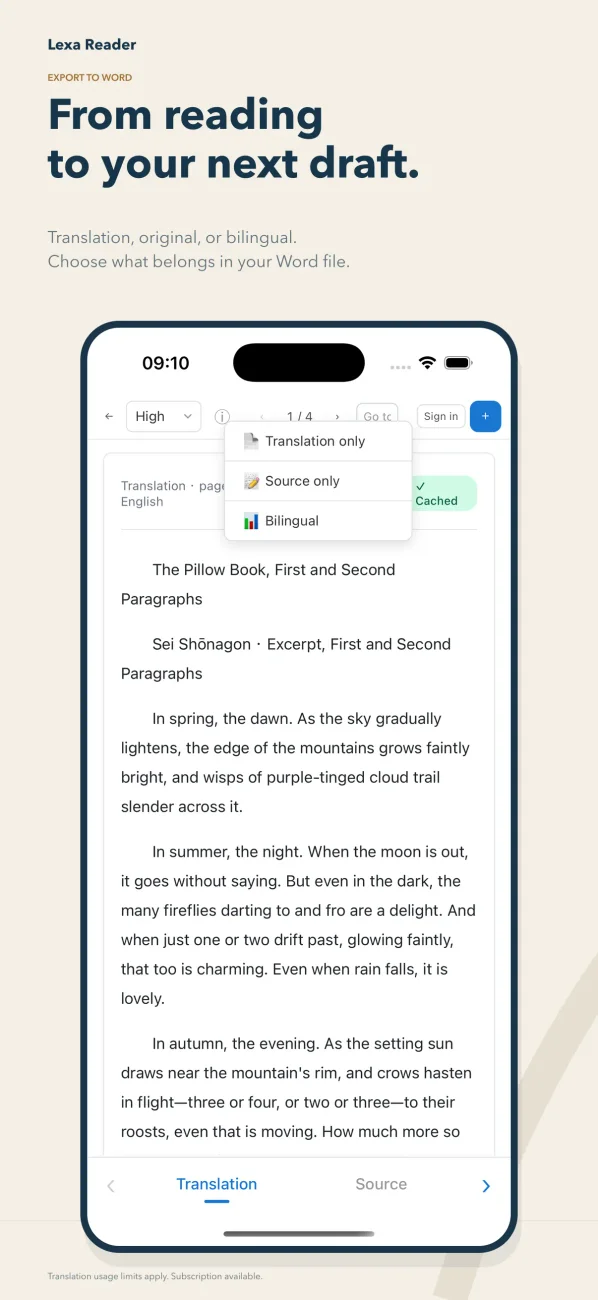
Export source text, translations, or bilingual content, including saved translation edits. Supported headings, paragraphs, and footnotes can be carried into the export. Continue refining the layout in Word or another compatible editor.
INTERFACE AND USAGE
The interface is available in English and Simplified Chinese. New users confirm their translation language on first launch and can change it later.
Translation and OCR require an internet connection and send relevant page text or images for processing. Automatically preparing upcoming translations may use the allowance for the selected tier.
Translation and recognition results may contain errors. Check important passages against the original.
SUBSCRIPTIONS
Three monthly subscription plans provide different usage allowances. Plan names, prices, and allowances are displayed in the app before purchase.
Payment is charged to your Apple Account. Subscriptions renew automatically unless cancelled at least 24 hours before the current subscription period ends. Manage or cancel your subscription in your Apple Account settings. Cancelling renewal does not end access during the current paid period.
Privacy Policy:
https://aybeidanci.com/privacy.html
Terms of Use:
https://aybeidanci.com/terms.html
What’s new
Version 2.0.1 · Nov 3, 2026
• Improved subscription purchase and restore flows, including more reliable handling of unfinished transactions.
• Clearer subscription status messages, with less interference from historical transactions.
• Improved continuous translation across consecutive pages.
• Improved cross-page context for Word document translation.
App privacy
What 培培 王 declares on the App Store about how this app handles data.
-
Data linked to you
May be collected and linked to your identity.
- Contact info
- Identifiers
- Usage data
Privacy practices may vary, for example with the features you use or your age.
Information
- Seller
- 培培 王
- Category
- Productivity
- Version
- 2.0.1
- Updated
- Nov 3, 2026
- Released
- Jul 1, 2026
- Size
- 9.6 MB
- Requires
- iOS 15.0 or later
- Age rating
- 4+
- Price
- Free
- In-app purchases
- Yes
- Languages
- English
- Copyright
- © 2026 黄起旺
You might also like
-
 微记忆 • 便签笔记本与记账打卡日历Productivity
-
 MarsChatProductivity
-
 Pomodoro Clock-Focus TimerMinimalist Focus & Study Timer
-
 小北云盘Productivity
-
 All Notes AsideANA(All Notes Aside)
-
 Apodex: AI for DiscoverySelf-Evolving Deep Research AI
-
 TraceTime笔记-时间线日记Productivity
-
 mentmiAI English · Exams · Interview
-
 Doco Translate: PDF TranslatorKeep layout, Translate with AI
-
 Muharram Karbala Message ImageZiyarat Ashura زیارة عاشوراء