
LifeTicker: Countdown Widget
Days Until Vacation, Birthday
Designed for iPhone
Free · In-app purchases
- Age rating4+
- CategoryUtilities
- DeveloperChristoph Bodynek
- LanguagesEnglish+ 2 more
- Size528.5 MB
Links to the official App Store page
Download.org hosts no file of LifeTicker: Countdown Widget. The button opens its official App Store page, published by Christoph Bodynek. Listing last checked on Nov 21, 2026.
Screenshots





About
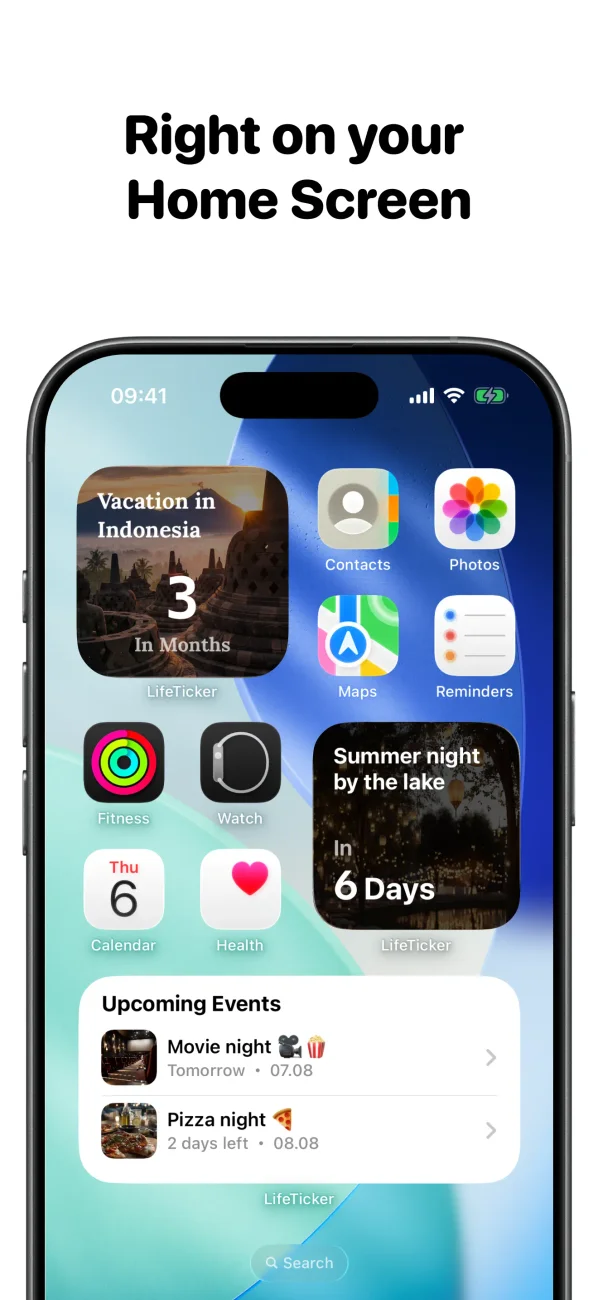
Countdowns for the things you’re looking forward to – as a widget on your Home Screen.
A vacation, a wedding, a birthday, retirement, or something small that still matters: create an event and watch the days count down. On your Home Screen, on your Lock Screen, on your Apple Watch. Free, and no account needed.
LifeTicker started because I wanted to count the days until my next vacation and couldn’t find an app that did it nicely. I’ve been developing it on my own ever since, and I use it every day.
Just describe it
New in 4.0: In the New tab, describe what you’re looking forward to in one sentence, typed or spoken, and LifeTicker suggests the event – date, time, image and whatever else is in the sentence. If something’s missing, it asks. The suggestion is made on your iPhone, not on a server. It needs Apple Intelligence, so an iPhone 15 Pro or later. On older iPhones you create events by hand as before; everything else works the same.
Count down together
Invite friends or family to an event. Everyone sees the same countdown, kept in sync through iCloud, and checks off the tasks together – for the trip with friends or the wedding you’re planning as a couple.
Make it your event
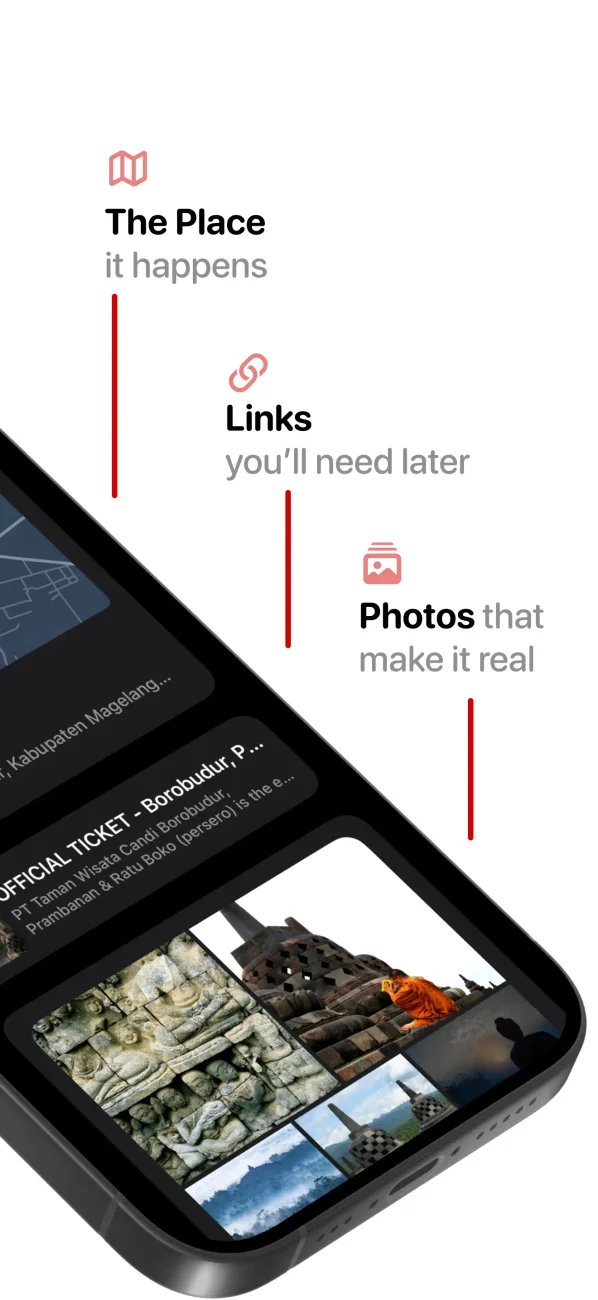
Image, place, song, note, links and a task list belong right on the event. 300+ image templates, photos from Unsplash, or your own photo.
And the rest
• Reminders as early as you like – once for everything, or per event.
• Discover: holidays and special days ready to add, and they can keep themselves up to date.
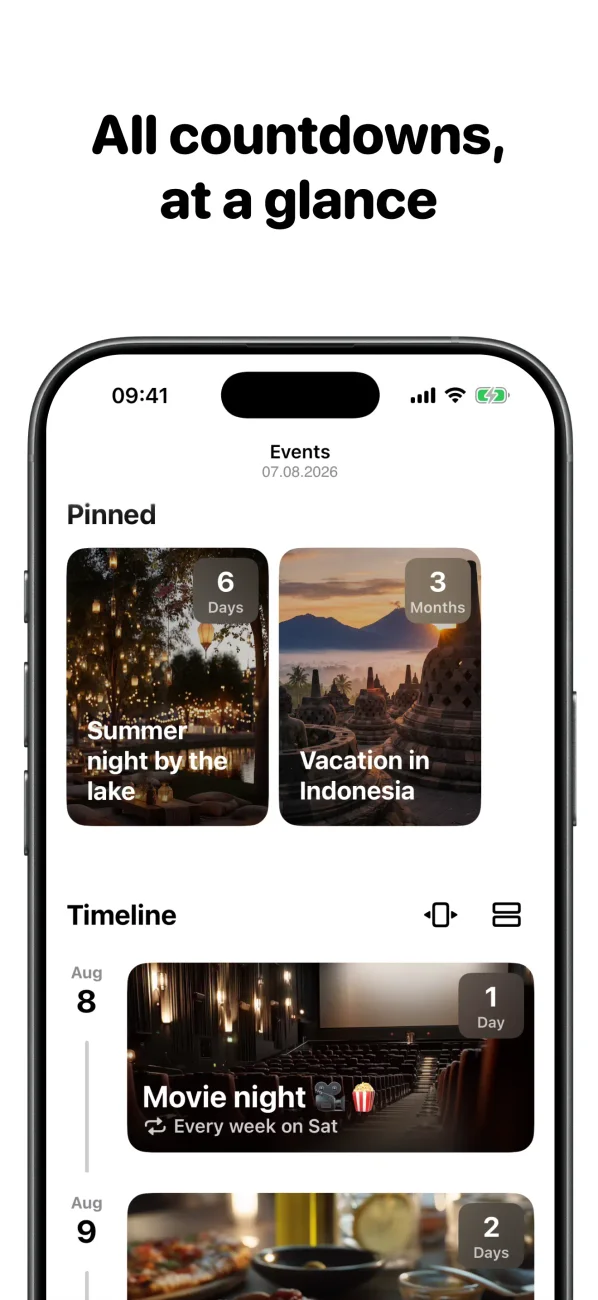
• A calendar, pinned events and a look back at what’s already happened.
• Import events from your calendar, with a preview.
• Single dates, recurring occasions, or whole series with several milestones.
LifeTicker is free. If you need more than a few events, you can unlock Premium – that’s what keeps the project going. If something’s off: Contact in the app sends your report straight to me.
Terms of Use: https://www.apple.com/legal/internet-services/itunes/dev/stdeula
Privacy Policy: https://lifeticker.app/privacy/
What’s new
Version 4.0.3 · Nov 7, 2026
LifeTicker is ready for iPhone Duo. Unfolded, your event sits on the left with its note, tasks, song, and pictures on the right. Creating an event shows both steps side by side, your events lie in a grid, and the calendar lists the month’s events right next to it.
Creating an event from a description now catches more: “the Friday before Easter” lands on that Friday, an outbound and a return trip become one span, and “every six weeks” or “every weekday” becomes a recurring event.
Catalog events you keep current now move reliably to their next date. Plus fixes. If something’s off, Contact → Report a Problem sends it straight to me. Thanks for using LifeTicker!
App privacy
What Christoph Bodynek declares on the App Store about how this app handles data.
-
Data not linked to you
May be collected but is not linked to your identity.
- User content
- Search history
- Identifiers
- Usage data
- Diagnostics
Privacy practices may vary, for example with the features you use or your age.
Information
- Seller
- Christoph Bodynek
- Category
- Utilities
- Version
- 4.0.3
- Updated
- Nov 7, 2026
- Released
- Sep 10, 2025
- Size
- 528.5 MB
- Requires
- iOS 26.0 or later
- Age rating
- 4+
- Price
- Free
- In-app purchases
- Yes
- Languages
- English, French, German
- Copyright
- © Christoph Bodynek
You might also like
-
 Countdown: Minimal Event TimerWidgets, Progress & Reminders
-
 Countdown X: Event CounterDays Until, Reminders & Timer
-
 Countdown Widget - DayDropDays Until: Event Day Counter
-
 Countdown Widget: Day CountBirthday & Anniversary Tracker
-
 Image & Video Compressor, PDFCompress Photos, Reduce Size
-
 Countdown Widgets - MomentsCount Down & Up, Day Counter
-
 Countdown: Events & WidgetsEvent Countdowns & Widgets
-
 CountFree: Countdown WidgetTrack Days & Home Screen Timer
-
 Countdown 2025Track life’s important events
-
 Widget CountdownUpcoming events at a glance...