Light Clipboard: Quick Paste
Snippet keyboard, tap to paste
Designed for iPhone, iPad
Free · In-app purchases
- Age rating4+
- CategoryUtilities
- DeveloperRuslan Zhafiarov
- LanguagesEnglish+ 29 more
- Size10.5 MB
Links to the official App Store page
Download.org hosts no file of Light Clipboard: Quick Paste. The button opens its official App Store page, published by Ruslan Zhafiarov. Listing last checked on Nov 18, 2026.
Screenshots
About
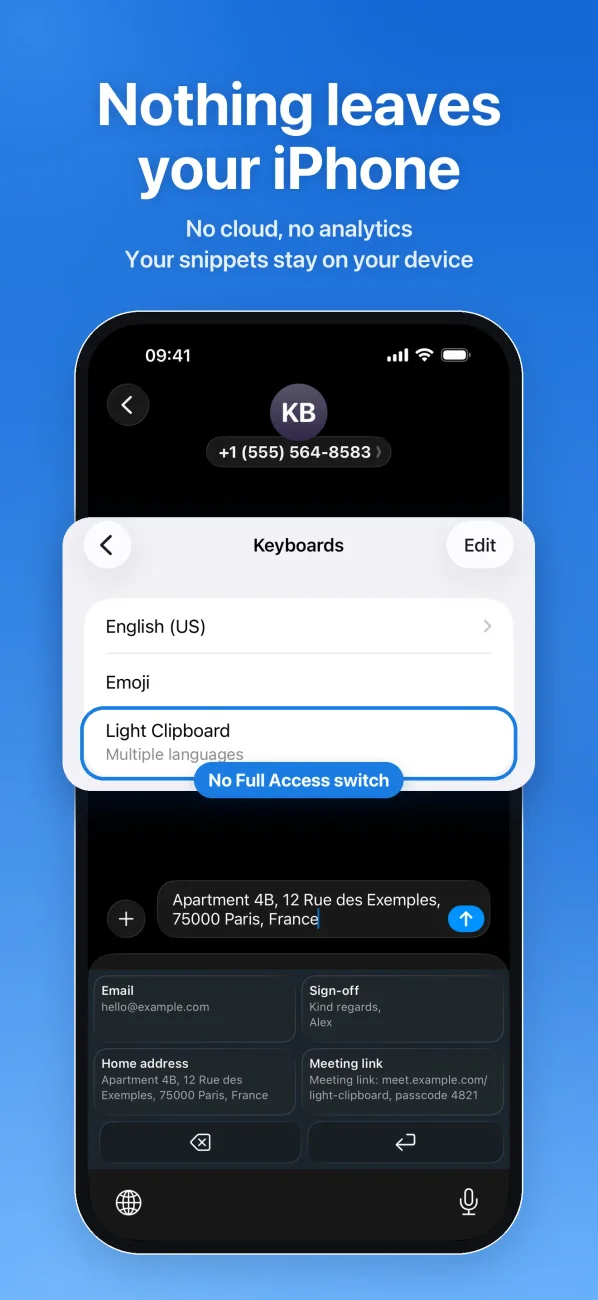
Light Clipboard holds the text you retype all the time and gives you a keyboard that types it anywhere.
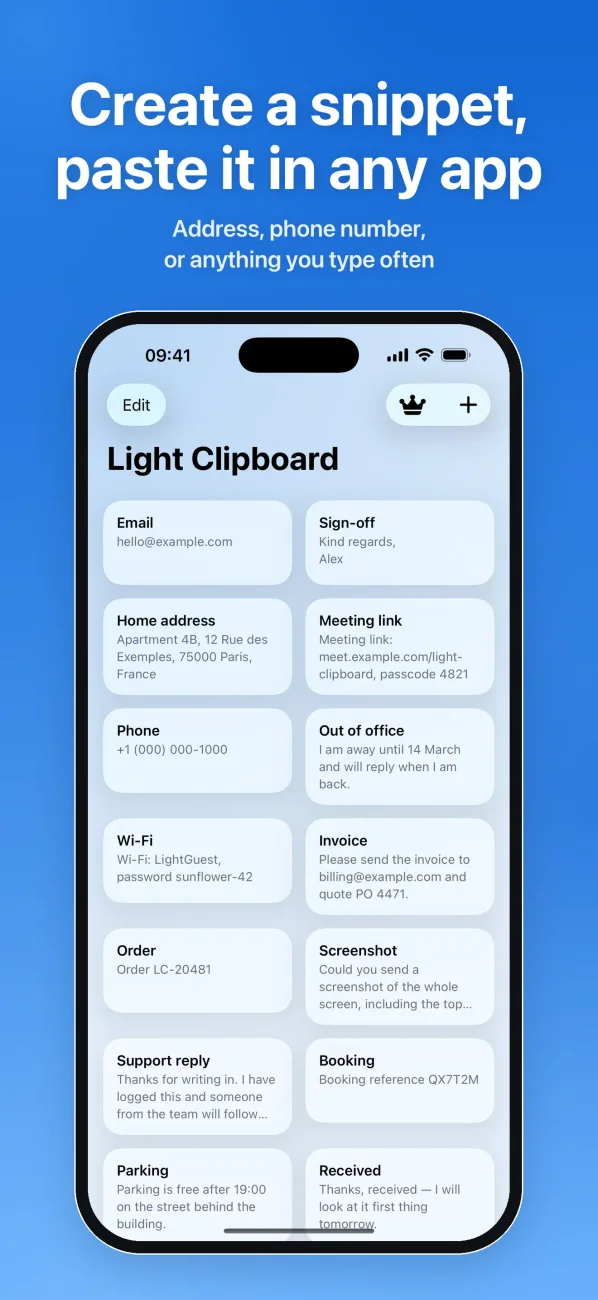
Your email address. A phone number. The reply you send twenty times a week. An address, an account number, a block of hashtags. Save it once, then tap it into any app.
HOW IT WORKS
1. Save a snippet in the app.
2. Add the Light Clipboard keyboard in Settings and switch to it with the globe key.
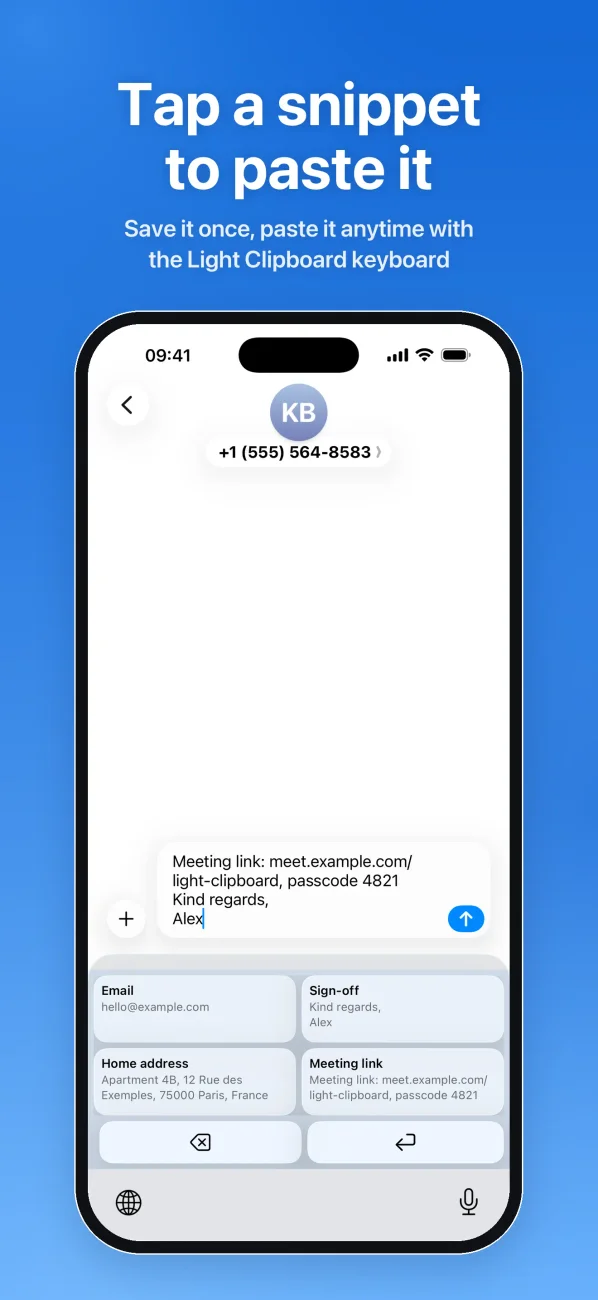
3. Tap a snippet. It is typed straight into whatever you are writing.
No copying. No switching to another app and back. Whatever is already on your clipboard stays there.
BUILT TO STAY OUT OF THE WAY
The keyboard shows your snippets as tiles, two to a row, with backspace and return where you expect them. Tap a tile and the text appears. That is the whole interaction.
In the app, snippets sit in a grid you can reorder by dragging. Tap one to edit it. One button pastes whatever you just copied, so saving is quick.
SHORTCUTS AND SIRI
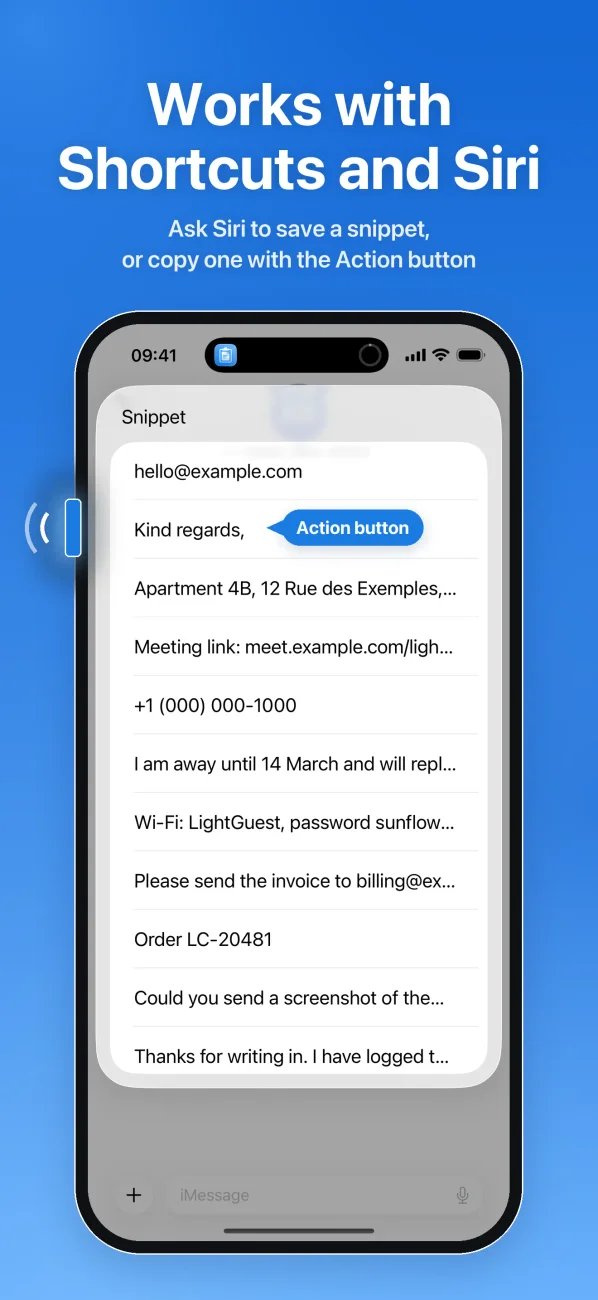
Copy a snippet, or save a new one, from the Shortcuts app or by asking Siri — so a snippet can go into a message, an email or any automation you build.
YOUR TEXT STAYS ON YOUR DEVICE
Snippets are stored on your device and shared with the keyboard through a private app group. Nothing is uploaded. There is no account and no analytics.
FREE AND PREMIUM
Three snippets are free, with no time limit and no ads. If you need more:
- Unlimited Monthly and Unlimited Yearly lift the limit while active, and both start with a free one-week trial
- Lifetime Unlock lifts it permanently with a single payment
- Slot packs add 3, 5, 10 or 20 slots, and they stack
THIRTY-ONE LANGUAGES
The app follows your system language and is translated into 31 of them.
NO FULL ACCESS
The keyboard never asks for Full Access. It runs in the restricted sandbox iOS gives a keyboard by default, where it can read the snippets you saved and nothing else. It cannot reach the network, and it never sees what you type.
SUBSCRIPTION DETAILS
Unlimited Monthly and Unlimited Yearly are auto-renewable subscriptions, running for one month or one year and renewing automatically at the same price unless cancelled at least 24 hours before the period ends. Each begins with a free trial of one week; the subscription starts, and payment is charged to your Apple Account, when the trial ends unless it is cancelled before then. Subscriptions can be managed or cancelled in Settings. Prices for your region are shown on this page and on the Premium screen in the app.
Lifetime Unlock and the slot packs are one-off purchases. They do not renew.
Terms of Use (EULA): https://www.apple.com/legal/internet-services/itunes/dev/stdeula/
Privacy Policy: https://zhafiarov.github.io/light-clipboard-site/privacy.html
What’s new
Version 1.2.5 · Nov 2, 2026
• Better translations
• New screenshots on the App Store page
App privacy
What Ruslan Zhafiarov declares on the App Store about how this app handles data.
-
Data not collected
The developer does not collect any data from this app.
Privacy practices may vary, for example with the features you use or your age.
Information
- Seller
- Ruslan Zhafiarov
- Category
- Utilities
- Version
- 1.2.5
- Updated
- Nov 2, 2026
- Released
- Sep 16, 2026
- Size
- 10.5 MB
- Requires
- iOS 18.2 or later
- Age rating
- 4+
- Price
- Free
- In-app purchases
- Yes
- Languages
- English, Catalan, Croatian, Czech, Danish, Dutch, Finnish, French, German, Greek, Hungarian, Indonesian + 18 more
- Copyright
- © 2026 Ruslan Zhafiarov
You might also like
-
 Copy Paste ClipBoard ManagerHistory, Keyboard & Snippets
-
 ClipStack — Clipboard ManagerClipboard History & Manager
-
 ClipBoard Pro- Text Acc MangerKeyBoard Quick Account Text
-
 Clipboard: Copy & Paste SaverSnippet Keyboard & Shortcuts
-
 Clipboard Keyboard - TapPasteSave Snippets & Paste Anywhere
-
 Sapher Browser ExtensionYour ultimate digital guardian
-
 RPad: Remote Trackpad & MousePresentation Remote & Laser
-
 Minimal Clock — Retro WidgetDigital LCD, world time, night
-
 Unzip - zip,rar,file openerfiles extractor, compressor
-
 StandBy Hub: Nightstand & HomeClocks, Countdown & Dashboard