
- Age rating4+
- CategoryPhoto & Video
- Developer昆俞 崔
- LanguagesEnglish+ 1 more
- Size1.5 MB
Links to the official App Store page
Download.org hosts no file of Lightplan. The button opens its official App Store page, published by 昆俞 崔. Listing last checked on Nov 16, 2026.
Screenshots

About
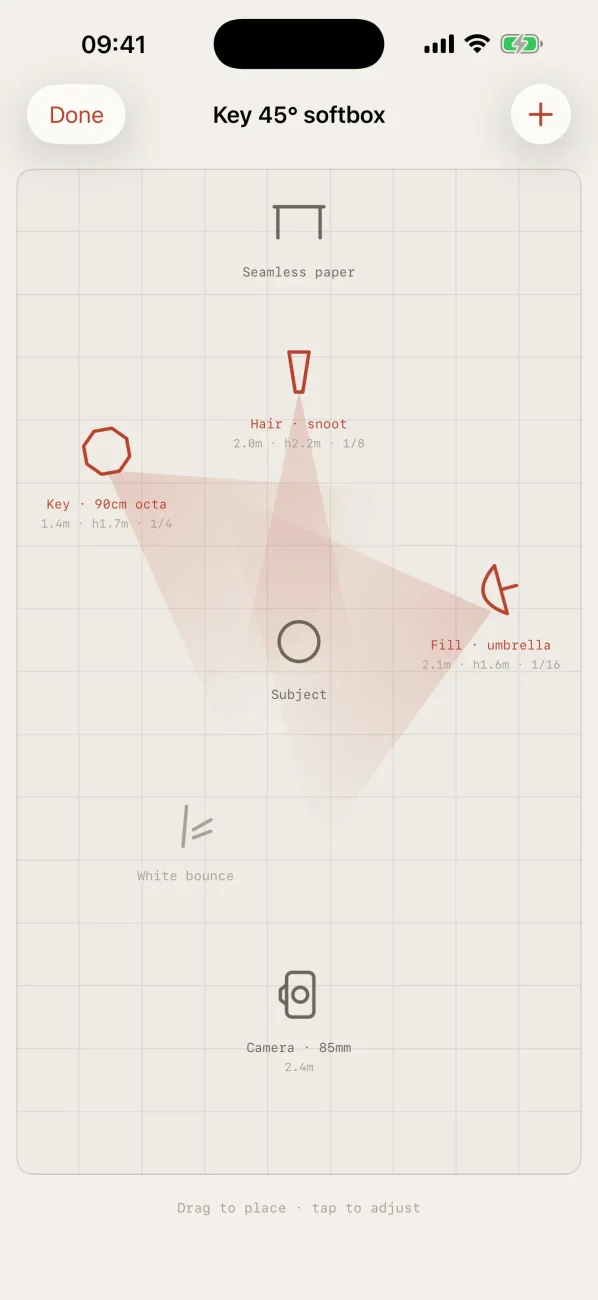
Lightplan is a lighting notebook for photographers. Draw the setup, tap twice on set, and the frames file themselves under the diagram that made them.
WHY
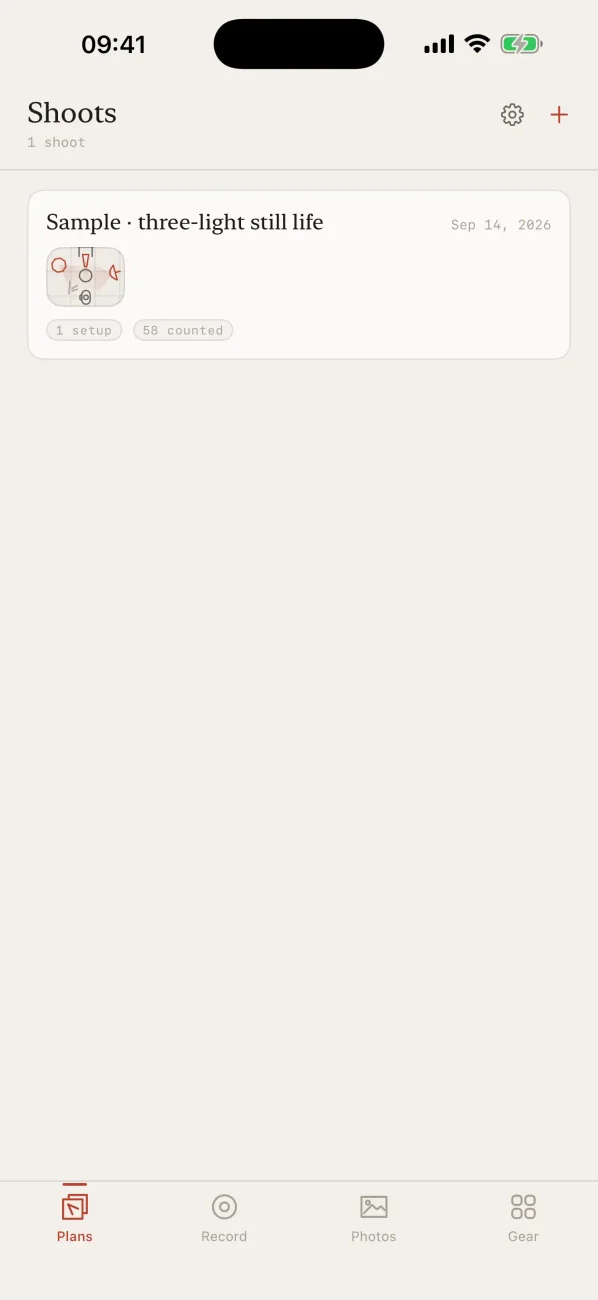
A light setup lives for twenty minutes and then it is gone. Phone snaps of the stands never tell you the distance, the height or the power, and by the time a client asks for "that look from March" the plot is unrecoverable. Lightplan keeps the diagram, the gear list and the frames that came out of it in one place.
DRAW
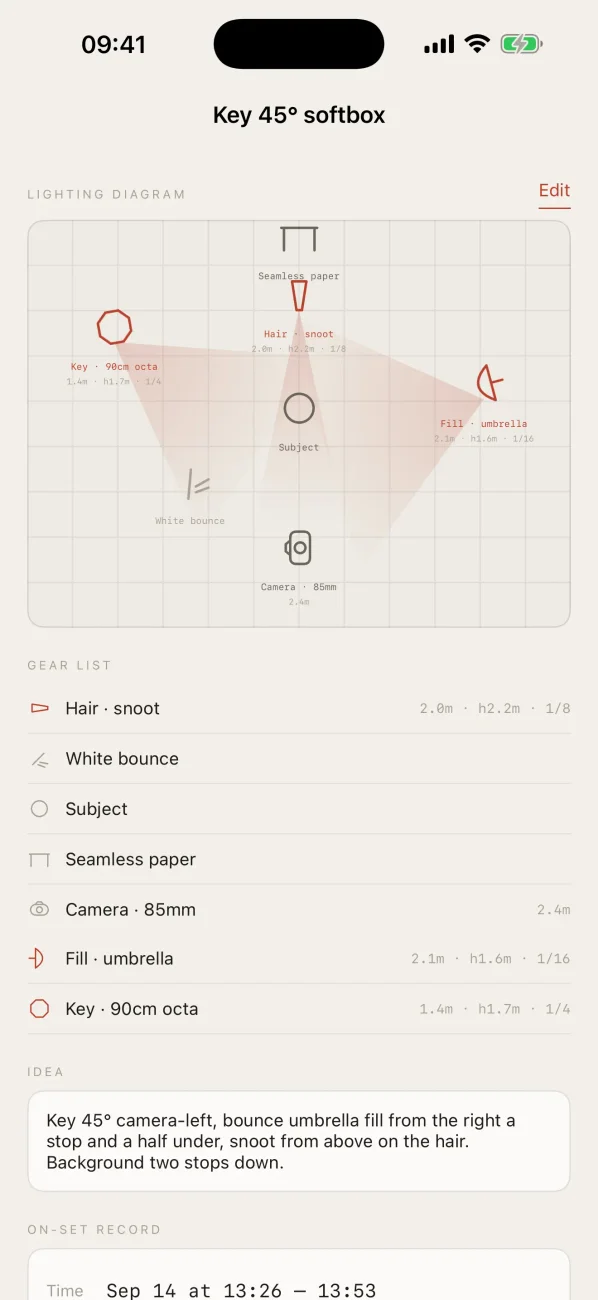
- A floor plan with 55 built-in gear types in 8 categories - strobes, softboxes, umbrellas, snoots, flags, backdrops, grip and power - each drawn as its own symbol, plus any custom gear you add
- Light cones show where the light actually falls, not just where the stand is
- Distance, height and power on every light, and a gear list that reads like a call sheet
- An idea note for the one sentence you would say to an assistant
RECORD
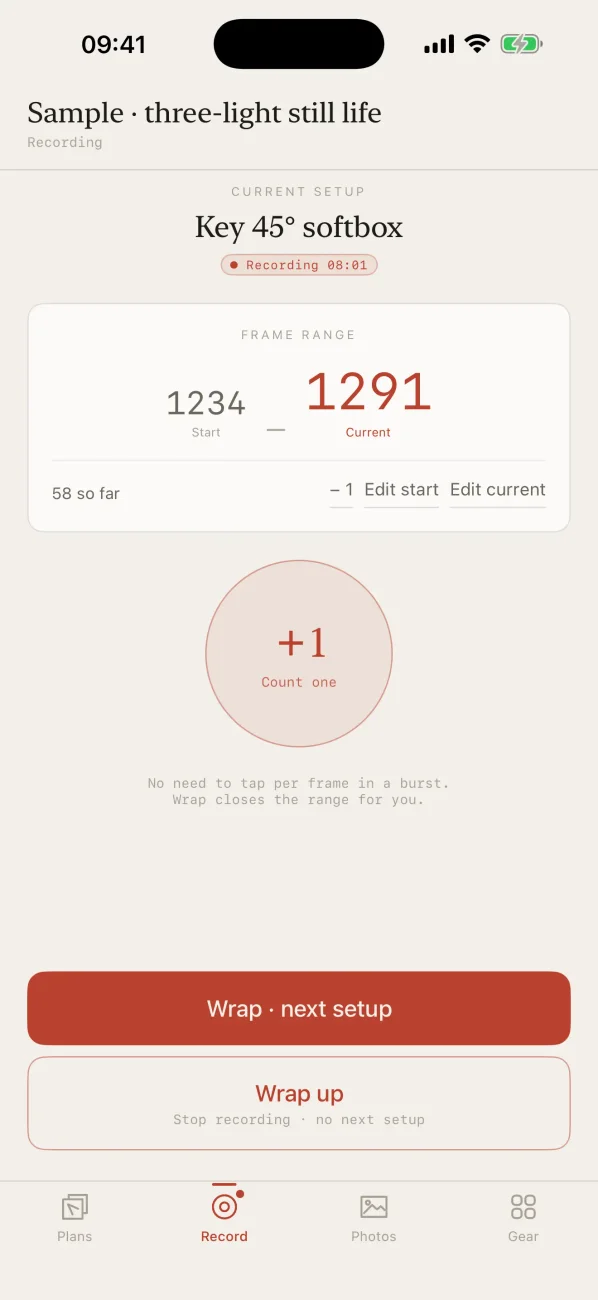
- Tap Start when a setup goes live and Wrap when you strike it. Two taps per setup, not one per frame - your hands are on the camera
- One large target that works one-handed in a dark studio
- Frame ranges with a live counter; correct the start or the current number at any time
- "Wrap up" ends the day; "Wrap - next setup" rolls straight into the next look
FILE
- Import the shoot from your photo library and each frame lands under its setup
- Two channels: capture time is the main one, so no numbers are needed at all, and frame numbers verify it
- When the two disagree nothing is filed. A wrong diagram is worse than none, because you would light a reshoot from it. Those frames wait in Unfiled for one tap
- Aperture, shutter, ISO and lens are read from EXIF and shown beside the light that made them
- Photos are never copied, modified or uploaded. Lightplan stores a reference and the details it read
YOUR DATA STAYS YOURS
No account, no server of ours, no analytics, no ads. Drawing, recording and importing all run on the device. iPhone and iPad stay in step through your own iCloud private database, which the developer has no way to read.
Everything is free. English and Simplified Chinese, iPhone and iPad, iOS 17 or later.
What’s new
Version 1.0.1 · Oct 9, 2026
Improved flexible layouts and sharper photo previews across window sizes. Setup details, unsaved drafts and recording state now stay available when the window changes size.
App privacy
What 昆俞 崔 declares on the App Store about how this app handles data.
-
Data not collected
The developer does not collect any data from this app.
Privacy practices may vary, for example with the features you use or your age.
Information
- Seller
- 昆俞 崔
- Category
- Photo & Video
- Version
- 1.0.1
- Updated
- Oct 9, 2026
- Released
- Sep 25, 2026
- Size
- 1.5 MB
- Requires
- iOS 17.0 or later
- Age rating
- 4+
- Price
- Free
- Languages
- English, Simplified Chinese
- Copyright
- © 2026 Kunyu Cui
You might also like
-
 Softbox Atlas: Light PlannerOffline lighting setups
-
 Raccord LightingPlots, circuits and power
-
 ShootBinderScripts, plans & scout photos
-
 Lighting RecipePhoto lighting diagrams in 3D
-
 Safelight: Darkroom TimerFilm dev, enlarger, test strip
-
 TillyGenShotlist, storyboard, schedule
-
 Retro Camera - Manual B&WPro Monochrome Photography
-
 ShootkitInnovative photoshoot planning
-
 FFFrameOne tap photo frames
-
 GeoLog Photographer's NotebookSave, Research, Shoot