Raccord Lighting
Plots, circuits and power
Designed for iPhone, iPad, Mac
Free · In-app purchases
- Age rating4+
- CategoryPhoto & Video
- DeveloperRaphael Medeiros
- LanguagesEnglish+ 13 more
- Size42.9 MB
Links to the official App Store page
Download.org hosts no file of Raccord Lighting. The button opens its official App Store page, published by Raphael Medeiros. Listing last checked on Nov 14, 2026.
Screenshots




About
Arrive on set with the light planned and a map the whole crew can understand.
Raccord Lighting helps you create complete lighting plots, place lights and modifiers, check electrical distribution, and prepare the production’s technical material.
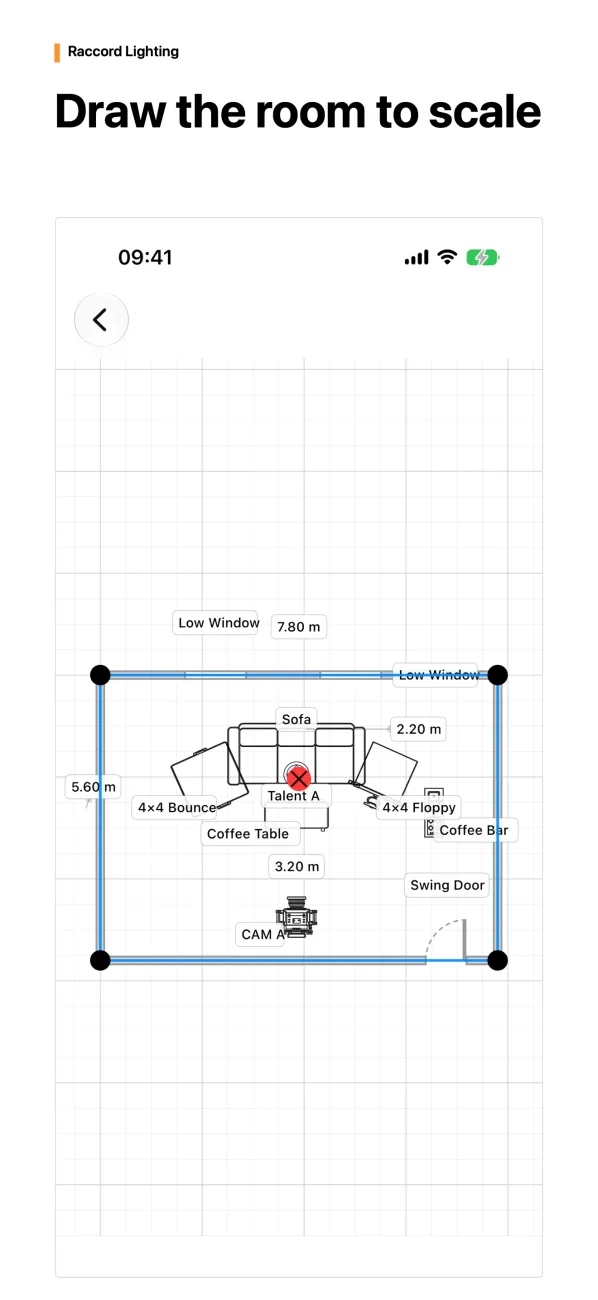
Start by drawing the floor plan from scratch or, on supported iPhones and iPads, scan the room in 3D to automatically create the base of the plot. Then adjust walls and measurements, organize equipment, and build the lighting setup.
CREATE THE LIGHTING PLOT
Build a clear representation of the space before the shoot. Work to scale, place lights, modifiers, and set elements, and make dimensions, directions, and notes easy to understand.
• Draw walls, doors, and room elements.
• Scan the space in 3D on supported devices.
• Place lights and modifiers.
• Organize the plot with dimensions, layers, and labels.
• See light direction with Smart Beams.
CHECK THE POWER
• Organize sources, circuits, and loads.
• Review watts, amps, available capacity, and overload warnings.
• Estimate battery and generator runtime for the setup.
HAND IT TO THE CREW
• Export plots as PDF, PNG, or JPEG.
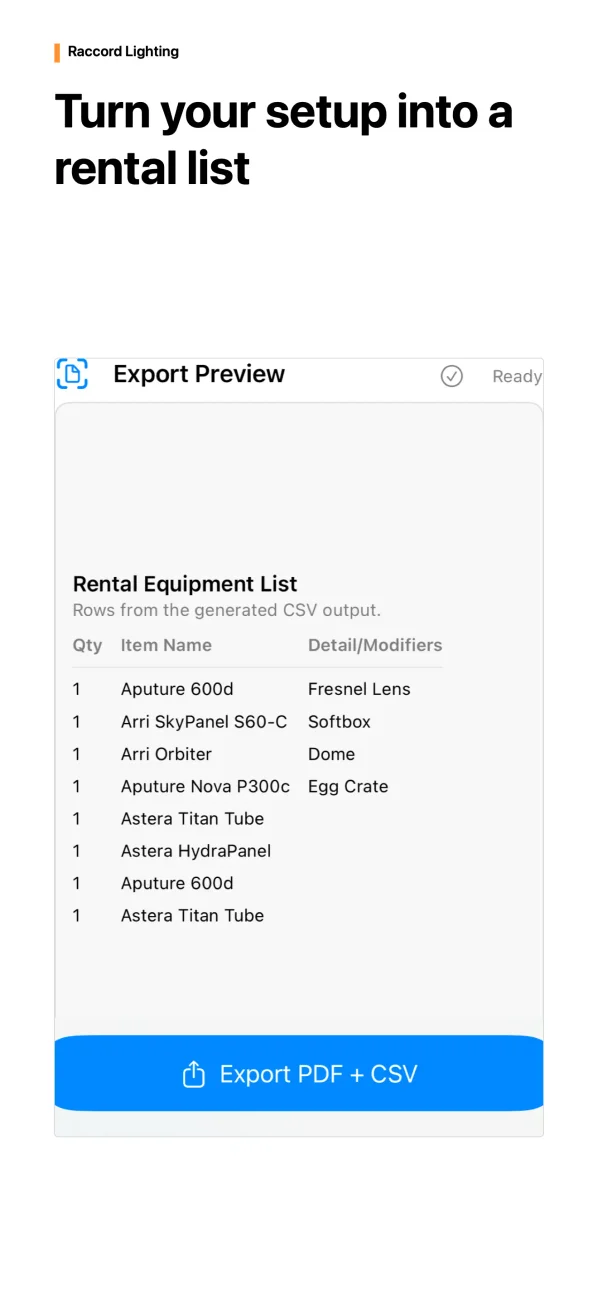
• Generate a technical pack, electric report, rental list, and CSV.
• Review the document before sharing it with the crew or rental house.
USE THE RIGHT DEVICE
Work on iPhone, iPad, and Mac. Projects remain available locally and can sync through iCloud when it is available.
Smart Beams are a 2D visual aid, not a lux simulation. The app does not control lights or DMX consoles.
Free mode lets you try the main workflow with creation limits. Raccord Lighting Pro removes those limits; plans and prices are shown by the App Store.
Terms of Use (EULA): https://www.apple.com/legal/internet-services/itunes/dev/stdeula/
What’s new
Version 1.3.1 · Nov 7, 2026
What's new:
• New: amaran Ray and Halo fixtures in the catalog.
• New: resize set elements by width and depth.
• Fixed: navigation no longer clips content at the safe area.
• Fixed: rotated set elements respond to taps in the correct area.
• Fixed: set element names and object text are now localized.
App privacy
What Raphael Medeiros declares on the App Store about how this app handles data.
-
Data not linked to you
May be collected but is not linked to your identity.
- Purchases
- User content
- Identifiers
- Usage data
- Surroundings
Privacy practices may vary, for example with the features you use or your age.
Information
- Seller
- Raphael Medeiros
- Category
- Photo & Video
- Version
- 1.3.1
- Updated
- Nov 7, 2026
- Released
- Aug 17, 2026
- Size
- 42.9 MB
- Requires
- iOS 18.0 or later
- Age rating
- 4+
- Price
- Free
- In-app purchases
- Yes
- Languages
- English, Finnish, French, German, Hindi, Italian, Japanese, Korean, Portuguese, Russian, Simplified Chinese, Spanish + 2 more
- Copyright
- © 2026 43.165.726 RAPHAEL OLIVEIRA MEDEIROS
You might also like
-
 LightplanLighting diagrams & shot logs
-
 Lighting RecipePhoto lighting diagrams in 3D
-
 Softbox Atlas: Light PlannerOffline lighting setups
-
 ShootBinderScripts, plans & scout photos
-
 I-M-P-U-L-S-EPhoto & Video
-
 TillyGenShotlist, storyboard, schedule
-
 ChromaformProfessional RAW Photo Editor
-
 StudioLights: Photo 3D RelightRealistic Lighting Simulator
-
 back-to-oneBlocking for Directors & DPs
-
 Decopon InvitationBirthday Invitations