
Lights Out: App Blocker
End work. Reclaim your evening
Designed for iPhone
Free · In-app purchases
- Age rating4+
- CategoryProductivity
- DeveloperAbdulkadir Ali Ali
- LanguagesEnglish
- Size3.2 MB
Links to the official App Store page
Download.org hosts no file of Lights Out: App Blocker. The button opens its official App Store page, published by Abdulkadir Ali Ali. Listing last checked on Nov 8, 2026.
Screenshots
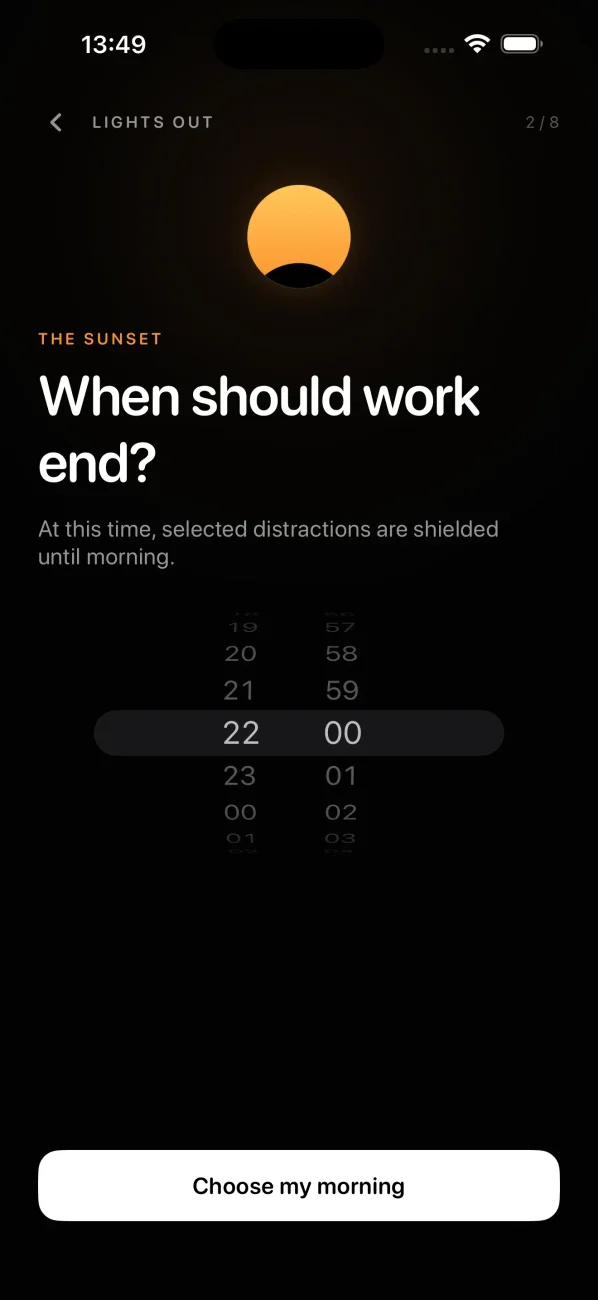
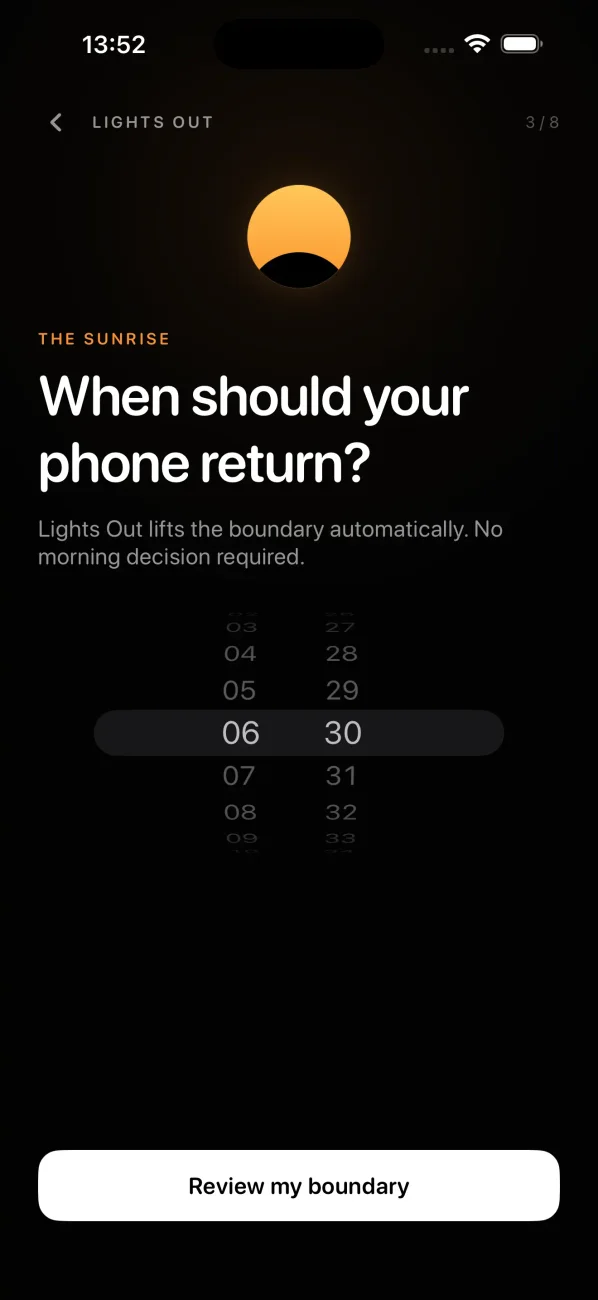
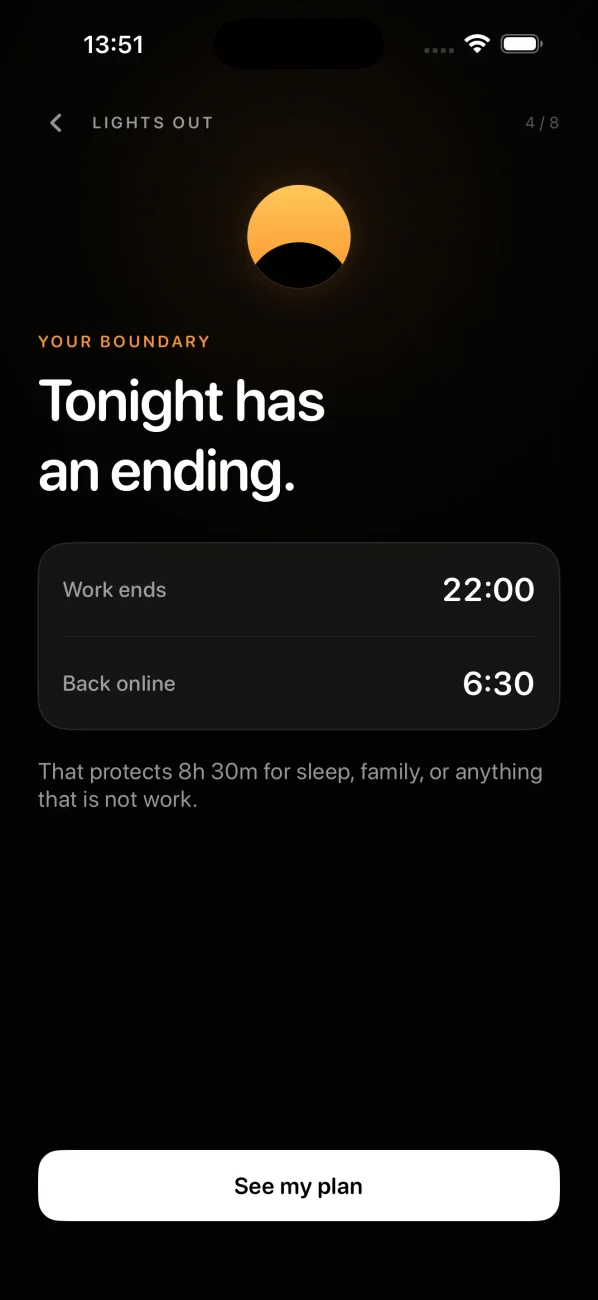
About
Work ends. Your evening begins.
Lights Out is an iPhone app blocker built for the end of your workday. Choose your nightly cutoff and morning return. Lights Out uses Apple’s Screen Time controls to shield apps and websites between those times, so your evening has a clear boundary.
SET IT ONCE
• Choose when work ends and when access returns.
• Let protection start and finish automatically.
• Get an optional reminder 15 minutes before your cutoff.
• See your schedule in widgets and optional Lock Screen status.
LEAVE ONE THOUGHT FOR TOMORROW
Save a short note about what you want to pick up tomorrow. Find it again in the morning, instead of carrying unfinished work into your evening.
A BOUNDARY YOU CAN COMMIT TO
Solo sessions have no in-app early-unlock button. Schedule changes that reduce protected time wait at least 24 hours and do not weaken an active overnight session.
PRIVATE BY DESIGN
No app account, advertising, or analytics SDK. Your schedule and Tomorrow Queue note stay on your device and are shared with Lights Out’s own extensions. Scheduled protection works offline after setup; purchases and restoration use Apple’s services.
SUBSCRIPTION REQUIRED
Lights Out Complete is an auto-renewable annual subscription. There is no free tier. Eligible customers can try it free for 7 days. Your local price and trial eligibility appear before purchase. Restore Purchases is available.
Payment is charged to your Apple Account at confirmation, or when your free trial ends. The subscription renews automatically unless cancelled at least 24 hours before the current period ends. Manage or cancel it in Apple Account settings.
SCREEN TIME PERMISSION
Requires Screen Time permission on a compatible iPhone. The device owner can revoke this permission in Settings. Some system and emergency surfaces remain available according to iOS behavior.
Privacy: https://lights-out.ali-ali.workers.dev/privacy/
Terms: https://www.apple.com/legal/internet-services/itunes/dev/stdeula/
YOUR WEEK, YOUR BOUNDARY
Keep the same boundary every day or choose different times for your weekend evenings. Protection status and repair help keep your schedule ready. Help includes support, subscription management and purchase restoration.
What’s new
Version 1.5 · Oct 8, 2026
Lights Out 1.5 helps your boundary fit your week while keeping the evening simple.
• Set different work-end and return times for your weekend evenings.
• See when protection needs attention and repair it from the app.
• Tomorrow notes retire after you acknowledge them in the morning.
• Find support, subscription management and purchase restoration in Help.
• Clearer trial disclosures reflect the offer available from Apple.
App privacy
What Abdulkadir Ali Ali declares on the App Store about how this app handles data.
-
Data not collected
The developer does not collect any data from this app.
Privacy practices may vary, for example with the features you use or your age.
Information
- Seller
- Abdulkadir Ali Ali
- Category
- Productivity
- Version
- 1.5
- Updated
- Oct 8, 2026
- Released
- Oct 7, 2026
- Size
- 3.2 MB
- Requires
- iOS 17.0 or later
- Age rating
- 4+
- Price
- Free
- In-app purchases
- Yes
- Languages
- English
- Copyright
- © 2026 Abdulkadir Ali Ali
You might also like
-
 Screen Limit: App BlockerFocus, Study & Digital Detox
-
 Bracer: App Blocker, Watch KeyThe key is on your wrist
-
 Out of Office: Block Work AppsClock out on a schedule
-
 Solund: Screen Time BlockerGet out of bed to unlock apps
-
 Conquer - Block AppsSelf Discipline, Goals, Dreams
-
 Pawl: App Blocker With a KeyBlock any app website or vice
-
 Cat Gatekeeper: App BlockerScreen Time & Focus Lock
-
 ReadLock: App BlockerScreen Time blocker for focus
-
 IBlock - App BlockerOne click. Free to focus.
-
 KickIt: App & Website BlockerProductivity