
Lights – Photo Effects
Neon Filters & Glow Editor
Designed for iPhone, iPad, iPod touch
Free · In-app purchases
- Age rating4+
- CategoryPhoto & Video
- DeveloperAnatoly Lapshin
- LanguagesEnglish
- Size141.2 MB
Links to the official App Store page
Download.org hosts no file of Lights – Photo Effects. The button opens its official App Store page, published by Anatoly Lapshin. Listing last checked on Nov 21, 2026.
Screenshots


About
Create stunning neon lights and cinematic glow effects for your photos.
Add lens flares, light leaks, bokeh, and aesthetic overlays in seconds.
Perfect for Instagram, Reels, and creative edits.
More than 250 ready-made filters
Choose from a variety of ready-to-use vibrant effects to quickly add light to your photo. For convenient use and a choice of a large number of filters, a gallery is available to you with the sorting of bulbs according to the following categories, from ordinary sunlight to saturated sparks.
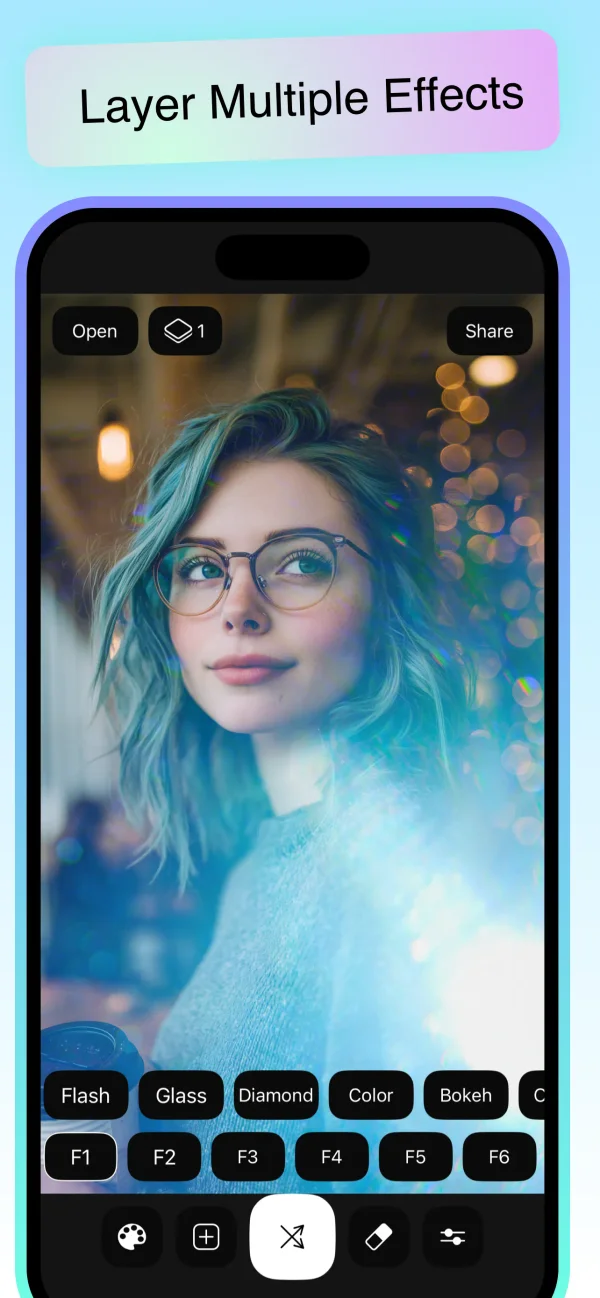
Flash - Bright lens flares, that allows you to simulate flashlight and add the sun or moon to your photo.
Glass - Shiny and shiny filters that have been created using transparent objects and reflections from mirrors.
Diamond - this set is dominated by green filters with unusual shapes.
Color - rare shades and glows are collected in one set, they include red lights.
Bokeh - Filters shot with a portrait lens.
Ocean - Various blue color effects.
Highlight - This set contains exceptionally the best side light filters and excellent quality.
City - city twilight with rich colors of car lights, all in blurred focus.
X-rays are the most unusual filters, interference.
Motion - glowing particles in motion for neon style.
Jewelry - Shimmering reflections from glittery jewelry and garlands will add a festive atmosphere to your photo.
Each set contains over 20 quality filters and the ability to rotate the filters 90 or 180 degrees. You will definitely find the best one for yourself. Besides the usual filters, you can create your own using the magic tab.
Choose your color
All filters are in their original colors, but you can easily change that. A smart color picker selects vibrant colors every time to match your filter. By changing the color, you can get a completely new effect. For example, instead of a yellow flash, get red side lights. Try color gradients in a photo to add some color.
Eraser
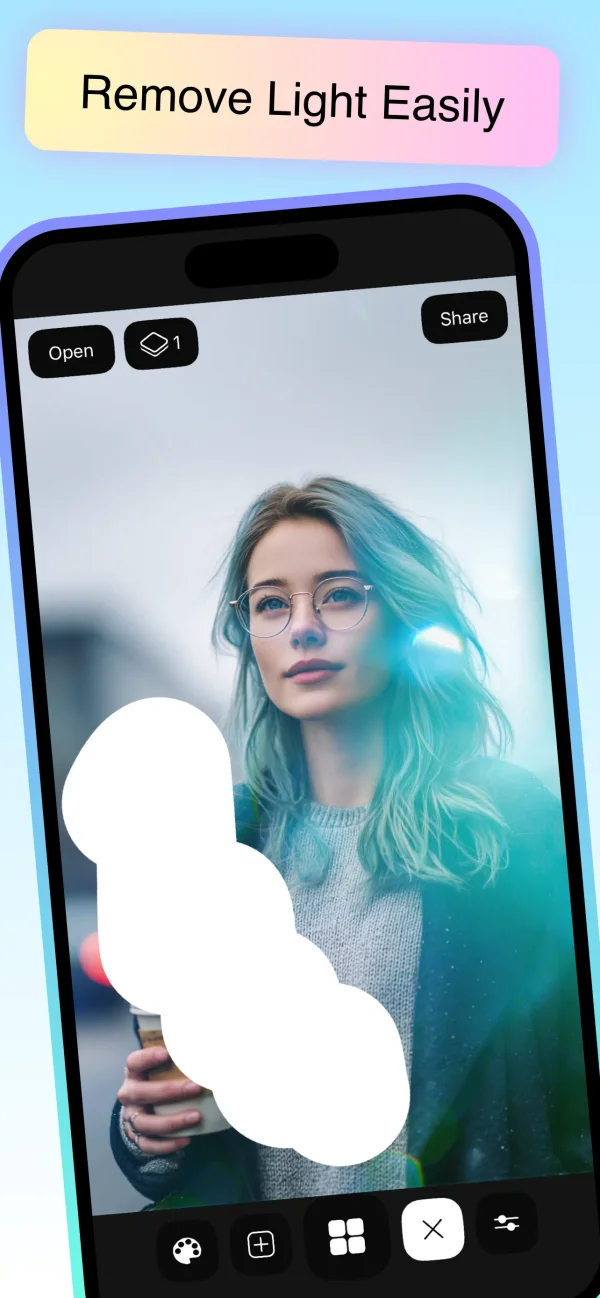
An indispensable tool for any photo effect. If the light is blocking your face, then you can easily fix it using the advanced eraser. The soft edges and the optimal size are great for finger work and you can easily erase the areas you want.
Layers and tools
If you want to make an original effect, use layers, and also if you want to double the light of the current filter. Mix any number of highlights in one photo. Use the tools to tweak the effect just the way you want it. Change the transparency of the filter. Change the saturation of the background, set it to black and white to make the effect stand out in the foreground of your image. Use blur for less sharpness and smoother transitions.
Terms of Use:
https://www.apple.com/legal/internet-services/itunes/dev/stdeula/
What’s new
Version 5.0 · Nov 16, 2026
Added support for iPhone Duo
App privacy
What Anatoly Lapshin declares on the App Store about how this app handles data.
-
Data not collected
The developer does not collect any data from this app.
Privacy practices may vary, for example with the features you use or your age.
Information
- Seller
- Anatoly Lapshin
- Category
- Photo & Video
- Version
- 5.0
- Updated
- Nov 16, 2026
- Released
- Aug 8, 2021
- Size
- 141.2 MB
- Requires
- iOS 15.0 or later
- Age rating
- 4+
- Price
- Free
- In-app purchases
- Yes
- Languages
- English
- Copyright
- © Anatoly Lapshin
You might also like
-
 VVD - Photo EditorOverlays, Effects and Filters
-
 Bokeh Effect Photo EditorMake your photo more beautiful
-
 Light Leak Cam - Retro FiltersVintage camera & film filters
-
 Tinge - Glow CamDark color filters
-
 Glitter Sparkle Light EffectsSparkle Effects Photo Glitter
-
 Sparkle Light Glitter EffectsSparkle Effect Photo Editor
-
 Blur Bokeh BackgroundPhoto & Video
-
 LensFlare Optical EffectsAdd spark to any photo!
-
 Bokeh Cam FX : Add Light ShapeMagical Effect Photo Editor
-
 LensLight Visual EffectsUltimate Lights and Glows