- Age rating17+
- CategoryUtilities
- DeveloperKupaku Incorporated
- LanguagesEnglish
- Size26.6 MB
Links to the official App Store page
Download.org hosts no file of LineAlert. The button opens its official App Store page, published by Kupaku Incorporated. Listing last checked on Nov 14, 2026.
Screenshots



About
When a storm brings down electric infrastructure, your utility needs to know where the damage is. LineAlert lets you report it in seconds. Take a photo, and the app sends it straight to your utility's crews with the exact location attached.
Every report helps crews find the problem, decide what to fix first, and get the power back on sooner.
REPORT DAMAGE IN SECONDS
• Tap Take Photo, capture the damage, add a short description, and submit.
• GPS coordinates are attached automatically, so crews know exactly where to go.
• Your report goes directly to your local utility.
ZOOM IN FROM A SAFE DISTANCE
• The built-in camera uses your iPhone's lenses to zoom in on damaged poles, wires, and equipment.
• Get a clear, detailed photo without ever getting close to the hazard.
WORKS EVEN WITHOUT SIGNAL
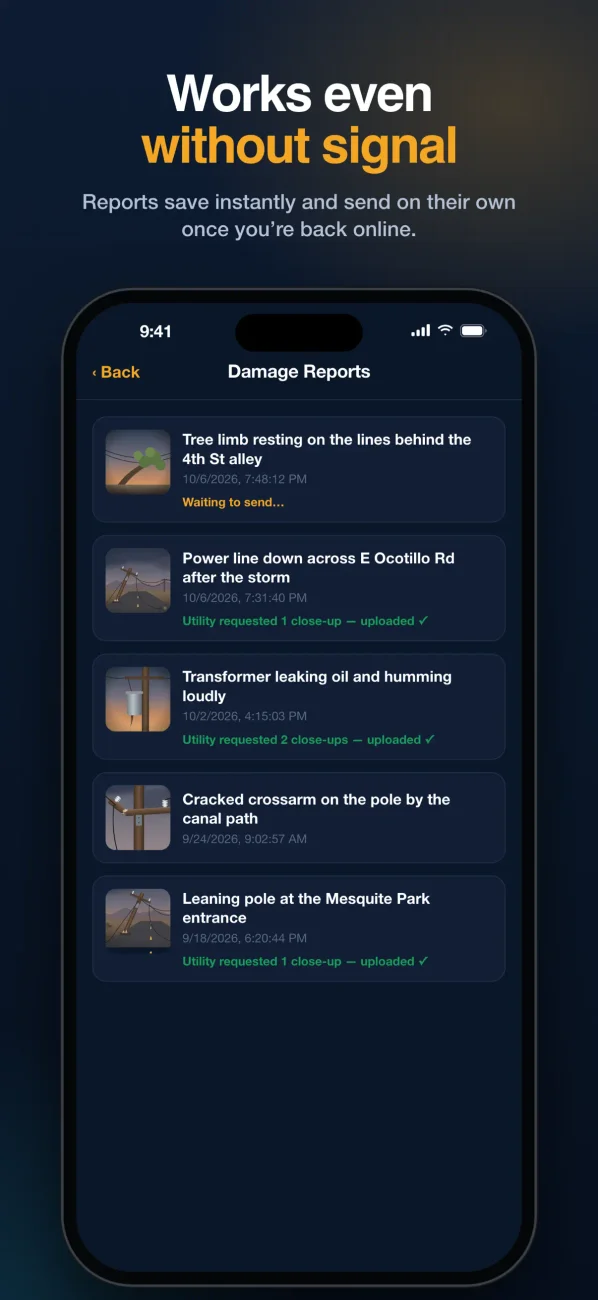
• Cell networks are often overloaded or down after a storm. LineAlert saves your report on your phone right away and sends it on its own as soon as you have a connection.
• Uploads are sized to your connection, so reports get through even on a weak signal.
• Track every report under Damage Reports, including any close-up photos your utility asked for.
HAZARD ALERTS
• Get a notification when you come near a hazard zone your utility has marked, such as an area with a downed power line.
• See nearby hazard zones on the map on your home screen.
SAFETY FIRST
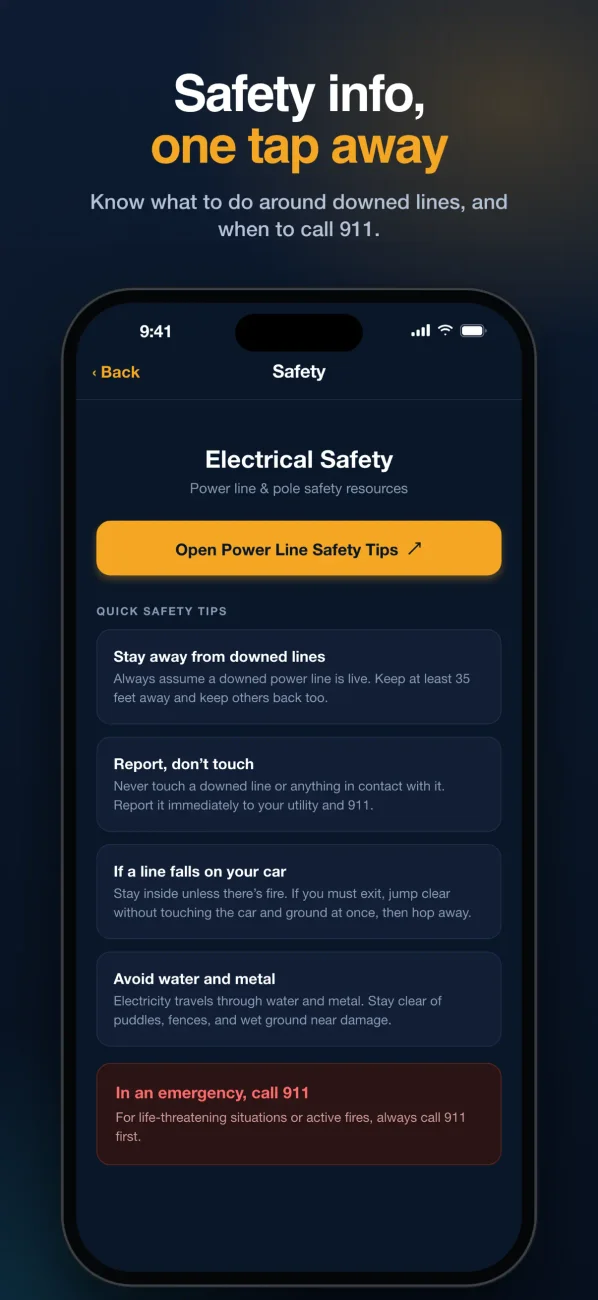
• Quick safety tips for downed lines, vehicles, water, and metal.
• Links to your utility's own safety resources.
• Local weather at a glance.
HOW IT WORKS
1. Download LineAlert and create an account with your utility.
2. When you see damaged electrical equipment, stay back and tap Take Photo.
3. Add a description and submit. Your photo and location go to your utility.
4. Your utility reviews the report and sends crews where they're needed most.
Together, residents and utilities can find damage faster and help communities recover sooner.
IMPORTANT: LineAlert does not replace emergency services. Treat every downed line as energized. Never approach or touch damaged utility equipment. If anyone is in immediate danger, call 911.
Hazard alerts use your location in the background, but only if you turn them on.
Support and feedback: info@linealert.com
What’s new
Version 2.0 · Oct 13, 2026
Update UI and utility-based user assignment.
App privacy
What Kupaku Incorporated declares on the App Store about how this app handles data.
-
Data linked to you
May be collected and linked to your identity.
- Location
-
Data not linked to you
May be collected but is not linked to your identity.
- Diagnostics
Privacy practices may vary, for example with the features you use or your age.
Information
- Seller
- Kupaku Incorporated
- Category
- Utilities
- Version
- 2.0
- Updated
- Oct 13, 2026
- Released
- May 29, 2024
- Size
- 26.6 MB
- Requires
- iOS 15.1 or later
- Age rating
- 17+
- Price
- Free
- Languages
- English
- Copyright
- © Kupaku Inc.
You might also like
-
 Must-Ring: Calendar AlarmAppointment & Task Reminders
-
 Evansville Works 4UUtilities
-
 Shortwave SDR Radio: GlobalSDRHam, Scanner & Live SWL Tuner
-
 VMDAEC Outage MapUtilities
-
 ShackPilot: Ham Radio RemoteCAT, FT8, JS8, SSTV, RTTY & CW
-
 My-NCCUtilities
-
 The Garage Sale AppMulti-party garage sales
-
 Decatur County Sheriffs OfficeUtilities
-
 Flags! - Maritime signal flagsNautical quiz & morse code
-
 AscentizAscentiz