- 対象年齢17+
- カテゴリユーティリティ
- 開発元Kupaku Incorporated
- 言語英語
- サイズ26.6 MB
LineAlertは現在App Storeで入手できない可能性があります
前回の確認時、ストアのページにアクセスできませんでした。リンク先は引き続きApp Storeの公式ページです。
スクリーンショット



概要
開発元はこのテキストをお使いの言語で提供していません。
When a storm brings down electric infrastructure, your utility needs to know where the damage is. LineAlert lets you report it in seconds. Take a photo, and the app sends it straight to your utility's crews with the exact location attached.
Every report helps crews find the problem, decide what to fix first, and get the power back on sooner.
REPORT DAMAGE IN SECONDS
• Tap Take Photo, capture the damage, add a short description, and submit.
• GPS coordinates are attached automatically, so crews know exactly where to go.
• Your report goes directly to your local utility.
ZOOM IN FROM A SAFE DISTANCE
• The built-in camera uses your iPhone's lenses to zoom in on damaged poles, wires, and equipment.
• Get a clear, detailed photo without ever getting close to the hazard.
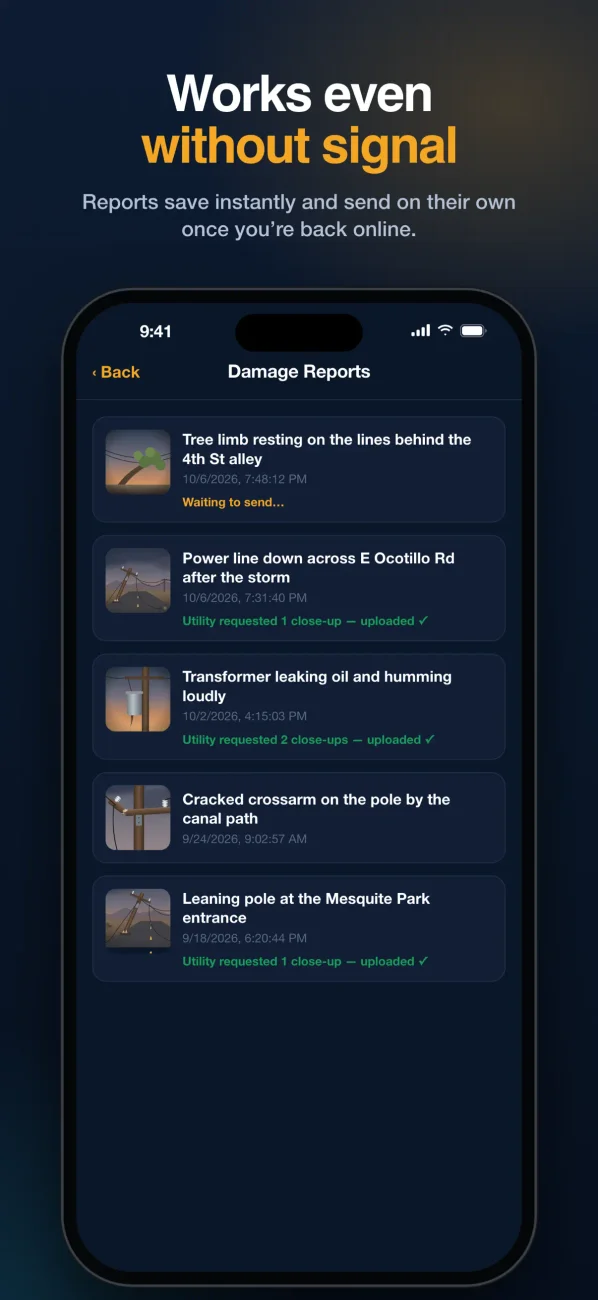
WORKS EVEN WITHOUT SIGNAL
• Cell networks are often overloaded or down after a storm. LineAlert saves your report on your phone right away and sends it on its own as soon as you have a connection.
• Uploads are sized to your connection, so reports get through even on a weak signal.
• Track every report under Damage Reports, including any close-up photos your utility asked for.
HAZARD ALERTS
• Get a notification when you come near a hazard zone your utility has marked, such as an area with a downed power line.
• See nearby hazard zones on the map on your home screen.
SAFETY FIRST
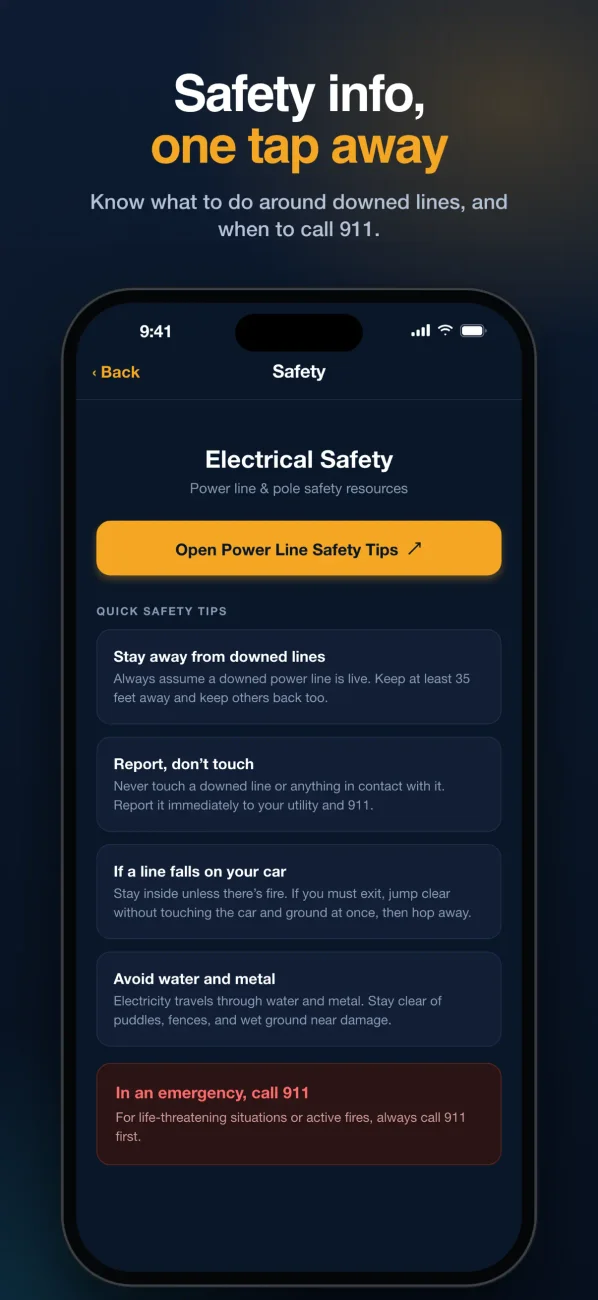
• Quick safety tips for downed lines, vehicles, water, and metal.
• Links to your utility's own safety resources.
• Local weather at a glance.
HOW IT WORKS
1. Download LineAlert and create an account with your utility.
2. When you see damaged electrical equipment, stay back and tap Take Photo.
3. Add a description and submit. Your photo and location go to your utility.
4. Your utility reviews the report and sends crews where they're needed most.
Together, residents and utilities can find damage faster and help communities recover sooner.
IMPORTANT: LineAlert does not replace emergency services. Treat every downed line as energized. Never approach or touch damaged utility equipment. If anyone is in immediate danger, call 911.
Hazard alerts use your location in the background, but only if you turn them on.
Support and feedback: info@linealert.com
新機能
バージョン 2.0 · 2026/10/13
Update UI and utility-based user assignment.
アプリのプライバシー
このアプリのデータの取り扱いについて、Kupaku IncorporatedがApp Storeで申告している内容です。
-
ユーザーに関連付けられたデータ
収集され、ユーザーの識別情報に関連付けられる場合があります。
- 位置情報
-
ユーザーに関連付けられないデータ
収集される場合がありますが、ユーザーの識別情報には関連付けられません。
- 診断
プライバシーの取り扱いは、ご利用の機能やお客様の年齢などに応じて異なる場合があります。
情報
- 販売元
- Kupaku Incorporated
- カテゴリ
- ユーティリティ
- バージョン
- 2.0
- 更新日
- 2026/10/13
- リリース
- 2024/5/29
- サイズ
- 26.6 MB
- 必要条件
- iOS 15.1以降
- 対象年齢
- 17+
- 言語
- 英語
- 著作権
- © Kupaku Inc.