
LingLook
Learn Chinese while browsing!
Designed for iPhone, iPad, Mac, iPod touch
Free
- Age rating4+
- CategoryReference
- DeveloperHai Phong Phan
- LanguagesEnglish+ 3 more
- Size146.3 MB
Links to the official App Store page
Download.org hosts no file of LingLook. The button opens its official App Store page, published by Hai Phong Phan. Listing last checked on Nov 23, 2026.
Screenshots


About
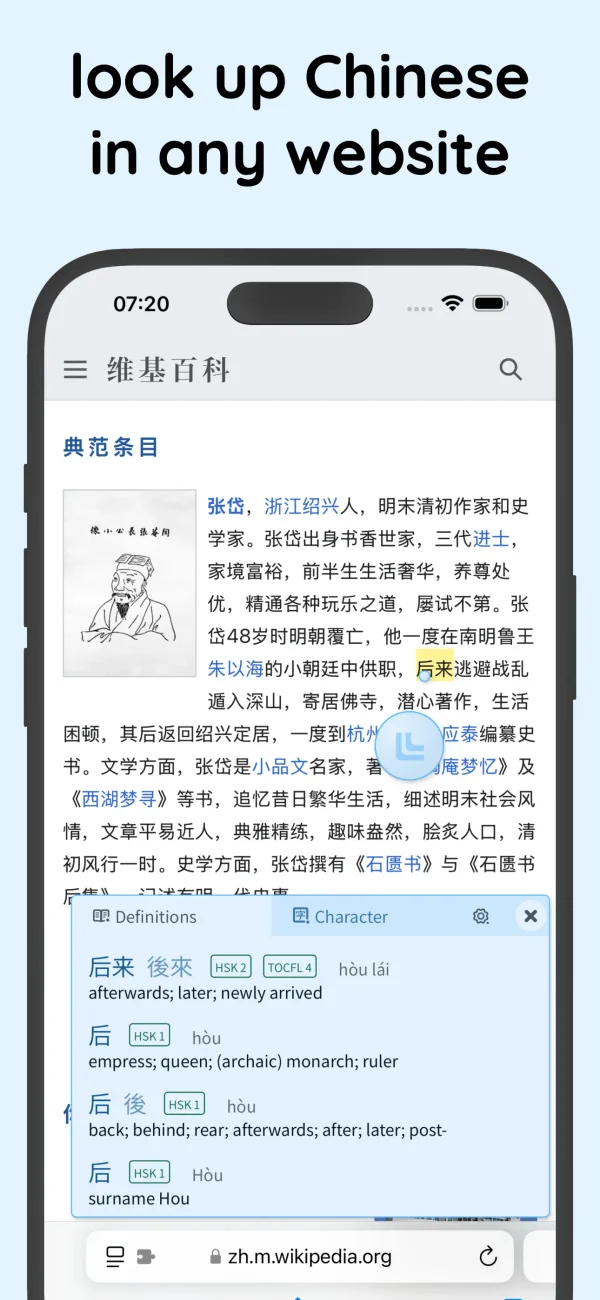
Learn Chinese effortlessly while browsing! LingLook is a Safari extension that instantly looks up Chinese words as you hover over them on any webpage - no more switching to another app to look up!
** Features **
- Instant Chinese word lookup in any web page by hovering over text
- Support for both simplified and traditional Chinese characters
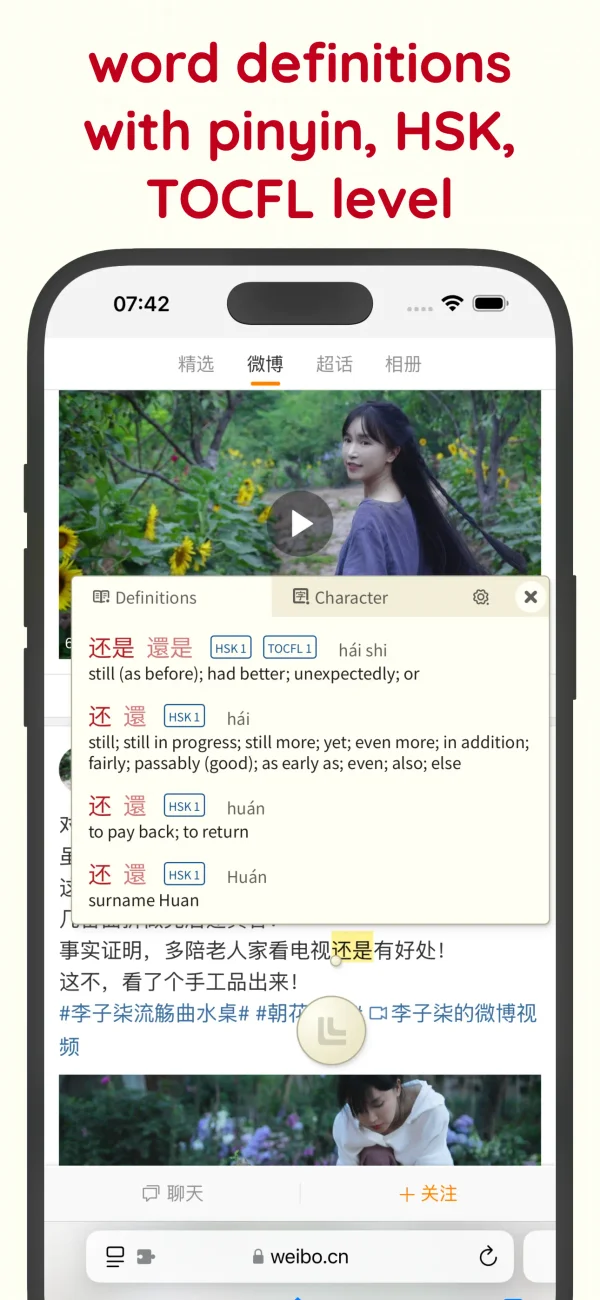
- Word definitions with pronunciation (pinyin, zhuyin/bopomofo), HSK level, and TOCFL level
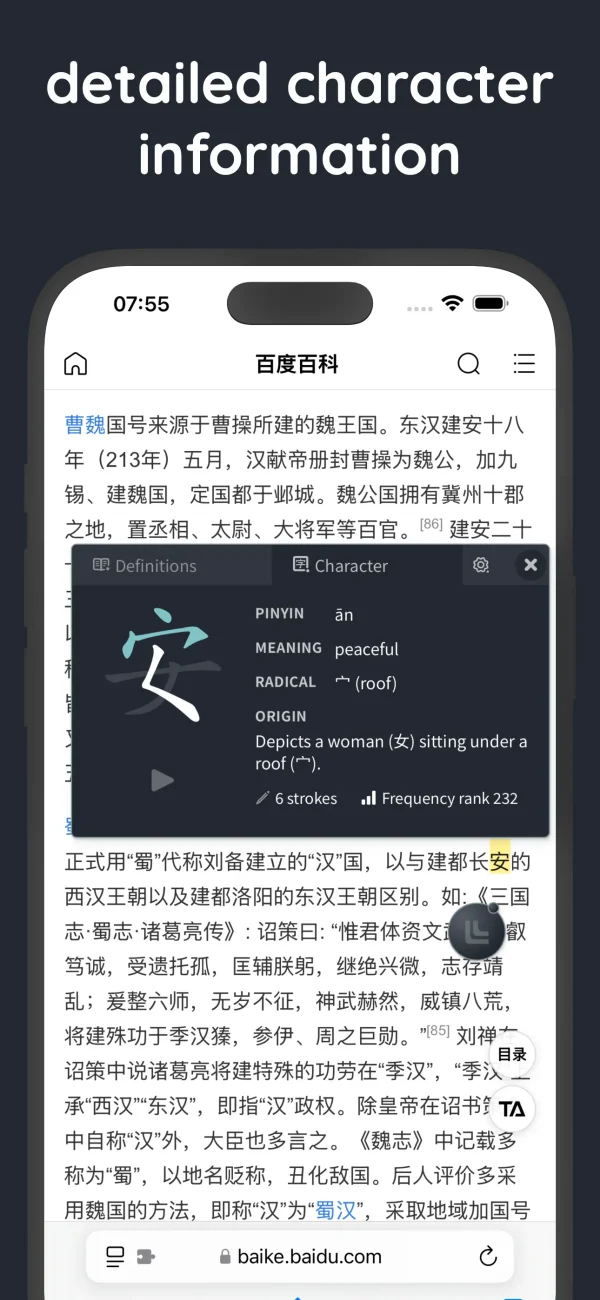
- Detailed character information: stroke order animation, frequency, radical, origin, etc.
- Quick copy and Google Images search
- Customizable appearance and behavior
- Supports English, Vietnamese and partial support for French dictionaries
** How to use **
- First, enable the extension by following the in-app instructions.
- After enabling, a small puck will appear on your Safari webpage. Move the puck around and look up Chinese words!
- Enable/disable the puck by clicking on the extension icon.
- Puck controls:
- Single-tap on the puck: Toggle lookup function.
- Double-tap on the puck: Switch lookup direction (up/down).
- Inside the popup window, you can see the word's definition, pronunciation (pinyin or zhuyin), HSK level, TOCFL level.
- Tap on the word, and you can copy it to clipboard or search it with Google Images.
- Switch to the "Character" tab, here you can see detailed character information like stroke order animation, frequency, radical, origin, etc.
- Customize the appearance and behavior of LingLook by clicking on the settings gear icon in the popup window.
** Troubleshooting **
If for some reason the extension does not work as expected, try enabling/disabling the extension, reloading the page, or restarting Safari. If you want to report an issue or have any other suggestions, please open an issue on LingLook's GitHub repository https://github.com/ph0ngp/linglook/issues
** Rating **
If you love using LingLook, please don't hesitate to rate it 5 stars in the App Store! It would make my day!
** Source code **
LingLook is a completely free and open-source software, licensed under GPL-3.0. The source code is available at https://github.com/ph0ngp/linglook
What’s new
Version 1.2.4 · Sep 15, 2026
bug fixes for iOS 26
App privacy
What Hai Phong Phan declares on the App Store about how this app handles data.
-
Data not linked to you
May be collected but is not linked to your identity.
- Identifiers
- Usage data
- Diagnostics
Privacy practices may vary, for example with the features you use or your age.
Information
- Seller
- Hai Phong Phan
- Category
- Reference
- Version
- 1.2.4
- Updated
- Sep 15, 2026
- Released
- Nov 19, 2024
- Size
- 146.3 MB
- Requires
- iOS 15.0 or later
- Age rating
- 4+
- Price
- Free
- Languages
- English, Simplified Chinese, Traditional Chinese, Vietnamese
- Copyright
- © 2026 Phong Phan
You might also like
-
 Hanzi PopupChinese Popup Dictionary
-
 Chinese Browser - by HanYouBrowse the Chinese web easily
-
 Langtern ChineseHelps you study Chinese
-
 Serica: Chinese DictionaryLearn Mandarin & Pinyin
-
 10ten Japanese ReaderReference
-
 Lexirise: Learn LanguagesChinese, Japanese & Korean
-
 Readibu - Chinese novel readerRead Chinese web novels
-
 Literate Chinese: ReadingGraded Stories & Flashcards
-
 Todaii: Easy ChineseLearn Chinese with easy news
-
 HanlyChinese characters decoded