
- 対象年齢4+
- カテゴリ辞書/辞典/その他
- 開発元Hai Phong Phan
- 言語英語ほか3言語
- サイズ146.3 MB
App Storeの公式ページにリンクしています
Download.orgはLingLookのファイルを一切ホストしていません。ボタンを押すと、Hai Phong Phanが公開しているApp Storeのアプリページが開きます。ページの最終確認:2026/11/23。
スクリーンショット



概要
開発元はこのテキストをお使いの言語で提供していません。
Learn Chinese effortlessly while browsing! LingLook is a Safari extension that instantly looks up Chinese words as you hover over them on any webpage - no more switching to another app to look up!
** Features **
- Instant Chinese word lookup in any web page by hovering over text
- Support for both simplified and traditional Chinese characters
- Word definitions with pronunciation (pinyin, zhuyin/bopomofo), HSK level, and TOCFL level
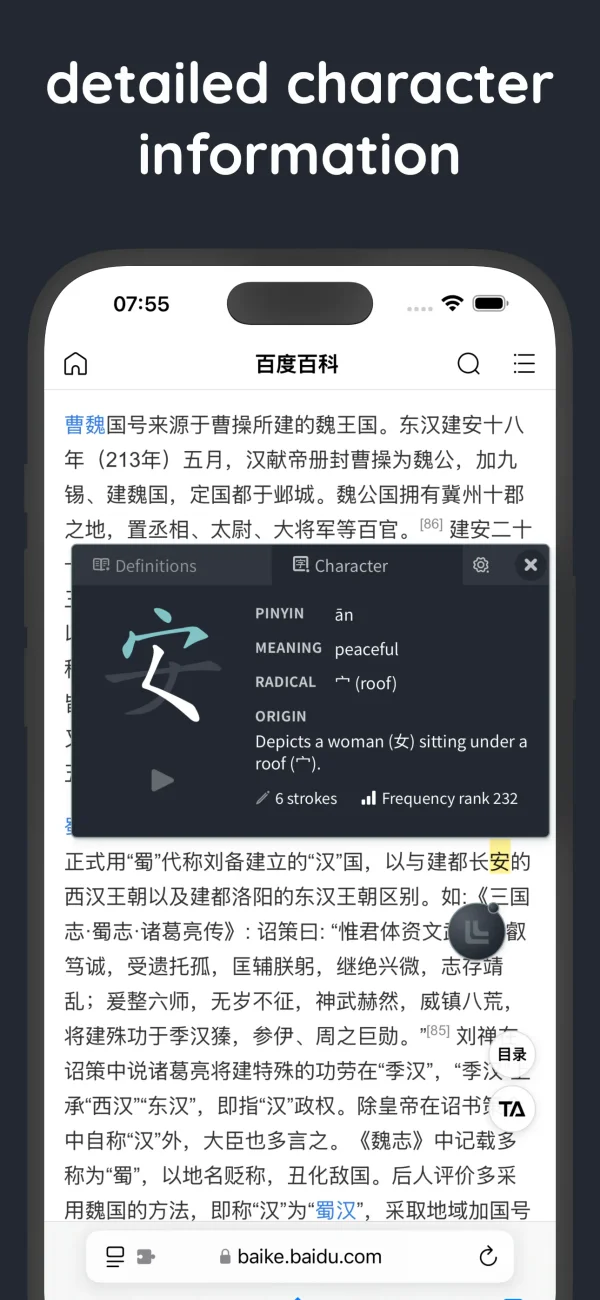
- Detailed character information: stroke order animation, frequency, radical, origin, etc.
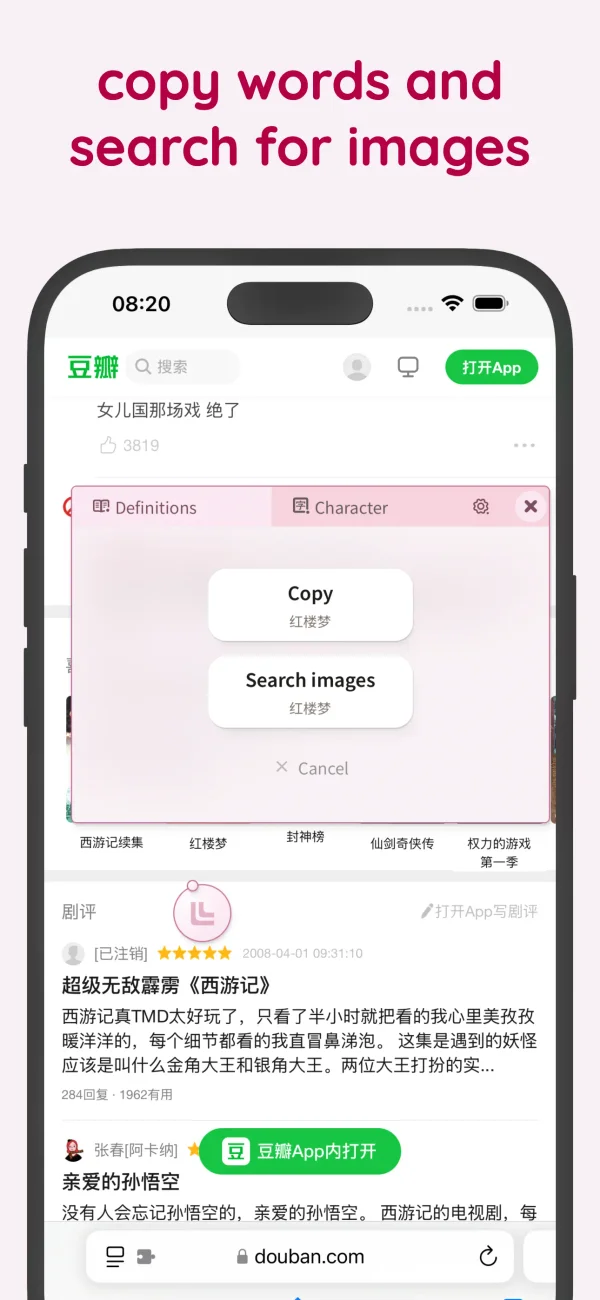
- Quick copy and Google Images search
- Customizable appearance and behavior
- Supports English, Vietnamese and partial support for French dictionaries
** How to use **
- First, enable the extension by following the in-app instructions.
- After enabling, a small puck will appear on your Safari webpage. Move the puck around and look up Chinese words!
- Enable/disable the puck by clicking on the extension icon.
- Puck controls:
- Single-tap on the puck: Toggle lookup function.
- Double-tap on the puck: Switch lookup direction (up/down).
- Inside the popup window, you can see the word's definition, pronunciation (pinyin or zhuyin), HSK level, TOCFL level.
- Tap on the word, and you can copy it to clipboard or search it with Google Images.
- Switch to the "Character" tab, here you can see detailed character information like stroke order animation, frequency, radical, origin, etc.
- Customize the appearance and behavior of LingLook by clicking on the settings gear icon in the popup window.
** Troubleshooting **
If for some reason the extension does not work as expected, try enabling/disabling the extension, reloading the page, or restarting Safari. If you want to report an issue or have any other suggestions, please open an issue on LingLook's GitHub repository https://github.com/ph0ngp/linglook/issues
** Rating **
If you love using LingLook, please don't hesitate to rate it 5 stars in the App Store! It would make my day!
** Source code **
LingLook is a completely free and open-source software, licensed under GPL-3.0. The source code is available at https://github.com/ph0ngp/linglook
新機能
バージョン 1.2.4 · 2026/9/15
bug fixes for iOS 26
アプリのプライバシー
このアプリのデータの取り扱いについて、Hai Phong PhanがApp Storeで申告している内容です。
-
ユーザーに関連付けられないデータ
収集される場合がありますが、ユーザーの識別情報には関連付けられません。
- ID
- 使用状況データ
- 診断
プライバシーの取り扱いは、ご利用の機能やお客様の年齢などに応じて異なる場合があります。
情報
- 販売元
- Hai Phong Phan
- カテゴリ
- 辞書/辞典/その他
- バージョン
- 1.2.4
- 更新日
- 2026/9/15
- リリース
- 2024/11/19
- サイズ
- 146.3 MB
- 必要条件
- iOS 15.0以降
- 対象年齢
- 4+
- 価格
- 無料
- 言語
- 英語, 簡体字中国語, 繁体字中国語, ベトナム語
- 著作権
- © 2026 Phong Phan