LinkLab: Save, Share & QR Code
All your links in one place
Designed for iPhone, iPad
Free
- Age rating12+
- CategoryProductivity
- DeveloperMUDDASSIR IQBAL
- LanguagesEnglish
- Size2.4 MB
Links to the official App Store page
Download.org hosts no file of LinkLab: Save, Share & QR Code. The button opens its official App Store page, published by MUDDASSIR IQBAL. Listing last checked on Nov 17, 2026.
Screenshots
About
Links end up everywhere. A page you meant to read, sitting in a browser tab. A booking confirmation buried in an email. A recipe someone sent you in a group chat. A form your bank told you to fill in later. They are scattered across a dozen apps, and by the time you want one back, you can't remember which app it was in.
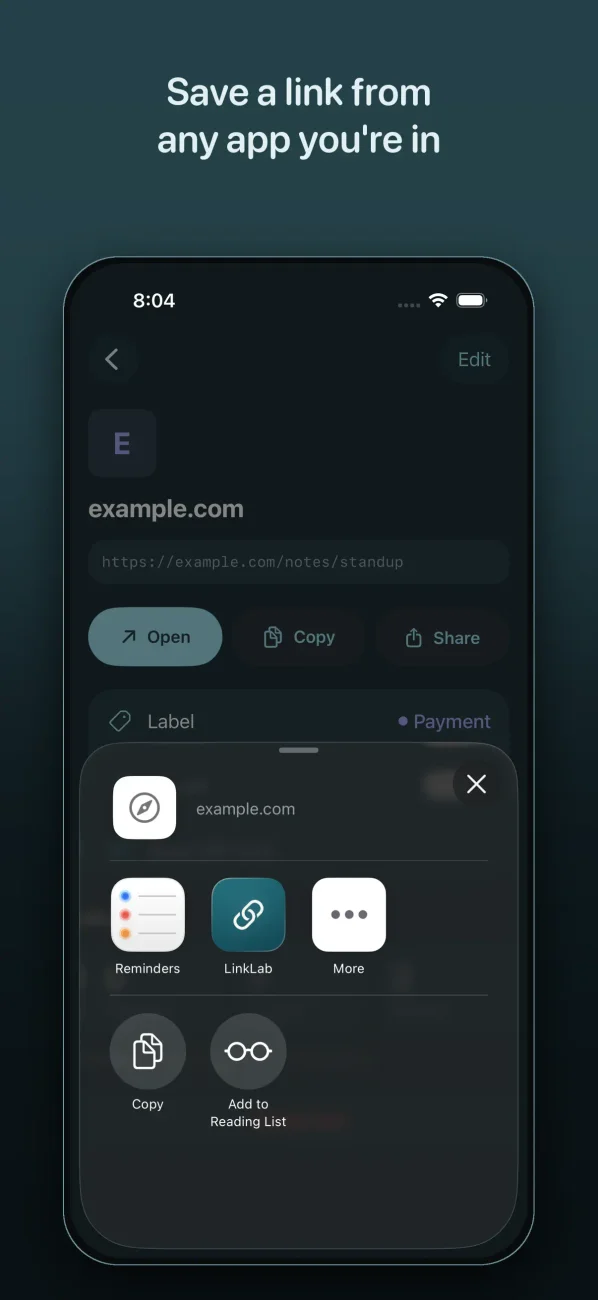
LinkLab is one place for all of them. Share a link into LinkLab from whatever app you're in, give it a name you'll actually recognise, and it's there when you need it — on your device, offline, in a list you can search.
SAVE A LINK FROM ANY APP, IN TWO TAPS
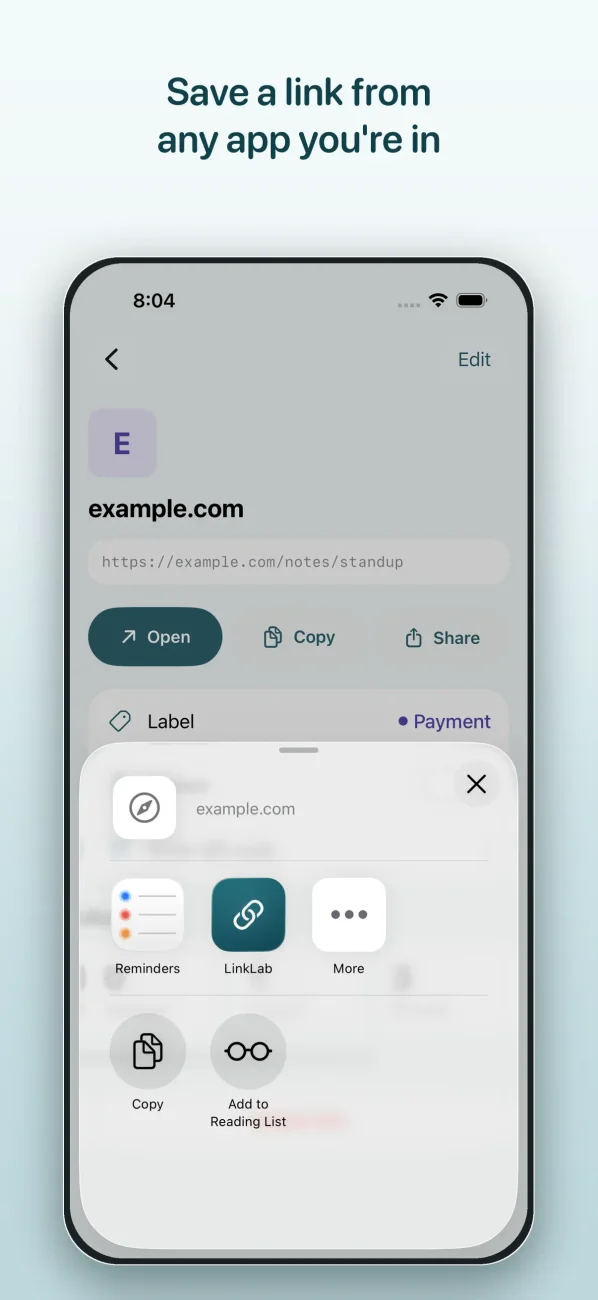
Hit Share in Safari, Mail, Messages, or anywhere else a link turns up, pick LinkLab, and the save sheet opens right there. Add a label, drop it in a category, done — no app switching, no copying and pasting a URL into a note you'll lose.
FIND IT AGAIN IN SECONDS
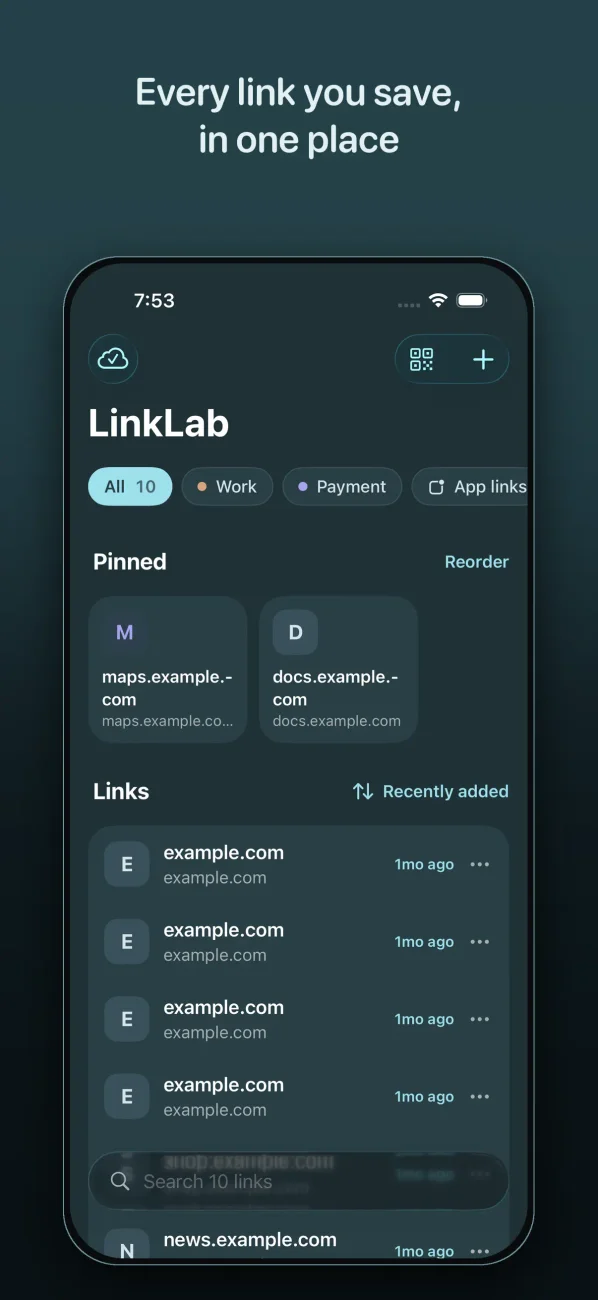
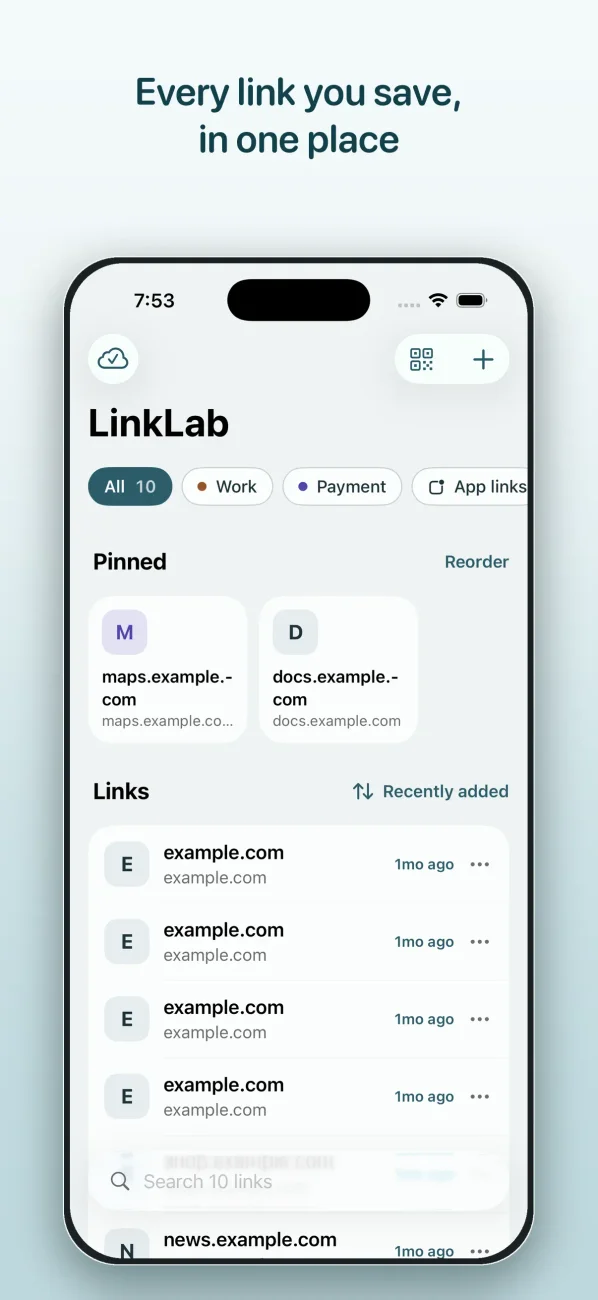
Everything you save lands in one list, newest first, searchable by name or by URL. Group links into categories you name yourself — Recipes, Work, To Read, Bills, whatever fits — and filter the list down to one of them with a tap. Save the same link twice and LinkLab updates the entry you already have instead of piling up duplicates.
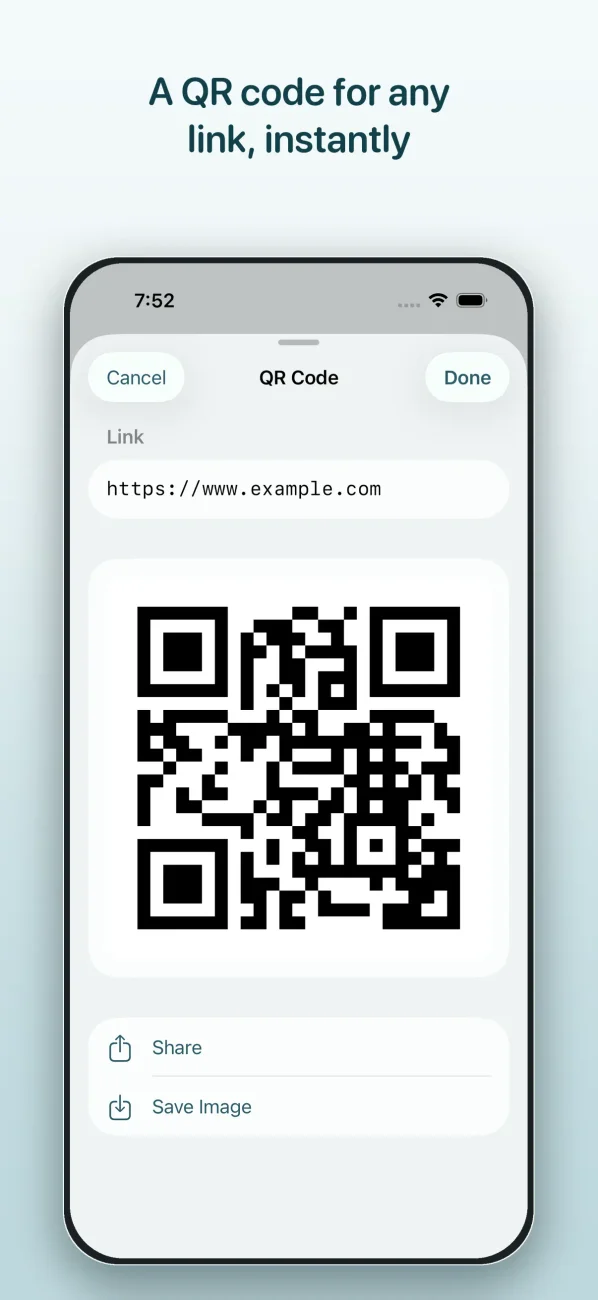
A QR CODE FOR ANY LINK
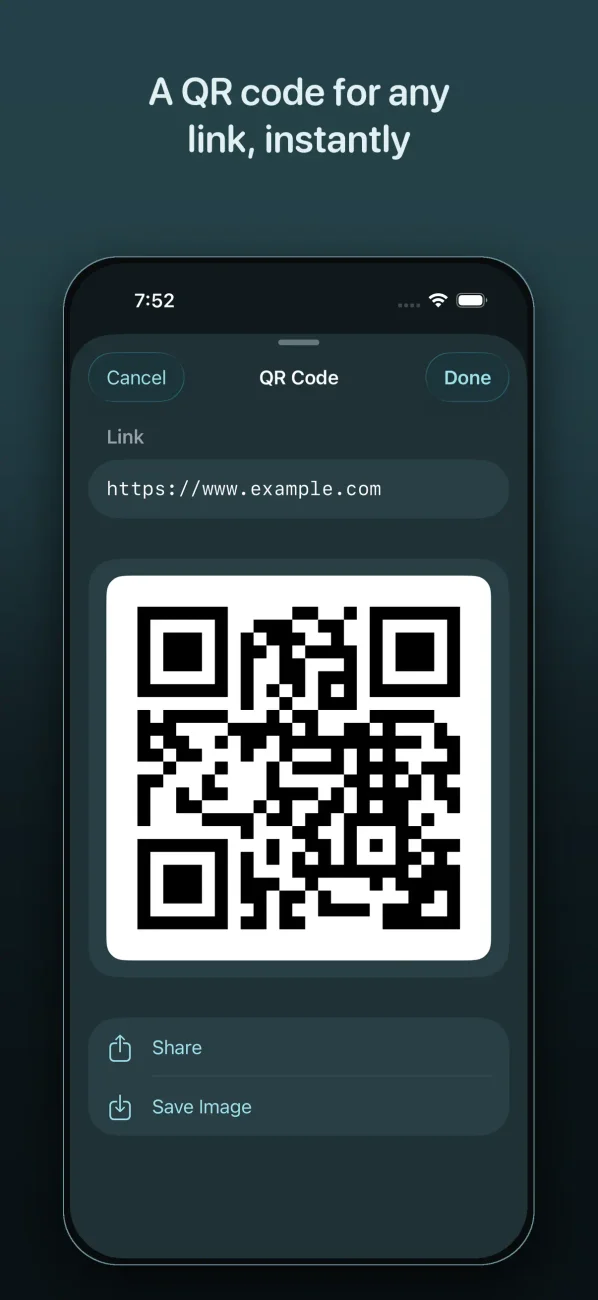
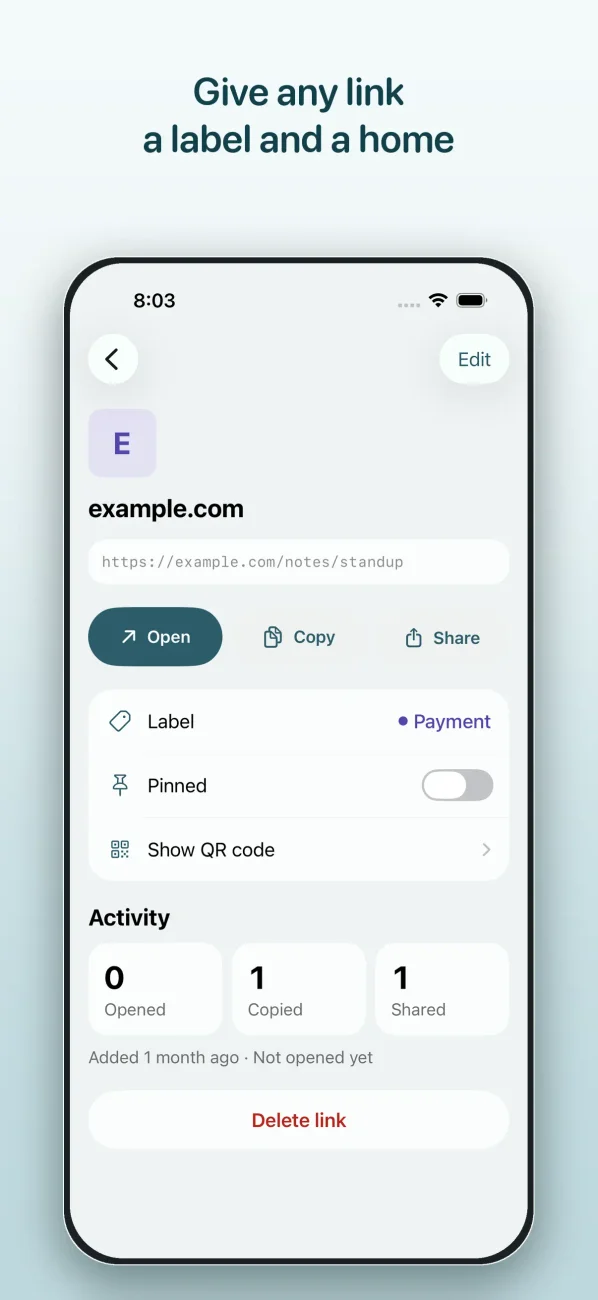
Generate a QR code for any saved link with one tap. Share it, or save it to Photos. It's the quickest way to get a link onto someone else's phone — the check-in page, the shared album, the menu — without spelling out a URL or making them type anything.
OPEN ANYTHING, NOT JUST WEB PAGES
Tap a saved link and LinkLab hands it to whatever app on your device can open it — a web page to your browser, an address to Maps, an email to Mail. It handles custom app links too, the myapp:// kind that Safari won't touch, which makes it a genuinely useful scratchpad if you build or test apps for a living. If nothing on the device can open a link, LinkLab says so plainly instead of doing nothing.
RUNS ENTIRELY ON YOUR DEVICE
LinkLab has no network code at all. No server, no account, no sign-up, no analytics, no third-party SDK — nothing your links could be sent to, because there is nowhere to send them. QR codes are generated on your device. Photos access is add-only and requested only at the moment you choose to save an image.
For anyone whose links are scattered across too many apps, and for the developers and testers who have been using it as a deep link scratchpad since day one.
What’s new
Version 1.3.0 · Oct 21, 2026
LinkLab 1.3 is a fresh redesign, with new ways to save, find and organise your links.
• A new home screen: your labels as colored chips, pinned links up top in the order you choose, and every saved link below, sorted the way you like.
• Labels with colors: create, rename and color your own labels, and pick one when you save a link, including from the share sheet.
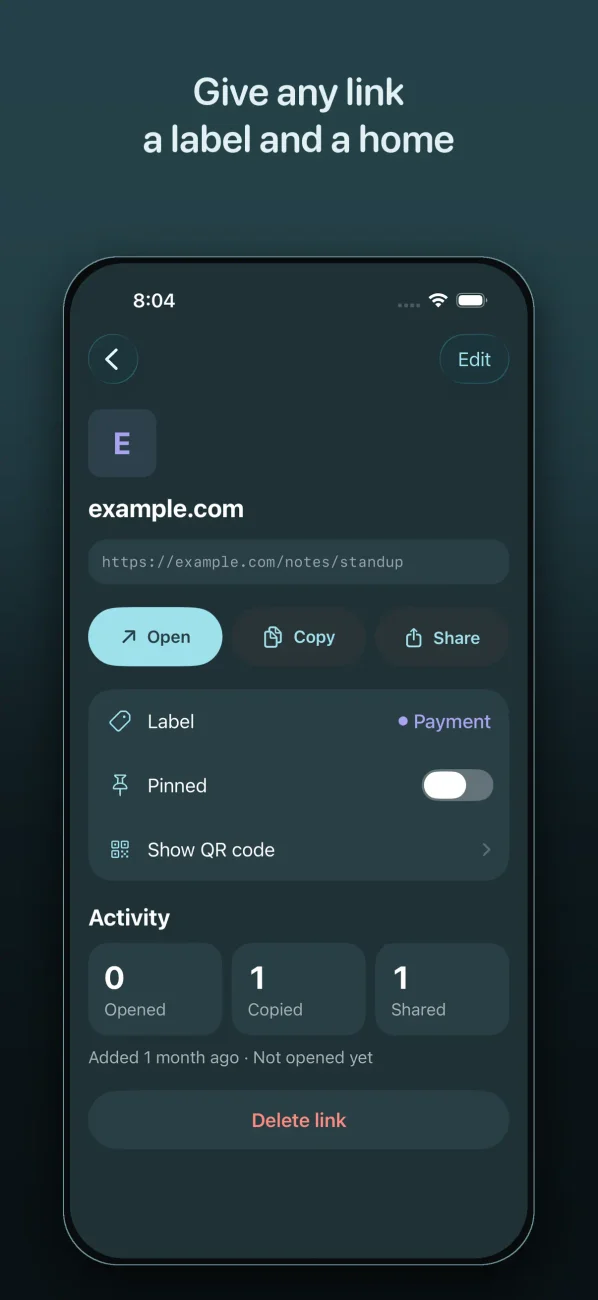
• Link details: open any link to see its label, pin it, show its QR code, and see how often you've opened, copied and shared it.
• Scan a QR code: tap the scan button when adding a link to save one straight from a code.
• Copied a link? LinkLab offers to save it as soon as you open the app.
• Swipe a link to copy or share it, long-press for more, and undo if you delete by mistake.
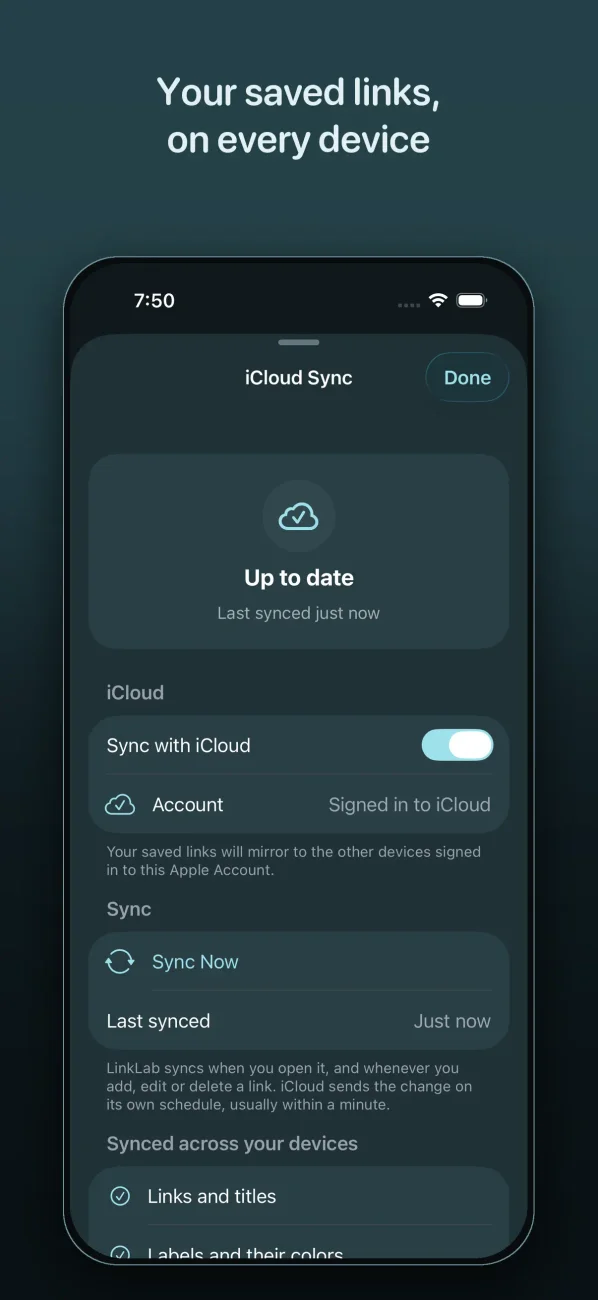
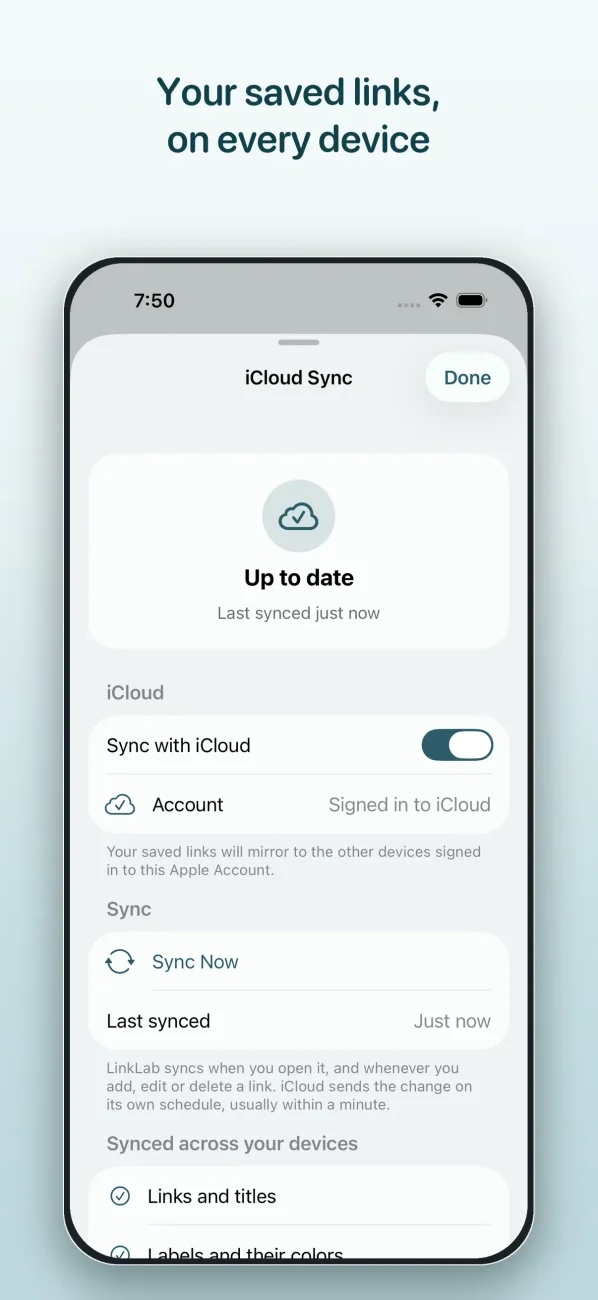
• iCloud Sync now shows whether your links are up to date, syncing, off, or need attention, with a clear explanation of what syncs across your devices.
• Edit a link's address as well as its name.
• Plus smoother scrolling, larger text support and many small fixes.
App privacy
What MUDDASSIR IQBAL declares on the App Store about how this app handles data.
-
Data not collected
The developer does not collect any data from this app.
Privacy practices may vary, for example with the features you use or your age.
Information
- Seller
- MUDDASSIR IQBAL
- Category
- Productivity
- Version
- 1.3.0
- Updated
- Oct 21, 2026
- Released
- Sep 2, 2026
- Size
- 2.4 MB
- Requires
- iOS 18.0 or later
- Age rating
- 12+
- Price
- Free
- Languages
- English
- Copyright
- © Muddassir Iqbal
You might also like
-
 Vemori - Save LinksSave anywhere. Find everywhere
-
 Stash - Link SaverRead it later. No account.
-
 HandleMe: Digital CardsBusiness cards: IRL meets URL
-
 My Goal - Personal DevelopmentPersonal Development & Growth
-
 Dama - Save Links for LaterSimple link saving and sorting
-
 Notesync.mdSync notes to markdown!
-
 QuranWords: FlashcardLearn the words of Quran
-
 WisdomPouchAI notes for knowledge base
-
 xgooseWebsite skills for your AI
-
 ScroLearn: Learn by DoomscrollKnowledge in Every Scroll