- Age rating4+
- CategoryProductivity
- DeveloperWAEL KILZIEH
- LanguagesRussian+ 12 more
- Size8.8 MB
Links to the official App Store page
Download.org hosts no file of LinkVault: Save & Organize. The button opens its official App Store page, published by WAEL KILZIEH. Listing last checked on Nov 14, 2026.
Screenshots

About
Stop losing track of what you meant to read, watch, or listen to later.
LinkVault lets you save any link — from Safari, Instagram, WhatsApp, YouTube, or
anywhere else with a Share button — and automatically sorts it into a category:
Articles, Videos, Images, or Sounds. No more digging through your camera roll,
Notes app, or a dozen half-remembered browser tabs.
HOW IT WORKS
Tap the Share button in any app, choose LinkVault, and you're done. LinkVault
detects what kind of content you're saving — a YouTube video, a Spotify track,
an Instagram photo, a news article — and files it under the right category
automatically, complete with the site's icon and a preview image when
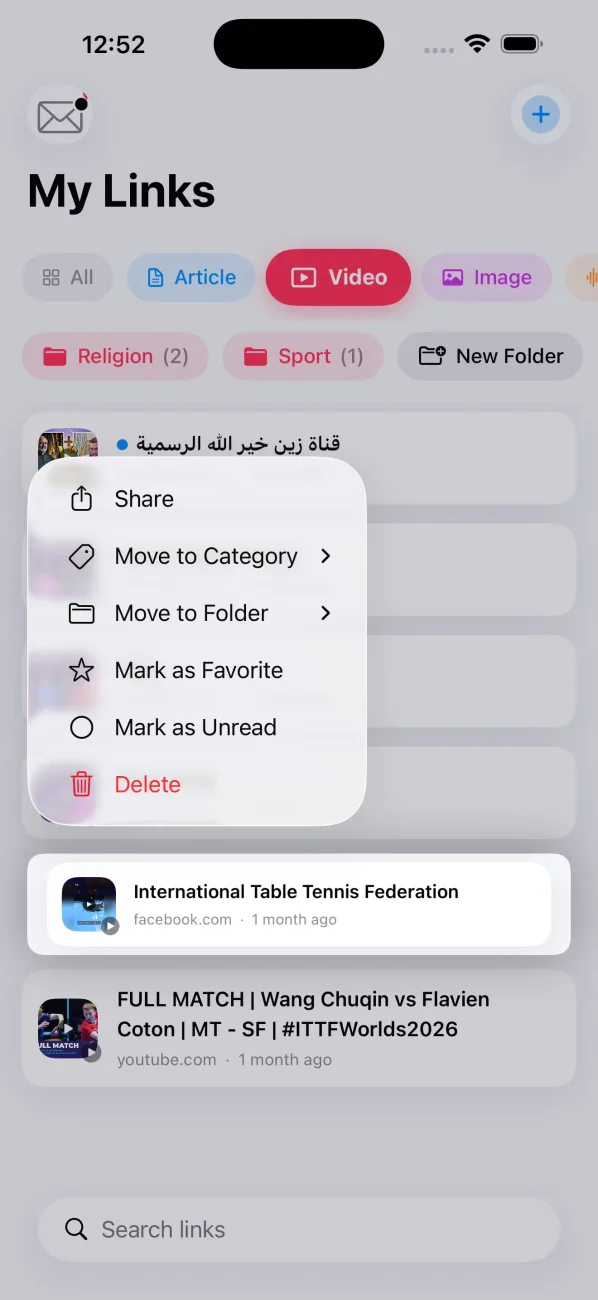
available. You can always move something to a different category later with a
simple long-press.
KEY FEATURES
- One-tap saving from the iOS Share Sheet — works from Safari, Instagram,
Facebook, WhatsApp, YouTube, and any other app that can share a link
- Automatic categorization into Articles, Videos, Images, and Sounds
- Automatic favicon and preview image fetching for a richer, easier-to-scan list
- Fast search across everything you've saved
- Swipe to favorite, delete, or re-share any saved item
- Save actual shared files too (like a photo or voice note), not just web links
- iCloud sync — your saved links are backed up automatically and available
again even if you delete and reinstall the app or switch to a new iPhone
- Clean, color-coded interface that makes it easy to scan your saved items
at a glance
- Available in 12 languages, including German, French, Japanese, Chinese,
Spanish, Arabic, Turkish, Portuguese, Korean, Hindi, Russian, and Italian
- No account or sign-up required
WHY LINKVAULT
Most "save for later" happens through screenshots, forwarded messages to
yourself, or browser tabs you're afraid to close. LinkVault gives all of that a
single, organized home — so when you actually have time to read that article or
watch that video, you can find it in seconds instead of scrolling back through
your entire message history.
LinkVault is free to use, supported by ads. Your saved links themselves sync
through your own personal iCloud account — LinkVault's developer never sees or
stores the content you save.
What’s new
Version 1.2 · Sep 9, 2026
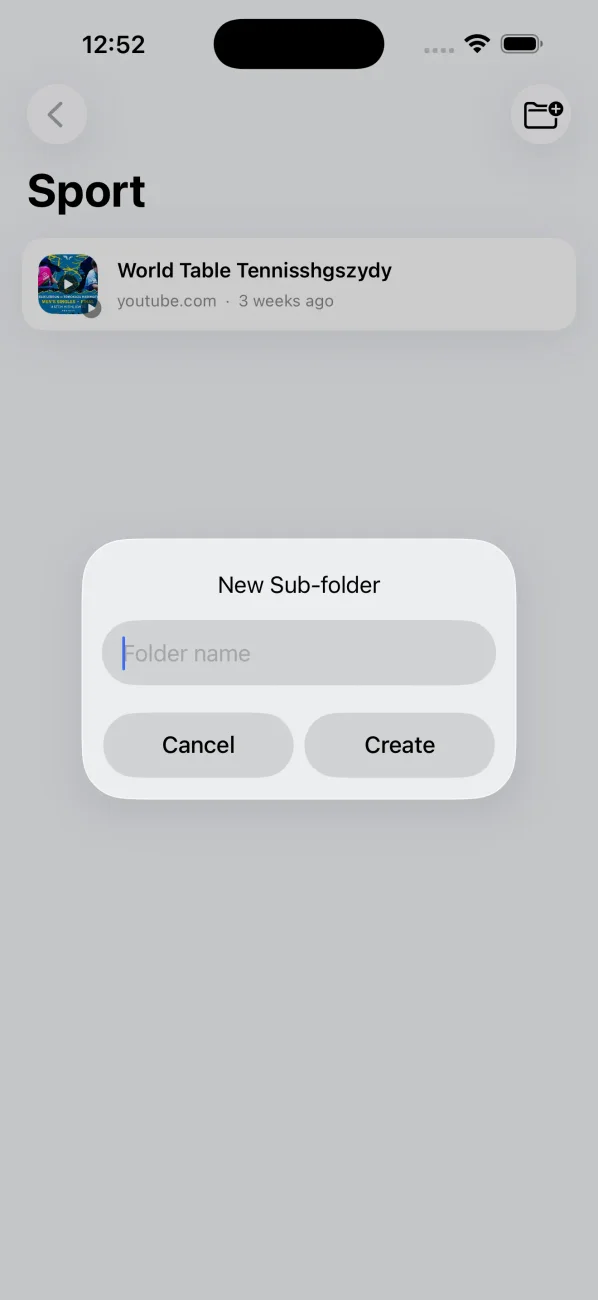
Folders! Organize each category with folders — and sub-folders — so your links are exactly where you expect them. Long-press any link to file it away in seconds.
App privacy
What WAEL KILZIEH declares on the App Store about how this app handles data.
-
Data used to track you
May be used to track you across apps and websites owned by other companies.
- Identifiers
- Usage data
-
Data linked to you
May be collected and linked to your identity.
- Identifiers
- Usage data
-
Data not linked to you
May be collected but is not linked to your identity.
- Diagnostics
Privacy practices may vary, for example with the features you use or your age.
Information
- Seller
- WAEL KILZIEH
- Category
- Productivity
- Version
- 1.2
- Updated
- Sep 9, 2026
- Released
- Jul 21, 2026
- Size
- 8.8 MB
- Requires
- iOS 17.6 or later
- Age rating
- 4+
- Languages
- Russian, Hindi, English, Arabic, Spanish, Italian, Korean, German, Portuguese, Turkish, Simplified Chinese, French + 1 more
- Copyright
- © Vail Kelziye
You might also like
-
 Quolt: Save Links & ArticlesRead Later, Bookmark Manager
-
 Bookmarker: Save Links & ReelsOrganize saved posts & videos
-
 Fokus: AI Planner & CalendarThe day planned before wake-up
-
 Stovia: JourneysJourneys & milestones
-
 Read Later Bookmarks: MarkSaveLink Saver & Offline Reader
-
 GadeonAI Chat with on Neural Engine
-
 PushIt: Save Links & BookmarksRead Later, Organize & Search
-
 Washipad: Notes that stickSticky notes on your wall
-
 Tably: Sleep On ItThink it over before you buy
-
 Remindly AIProductivity