
Listkit: To-Do List & Tasks
Reminders, Subtasks & Widgets
Designed for iPhone, iPad
$2.99
- Age rating4+
- CategoryProductivity
- Developer裕金 朱
- LanguagesEnglish+ 7 more
- Size22.1 MB
Links to the official App Store page
Download.org hosts no file of Listkit: To-Do List & Tasks. The button opens its official App Store page, published by 裕金 朱. Listing last checked on Nov 26, 2026.
Screenshots


About
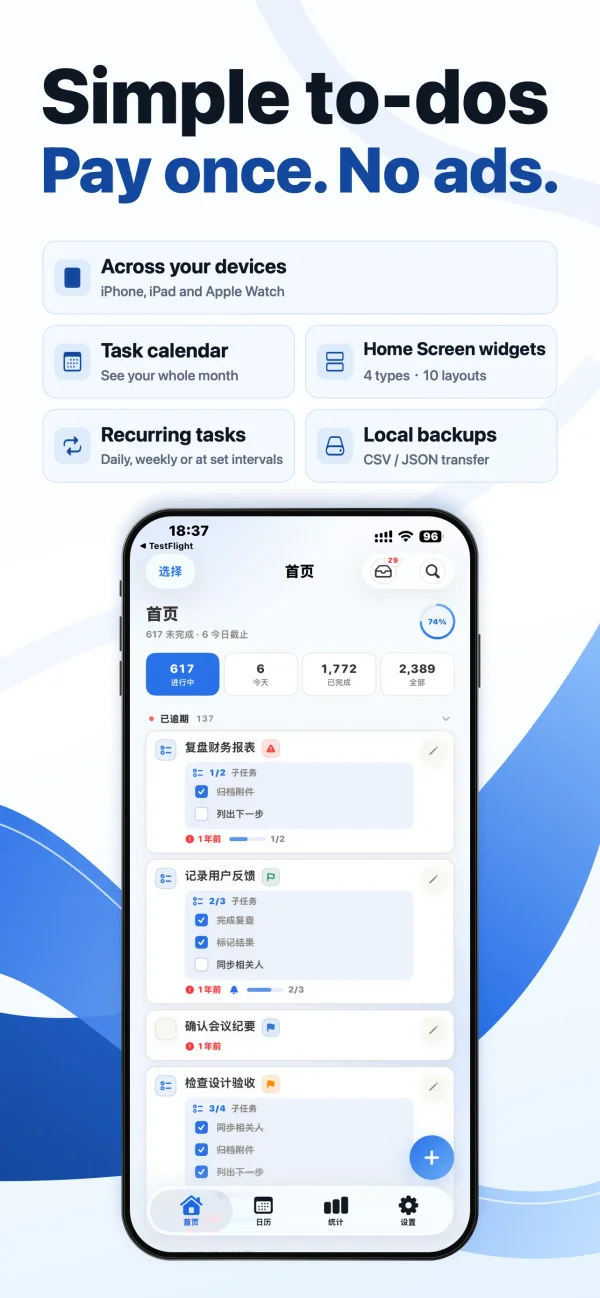
Listkit is a lightweight to-do list and task manager for work, study and everyday life. Capture what needs doing, set priorities, and turn bigger tasks into clear next steps without making planning another chore.
[Why Listkit?]
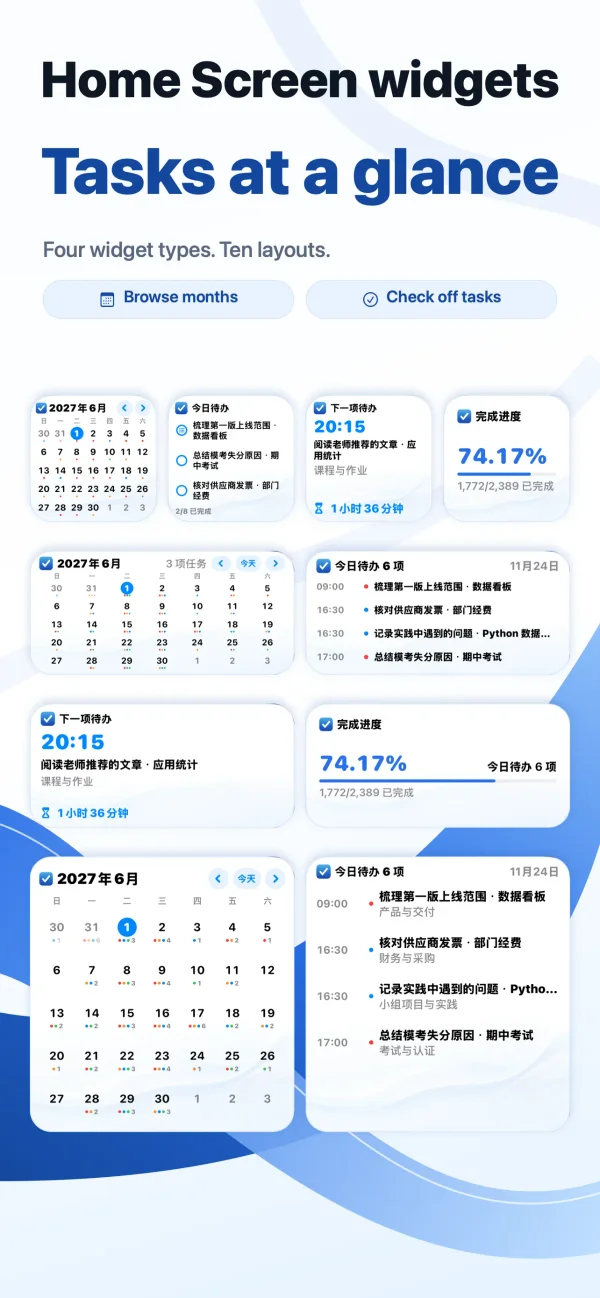
• Plan the whole month in one calendar and keep today’s to-dos handy on your Home Screen.
• Minimal and ad-free. Your list comes first, with no ads, social feeds or marketing distractions.
• Buy once, use every feature. No subscription or annual fees.
• Light and uncluttered. No account to create; tasks stay on your device and work offline.
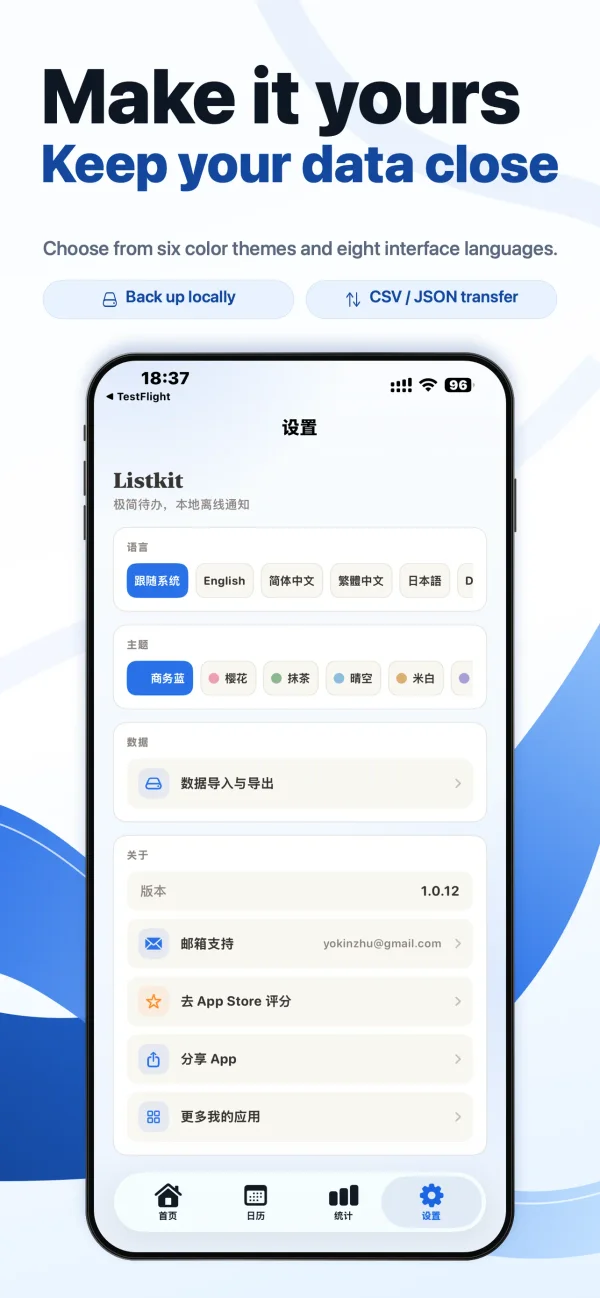
• Your data, your choice. Import and export CSV and JSON for backups, moving data or organizing tasks in a spreadsheet.
• Six colorful themes. Choose a look that feels right, from calm blues to cherry pink and matcha green.
[Core Features]
• See the month’s tasks in one calendar. Tap a date to see its tasks by due time, or add and edit tasks for that day.
• 4 types of Home Screen widgets in 10 layouts. Browse months, check off tasks in the small Daily Agenda, see what’s due next, and track your completion progress.
• Tasks and priorities: capture tasks quickly and choose low, medium, high or urgent priority, with distinct icons and colors.
• Due dates and reminders: set a date and time, with local notifications that work offline.
• Recurring tasks: repeat daily, on selected weekdays, monthly or every N days. End on a date or after a set number of repetitions.
• Subtasks: break a larger task into one level of subtasks, check them off in the list and drag to reorder. Finish every subtask and the parent task completes automatically.
• Find your focus: view active tasks, items due today, completed tasks or everything. Search, filter and sort to find what you need.
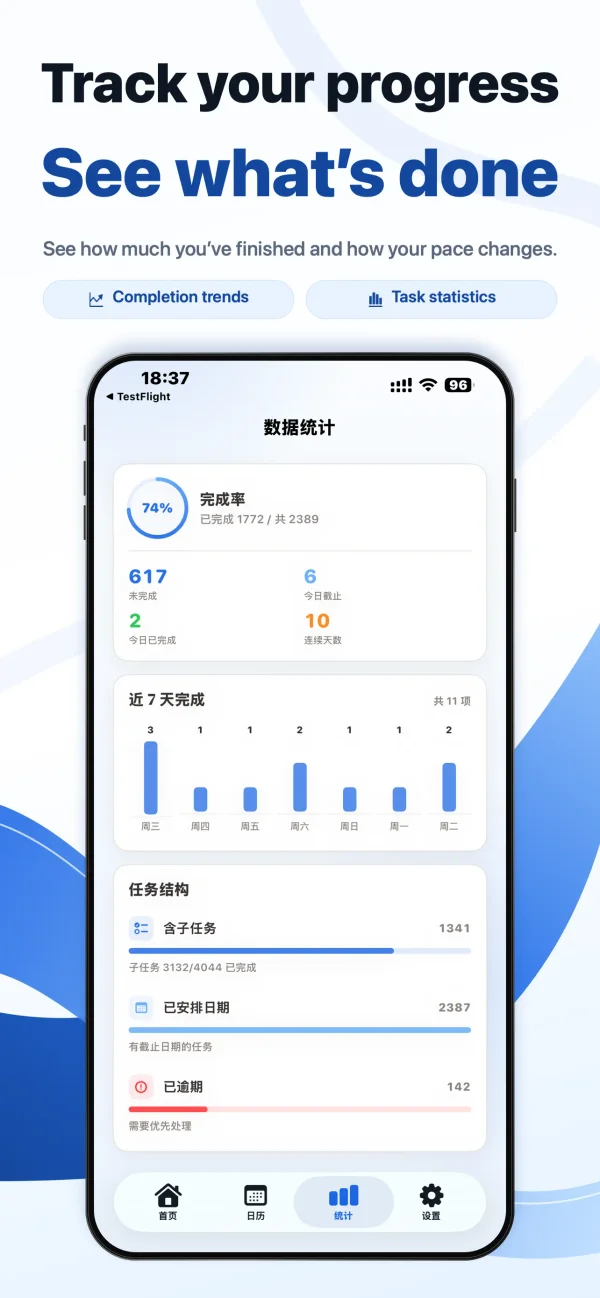
• Progress and trash: see completion trends and progress. Restore deleted tasks, delete them permanently or empty the trash.
• Import and export: manage CSV and JSON on a dedicated data page. CSV preserves tasks, subtasks and recurrence details; JSON provides a full backup. Imports replace current local data after confirmation.
• Devices and languages: use Listkit on iPhone, iPad and Apple Watch, with Home Screen widgets for a quick overview. The interface supports English, Simplified Chinese, Traditional Chinese, Japanese, Korean, German, French and Italian.
[Who It's For & When to Use It]
• Work: organize deadlines, meeting preparation and everyday tasks.
• Study: break down assignments and schedule regular revision.
• Daily life and travel: keep shopping, chores, packing and passing thoughts in a list you can reach quickly.
• Minimalists: focus on capturing and finishing tasks with a light, ad-free app and no subscription.
• People who want control of their data: work offline and use CSV or JSON to back up or move their tasks.
[Thank You]
Thank you for choosing Listkit and making it part of your everyday progress.
If something needs fixing or you have a feature idea, get in touch through email support in the app. Your feedback helps make Listkit easier to use.
What’s new
Version 1.0.14 · Nov 26, 2026
1. Bug fixes and stability improvements.
2. UI and interaction improvements for a better user experience.
App privacy
What 裕金 朱 declares on the App Store about how this app handles data.
-
Data not collected
The developer does not collect any data from this app.
Privacy practices may vary, for example with the features you use or your age.
Information
- Seller
- 裕金 朱
- Category
- Productivity
- Version
- 1.0.14
- Updated
- Nov 26, 2026
- Released
- Apr 7, 2026
- Size
- 22.1 MB
- Requires
- iOS 17.0 or later
- Age rating
- 4+
- Price
- $2.99
- Languages
- English, French, German, Italian, Japanese, Korean, Simplified Chinese, Traditional Chinese
- Copyright
- © 2026 yokinzhu. All rights reserved.
You might also like
-
 GrowingTimerTrack your focus Watch it grow
-
 OldTaskManagerProductivity
-
 Just Today.Daily list. Gone at midnight.
-
 The Today List: Daily PlannerTo-do, habits & one-task focus
-
 Quadrant ListFour Quadrants To-Do List
-
 Now BlockProductivity
-
 Calendar ToDo - Progress LogTrack calendar progress
-
 TodayFlow: Daily PlannerTasks, Mood, Money, Widgets
-
 iomatrixMatrix Task Manager
-
 J Plan - Daily PlannerTasks, Calendar & Time Blocks