LittleMarks: Life Tracker
Habits, Todo, Memos, Countdown
Designed for iPhone, iPad, iPod touch
Free · In-app purchases
- Age rating9+
- CategoryProductivity
- DeveloperNathan Guo
- LanguagesEnglish+ 1 more
- Size66.8 MB
Links to the official App Store page
Download.org hosts no file of LittleMarks: Life Tracker. The button opens its official App Store page, published by Nathan Guo. Listing last checked on Nov 25, 2026.
Screenshots

About
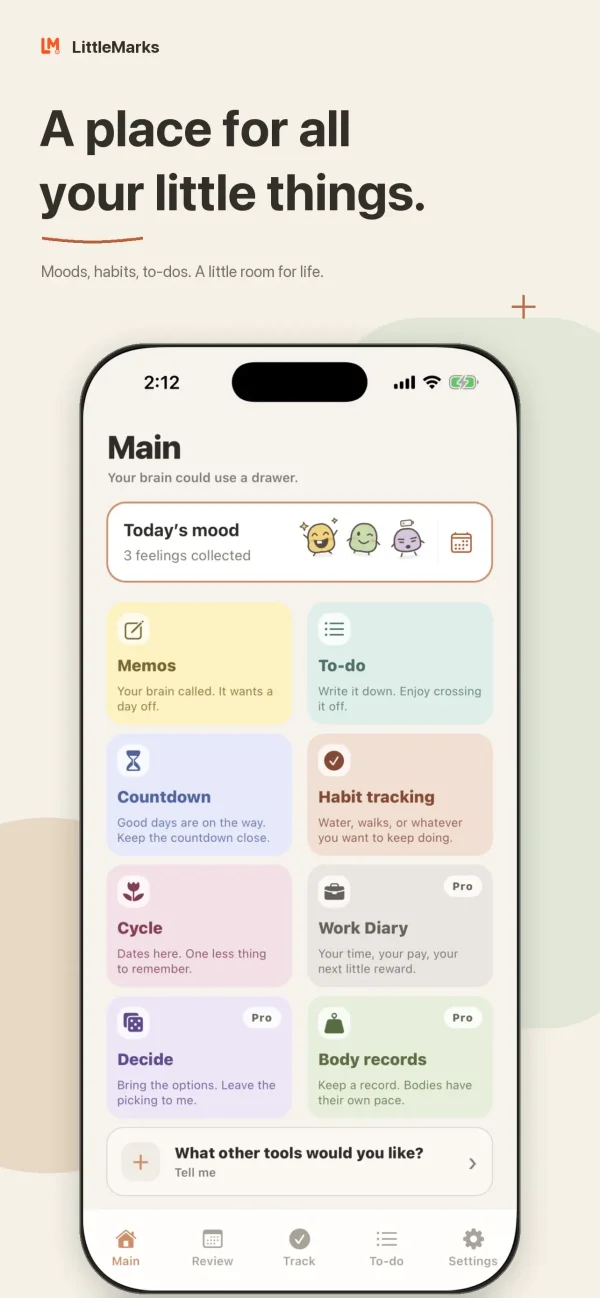
LittleMarks brings memos, daily moods, to-dos, habits, Work Diary, Body Records, Cycle, Countdowns, and daily Review together in one app. Clear views, flexible reminders, and Home Screen widgets make it easier to follow everyday progress and remember meaningful dates. Use LittleMarks on iPhone and iPad.
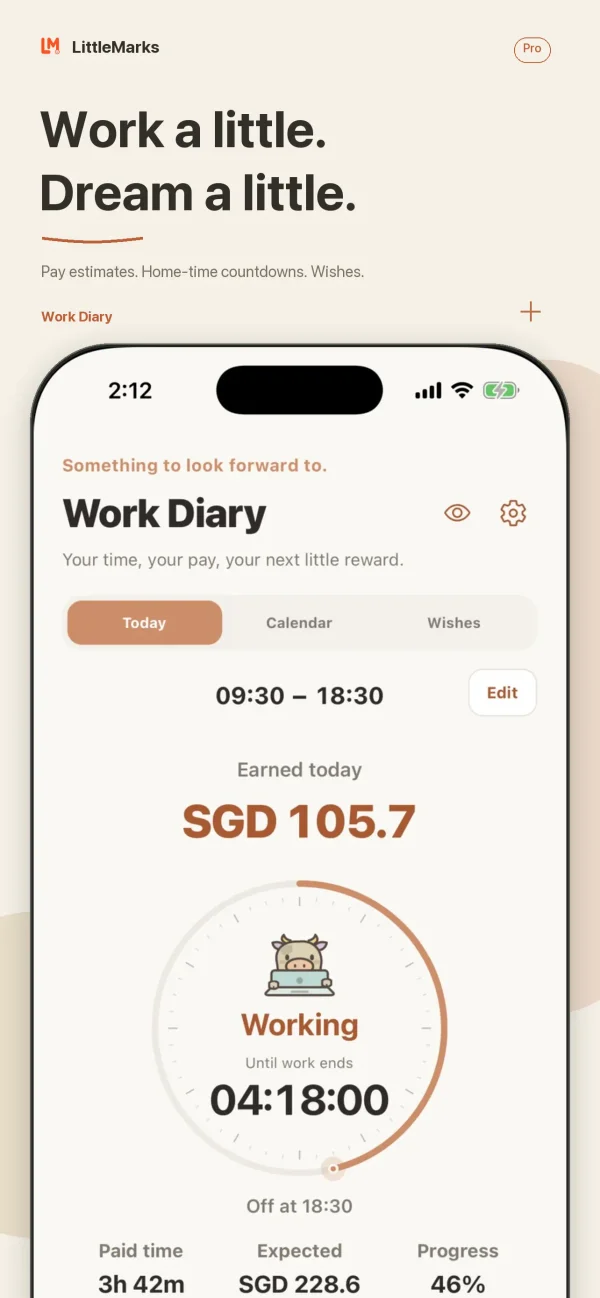
WORK DIARY
• Set monthly, daily or hourly pay and your work schedule
• See estimated earnings, work progress and time until home
• Mark workdays, rest, paid leave or unpaid leave
• Turn wish prices into work time, with currency conversion estimates
• Use Work Diary widgets, Lock Screen Live Activities and Dynamic Island on supported iPhones
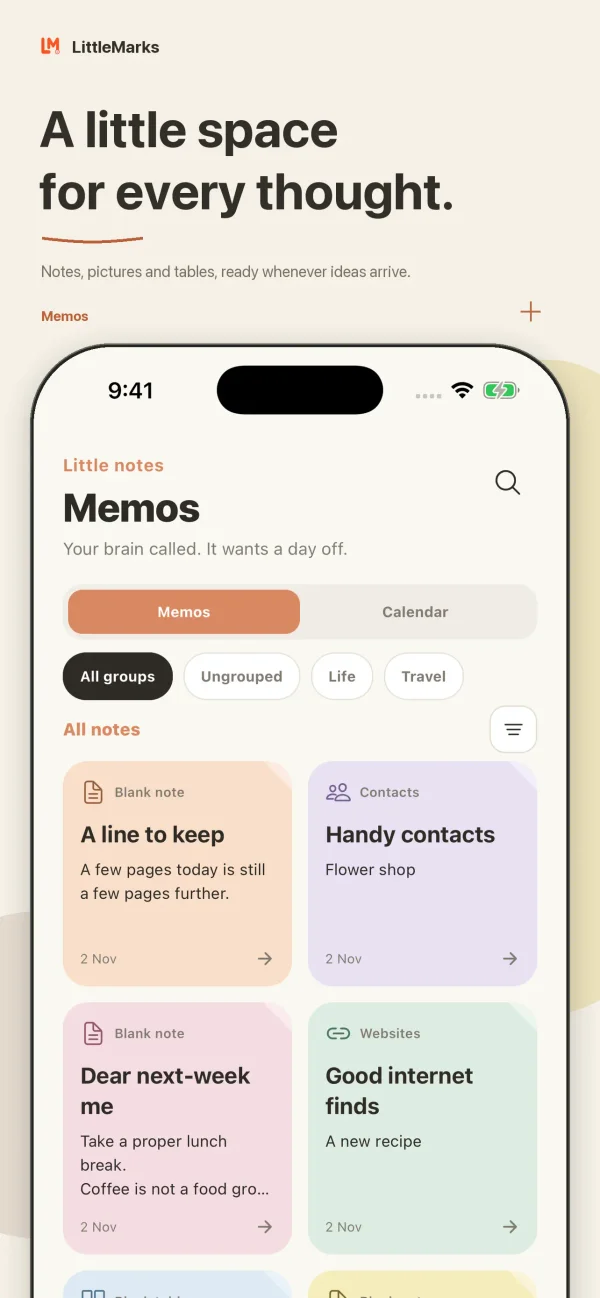
MEMOS
• Colourful notes for text, photos, videos, tables, websites, QR codes, contacts and passwords
• Rename columns, resize tables, save table templates and organise notes into groups
• Search notes or browse their creation and update dates on the calendar
• Keep 5 notes free, or unlimited notes with Pro
DAILY MOODS
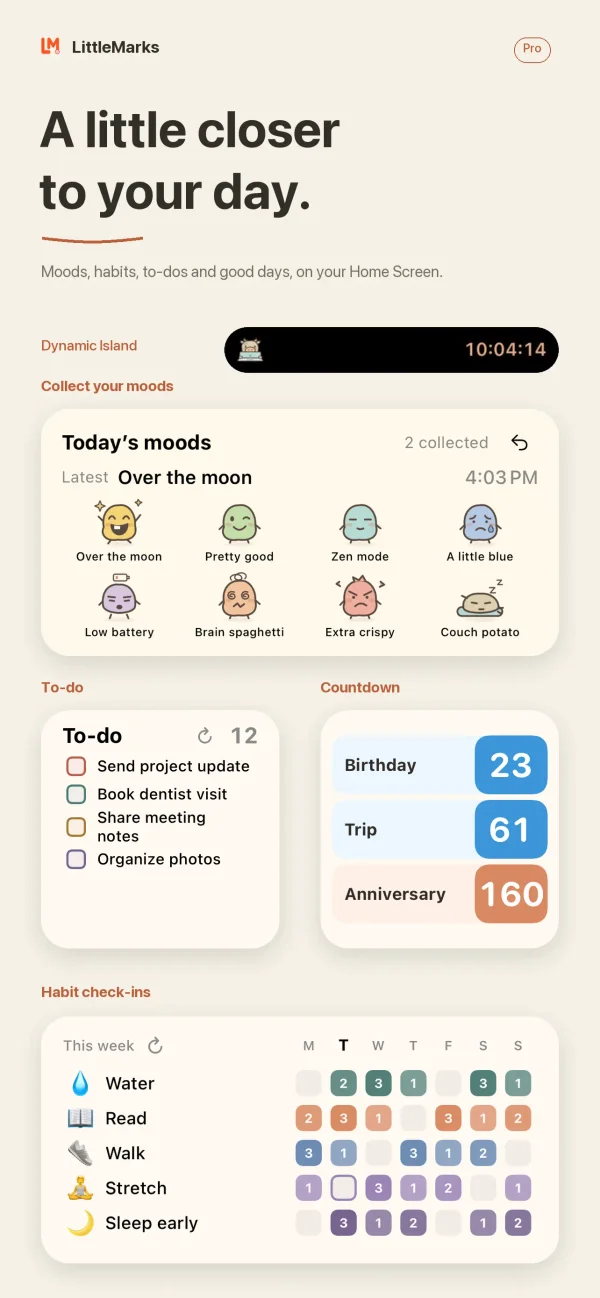
• Collect original mood characters, including the same feeling more than once
• Keep the time of each selection and see mood counts by month
• Look back, fill in missed days and edit entries in the mood calendar
• Explore monthly mood statistics
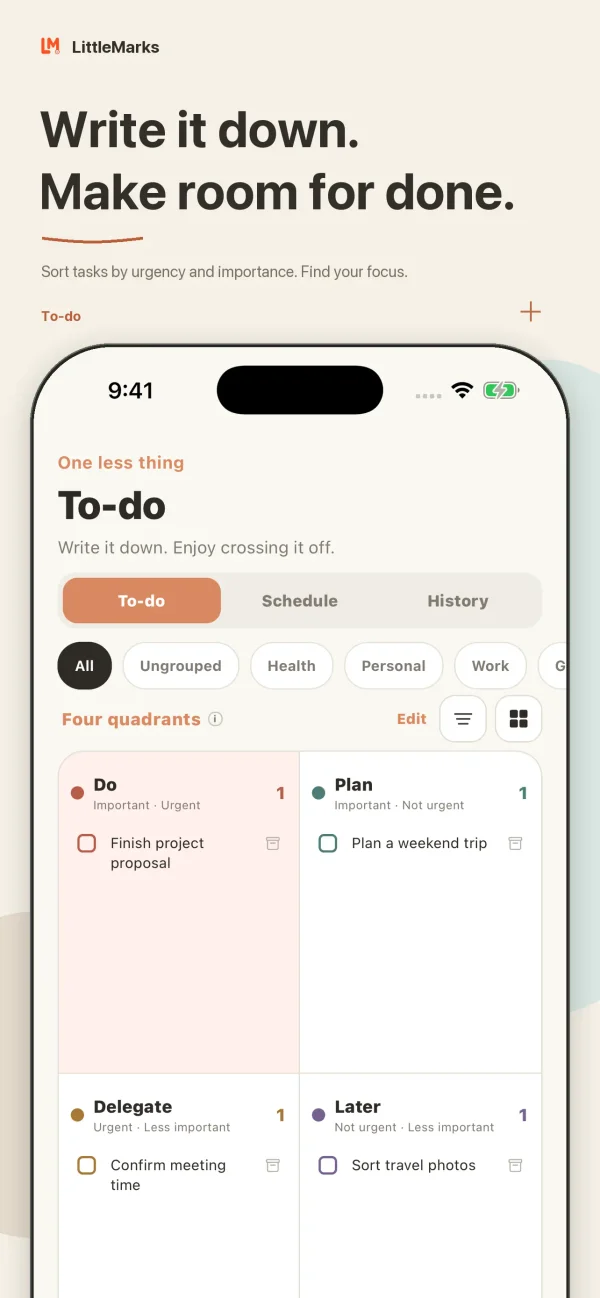
TO-DOS
• Quadrant, schedule, and list views
• Due dates, repeat schedules, and multiple reminders
• Complete supported tasks from widgets
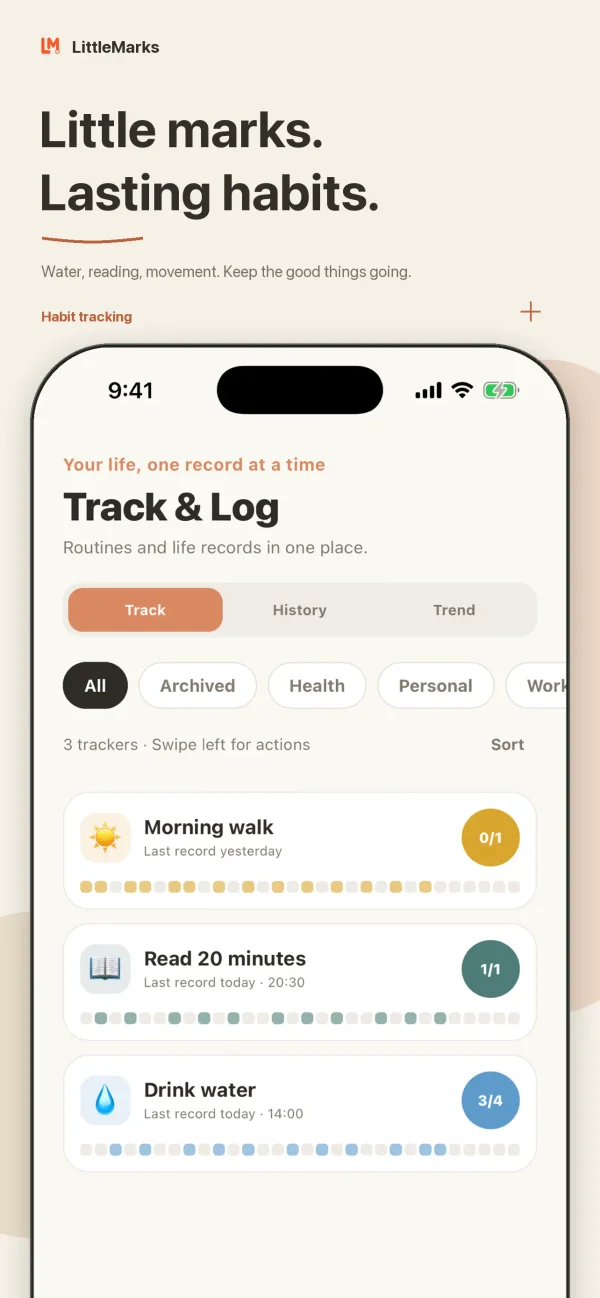
HABITS & TRACKING
• Daily, weekly, monthly, and custom schedules
• Organize trackers with groups and emoji
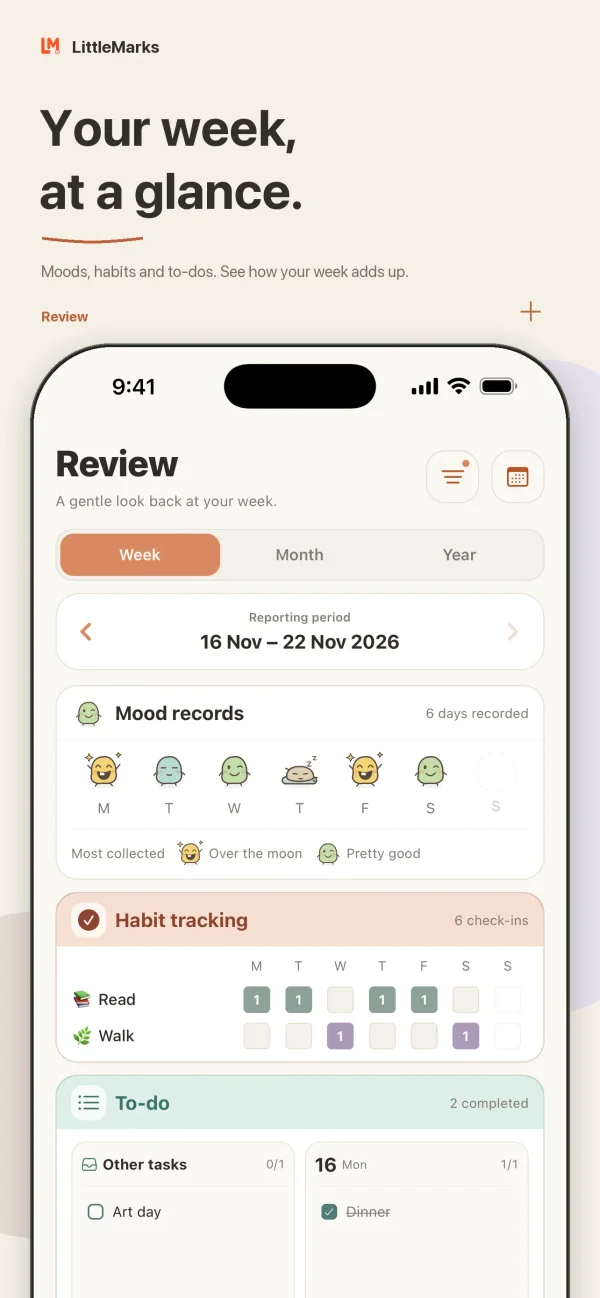
• Review progress by week, month, or year
DAILY REVIEW
• See memos, to-dos, habits, Body Records, Cycle, and Countdowns on one calendar
• Filter what appears and look back or plan ahead
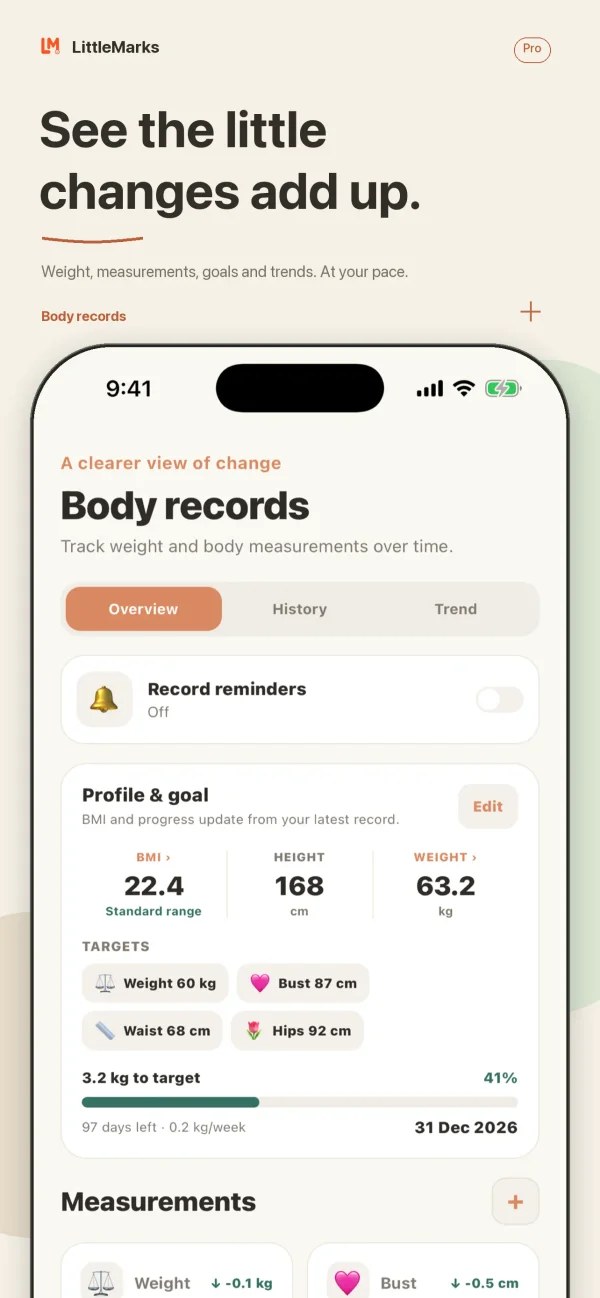
BODY RECORDS
• Track weight, chest, waist, and hips
• View BMI, goals, history, and trends
• Optionally sync supported data with Apple Health
• See sleep duration, stages, scores, and sleeping heart rate when available from Apple Health
COUNTDOWNS & ANNIVERSARIES
• Save future dates and past milestones
• Choose one-time, daily, weekly, monthly, yearly or custom repeats, with Gregorian and lunar dates
• Add multiple reminders and choose what widgets display
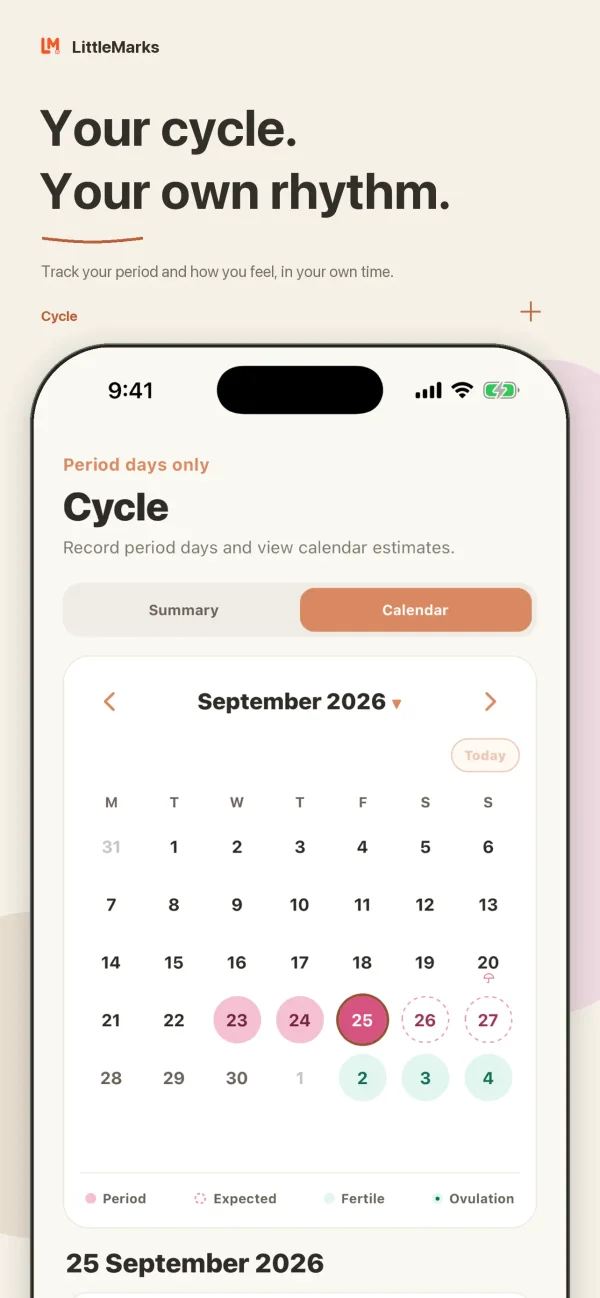
CYCLE
• Record periods and optional intimate activity
• View estimated periods, fertile windows, and ovulation
LITTLEMARKS PRO
Work Diary, Body Records (including Sleep), Decide, and Home Screen widgets such as the interactive Mood Bucket require Pro. Optional quarterly and yearly auto-renewable subscriptions, or a lifetime purchase, are available in the app. Subscriptions renew automatically unless canceled through your App Store account settings. Prices and available plans are shown before purchase.
With Pro, choose which modules to sync through your private iCloud Drive: habits, to-dos, anniversaries, Decide, Memos, Mood or Work Diary. Work Diary includes pay, schedules, leave and wishes; hiding income stays on each device. Memos includes notes, tables, images, videos, and password records; Mood includes daily selections and past entries. Memo content, including passwords, is stored as ordinary text without extra app encryption or an iCloud Keychain requirement. Body, Cycle and Apple Health records are excluded. Get started with on-device onboarding.
Privacy Policy: https://littlemarks.expo.app
Terms of Use (Apple Standard EULA): https://www.apple.com/legal/internet-services/itunes/dev/stdeula/
What’s new
Version 1.8.5 · Nov 24, 2026
• LittleMarks now supports iPad. Main and the tools adapt to portrait, landscape, and Split View.
• Body Records now shows time asleep, sleep stages, scores, and sleeping heart rate when available from Apple Health. You can also see sleep trends in Review.
• Set an end date for recurring to-dos, skip a single occurrence, or undo a skip. Touch and hold to reorder open tasks within a quadrant.
• Add photos and videos to sticky notes and tables. Reorder sticky notes within the same group.
• Habit progress and monthly activity are easier to read. Get started with onboarding as soon as you open LittleMarks.
• Improved Pro status checks and purchase restoration. iCloud sync shows what failed, explains why, and lets you retry.
App privacy
What Nathan Guo declares on the App Store about how this app handles data.
-
Data linked to you
May be collected and linked to your identity.
- Contact info
- User content
- Identifiers
Privacy practices may vary, for example with the features you use or your age.
Information
- Seller
- Nathan Guo
- Category
- Productivity
- Version
- 1.8.5
- Updated
- Nov 24, 2026
- Released
- Sep 2, 2026
- Size
- 66.8 MB
- Requires
- iOS 15.1 or later
- Age rating
- 9+
- Price
- Free
- In-app purchases
- Yes
- Languages
- English, Simplified Chinese
- Copyright
- © 2026 LittleMarks
You might also like
-
 鸣蝉纪Productivity
-
 Today Todo: Timeline & PlannerTo-dos, timetable & dates
-
 棱镜时光Productivity
-
 Tymio - Time & Life PlannerOrganize time, track your life
-
 记个PProductivity
-
 Tricket - App Blocker & HabitsTo-dos, early nights, rewards
-
 PocketReminder: Voice ReminderRecurring Tasks & Daily Alerts
-
 OneDay: Focus on today’s todoOnly what matters today
-
 ArkNote: ADHD-Friendly NotesDiary, Todo, Review, Templates
-
 倍刻ListProductivity