
Today Todo: Timeline & Planner
To-dos, timetable & dates
Designed for iPhone, iPad
Free · In-app purchases
- Age rating4+
- CategoryProductivity
- DeveloperWuhan Maigu Network Technology Co., Ltd.
- LanguagesEnglish+ 3 more
- Size54.3 MB
Links to the official App Store page
Download.org hosts no file of Today Todo: Timeline & Planner. The button opens its official App Store page, published by Wuhan Maigu Network Technology Co., Ltd. Listing last checked on Nov 25, 2026.
Screenshots


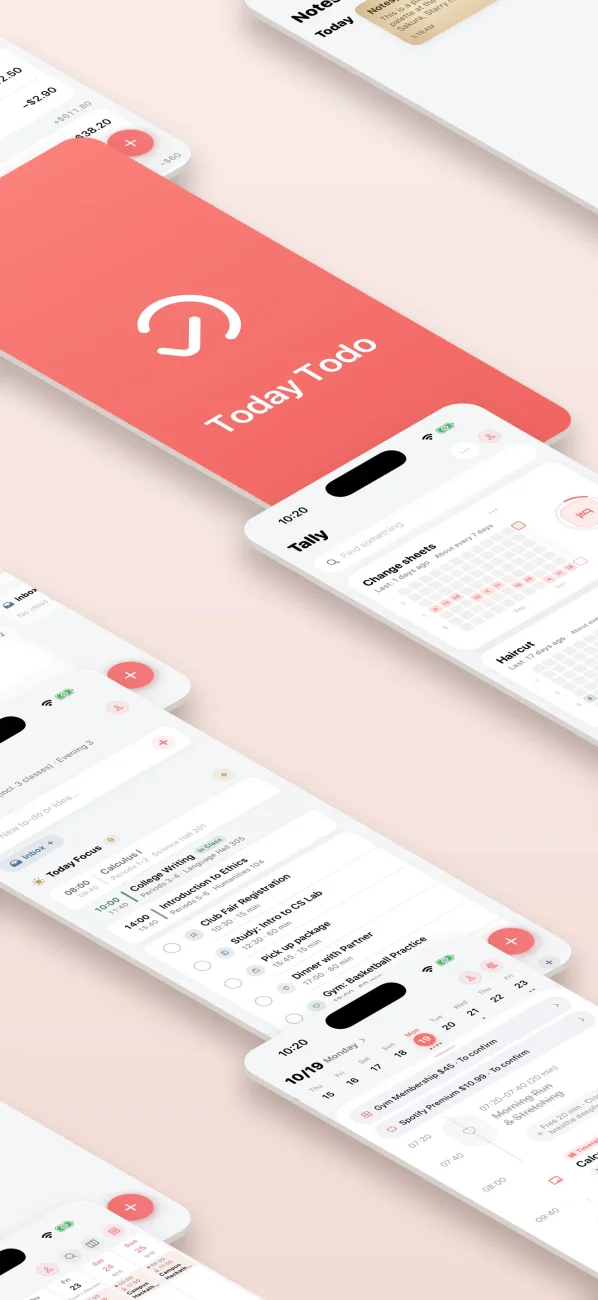
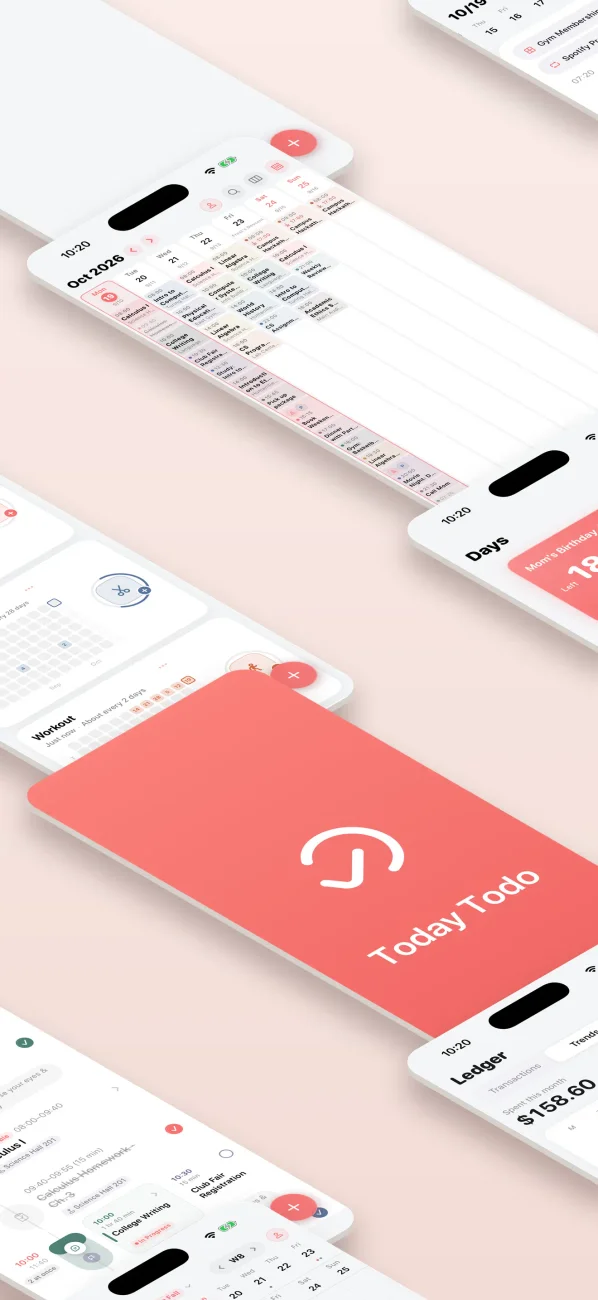

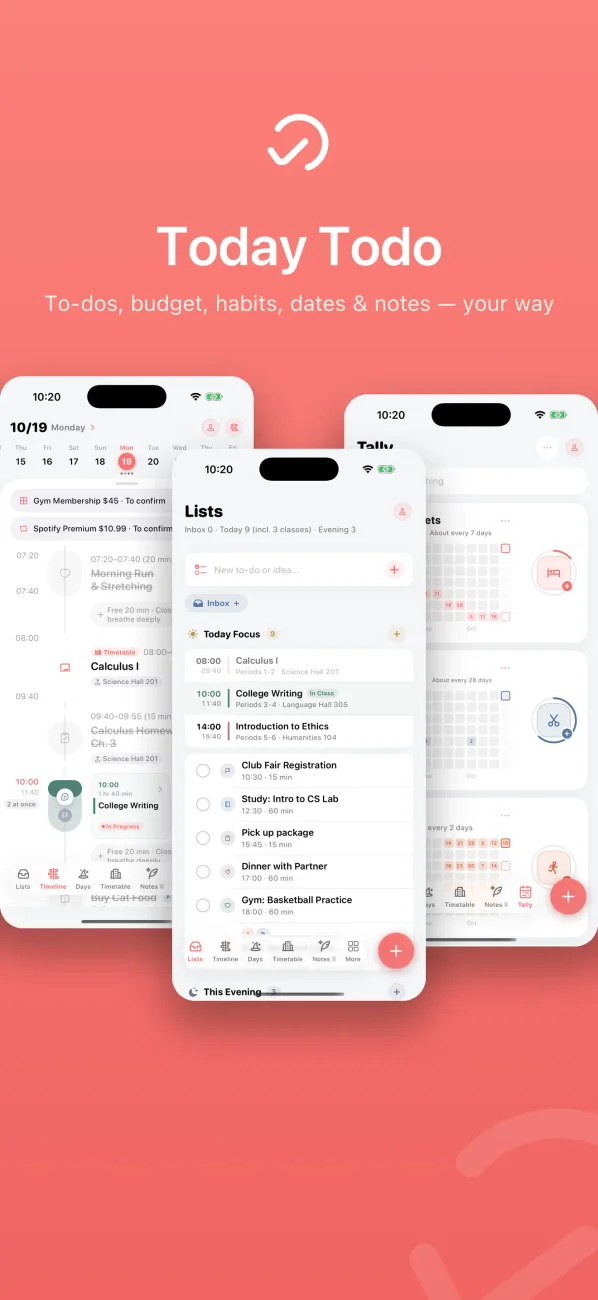
About
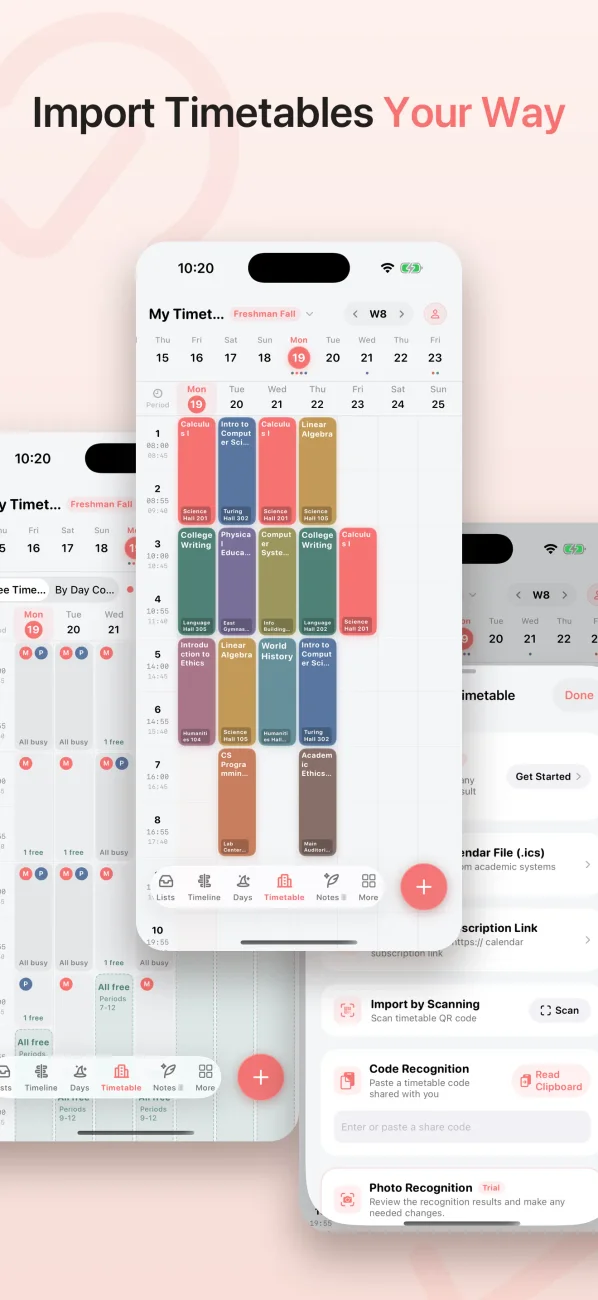
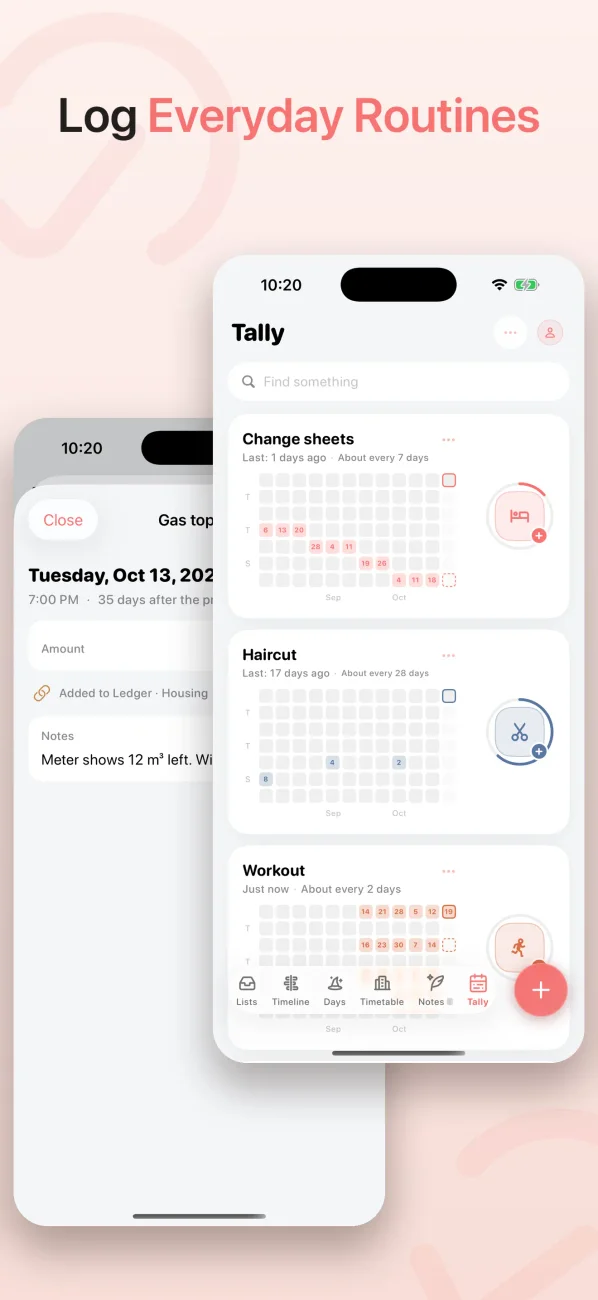
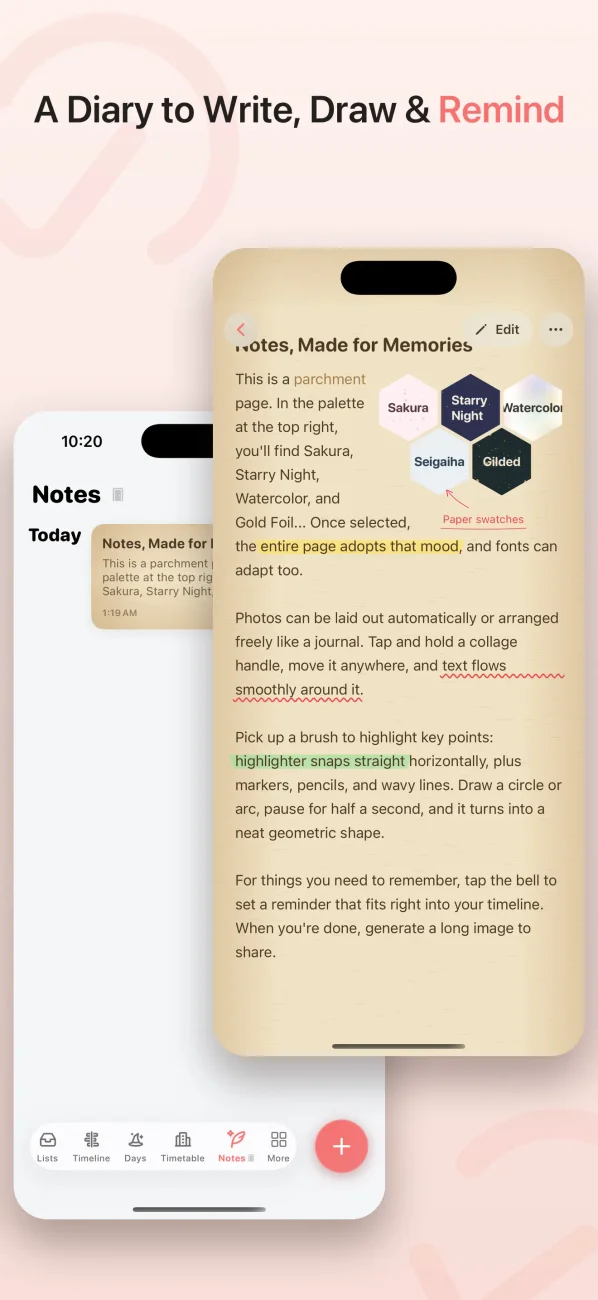
To-dos, timeline, anniversaries, timetable, ledger, tally, Pomodoro focus and notes — all in one app, with reminders in one place. Turn each section on or off and keep only what you need, down to a single section.
Multiple sections support multi-role and side-by-side comparison: plan your own day, and keep to-dos, expenses and reminders for your partner, friends or kids too. Create a shared space to work on to-dos and notes together.
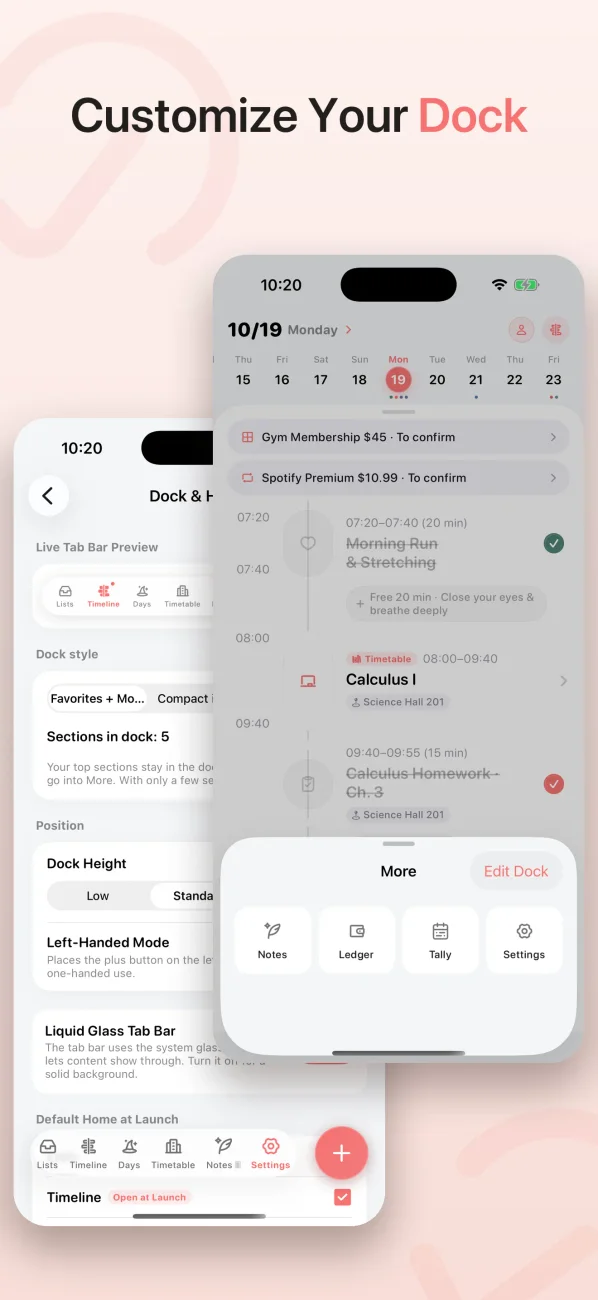
Home Screen widgets, Lock Screen checklists and Live Activities, 16 app icons, custom photo backgrounds and a capsule dock.
New in 2.2:
· Focus: a built-in Pomodoro timer with two dials, a scale ring and a metal knob. Link it to a task or go full screen, and check progress or pause from the Lock Screen and Dynamic Island.
· New Quadrants view: drag a task to move it between quadrants
· Tag your tasks, see what you finished this year by tag in Review, and copy it as a report
· Set several reminders for one task
· Carry past unfinished tasks over to today
· New capsule dock, with section icons you can choose
· Use your own photo as a theme background
· New weekly grid, compact week and Lock Screen list widgets, plus redesigned Live Activities
Terms of Service: https://todo.xmaigu.com/terms.html
Privacy Policy: https://todo.xmaigu.com/en/privacy.html
Support: https://todo.xmaigu.com/en/support.html
Terms of Use (EULA): https://www.apple.com/legal/internet-services/itunes/dev/stdeula/
What’s new
Version 2.2 · Nov 24, 2026
New in this version: Focus.
Focus: a built-in Pomodoro timer with two dials, a scale ring and a metal knob. Link it to a task or go full screen, and check progress or pause from the Lock Screen and Dynamic Island. Open it from More or Settings → Dock & Home.
Timeline & tasks:
· New Quadrants view: drag a task to move it between quadrants
· Tag your tasks, see what you finished this year by tag in Review, and copy it as a report
· Set several reminders for one task
· Carry past unfinished tasks over to today
Look & widgets:
· New capsule dock, with section icons you can choose
· Use your own photo as a theme background
· New weekly grid, compact week and Lock Screen list widgets, plus redesigned Live Activities
App privacy
What Wuhan Maigu Network Technology Co., Ltd. declares on the App Store about how this app handles data.
-
Data not collected
The developer does not collect any data from this app.
Privacy practices may vary, for example with the features you use or your age.
Information
- Seller
- Wuhan Maigu Network Technology Co., Ltd.
- Category
- Productivity
- Version
- 2.2
- Updated
- Nov 24, 2026
- Released
- Oct 27, 2026
- Size
- 54.3 MB
- Requires
- iOS 18.0 or later
- Age rating
- 4+
- Price
- Free
- In-app purchases
- Yes
- Languages
- English, Japanese, Simplified Chinese, Traditional Chinese
- Copyright
- © 2026 今日Todo
You might also like
-
 PocketReminder: Voice ReminderRecurring Tasks & Daily Alerts
-
 OneDay: Focus on today’s todoOnly what matters today
-
 YiHubProductivity
-
 PinListsKeep Tasks in Sight
-
 LittleMarks: Life TrackerHabits, Todo, Memos, Countdown
-
 SnapSeek - Memories & PlacesFind things, memories & places
-
 Kenotex: AI Task PlannerIdeas into to-dos & calendar
-
 Moki AI日历:日程管理与待办清单语音输入与截图识别,轻松安排提醒事项
-
 Sassy Parrot - Stop ScrollingScreen Time & App Blocker
-
 Art Clock - Flip Clock WidgetsDesk flip clock & time widgets