LocalWhisper
Voice to Text, No Subscription
Designed for iPhone, iPad
Free · In-app purchases
- Age rating4+
- CategoryProductivity
- DeveloperKevin Mok
- LanguagesEnglish
- Size40.4 MB
Links to the official App Store page
Download.org hosts no file of LocalWhisper. The button opens its official App Store page, published by Kevin Mok. Listing last checked on Nov 16, 2026.
Screenshots
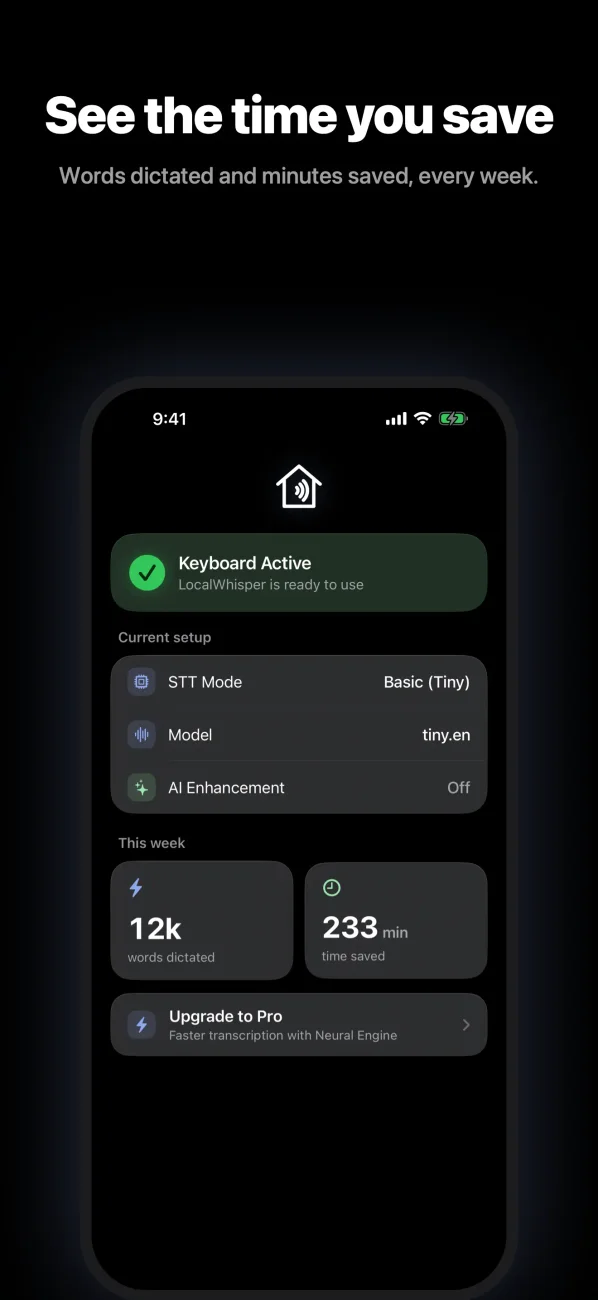
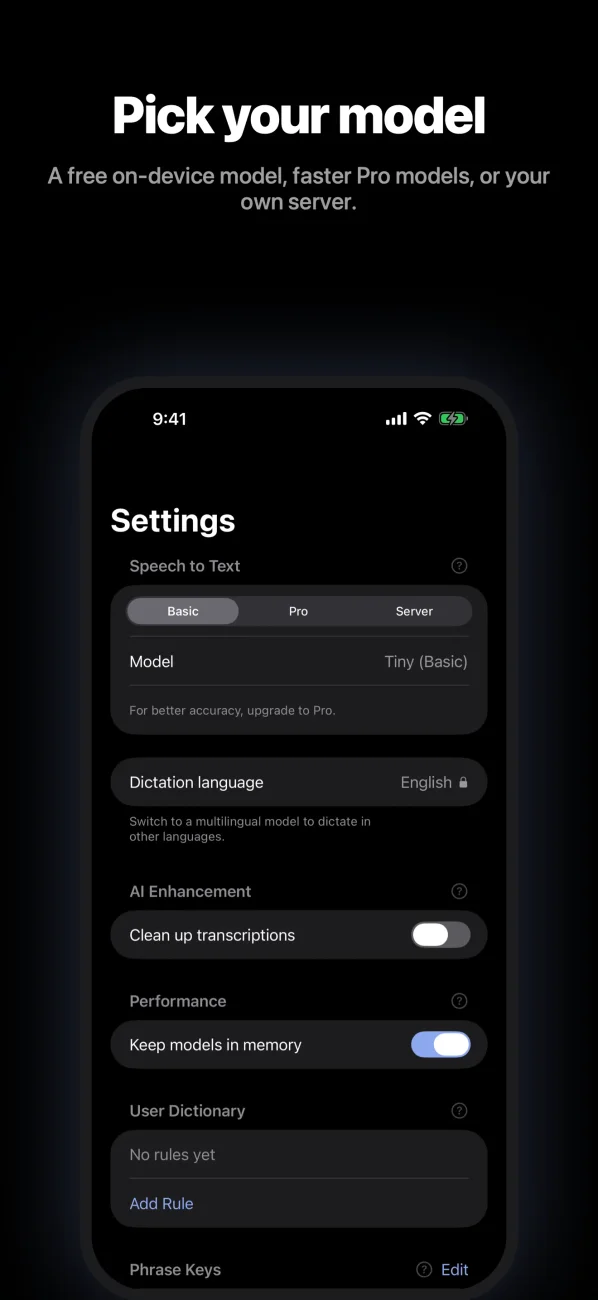
About
Speech-to-text that runs entirely on your iPhone. No subscription. No cloud. No word limits. Pay once, dictate forever.
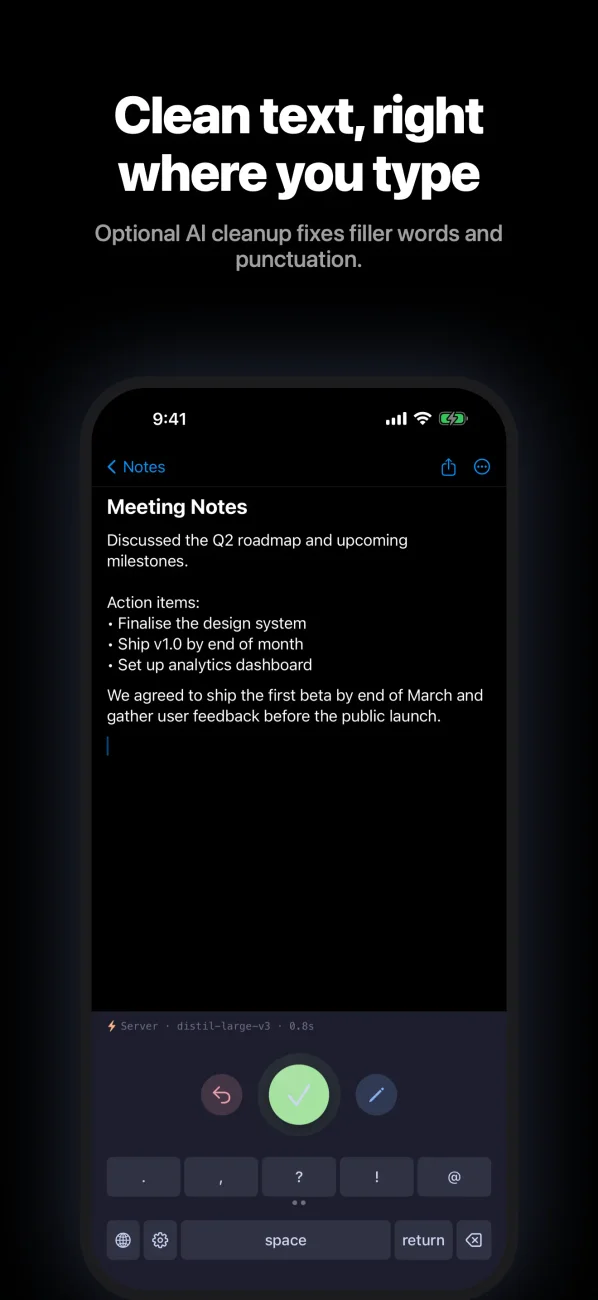
LocalWhisper is a dictation keyboard powered by Whisper AI. Your voice is transcribed on-device and never uploaded anywhere. Optional AI cleanup polishes grammar and punctuation — also on-device.
Why pay monthly to transcribe your own voice? LocalWhisper's free tier has no word limit and works completely offline. Want even better accuracy? A single one-time purchase — less than the price of a coffee — unlocks our most powerful models. Forever. No trials, no renewals, no surprises.
WHY GO LOCAL?
Every time you dictate into a cloud-based keyboard, your voice is uploaded, processed, and stored on someone else's server. Passwords, private messages, medical notes, journal entries — all of it.
LocalWhisper takes a different approach. The AI runs on your device. Your audio is processed in memory, used for transcription, and immediately discarded. There is nothing to hack, nothing to leak, and nothing to sell. Your words never leave your phone.
HOLD TO RECORD. SLIDE TO CONTROL.
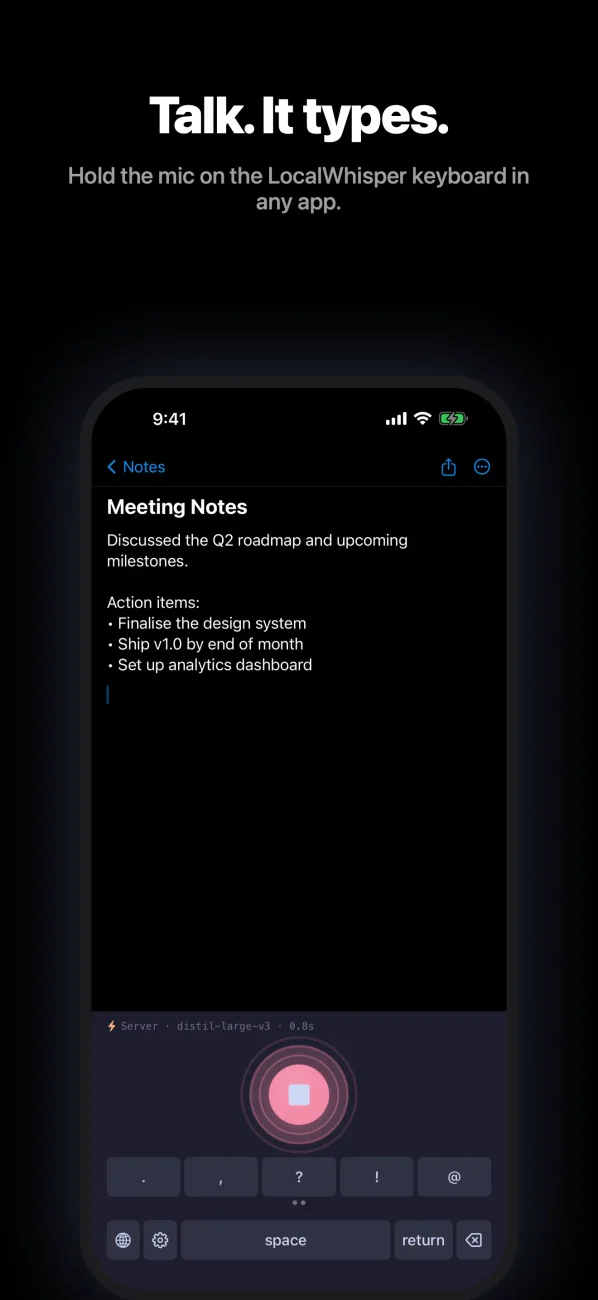
Long-press the mic to record. Release to transcribe. Slide right to lock recording for hands-free dictation. Slide left to discard. It feels natural from the first use.
Made a mistake? Undo the last dictation within 30 seconds. Need to tweak the wording? Edit your transcription before it is inserted. Changed your mind? Cancel mid-transcription. You are always in control.
THREE WAYS TO TRANSCRIBE
Free — A capable Whisper model, bundled and ready to go. Works offline with no purchase needed and no word limit. Genuinely useful for everyday notes, messages, and quick dictation.
Pro — For the price of a coffee, unlock Apple Neural Engine acceleration. Choose from models up to Large v3 for faster, more accurate transcription. One-time purchase. No subscription. Yours forever.
Server — Connect to your own Whisper server running on your Mac, home lab, or anywhere reachable over Tailscale or your local network. Run the largest models on your own hardware with zero compromise on privacy or accuracy.
AI-POWERED ENHANCEMENT
Connect your own LLM (Ollama, Groq, or any OpenAI-compatible endpoint) for automatic grammar and punctuation cleanup. Run inference locally on your Mac over Tailscale — no cloud required. Choose a style that fits you: General, Developer, Gen Z, Gen Alpha, or Royal.
BUILT FOR PEOPLE WHO CARE ABOUT THEIR TOOLS
- Custom phrase keys — configurable shortcuts for punctuation, symbols, and cursor movement
- User dictionary — set find-and-replace rules so your terminology is always correct
- Live status display — see your provider, model, and latency at a glance
- Refined dark theme with fluid animations — a keyboard you will actually enjoy using
PRIVACY IS THE ARCHITECTURE
LocalWhisper collects no data whatsoever. No accounts. No analytics. No telemetry. The App Privacy label reads "Data Not Collected" because that is the literal truth.
GET STARTED IN UNDER A MINUTE
1. Download LocalWhisper
2. Open Settings > General > Keyboard > Keyboards > Add LocalWhisper
3. Enable Allow Full Access (required for local app communication only — no data leaves your device)
4. Switch to the LocalWhisper keyboard in any app
5. Hold the mic and speak
Free to download. Free to use. No subscription, no ads, no word limits. Upgrade once if you want the best — it costs less than a morning coffee.
What’s new
Version 1.6.0 · Nov 5, 2026
A fresh new look. LocalWhisper has been redesigned from top to bottom with dark glass cards, a new accent colour, and a simple tab bar for Home, Transcript, and Settings.
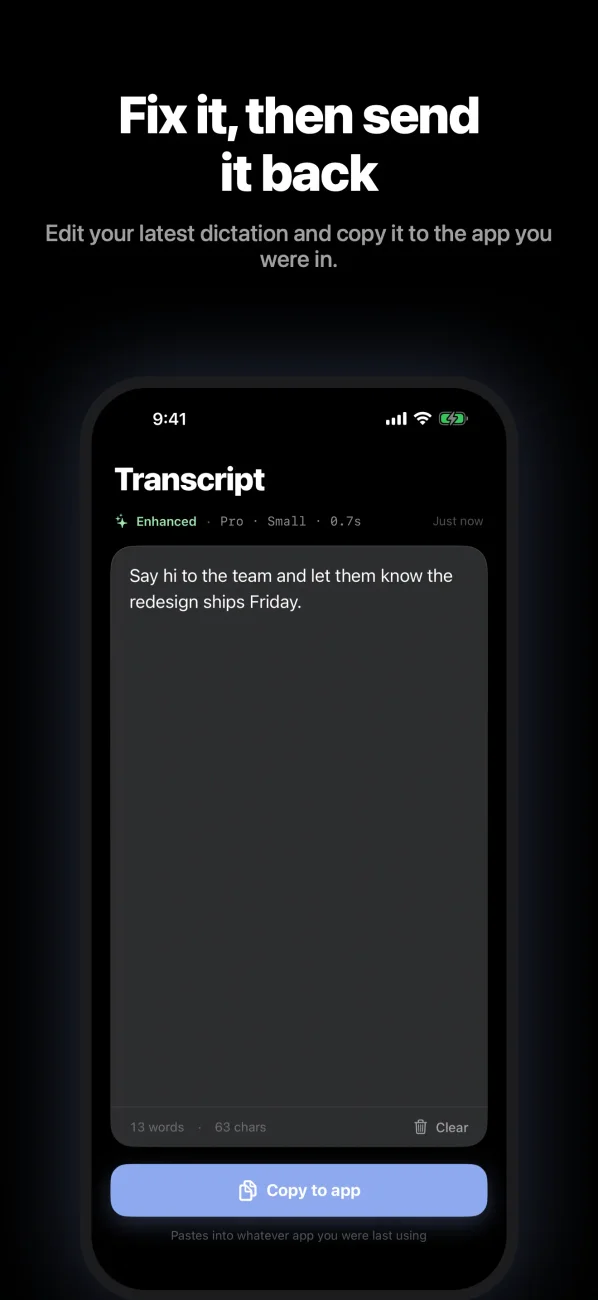
• Transcript tab: edit your latest dictation and send it straight back to the app you were in.
• Weekly stats: see how many words you dictated and how much time you saved.
• A short guide shows how to swipe back to your app after dictating.
• A new app icon to match.
App privacy
What Kevin Mok declares on the App Store about how this app handles data.
-
Data not collected
The developer does not collect any data from this app.
Privacy practices may vary, for example with the features you use or your age.
Information
- Seller
- Kevin Mok
- Category
- Productivity
- Version
- 1.6.0
- Updated
- Nov 5, 2026
- Released
- Apr 10, 2026
- Size
- 40.4 MB
- Requires
- iOS 17.0 or later
- Age rating
- 4+
- Price
- Free
- In-app purchases
- Yes
- Languages
- English
- Copyright
- © 2026 Kevin Mok
You might also like
-
 Whispr: Voice to Text KeyboardPrivate AI Dictation, Offline
-
 Spokenly: Audio to Text AI appTranscribe Voice Notes & Talk
-
 Speakly: AI Voice KeyboardDon't type, just Speakly.
-
 Whisper Notes - Speech to TextOffline Transcription & Memos
-
 LLMConnect: AI Chat ClientAll LLM Models in One App
-
 Soulver 4Notepad, meet calculator.
-
 AFFiNE: Notes, Whiteboard AIDocs, Tasks, Markdown & AI
-
 Typeless: AI Voice KeyboardEffortless voice dictation
-
 Soniox - Speech to Text AITranscribe, Notes, Translation
-
 Smile App LauncherA minimalistic dumbphone