Soulver 4
Notepad, meet calculator.
Designed for iPhone, iPad, Mac
Free · In-app purchases
- Age rating4+
- CategoryProductivity
- DeveloperZac Cohan
- LanguagesEnglish+ 8 more
- Size40.0 MB
Links to the official App Store page
Download.org hosts no file of Soulver 4. The button opens its official App Store page, published by Zac Cohan. Listing last checked on Nov 23, 2026.
Screenshots




About
Ever reach for a calculator and the back of an envelope to work something out? That's what Soulver is for.
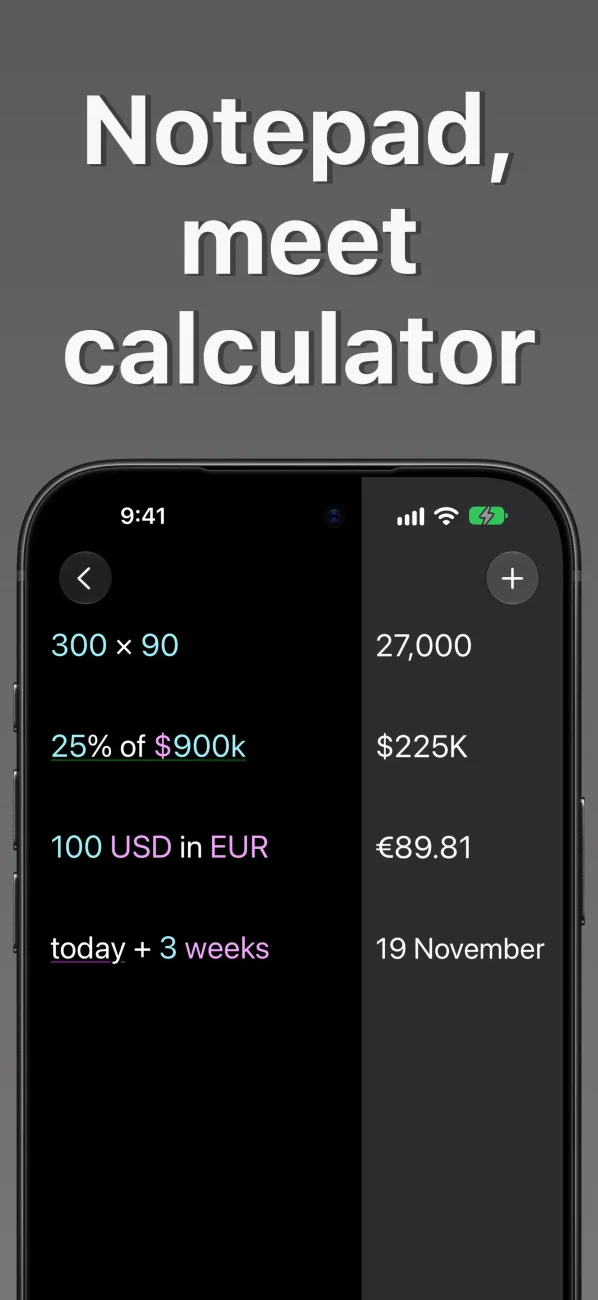
It's a natural-language notepad calculator: think through a problem line-by-line, using plain words and numbers. The answers appear alongside each line as you type.
Soulver isn't just a calculator app — it's the paper you'd scribble on to figure something out. Except this paper does the numbers for you, so you stay thinking at the level of your problem.
20% of $1,480 | $296
$100 in EUR | €86
240 km in miles | 149 mi
$1,200 + 15% tax | $1,380
3 weeks from today | June 21
Because Soulver uses sheets (like Notes), you can explore different ideas: weigh options, change variables and watch everything update.
WHAT CAN SOULVER CALCULATE?
– Live currency conversions — 190 currencies, including crypto
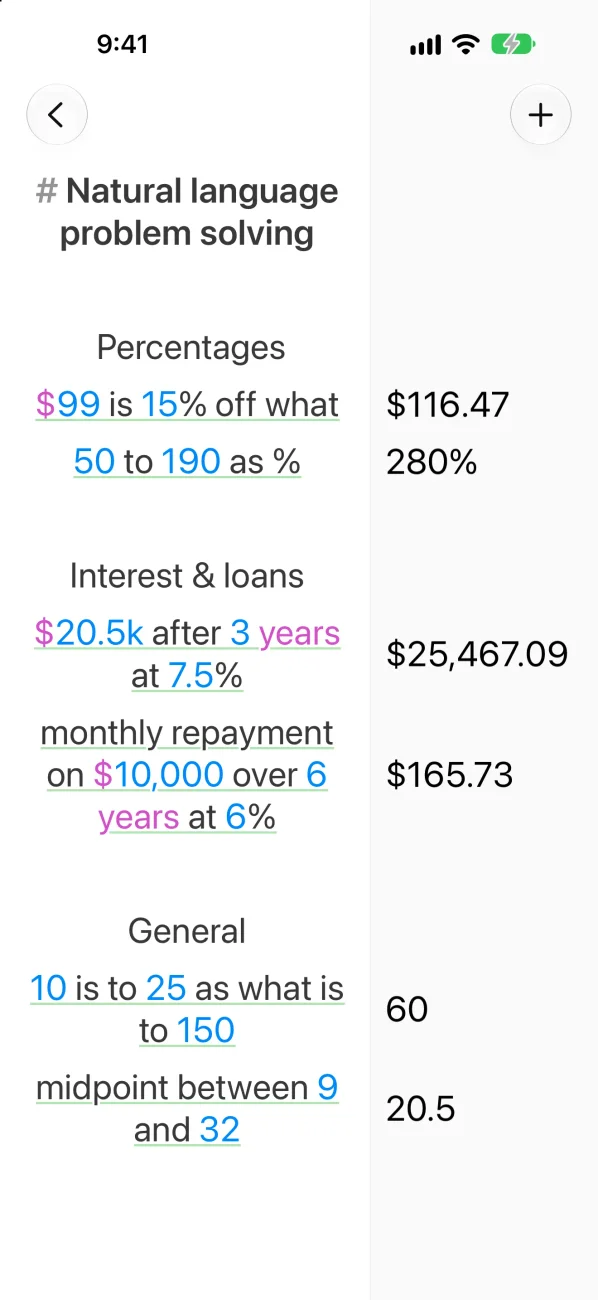
– Percentages in plain language — "20% off $50", "$50 is what % of $200"
– Unit conversions — hundreds of units across length, weight, volume, data and more
– Dates & time — "days until Christmas", time intervals, clock and video-timecode math
– Time-zone conversions — "3pm New York to London"
– Sums & averages
– Financial functions — compound interest, mortgage repayments, hourly rates
It's the closest thing to an on-device universal calculator ever created.
DESIGNED FOR IPHONE
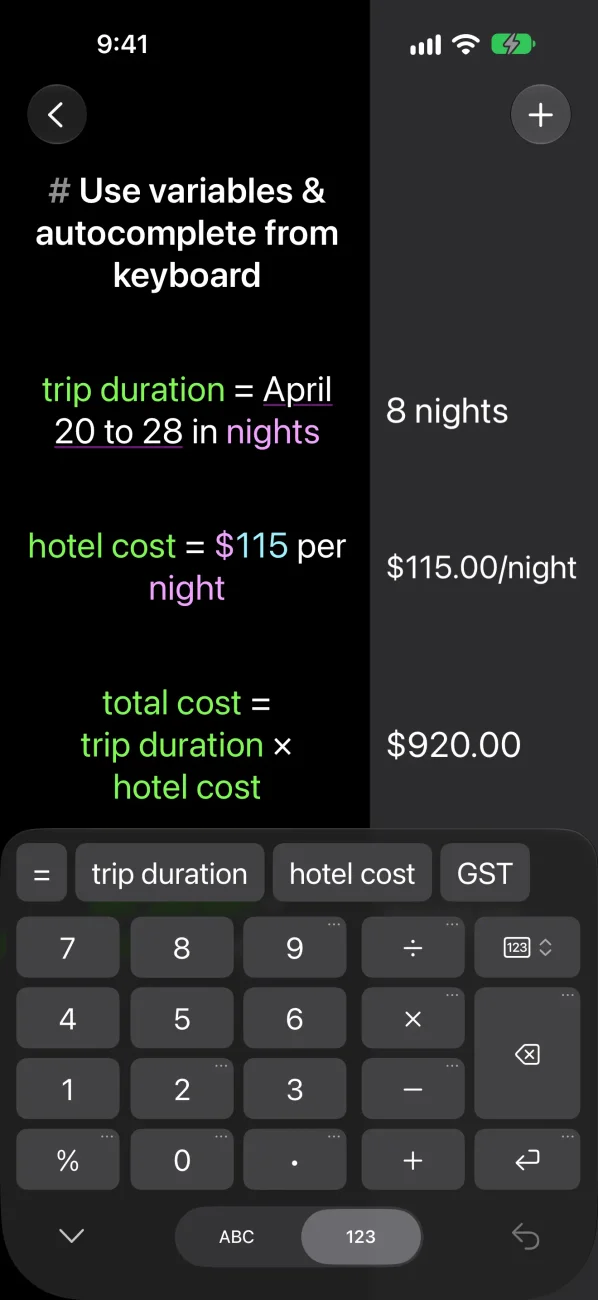
– A meticulously designed numeric keyboard that makes calculating fast
– Six specialised accessory keyboards — for currencies, percentages, dates & times, and variables
– Build your own custom keyboard with the buttons you reach for most
BEST-IN-CLASS ON IPAD
– Multiple windows, Slide Over & Split View — float Soulver alongside Notes or Safari
– Full Magic Keyboard support with dozens of keyboard shortcuts
– Scribble & Apple Pencil
– Find & replace, a line-styling palette and a powerful text editor
– Automation with URL schemes & Siri Shortcuts
POWER USER FEATURES
– Multi-word variables — "total cost = $750"
– Inline tokenized references to previous answers
– Subtotals, tags & trip planning
– Wolfram|Alpha integration
– Headings, comments, labels & dividers to structure long sheets
– Custom units and global variables in the definition sheet
SHARING & SYNC
– Sync your sheets with Soulver 4 for Mac via iCloud
– Export to PDF & plain text, or send beautiful HTML emails
– Share a calculation as an image — just take a screenshot
ONE TIME PURCHASE
Soulver is a one-time (non-subscription) purchase.
We've been refining and improving Soulver since 2005, and major paid updates average once every 7 years.
Try it free for 60 days, no commitment, no automatic charge.
——————————————————————————————
Terms of Use (EULA):
https://www.apple.com/legal/internet-services/itunes/dev/stdeula/
What’s new
Version 4.0.5 · Oct 30, 2026
GENERAL
IPHONE DUO
– Soulver is made for iPhone Duo
– Designed a special number keyboard for Duo in the unfolded pose, with additional accessory keys on the left side and the number pad on the right side
– The keyboard automatically splits when in the partially open pose
– The answer column automatically aligns along the crease in the partially open pose
EXPORT & SHARING
– Print, PDF and Email always go through the styling options first, including ⌘P from a keyboard
– Improved the layout of the styling options preview
EXTERNAL DOCUMENTS (.SLVR FILES)
– The title menu now lets you import the file to the open sheetbook, copy the text with answers, and customise PDF, print & email export
BUG FIXES
– Fixed an issue where the close button was hidden when editing external documents on iOS 26 (thanks David on Mastodon)
– Fixed an issue where pushing changes to iCloud could be delayed after making an edit and immediately going to the Home Screen, until reopening the app. The sync now happens in the background even when Soulver is dismissed (thanks Michael)
– Fixed an issue where line numbers could be misaligned when using quite large accessibility text sizes
CALCULATOR
GROWTH & CHANGE
– Added a phrase to calculate the time required to reach a multiple or double/triple: time to 2x at 7% → 10.24 years, time to double at 12% → 6.12 years
– Support for a growth over a period phrase: years from $100 to $200 at 7% growth every year → 10.24 years
DATES & TIMES
– Durations in the form “xh:xm” are now supported: 1h:17m → 1 hour 17 min, 1h:17:30 → 1 hour 17 min 30 s, 1:17s → 1 min 17 s
– Support for “my time” and “local time” meaning your current device time zone: 4pm EST in local time
UNITS
– Added the long tons unit: 3 long tons in kg → 3,048.14 kg (thanks Sergiy)
App privacy
What Zac Cohan declares on the App Store about how this app handles data.
-
Data not linked to you
May be collected but is not linked to your identity.
- Diagnostics
Privacy practices may vary, for example with the features you use or your age.
Information
- Seller
- Zac Cohan
- Category
- Productivity
- Version
- 4.0.5
- Updated
- Oct 30, 2026
- Released
- May 3, 2020
- Size
- 40.0 MB
- Requires
- iOS 17.6 or later
- Age rating
- 4+
- Price
- Free
- In-app purchases
- Yes
- Languages
- English, French, German, Italian, Japanese, Korean, Russian, Simplified Chinese, Spanish
- Copyright
- © 2026, Acqualia Software OÜ
You might also like
-
 Prizmo › Document Scanner, OCRAccurate OCR scan. PDF & DOCX
-
 Remind Me FasterQuick-entry for Reminders
-
 Anybox - Bookmark & Read LaterSave and Organize Links
-
 Quick Notes - CaptureBrain dump thoughts & ideas
-
 Unforgetful: Never Lose a TaskTo-do reminders app for ADHD
-
 OmniFocus 4Accomplish More Every Day
-
 Rocket TypistText Expander
-
 NotePlan - To-Do List & NotesMarkdown, Planner, Calendar
-
 Timemator: Time TrackerWork Hours Tracker & Billing
-
 BusyCal: Calendar & TasksPlanner, Agenda & Reminders