
Lock Schedule
Calendar on your Lock Screen
Designed for iPhone, iPad
Free · In-app purchases
- Age rating4+
- CategoryProductivity
- DeveloperChristian Guss
- LanguagesEnglish+ 11 more
- Size17.8 MB
Links to the official App Store page
Download.org hosts no file of Lock Schedule. The button opens its official App Store page, published by Christian Guss. Listing last checked on Nov 12, 2026.
Screenshots

About
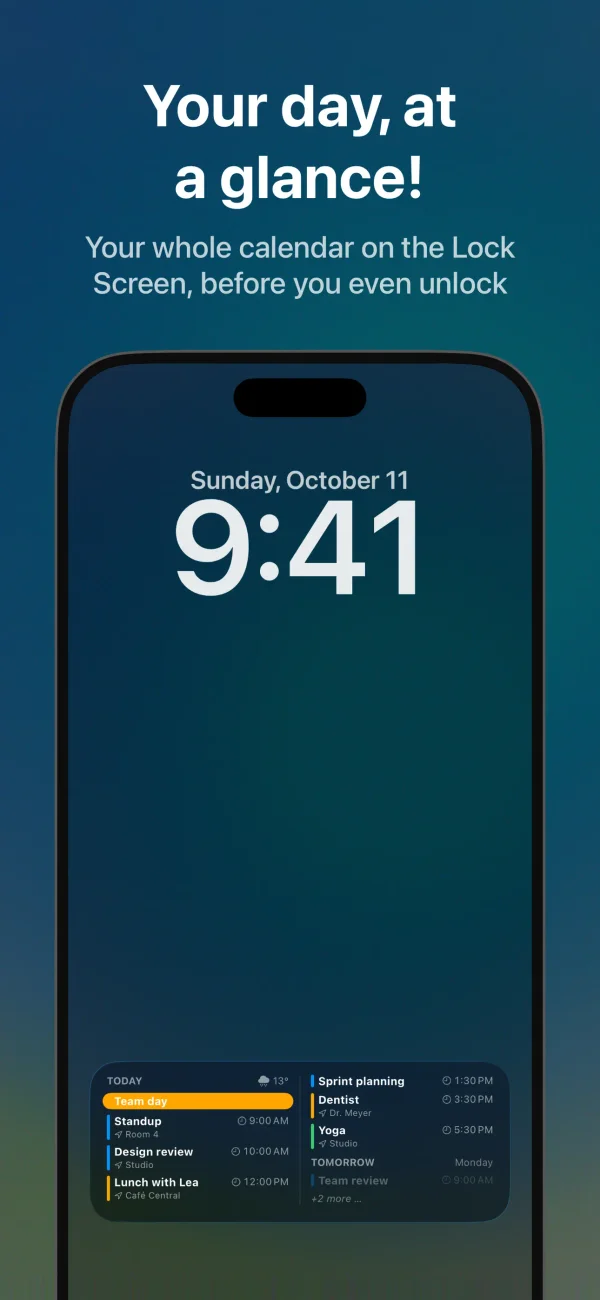
Your calendar, right on the Lock Screen.
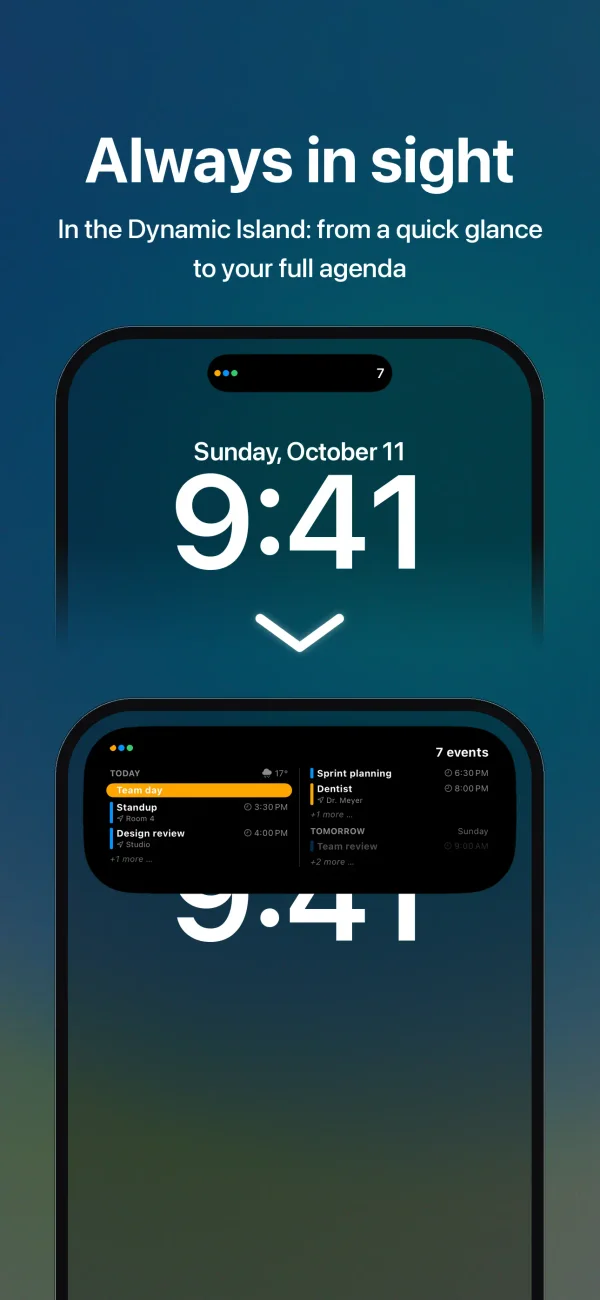
Lock Schedule turns your calendars into a Live Activity: a clean agenda for today and tomorrow that stays on your Lock Screen and in the Dynamic Island. Glance at your phone, see what's next. No unlocking, no app to open.
CREATE YOUR OWN SCHEDULES
• Make as many schedules as you like, for example "Work", "Family" or "Gym"
• Pick which calendars each schedule shows
• Choose the range: today only, today and tomorrow, or further ahead
• Filter by keywords, hide all-day or cancelled events
MAKE IT LOOK RIGHT
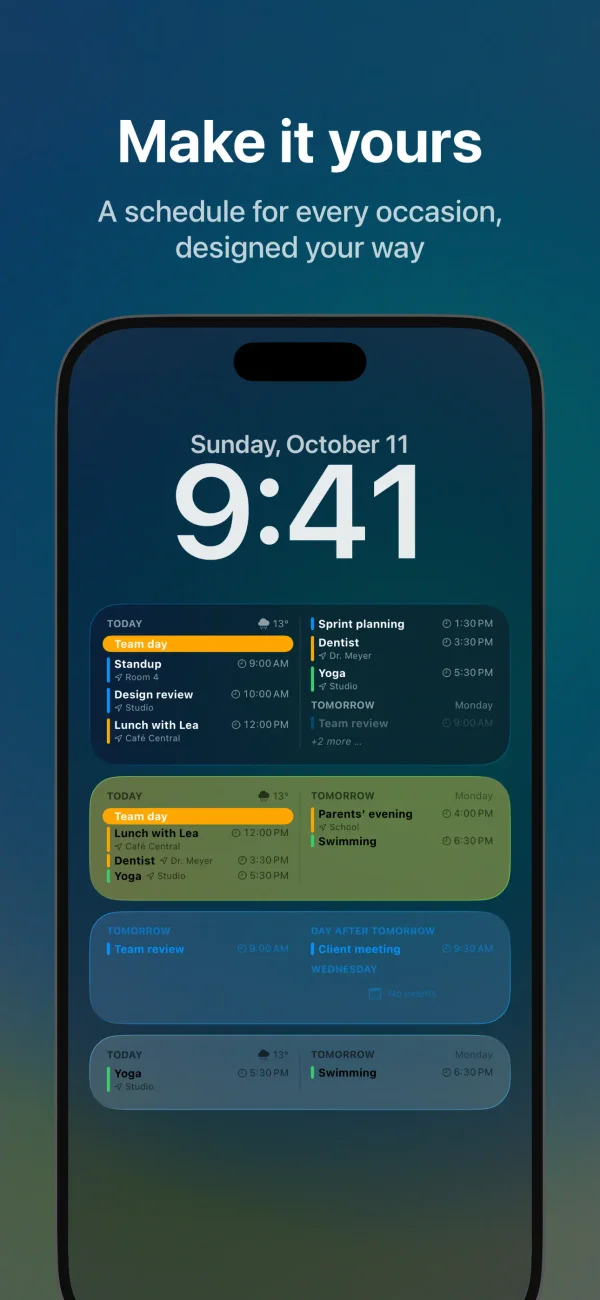
• Clear or solid glass, light or dark, or tinted with a calendar's color
• Adjustable font size, one or two columns, compact rows
• Locations, time icons and dividers on or off
• Weather per day, past events faded or hidden
• Countdown to your next event
START IT YOUR WAY
• Start a schedule with one tap
• Automate it with the Shortcuts app: at a time, at a place, when an event begins
• Tap a day on the Lock Screen to open it in Calendar
PRIVATE BY DESIGN
Your calendar data stays on your device. No account, no tracking. Weather uses only your approximate location.
LOCK SCHEDULE PREMIUM
The basics are free. Premium unlocks the full set of appearance options and removes the footer line on the card.
Terms of Use: https://apps.neonish.com/legal/
Privacy Policy: https://apps.neonish.com/privacy/
App privacy
What Christian Guss declares on the App Store about how this app handles data.
-
Data linked to you
May be collected and linked to your identity.
- Purchases
- Identifiers
-
Data not linked to you
May be collected but is not linked to your identity.
- Location
- Identifiers
- Usage data
Privacy practices may vary, for example with the features you use or your age.
Information
- Seller
- Christian Guss
- Category
- Productivity
- Version
- 1.0
- Updated
- Nov 5, 2026
- Released
- Nov 5, 2026
- Size
- 17.8 MB
- Requires
- iOS 26.0 or later
- Age rating
- 4+
- Price
- Free
- In-app purchases
- Yes
- Languages
- English, Dutch, French, German, Italian, Japanese, Korean, Polish, Portuguese, Simplified Chinese, Spanish, Turkish
- Copyright
- © 2026 Christian Guß
You might also like
-
 Daypane - ルーティン壁紙・ロック画面Productivity
-
 Nicecal – Calendar & WidgetLock Screen & Live Activity
-
 NexTime: Date ReminderCalendar for important days
-
 What Now - Live CalendarLive Activity For Calendar
-
 Lock Screen Memo: Memo WidgetKeep one note in view
-
 CC31: Neon Calendar PlannerSchedule, Notes & Widgets
-
 Habit Tracker - HabitBloomCalendar, Planner & Widget
-
 Daily Charm: Habit & Todo ListLock Screen Calendar & Widgets
-
 Noti - Lock Screen NotesNotes for those hating hassle
-
 Birthday Reminder - NextBdayCalendar, Alerts, Gift Tracker