Nicecal – Calendar & Widget
Lock Screen & Live Activity
Designed for iPhone, iPad, Mac
Free · In-app purchases
- Age rating4+
- CategoryProductivity
- DeveloperTeodor Dimitrov
- LanguagesEnglish+ 9 more
- Size23.7 MB
Links to the official App Store page
Download.org hosts no file of Nicecal – Calendar & Widget. The button opens its official App Store page, published by Teodor Dimitrov. Listing last checked on Nov 27, 2026.
Screenshots
About
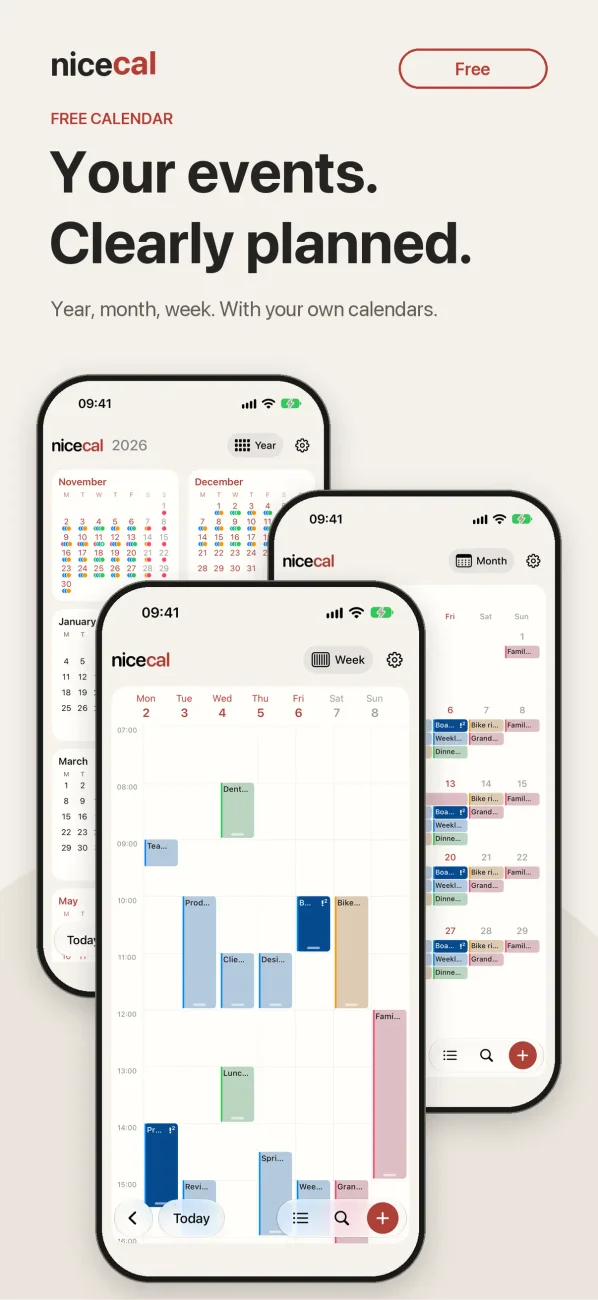
Nicecal shows you what's coming up, how your day is progressing and where you still have free time. Use your existing iCloud, Google or Exchange calendars on iPhone, iPad and Mac.
YOUR DAY AS A LIVE WIDGET ON IPHONE AND APPLE WATCH
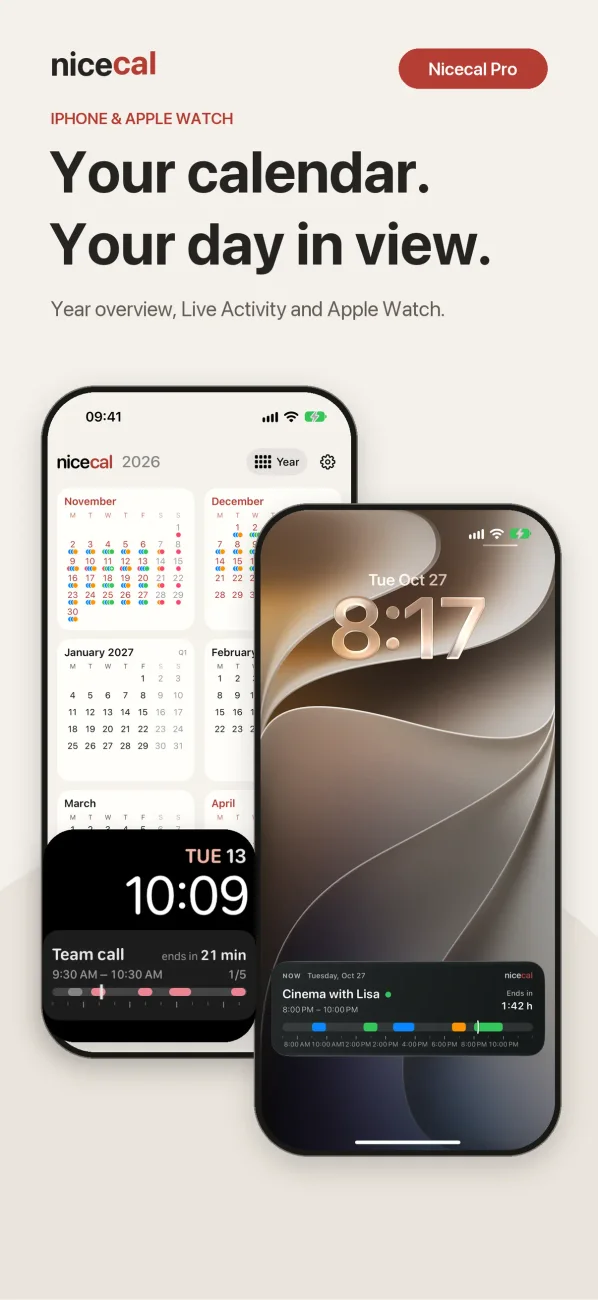
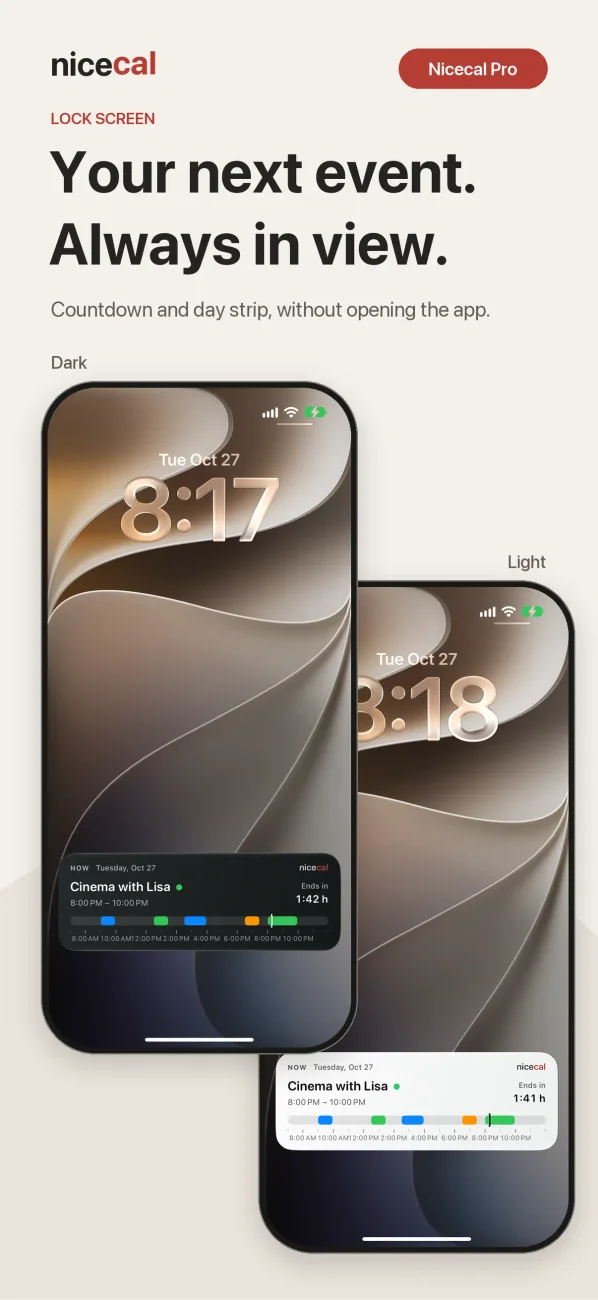
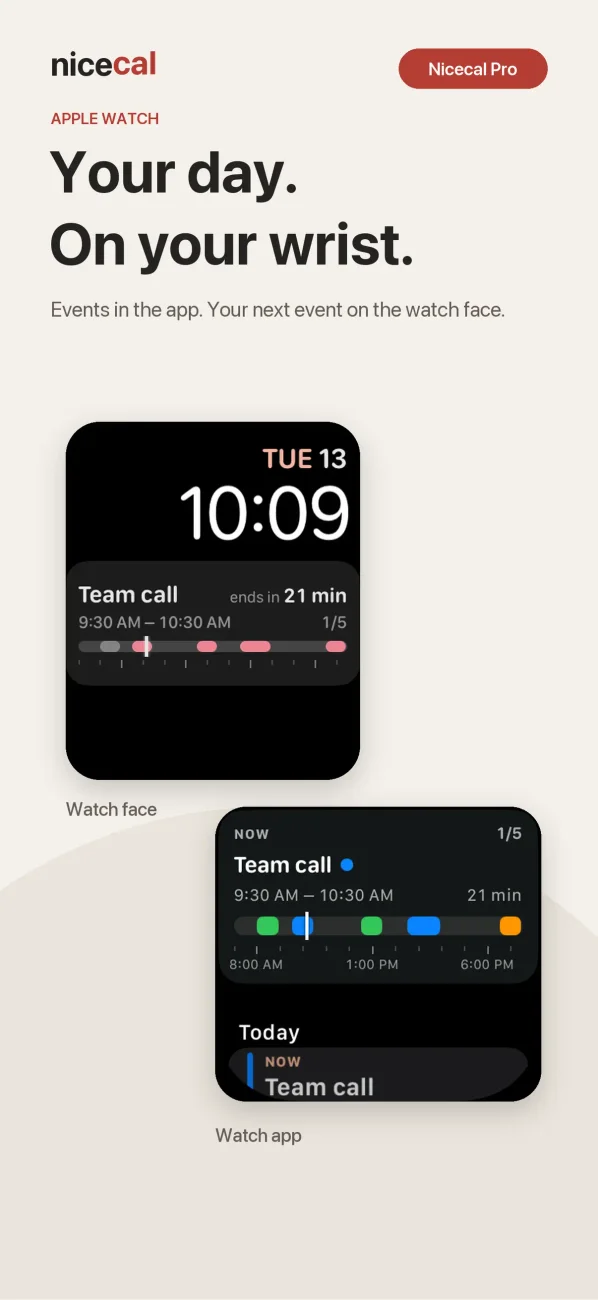
The live widget on iPhone and Apple Watch shows your events and free time in a day strip with a progress indicator. Events use their calendar colours, gaps show free time and a time marker shows where you are in your day. A countdown tells you how long your current event has left or when the next one begins. On iPhone, it's also available on the Lock Screen and in the Dynamic Island.
SPEECH → EVENT
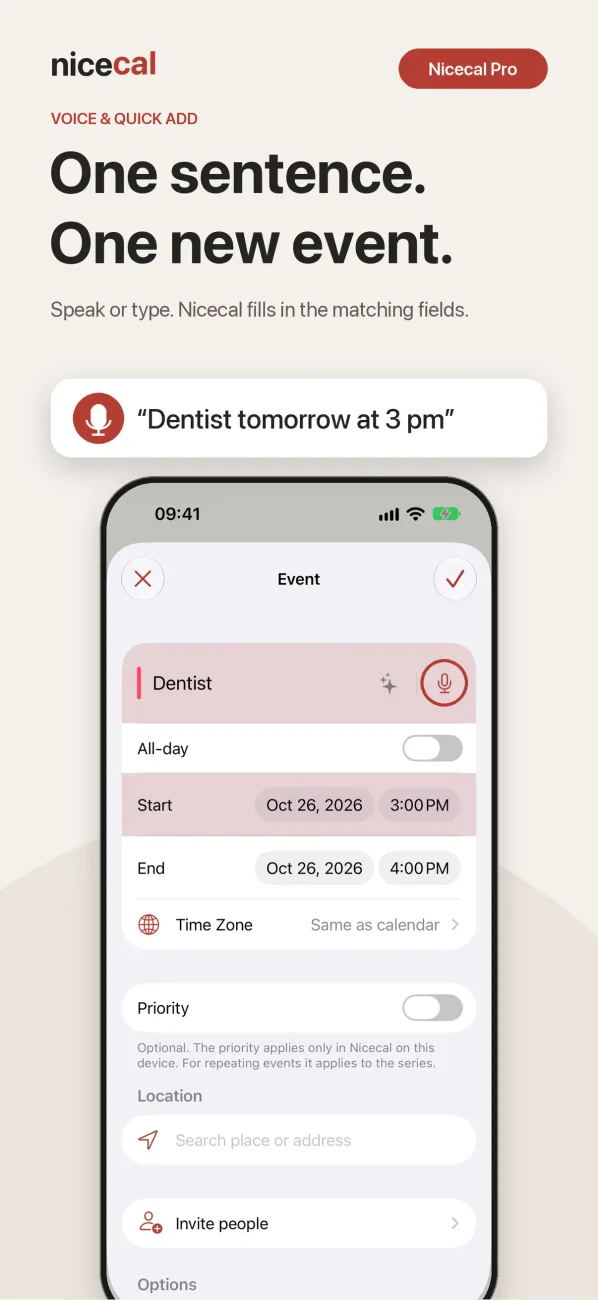
Simply speak your event: “Breakfast with Lisa on Thursday at 9:30 at Café Central, remind me one hour before.” Nicecal automatically recognises the title, date, time, location and reminder. Check the recognised details and apply them to your event with a tap. You can also say the duration, recurrence, calendar and notes. Prefer typing? Write the same sentence in the title field. Custom templates make repeated entries easier.
PHOTOS AND VOICE MEMOS WITH YOUR EVENTS
Attach a photo to an event or record a voice note directly in Nicecal. You can also add existing images and audio files, then view or play them from the event whenever you need them.
FROM A FULL YEAR TO A SINGLE DAY
Choose a year, month, week, three-day or day view. Drag events to move them or adjust their duration. “Up Next” shows upcoming events and, if you choose, due reminders. On Mac, see your calendar, sidebar and event list side by side.
EXPLORE YOUR TIME
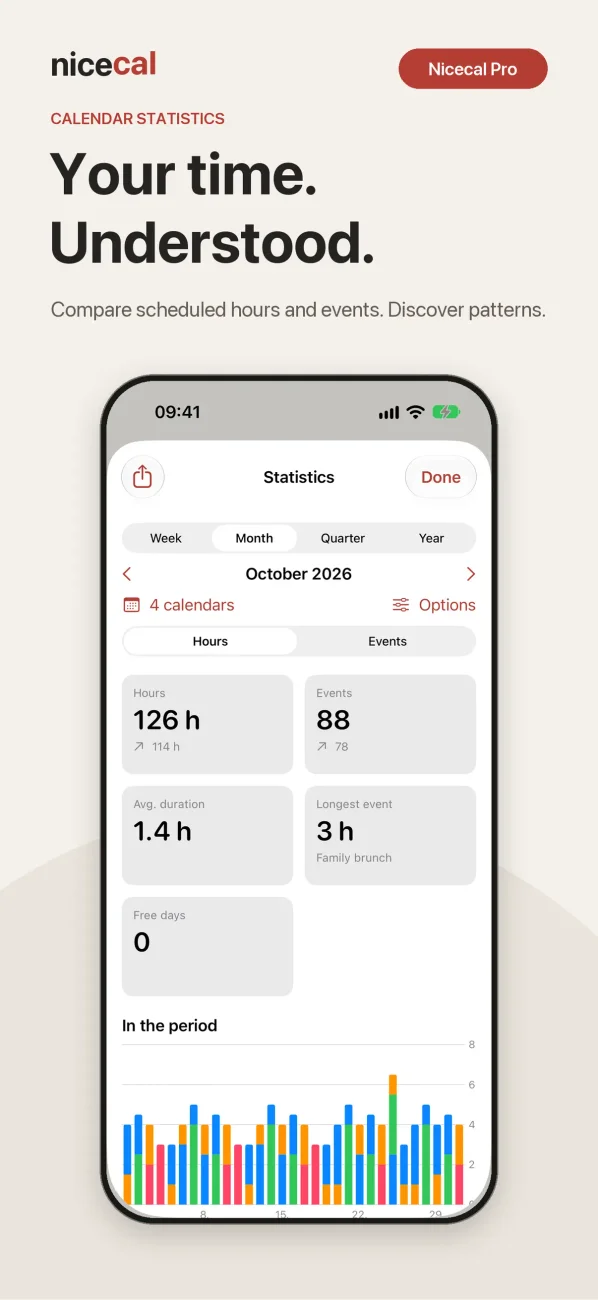
How many hours are scheduled? Which calendar takes up the most time? Statistics show events, scheduled hours and free days by week, month, quarter or year. Compare periods, spot busy weekdays and times, and export your results as CSV.
WIDGETS, WATCH AND NOTIFICATIONS
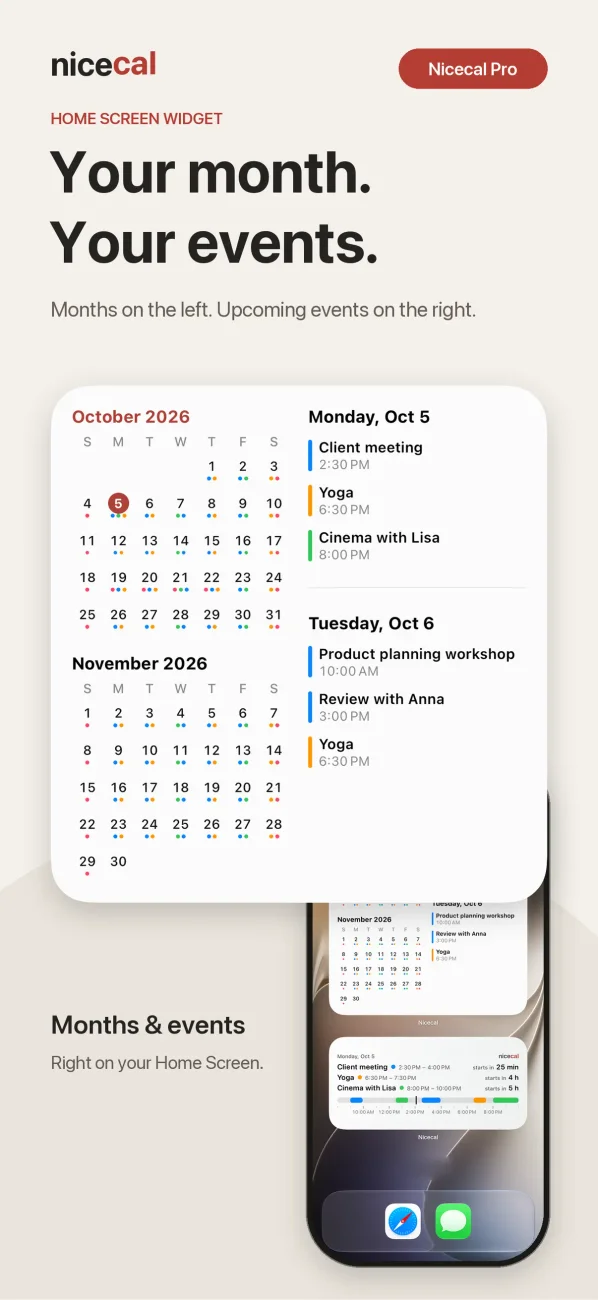
Month calendars, agendas, day strips and statistics are also available as widgets. On Apple Watch, use the event list and watch face complications. Notifications before an event starts or ends, plus morning and evening summaries, help you plan your day.
FREE FEATURES AND NICECAL PRO
Calendar views, event management, search, photos and voice memos are free. The day strip outside the app, Live Activities, widgets, Apple Watch, statistics, natural language input and templates are included in Nicecal Pro.
Pro is available as a quarterly or annual subscription, or as a one-time purchase. Eligible new subscribers can try Pro free for 14 days.
No separate Nicecal account is needed. No ads. No tracking. Your events stay in your existing calendars.
Subscriptions renew automatically unless cancelled at least 24 hours before the end of the current period. Manage or cancel your subscription in your Apple Account settings.
Privacy policy: https://drdimitrovt.github.io/nicecal-legal/datenschutz.html
Terms of use: https://www.apple.com/legal/internet-services/itunes/dev/stdeula/
What’s new
Version 1.6.3 · Nov 26, 2026
The quick-add sentence understands more spoken phrases (half hours, time ranges, weekdays, repeats). ICS import now keeps the calendar's name and color. The app language can be set on the Mac, and the day strip supports 12-hour times. Plus many refinements to Day, 3 Days, Week, Month and Up Next.
Enjoying Nicecal? A rating on the App Store would mean a lot to me.
App privacy
What Teodor Dimitrov declares on the App Store about how this app handles data.
-
Data not collected
The developer does not collect any data from this app.
Privacy practices may vary, for example with the features you use or your age.
Information
- Seller
- Teodor Dimitrov
- Category
- Productivity
- Version
- 1.6.3
- Updated
- Nov 26, 2026
- Released
- Oct 14, 2026
- Size
- 23.7 MB
- Requires
- iOS 17.0 or later
- Age rating
- 4+
- Price
- Free
- In-app purchases
- Yes
- Languages
- English, French, German, Italian, Japanese, Korean, Portuguese, Russian, Simplified Chinese, Spanish
- Copyright
- © Teodor Dimitrov
You might also like
-
 Lock ScheduleCalendar on your Lock Screen
-
 CUMACustomer Manager
-
 LockIn: App Launcher & BlockerScreen Time Limit, Focus Detox
-
 Multi: Habit Tracker & To DoDaily Planner, List & Expenses
-
 Habit Tracker - Habit StreaksDaily Routine, Goals & Mood
-
 Polygenda – Calendar Week+YearMulti-calendar weekly planner
-
 PDF Reader, Read AloudListen, Search, PDF Viewer
-
 What = NextWeek agenda and more
-
 Planwall: Lock Screen CalendarLife Wallpaper & Notes
-
 Agendo Week CalendarYour weekly planner, your way