
- Age rating4+
- CategoryProductivity
- DeveloperVladimir Popov
- LanguagesEnglish+ 29 more
- Size3.9 MB
Links to the official App Store page
Download.org hosts no file of LockCal. The button opens its official App Store page, published by Vladimir Popov. Listing last checked on Nov 12, 2026.
Screenshots

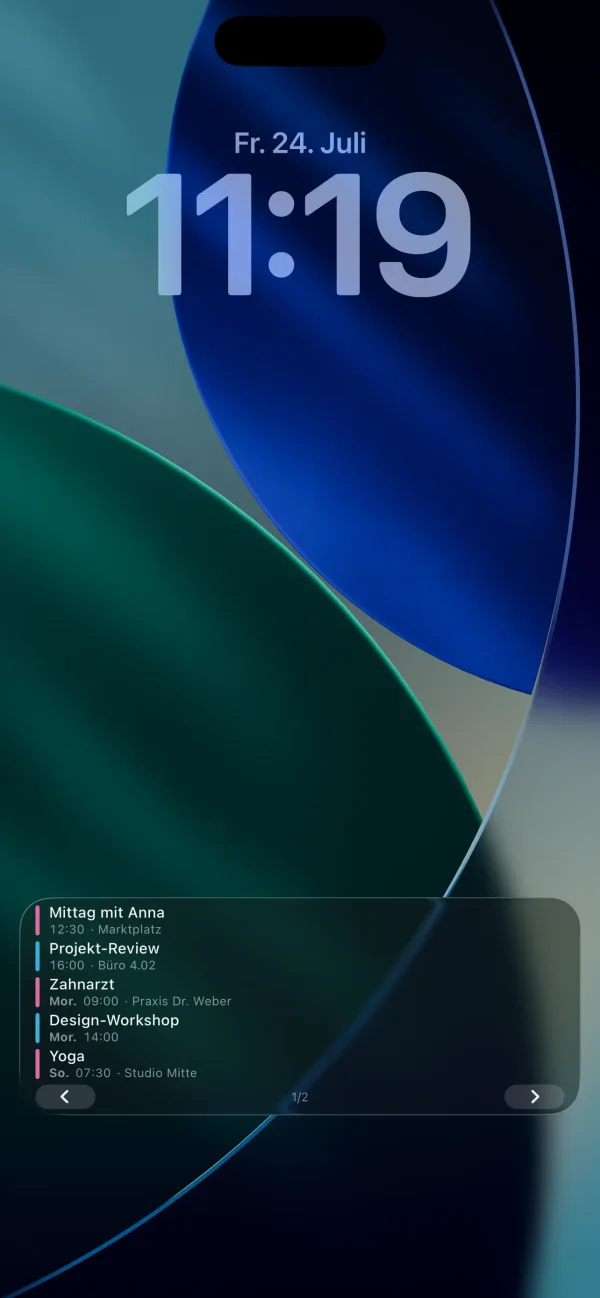
About
LockCal puts your schedule where you already look all day: on your Lock Screen.
YOUR AGENDA AS A LIVE ACTIVITY
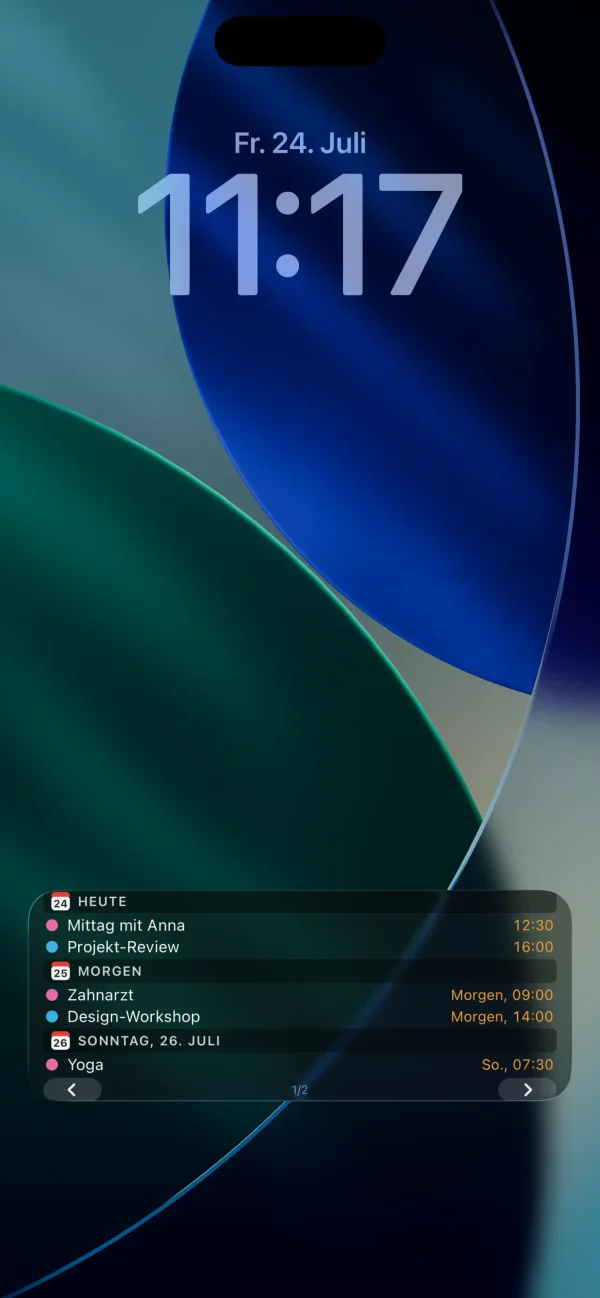
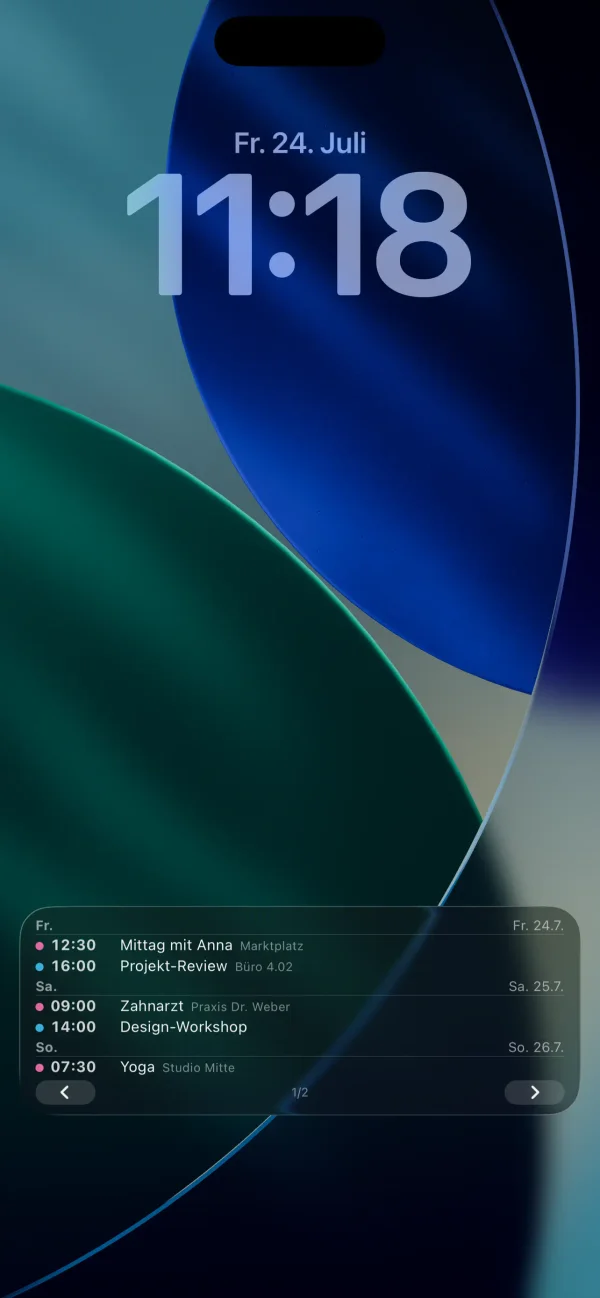
Start your day's agenda with one tap — it stays visible as a card on the Lock Screen. Use the ‹ › buttons to page through the coming days right on the Lock Screen, without unlocking and without opening the app.
FIVE DESIGNS
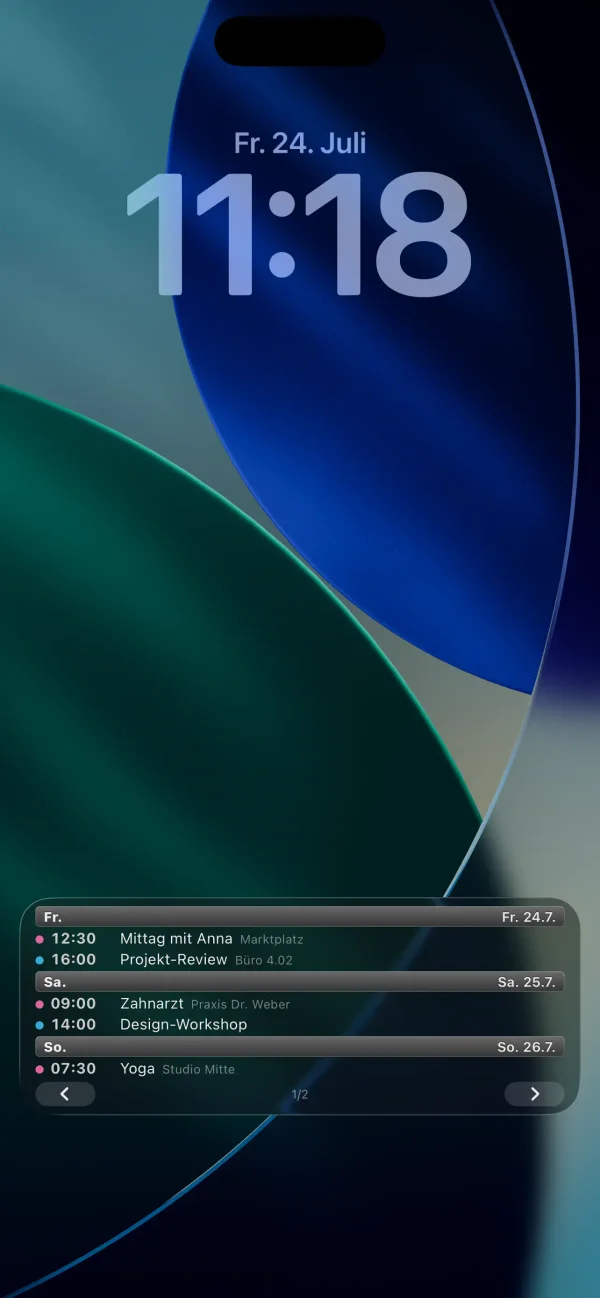
Night Sky, Classic, Retro 2010, Minimal or Timeline — pick the layout that matches your Lock Screen. With calendar color dots, locations and a configurable number of events per page.
WIDGETS ON TOP
Your next events as a Lock Screen widget above or below the clock — plus a Home Screen widget.
AUTOMATIC EVERY MORNING
With a Shortcuts automation, your agenda starts into the day by itself and can clean itself up at night.
YOUR DATA STAYS YOURS
LockCal reads your calendar strictly on-device. No servers, no account, no ads, no data collection — the app does not even have internet access.
ALWAYS FRESH
If you like, LockCal reminds you shortly before iOS ends the Live Activity — one tap on the notification puts your agenda right back on the Lock Screen.
FEATURES
• Day agenda as a Live Activity with paging buttons on the Lock Screen
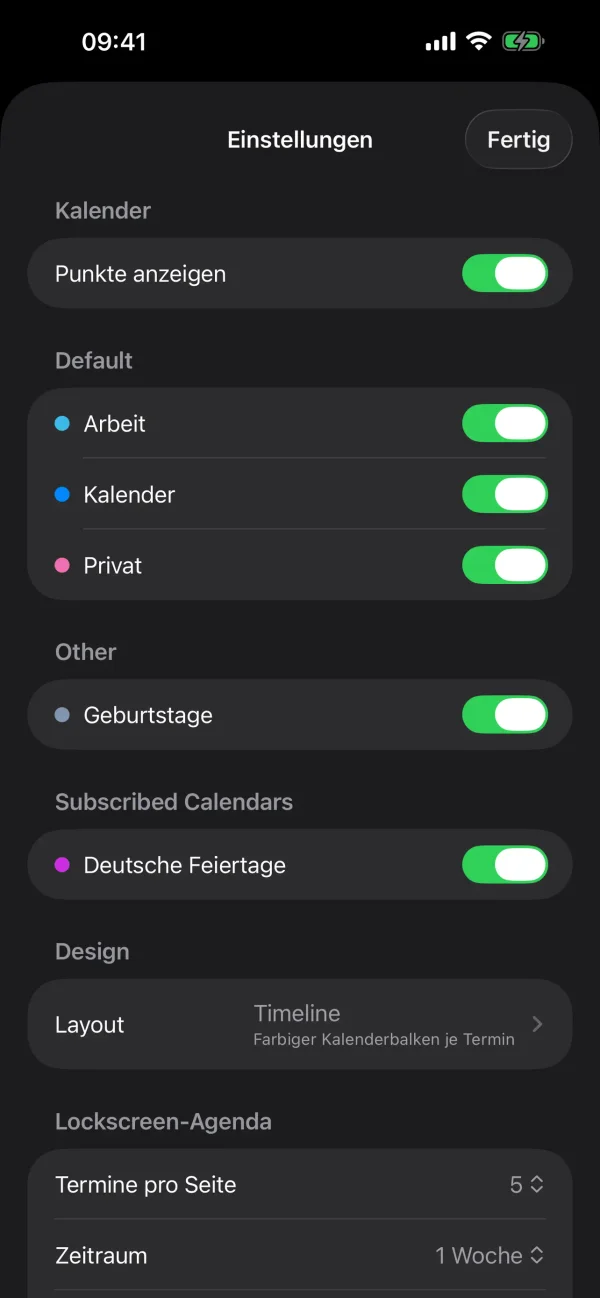
• 5 designs, 3–6 events per page, 3 days to 2 weeks range
• Toggle individual calendars, color dots, locations
• Hide past events; ongoing multi-day events move to "Today" ("until Fri")
• Reminder shortly before the Live Activity expires, with one-tap renewal
• Lock Screen widgets (inline + rectangular) and a Home Screen widget
• Shortcuts actions for automations ("Agenda to Lock Screen", "End agenda")
• Dynamic Island glance with your next event
• Fully localized in English and German
What’s new
Version 1.2 · Oct 7, 2026
• Two new designs for the Lock Screen agenda: “Modern” (day headings, times in calendar color, all-day events as color pills, glass background) and “Modern List” (the same in a single column).
• Renewal reminder is now configurable: shortly before it ends, regularly every 2–6 hours, or daily at a fixed time.
• 31 languages, selectable right in Settings.
App privacy
What Vladimir Popov declares on the App Store about how this app handles data.
-
Data not collected
The developer does not collect any data from this app.
Privacy practices may vary, for example with the features you use or your age.
Information
- Seller
- Vladimir Popov
- Category
- Productivity
- Version
- 1.2
- Updated
- Oct 7, 2026
- Released
- Aug 12, 2026
- Size
- 3.9 MB
- Requires
- iOS 17.0 or later
- Age rating
- 4+
- Price
- Free
- Languages
- English, Arabic, Catalan, Czech, Danish, Dutch, Finnish, French, German, Greek, Hebrew, Hindi + 18 more
- Copyright
- © Vladimir Popov
You might also like
-
 Planwall: Lock Screen CalendarLife Wallpaper & Notes
-
 CalDownCalendar Countdown & Widgets
-
 I Need That Widget: CalendarEvent and reminder widgets
-
 MOTIKCall sheet, shot list & script
-
 CalemonSchedule & Timetable Wallpaper
-
 Memento Mori: Time Left WidgetYear progress & Stoic quotes
-
 Tag KeepSave it. Tag it. Find it.
-
 Brain RipeApp Blocker, Ranked ScreenTime
-
 Timeline: Day PlannerSchedule, share & book time
-
 Calance - Calendar & WidgetsYour calendar at a glance