CalDown
Calendar Countdown & Widgets
Designed for iPhone, iPad
Free · In-app purchases
- Age rating4+
- CategoryProductivity
- DeveloperValentin Haberling
- LanguagesEnglish
- Size13.4 MB
Links to the official App Store page
Download.org hosts no file of CalDown. The button opens its official App Store page, published by Valentin Haberling. Listing last checked on Nov 18, 2026.
Screenshots

About
CalDown – Focus. Clarity. Time Awareness.
What is happening now? What comes next? How much time is left?
CalDown turns Apple Calendar events into a focused timeline across iPhone, iPad, widgets and Apple Watch. Choose your calendars and see your day without the clutter.
A TIMELINE BUILT AROUND NOW
• Follow your current event with a countdown and remaining-time bar
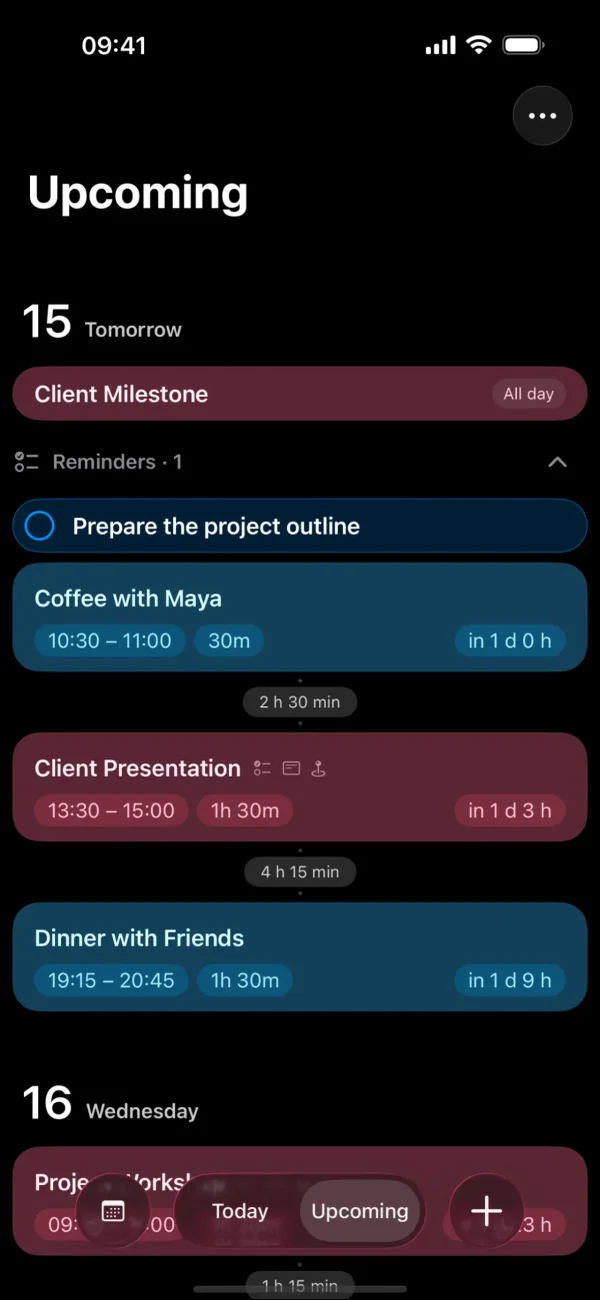
• See all-day, upcoming and recently ended events
• Look ahead by 3, 5 or 7 days
• See gaps, overlaps and timed reminders
• Create and edit events with the Apple Calendar editor
• Hide individual occurrences without changing Apple Calendar, and restore them whenever you need
LIVE ACTIVITIES
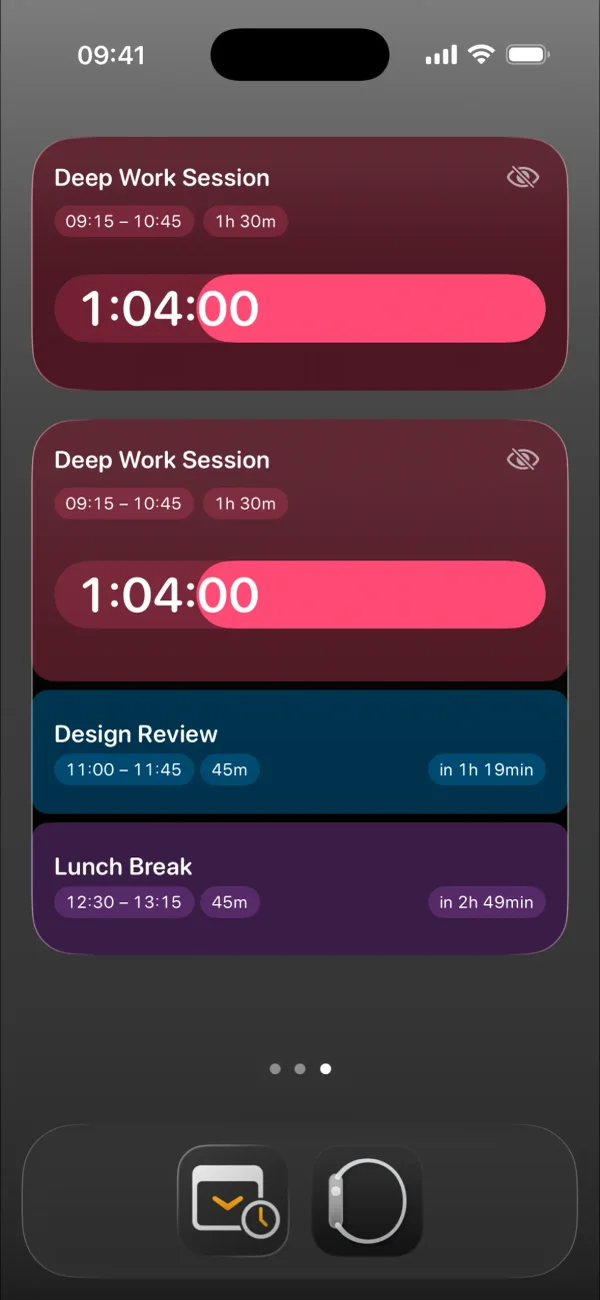
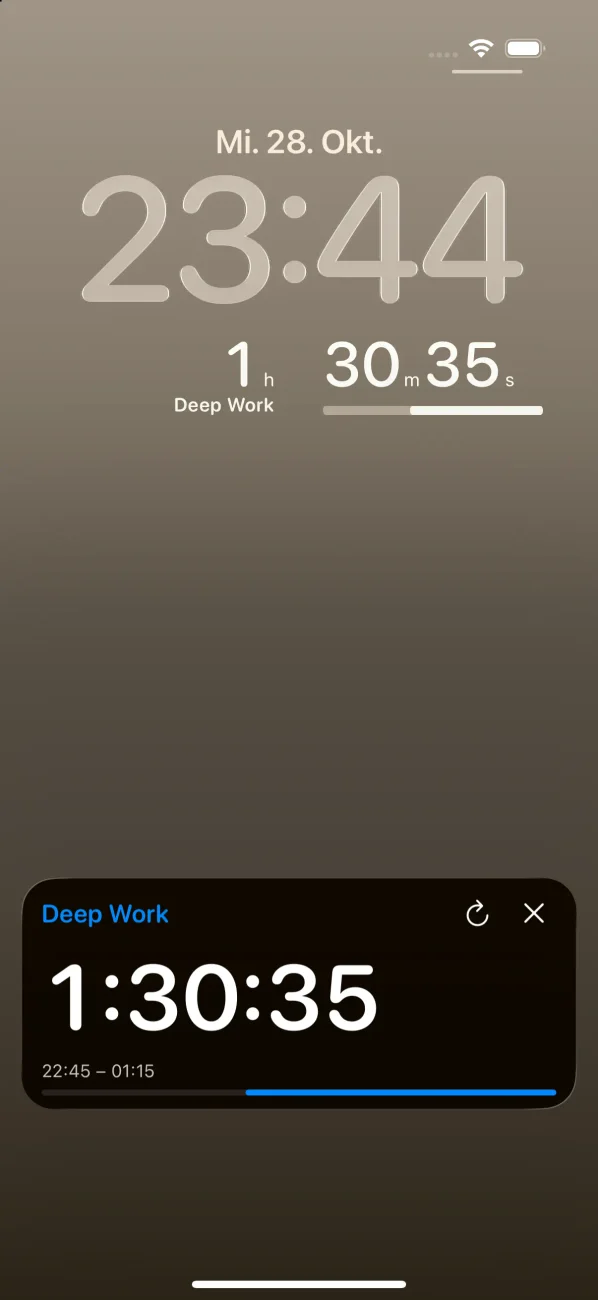
Keep a large countdown on your Lock Screen and Dynamic Island, optionally showing upcoming events.
Start from CalDown, an event’s play button or the dedicated Lock Screen control. You can also enable starting when opening CalDown.
Live Activities do not automatically start for every event while the app is closed. Calendar changes refresh when CalDown runs or you request a refresh.
WIDGETS FOR A QUICK GLANCE
• See your current or next event on the Home Screen or Lock Screen
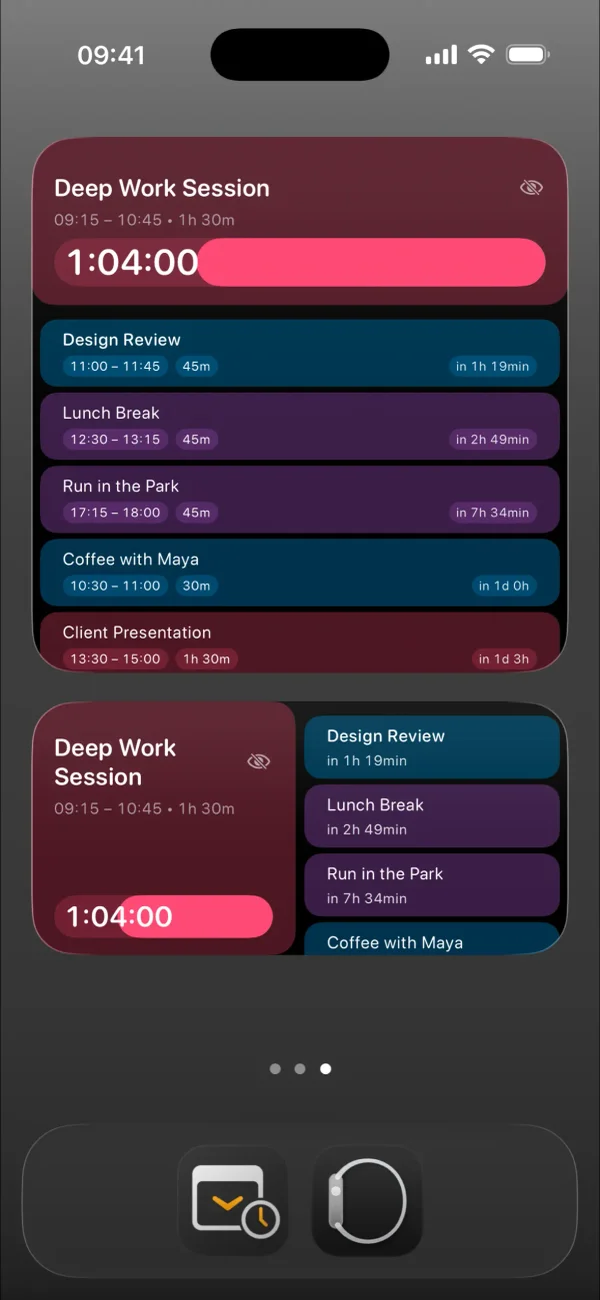
• Choose focused countdowns or event overviews
• Place Presentation A and B side by side for a larger Lock Screen countdown
• Show gaps and overlaps, or hide the highlighted event, in supported layouts
APPLE WATCH — WITH PRO
• View events available on your Watch without your iPhone nearby
• Follow your iPhone’s calendar selection or choose separate calendars
• Choose circular, corner, inline and rectangular complications
• Presentation Dynamic emphasizes the leading time unit
• Presentation Fixed keeps hours, minutes and seconds in a consistent layout
• A prominent “In” distinguishes upcoming events from running events
• Event Overview shows two events and highlights the current one
• Expand event and reminder details
Widgets and complications use your selected Upcoming range. Refreshes and Always On updates are managed by the system.
CALENDAR NOTIFICATIONS
Create calendar groups with alerts before, at, during or near the end of events. Choose sound settings for each group on iPhone.
CalDown alerts are separate from Apple Calendar alerts, so both may notify you. Delivery depends on permissions, Focus settings and system background refresh.
APPLE REMINDERS — BETA, WITH PRO
Show dated tasks alongside events, keep overdue tasks in Today, complete tasks and review dated tasks completed today. Use Apple Reminders to create, edit or reopen them.
Undated tasks are not shown. Reminders do not occupy time or appear in widgets and complications. Watch completion requires the paired iPhone; offline requests remain pending. Both devices need reminder access and the same account. Some accounts may not match tasks reliably.
NOTES AND CHECKLISTS
Keep notes and checklists with events. Watch changes require the paired iPhone to save and confirm them. Your calendar account manages synchronization.
MAKE TIME EASIER TO READ
Choose System or OpenDyslexic for CalDown, widgets, Live Activities and Apple Watch.
Preview and customize Remaining Time Colors and warning thresholds. Apply them to the timeline, widgets and Watch independently. These are visual cues; notifications are configured separately.
SIRI AND SHORTCUTS
Ask about Current, Next or Today’s schedule. Hide an occurrence, restore the last hidden event, or open Today and Upcoming.
YOUR DATA, YOUR RULES
• No CalDown account, ads, subscriptions or analytics
• On-device processing, with no external CalDown server
• Hidden-event preferences sync only with your paired Watch
• Optional diagnostic reports you review and choose to share
START SIMPLE. UNLOCK MORE WITH PRO.
Use one calendar at a time and basic widgets for free. A one-time purchase unlocks multiple calendars, additional widget layouts, Apple Watch and Apple Reminders integration.
Your time. Your focus. CalDown.
What’s new
Version 1.8 · Oct 29, 2026
More ways to keep your countdown in view.
• Live Activities bring your countdown to the Lock Screen and Dynamic Island. Choose a large countdown or add upcoming events. Start from CalDown, use the new Lock Screen control, or enable starting when you open the app.
• New Presentation A and B Lock Screen widgets work side by side for a larger countdown, with an event title and remaining-time bar. Updated event overviews show what is current and what comes next.
• Choose the optional OpenDyslexic reading font for CalDown, widgets, Live Activities and Apple Watch.
• Redesigned Timeline & Display settings, with a preview for Remaining Time Colors and clearer Live Activity setup instructions.
• Improved countdown transitions, Always On behavior and remaining-time bars across widgets and Apple Watch complications.
• More reliable updates after adding or deleting events, plus fixes for outdated widget content and overlapping countdown digits.
• Refreshed app icon and launch screen, improved bottom navigation spacing, and corrected the app name shown on your device.
App privacy
What Valentin Haberling declares on the App Store about how this app handles data.
-
Data not collected
The developer does not collect any data from this app.
Privacy practices may vary, for example with the features you use or your age.
Information
- Seller
- Valentin Haberling
- Category
- Productivity
- Version
- 1.8
- Updated
- Oct 29, 2026
- Released
- Apr 14, 2025
- Size
- 13.4 MB
- Requires
- iOS 26.0 or later
- Age rating
- 4+
- Price
- Free
- In-app purchases
- Yes
- Languages
- English
- Copyright
- © 2026 CalDown
You might also like
-
 HabitPace: Daily HabitsBuild Routines & Daily Goals
-
 LockCalCalendar on your Lock Screen
-
 Cal CountdownHow much time do you have?
-
 Ringround: Visual Day PlannerTime blocking for busy brains
-
 Blurt: Wrist Voice NotesSay it. It sorts itself.
-
 TimeTiles: Visual Time TrackerPrivate Time Tracker via Tiles
-
 Not To Do - Break Bad HabitsFocusing on what NOT to do!
-
 Today CountdownMake every second count
-
 TwinOutlook - Agenda controlWidget, app, dense info layout
-
 Agent Sonic: AI AssistantFollow-ups, reminders & briefs