- Age rating4+
- CategoryProductivity
- DeveloperDhawal Gajwe
- LanguagesEnglish
- Size2.8 MB
Links to the official App Store page
Download.org hosts no file of LockedIn - Focus Timer. The button opens its official App Store page, published by Dhawal Gajwe. Listing last checked on Nov 13, 2026.
Screenshots


About
LockedIn turns your iPhone into a single-purpose focus device.
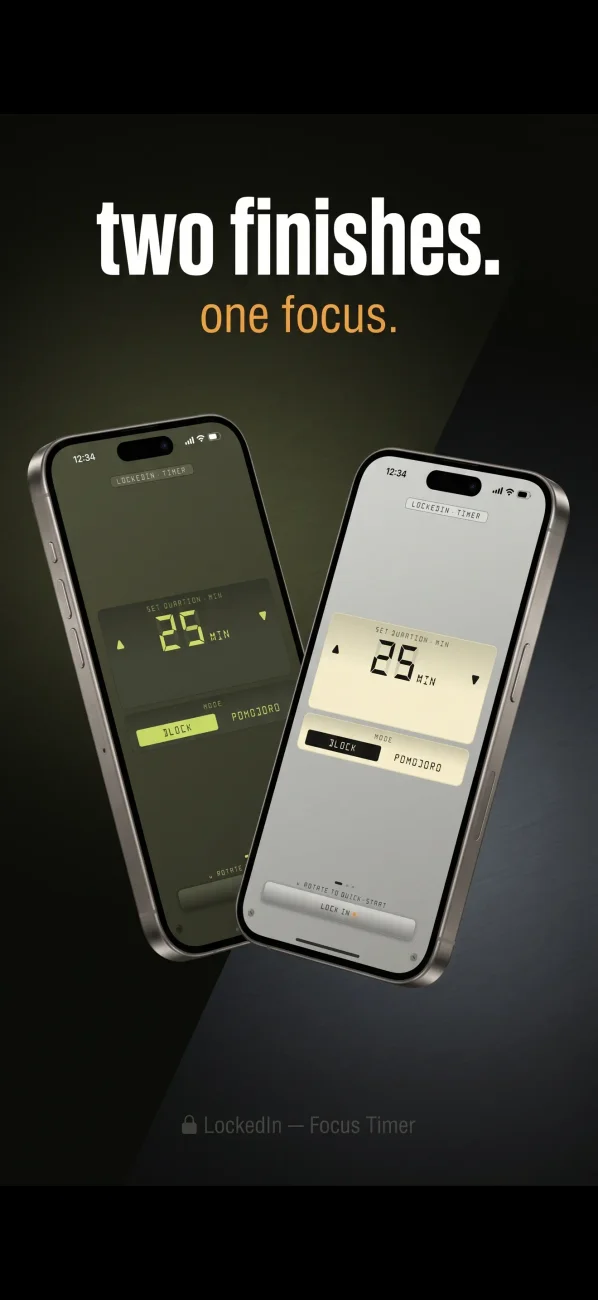
Tap LOCK IN, set how long you want to focus, and the entire screen becomes a wall-to-wall LCD timer — Casio watch face, brushed steel or olive military finish, your choice. No menus, no notifications mid-session, no temptation to scroll just one more time.
—— FEATURES ——
• Block timer. One session, one duration. From 1 minute to 10 hours.
• Pomodoro mode. Configure focus length, break length, and rounds on the Timer page itself — the cycle runs automatically with a bell at every leg transition.
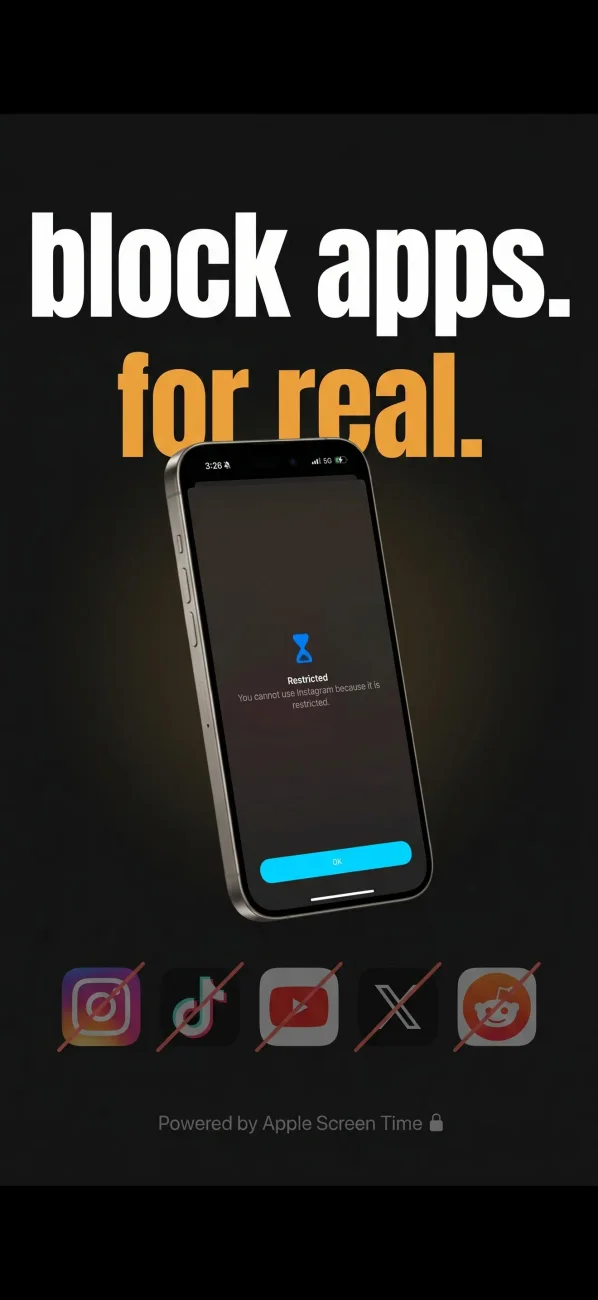
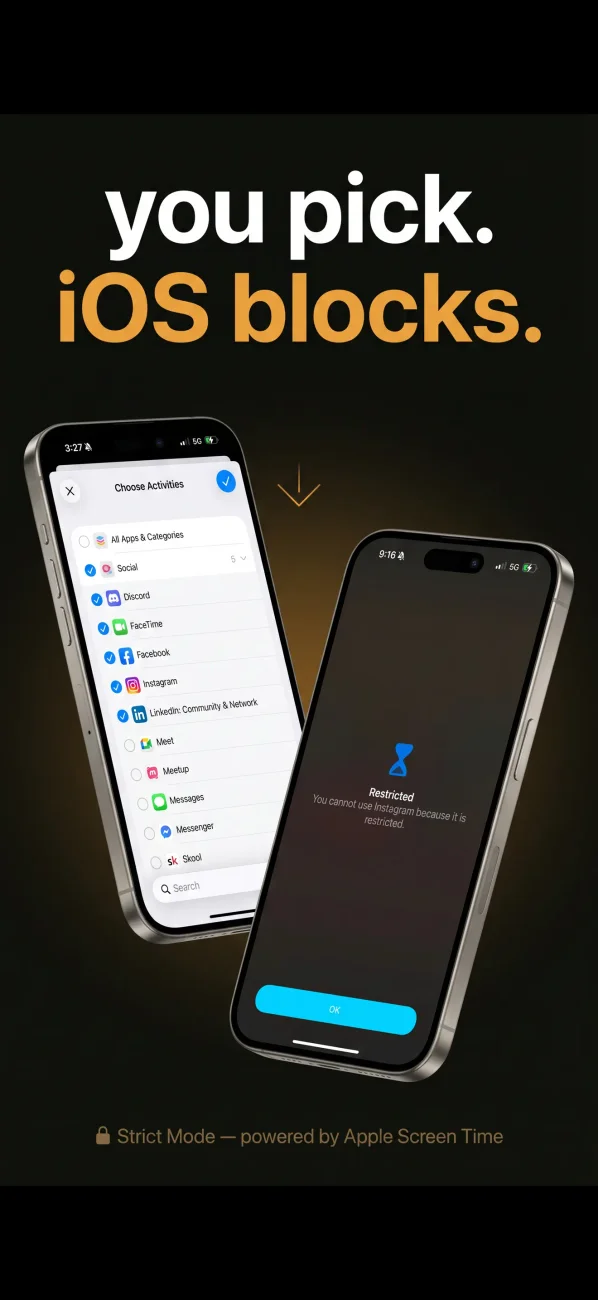
• Strict Mode. Pick which apps you want blocked. During a session, those apps cannot be opened. Notifications from them are suppressed. Built on Apple's Family Controls and ManagedSettings — the same technology Apple uses for Screen Time. Phone calls still ring.
• Rotate to lock in. From any page, rotate your iPhone to landscape to instantly start your default session.
• Two Themes. Steel daylight LCD or Olive military LCD. Classic, Modern, Data-Bank, and Terminal digit faces.
• Stats. 7-day pixel bar chart, recent session log, daily streak.
—— PRIVACY ——
Everything stays on your iPhone. No accounts, no sign-in, no analytics, no advertising, no third-party SDKs, no network requests. Your focus log lives in your phone's local storage and never leaves it. Delete the app and the data is gone — there is no server copy because there was never a server.
—— WHO IT IS FOR ——
Anyone who wants a focus timer that feels like a real device, not another app screaming for attention. Built for deep work, study sessions, writing, coding, meditation — anywhere a clean countdown helps.
—— WHAT IS NOT INCLUDED ——
No login. No subscription. No upsell. No "Pro" tier. No notifications outside of the one chime when your session ends. No data leaves the device.
App privacy
What Dhawal Gajwe declares on the App Store about how this app handles data.
-
Data not collected
The developer does not collect any data from this app.
Privacy practices may vary, for example with the features you use or your age.
Information
- Seller
- Dhawal Gajwe
- Category
- Productivity
- Version
- 1.0
- Updated
- May 27, 2026
- Released
- May 27, 2026
- Size
- 2.8 MB
- Requires
- iOS 17.0 or later
- Age rating
- 4+
- Languages
- English
- Copyright
- © 2026 Dhawal Gajwe
You might also like
-
 Dopamine Guard: App BlockerStop Mindless Scrolling
-
 Flowo - ADHD Focus & TasksPlan, focus, get things done
-
 Focus CoveA quiet space for deep work
-
 Locked In Habit TrackerLock In with our habit tracker
-
 The Boring CounterTally Counter
-
 Focus Friend: Pomodoro TimerADHD-friendly, Focus timer
-
 Taskly: Planner & To-DoDaily Schedule Structured Task
-
 Levelio: RPG Habit TrackerDaily planner & to-do list
-
 LockIn: Focus & Pomodoro TimerApp Blocker for Deep Work
-
 Focus FramesTake back your time