
LockIn: Focus & Pomodoro Timer
App Blocker for Deep Work
Designed for iPhone
Free · In-app purchases
- Age rating4+
- CategoryProductivity
- DeveloperSunny Radadiya
- Size13.3 MB
Links to the official App Store page
Download.org hosts no file of LockIn: Focus & Pomodoro Timer. The button opens its official App Store page, published by Sunny Radadiya. Listing last checked on Nov 18, 2026.
Screenshots
About
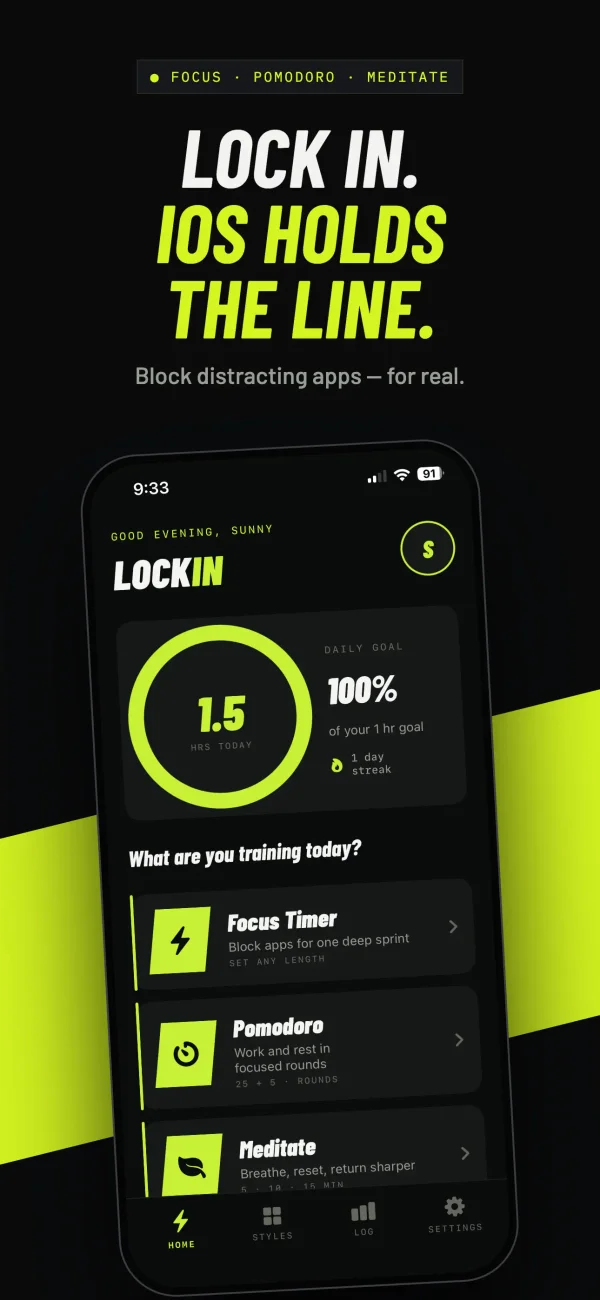
Temporarily block distracting apps and websites while you focus.
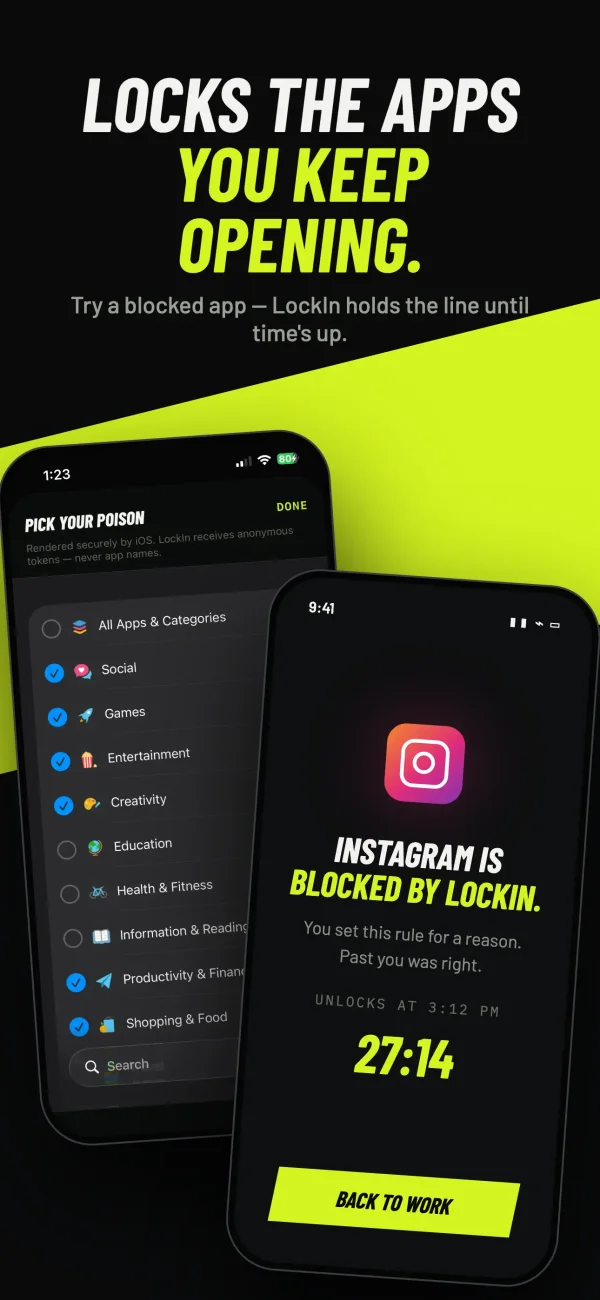
Choose the apps, categories, and websites that pull your attention, start a Focus Timer or Pomodoro, and LockIn uses Apple’s Screen Time technology to shield them for the duration of your session.
Blocking continues if you leave LockIn or lock your phone. When the timer ends, everything unlocks automatically.
BLOCK DISTRACTIONS WITH A TIMER
• Select apps, complete categories, or specific websites using Apple’s private activity picker
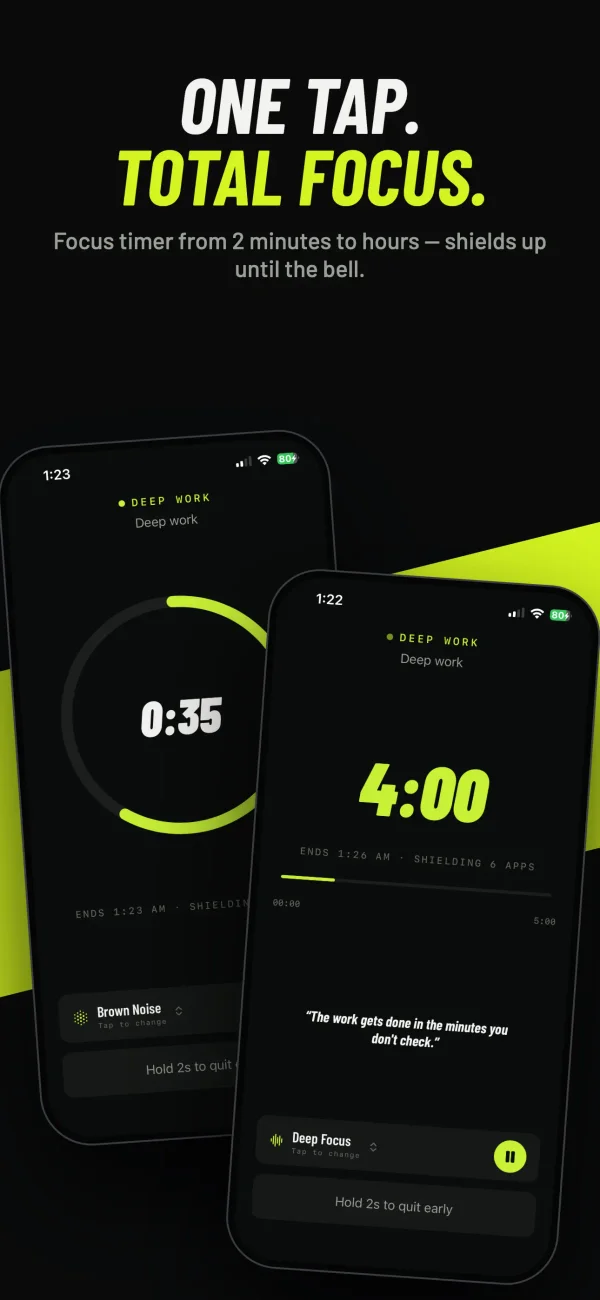
• Set a custom session lasting anywhere from 2 minutes to several hours
• Keep blocking active while using other apps or while your phone is locked
• See a clean Screen Time shield when you try opening a selected app
• Automatically remove every shield when your session finishes
• Use Strict Mode to help prevent ending a session early
THREE WAYS TO LOCK IN
FOCUS TIMER
Start one protected deep-work session. Choose your duration, block your distractions, and remain focused until the countdown ends.
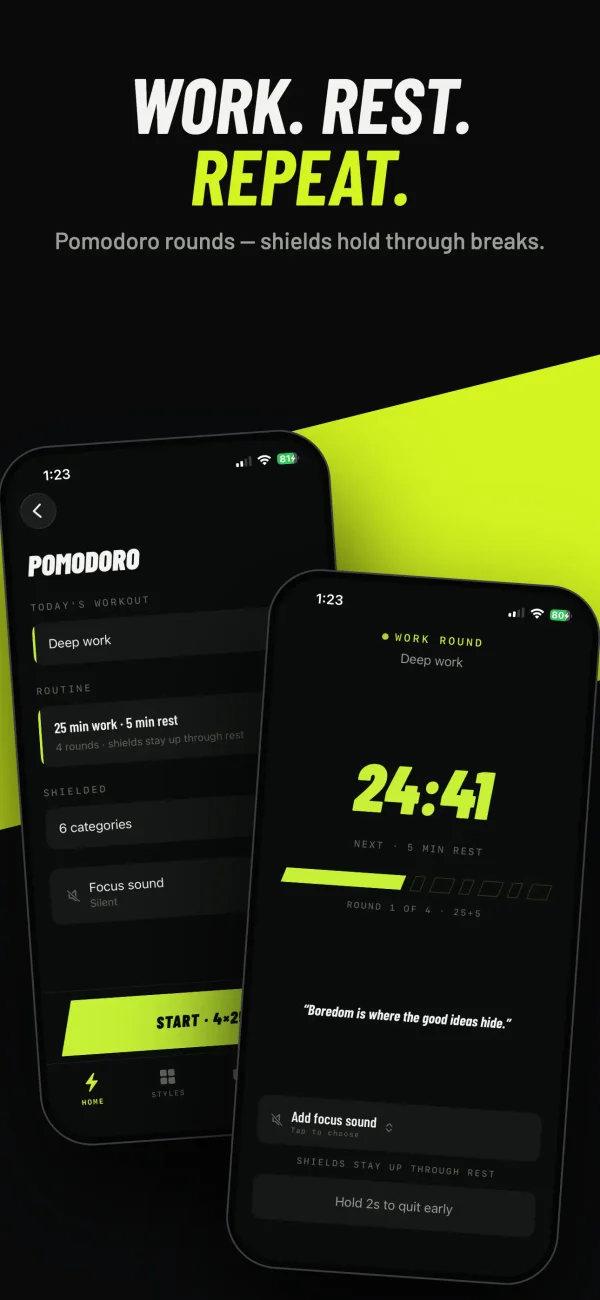
POMODORO
Work and rest in structured rounds. Begin with the classic 25-minute focus and 5-minute break routine, or customize the intervals to suit your workflow.
Your selected apps and websites remain shielded throughout the routine, including its breaks.
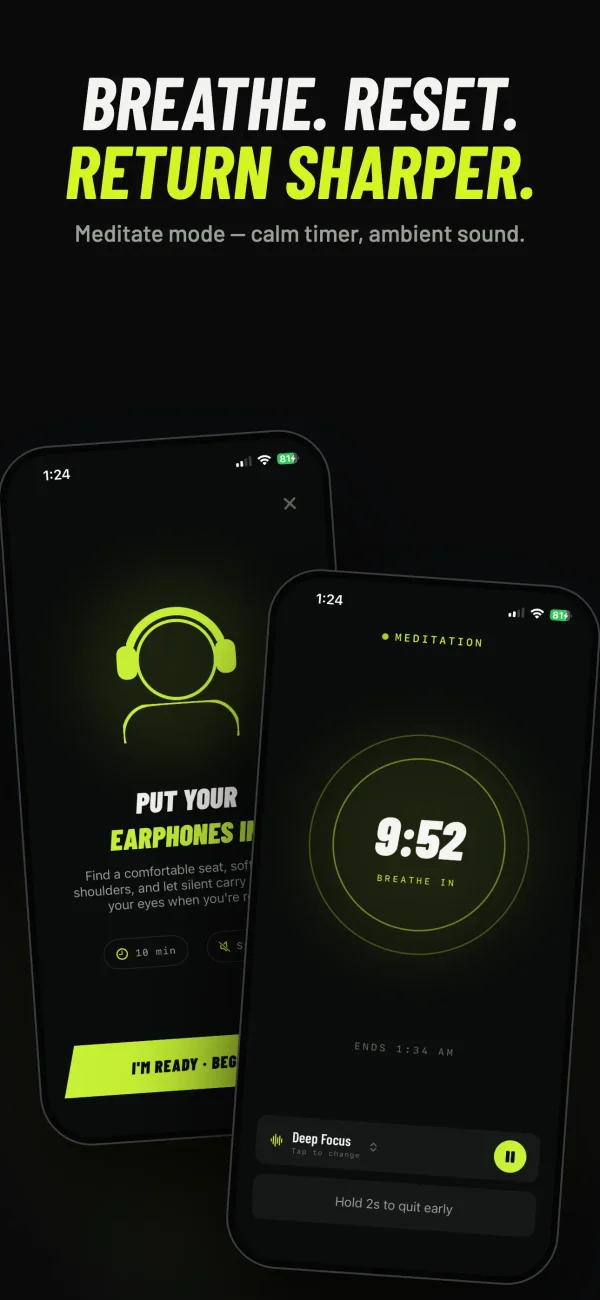
MEDITATE
Choose 5, 10, or 15 minutes, or create your own duration. Play calming ambient sound, breathe, reset, and return sharper.
Meditate mode does not block apps, so you can use it as a simple calming timer.
MAKE IT YOURS
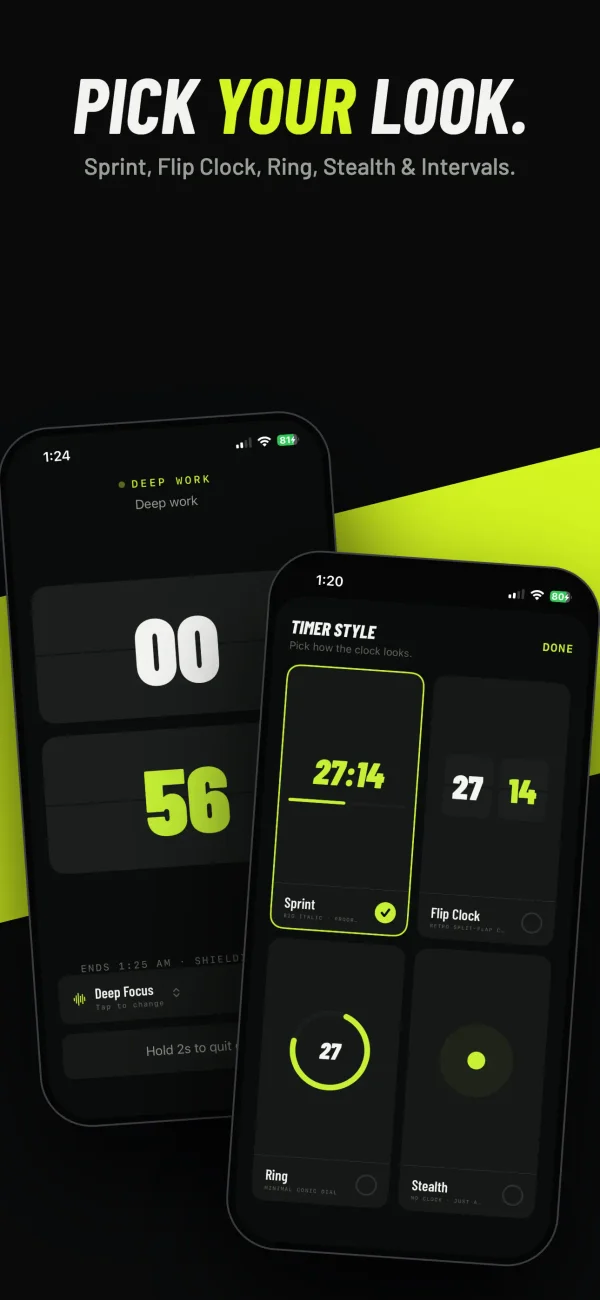
Visit the Styles gallery to explore and preview different timer experiences before choosing your favorite.
Available timer styles include:
• Sprint
• Flip Clock
• Ring
• Stealth
• Intervals
STAY IN THE ZONE
• Play a deep-focus pad, brown noise, rain, ocean, or soft rhythm
• Continue listening while using another app or while your screen is locked
• Control playback from the Lock Screen, Control Center, or in-app mini-player
• Follow the countdown through a Lock Screen and Dynamic Island Live Activity
WATCH YOUR FOCUS COMPOUND
Your Training Log helps you understand your progress with:
• Total focus time
• Daily streaks
• Weekly totals
• Personal best sessions
• Your strongest focus window
• Focus and meditation history
PRIVATE BY DESIGN
LockIn uses Apple’s Screen Time framework and works with opaque activity tokens. It does not identify or collect a list of the apps installed on your device.
Your selected restrictions, focus sessions, meditation activity, and training history are stored on your device. No account is required.
LOCKIN PRO
A LockIn Pro subscription is required to access the app. Pro includes unlimited sessions, Focus Timer, Pomodoro, Meditate mode, every timer style, Strict Mode, presets, ambient sounds, and your complete Training Log.
Subscriptions automatically renew unless cancelled at least 24 hours before the end of the current subscription period. You can manage or cancel your subscription from your Apple Account settings.
Focus is a skill. Train it.
Terms:
https://sunnyrk.github.io/LockIn-Website/terms.html
Privacy:
https://sunnyrk.github.io/LockIn-Website/privacy.html
App privacy
What Sunny Radadiya declares on the App Store about how this app handles data.
-
Data not linked to you
May be collected but is not linked to your identity.
- Purchases
- Location
- Identifiers
- Usage data
Privacy practices may vary, for example with the features you use or your age.
Information
- Seller
- Sunny Radadiya
- Category
- Productivity
- Version
- 1.0
- Updated
- Aug 24, 2026
- Released
- Aug 23, 2026
- Size
- 13.3 MB
- Requires
- iOS 17.0 or later
- Age rating
- 4+
- Price
- Free
- In-app purchases
- Yes
- Copyright
- © 2026 Sunny Radadiya
You might also like
-
 QR Code Scanner: Barcode ReadQR & Barcode Scanner Reader
-
 AssetOSXTechnician App
-
 Phone Cleaner: Duplicate MediaFast Photo & Video Cleaner
-
 LockIn: Focus App BlockerAutopilot. Block distractions.
-
 AZSCOAZSCO
-
 Revisit: Save Posts & LinksRead Later Bookmark Organizer
-
 Focus: Lock in – App BlockerStop scrolling. Lock in.
-
 LockedIn - Focus TimerBlock apps. Build streaks.
-
 Snug PlannerProductivity
-
 Lento: Mindful Screen TimeBreathe before you scroll