
Loendur – Count Anything
Effortless on-device counting
Designed for iPhone
In-app purchases
- Age rating4+
- CategoryProductivity
- DeveloperPastakas
- LanguagesEnglish+ 1 more
- Size20.3 MB
Links to the official App Store page
Download.org hosts no file of Loendur – Count Anything. The button opens its official App Store page, published by Pastakas. Listing last checked on Nov 10, 2026.
Screenshots



About
Loendur is a counter app for anything worth keeping track of - and it keeps the story behind the number, not just the number.
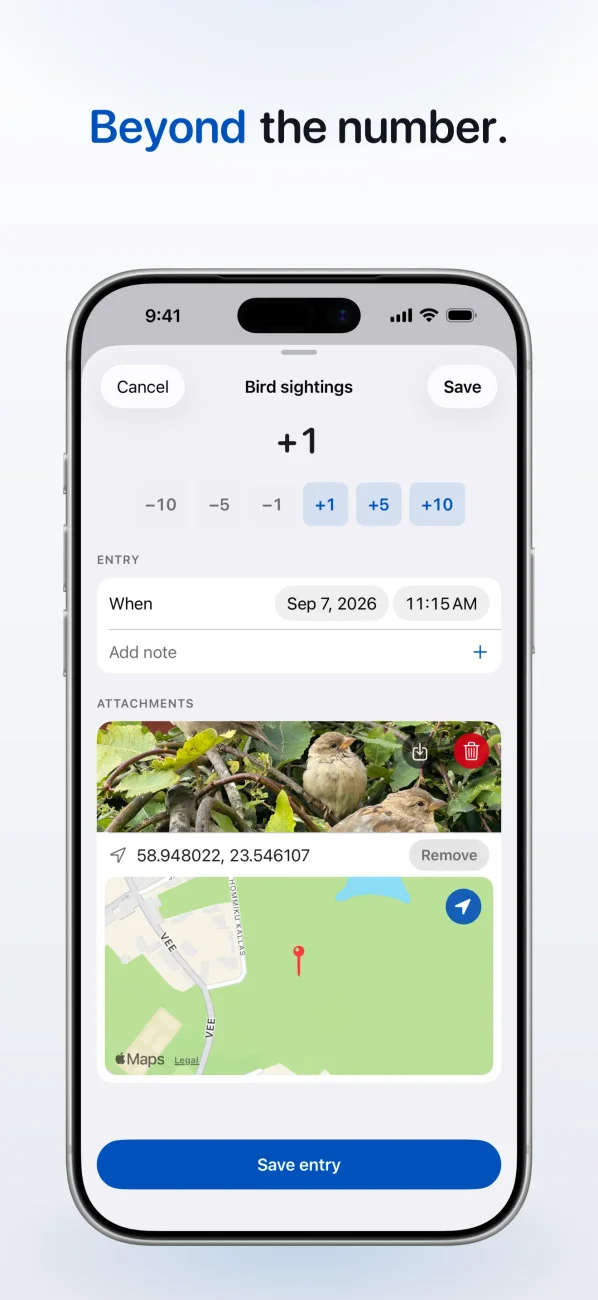
Habits, routines, health, work, hobbies: one tap counts, and the entry remembers when it happened, where you were, and what it looked like.
What Makes Loendur Different
Built local-first, so every tap is instant and everything works offline.
What you count stays on your iPhone.
No accounts.
No ads.
No cloud.
Capture More Than Just Numbers
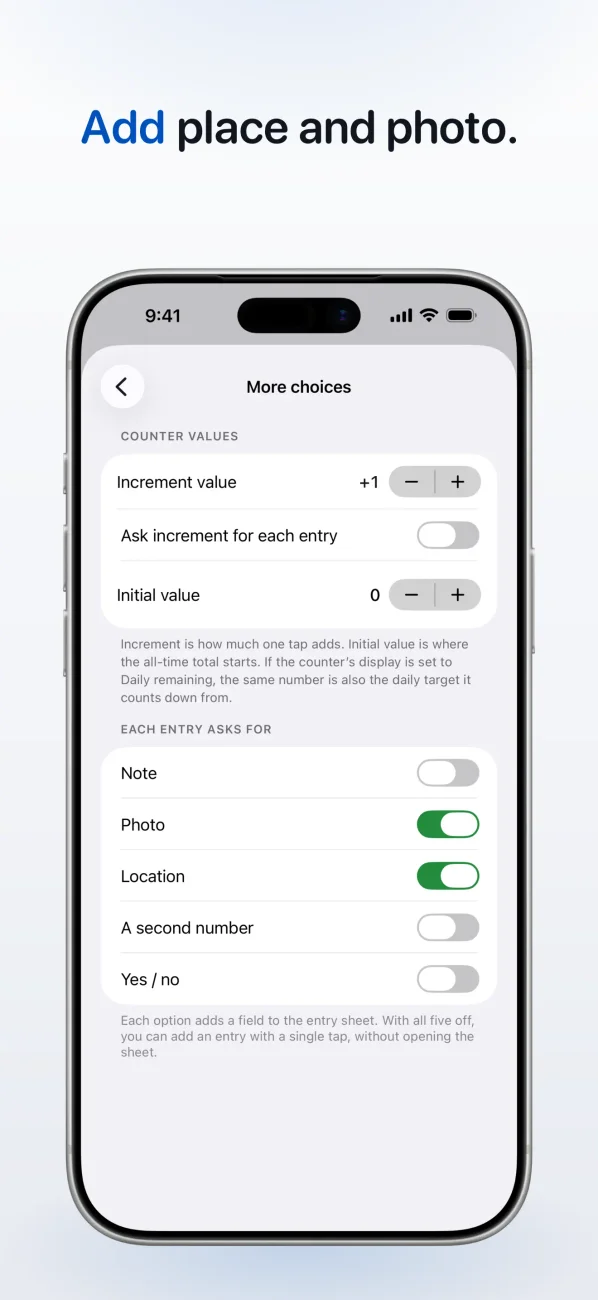
• Photo attachments - add an image to remember exactly what you counted
• GPS location - place the pin on a map and see where it happened
• Notes and timestamps - context on every entry
• Extra fields - a second number for weight, distance or duration, or a simple yes / no
Flexible Display Modes - each counter shows the number you actually care about:
• Today, This week, This month, This year
• All-time total
• Days since last entry
• Current streak
• Daily remaining - counts down from a daily target
Look Back Through Time
Step a counter back a day, a week, a month or a year. The big number, the statistics and the history all move with you, so last month reads exactly like this one.
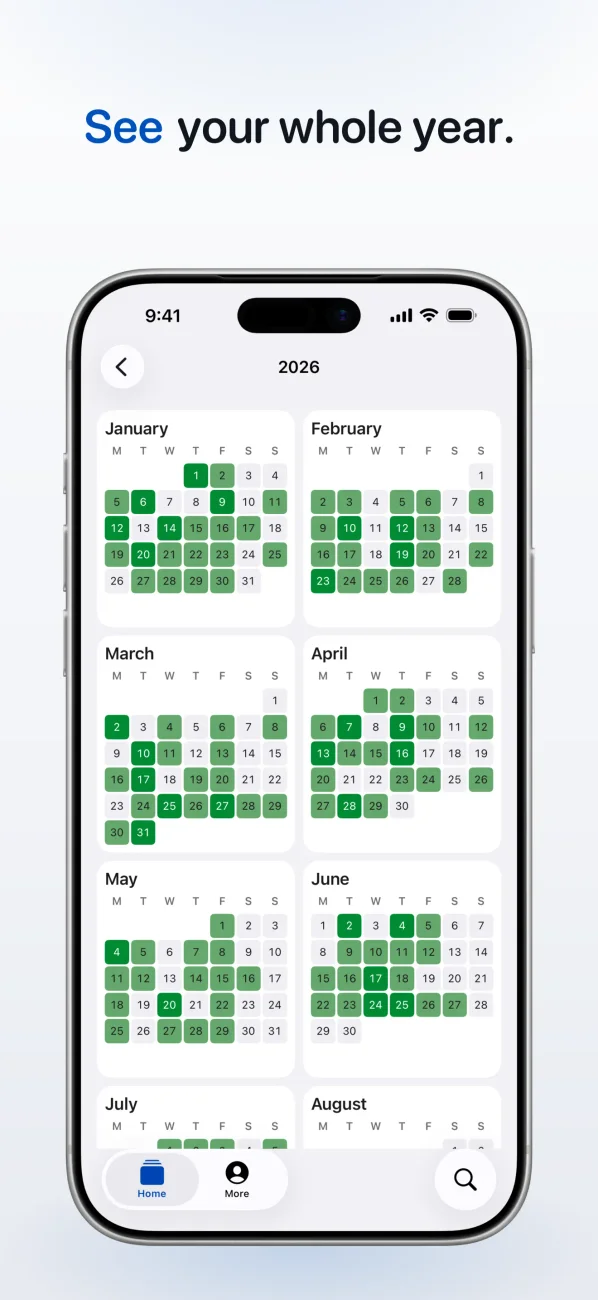
A Year at a Glance
See a counter's whole year as twelve month blocks. Every day with entries carries a coloured chip, and the deeper the colour the more that day counted. Swipe sideways to move between years.
Statistics You Choose
Every counter carries its own set of stat tiles - totals, averages, streaks, best week, best month, and rolling windows for the last 7, 30 or 90 days. Pick the ones that suit it, put them in the order you want, and see each tile's current figure while you choose. Each tile says what window it measures.
Smart Organization
• Home Screen widgets in all three sizes - count without opening the app
• Each widget can show the period you want - today, this week, this month, this year, or the last 7, 30 or 90 days
• Lock Screen widgets - progress at a glance
• Archive - retire a counter without losing a single entry
• Recently Deleted - bring back a counter deleted by accident
• Search - find any counter as you type
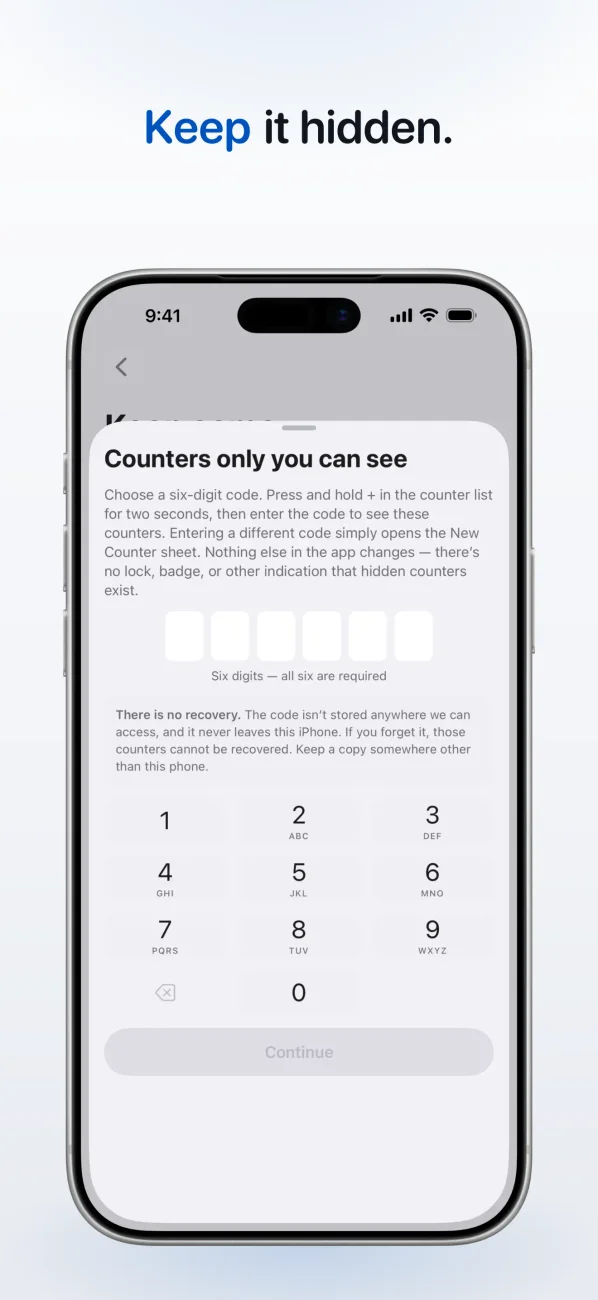
• Hidden counters - a private list behind a six-digit code you choose (one-off purchase)
Light or Dark
Follow the system, or keep Loendur light or dark whatever the phone is doing.
Colours That Are Yours
Give a counter any colour you like, or take one of the suggestions. Its colour follows it everywhere - list, history, widget.
Your Data, Your Way
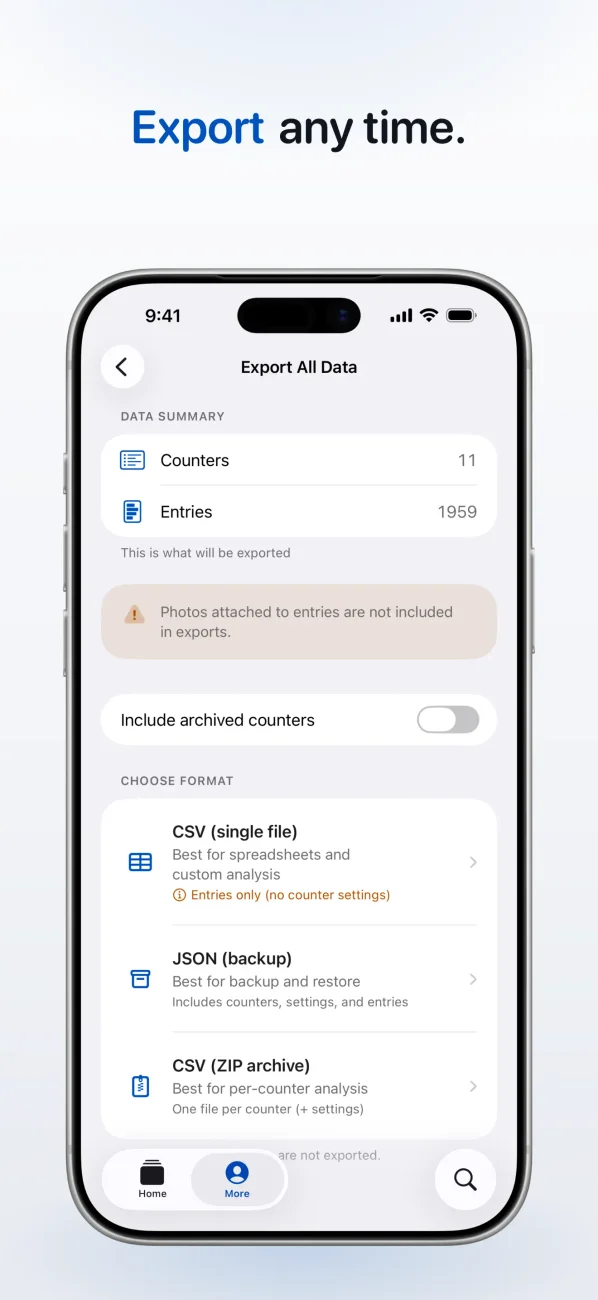
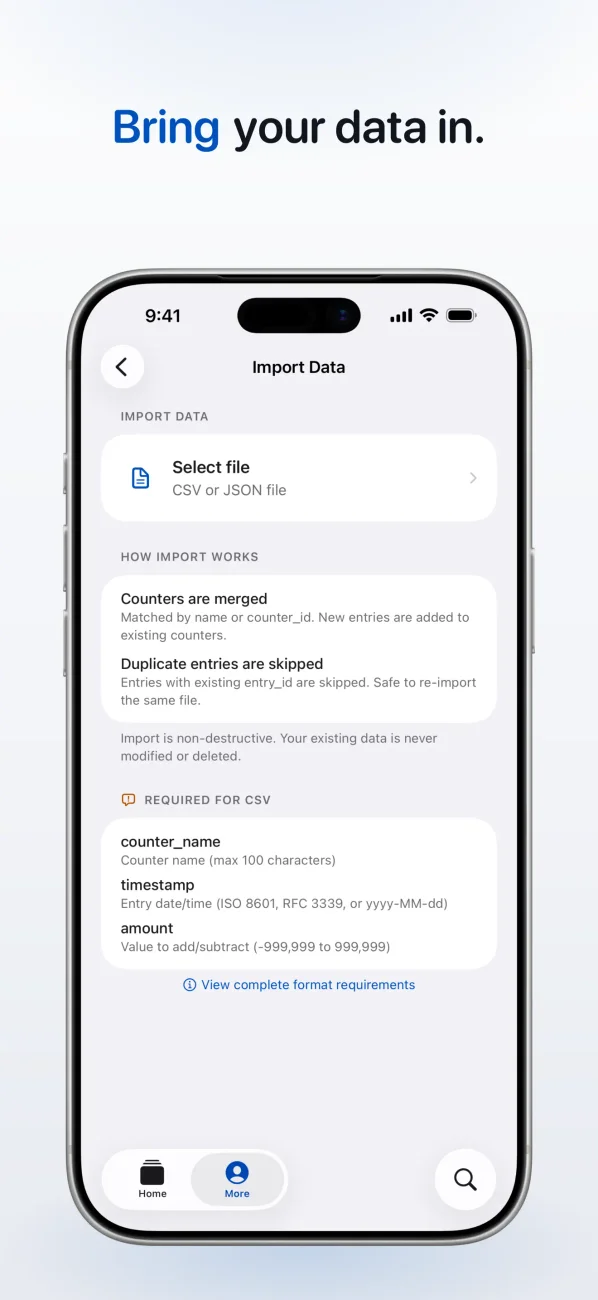
Export one counter or everything as CSV or JSON, any time, with no account and no waiting. Import to migrate from another app or restore a backup.
Built for Speed
Loendur is built for instant, effortless capture. No loading. No waiting. Just count.
Perfect For
• Hobbies and projects (photos taken, plants watered, meals cooked)
• Work (deliveries, calls, shifts)
• Health (water, medication, symptoms)
• Habits and routines (meditation, reading, chores)
• Fitness (workouts, steps, reps)
• Anything you want to count
Privacy First
• Works fully offline - no internet required
• What you count never leaves your device
• No accounts or sign-ups
• No ads
• Anonymous usage analytics stay off unless you turn them on, and never include what you count
Whether you are building a habit, tracking your health, measuring your work or just curious about your own patterns, Loendur adapts to you and stays out of the way.
What’s new
Version 2.1 · Sep 11, 2026
What's New in Version 2.1
A year of your counting on one screen, widgets that show the period you ask for, and statistics that say what they measure.
THE YEAR CALENDAR
Open a counter and tap the calendar button beside Customise in the Statistics header. The whole year arrives as twelve month blocks - every day with entries carries a coloured chip, and the deeper the colour the more that day counted.
The shading is honest about itself: three steps, each a multiple of that counter's own daily average across its whole life, with the average printed under December. It is an all-time average on purpose, so two years are drawn on the same scale and browsing back never quietly re-scales the picture.
Swipe sideways to change year. It stops at the year of your first entry going back, and at this year going forward.
WIDGETS WITH A PERIOD OF THEIR OWN
A Home Screen widget can now be asked for its own period - long-press, Edit Widget, and there is a Period row beside the counter. Left alone it follows the counter, so nothing you have already placed needs touching. The chart follows the period rather than a fixed number of bars: a month is four to six weekly bars, a year is twelve monthly ones.
Last 7, Last 30 and Last 90 days join the calendar periods in both the Home Screen and Lock Screen pickers. Early in a month, This month and Last 30 days are very different numbers - which is the point of having both.
STATISTICS THAT SAY WHAT THEY MEASURE
Every stat tile now carries the window it measures under its name - AVERAGE, then "7 days". Three rolling totals are new, offered in Customise rather than shown by default: the last 7, 30 and 90 days. The limit on how many tiles a counter can show is gone.
Customise is now grouped by what each statistic measures rather than by which display mode happened to use it. That retires a duplicate week row, and adds a Monthly section, a Best week, and a heading for the rolling totals. Nothing you had already chosen disappears.
A FIRST RUN THAT IS NOT A DEAD END
The tab bar is drawn on an empty counter list, so Import, About and Settings are reachable on a phone with no counters yet. Restore a backup without having to create a counter you did not want first.
IMPROVEMENTS
• An entry's note gets a full-width line of its own instead of sharing a column, so a real note is readable
• The location row keeps its shape while it waits for a fix, with a ten-second timeout
• Large Home Screen widgets take a counter selection again
BUG FIXES
• Opening a counter from a widget could show the right name over another counter's number, statistics and entries
• The monthly average was missing from counters shown as This year
• Estonian wording corrected in the statistics list, and under a days-since counter's number
App privacy
What Pastakas declares on the App Store about how this app handles data.
-
Data not linked to you
May be collected but is not linked to your identity.
- Usage data
- Diagnostics
Privacy practices may vary, for example with the features you use or your age.
Information
- Seller
- Pastakas OU
- Category
- Productivity
- Version
- 2.1
- Updated
- Sep 11, 2026
- Released
- Dec 16, 2025
- Size
- 20.3 MB
- Requires
- iOS 18.0 or later
- Age rating
- 4+
- In-app purchases
- Yes
- Languages
- English, Estonian
- Copyright
- © 2026 Loendur
You might also like
-
 nu: ADHD JournalOne-Line Daily Journal
-
 BreakthrooCapture now. Clarity later.
-
 DoneYet: Task TrackerTrack tasks until they're done
-
 Tally Rule - Habit TrackerTrack Habits Like a Budget
-
 Slate: To Do List & PlannerMinimalist Personal Organizer
-
 Iris: Bot for Apple WatchTalk to Grok from your wrist
-
 Repeatable Checklists & TasksDaily Routine & To Do Tracker
-
 LightNotes: Fast & PrivateMarkdown notes app
-
 Goal Tracker・Focus Planner・AimAchieve Progress by Milestones