
- Age rating4+
- CategoryProductivity
- DeveloperElliott Pickar
- LanguagesEnglish
- Size1.6 MB
Links to the official App Store page
Download.org hosts no file of Log It All. The button opens its official App Store page, published by Elliott Pickar. Listing last checked on Nov 18, 2026.
Screenshots
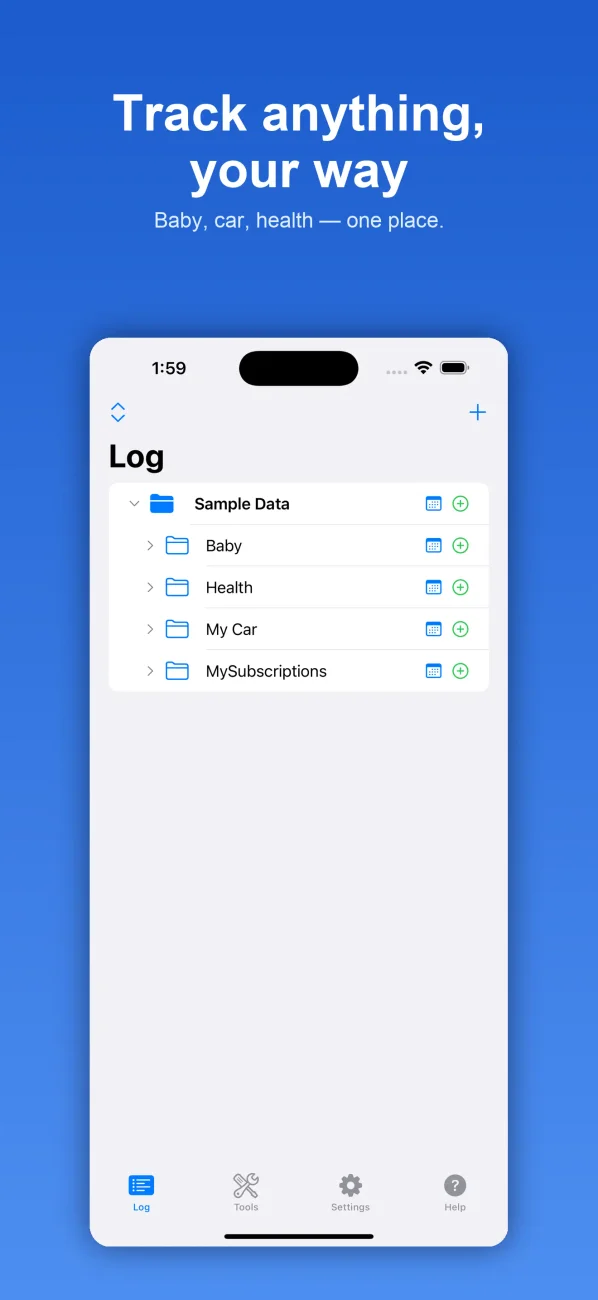
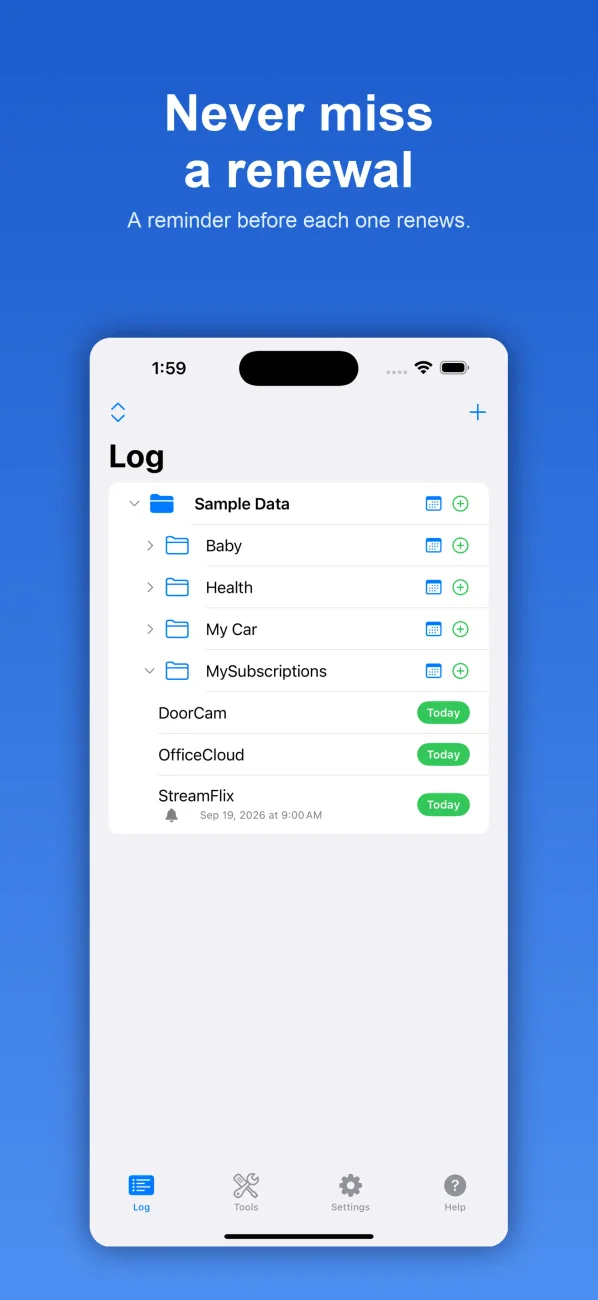
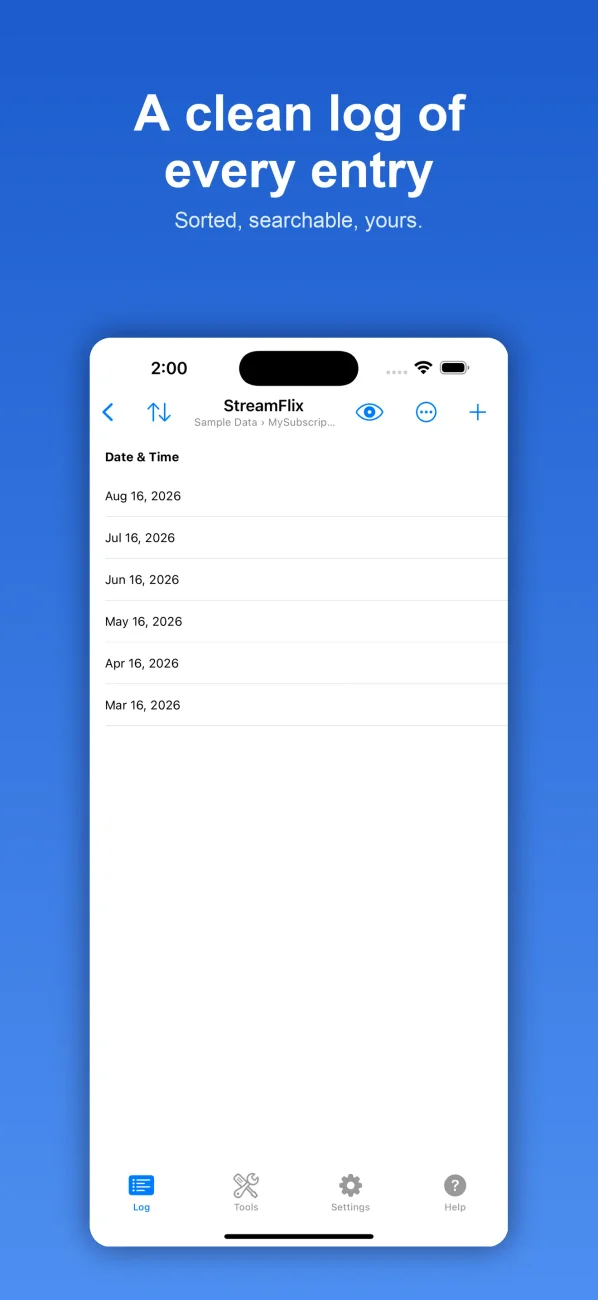


About
Log It All keeps track of anything that matters to you.
Create Categories, add Events inside them, and log an entry whenever something happens. Specify whether your event needs only a date, a date and time, or start and end dates and times. Add a note if you want. You can even set up regular or one-time reminders. Log It All lets you log different types of events on the fly as they occur and place them in categories later, or not at all. Load the sample data to get a head start. You can remove it whenever you want. If you have any questions, go to the Help tab for answers. Log It All is designed to be flexible, so you can do it your way.
Log anything:
• Car — oil changes, tire pressure checks, maintenance
• Home — filter changes, yard work, repairs
• Health — symptoms, medications, workouts
• Baby — feedings, naps, milestones
• Subscriptions — renewals, with a reminder before you're billed
• …or absolutely anything you want to remember
Features:
• Timeline & reports — view entries by date or by event, and share a PDF
• Reminders — one-time or repeating, so you never miss a renewal or refill
• Private by design — your data lives in your own iCloud and syncs across your devices; no ads, no tracking, no accounts
• Sample data — load a full example with one tap to explore, then remove it just as easily
• Backup & restore — export your data to a file anytime
• Moving from Trak'n'Turn? Version 3 of Trak'n'Turn lets you export your tracking data so you can import it into Log It All.
Log It All keeps it simple: you decide what to track, and it remembers the rest.
What’s new
Version 1.1 · Sep 3, 2026
• Reminder time of day. For reminders that repeat daily or longer, you can now choose the time of day they arrive.
• Reminders now stop when you delete the event they belonged to (or remove the sample data).
• Delete a category but keep its events, and each kept event is now labeled with its category — e.g. "Nap (Baby)".
• New Help answers on avoiding and fixing iCloud sync duplicates.
• Assorted fixes and refinements.
App privacy
What Elliott Pickar declares on the App Store about how this app handles data.
-
Data not collected
The developer does not collect any data from this app.
Privacy practices may vary, for example with the features you use or your age.
Information
- Seller
- Elliott Pickar
- Category
- Productivity
- Version
- 1.1
- Updated
- Sep 3, 2026
- Released
- Aug 30, 2026
- Size
- 1.6 MB
- Requires
- iOS 17.0 or later
- Age rating
- 4+
- Price
- Free
- Languages
- English
- Copyright
- © 2026 Elliott R. Pickar
You might also like
-
 Log It: Last Time TrackerReminders for anything you do
-
 SymesiProductivity
-
 LifeLog: Event NotesPrivate event timeline
-
 Log It - AdCo AppTrack the Miscellaneous
-
 SPARK - 2 Minute StarterBeat task paralysis in 2 min
-
 Rotator: Lists That Take TurnsChores, meals & pin boards
-
 Video BookmarkSave Youtube Bookmarks
-
 Productivity System: timeto.meProductivity Tools App
-
 Stitch CountProductivity
-
 EZ Notepad plus - Symple noteReorder,color,read notes aloud