- Age rating4+
- CategoryPhoto & Video
- Developerilkyu choi
- LanguagesKorean+ 4 more
- Size74.0 MB
Links to the official App Store page
Download.org hosts no file of Log to LUT. The button opens its official App Store page, published by ilkyu choi. Listing last checked on Nov 12, 2026.
Screenshots
About
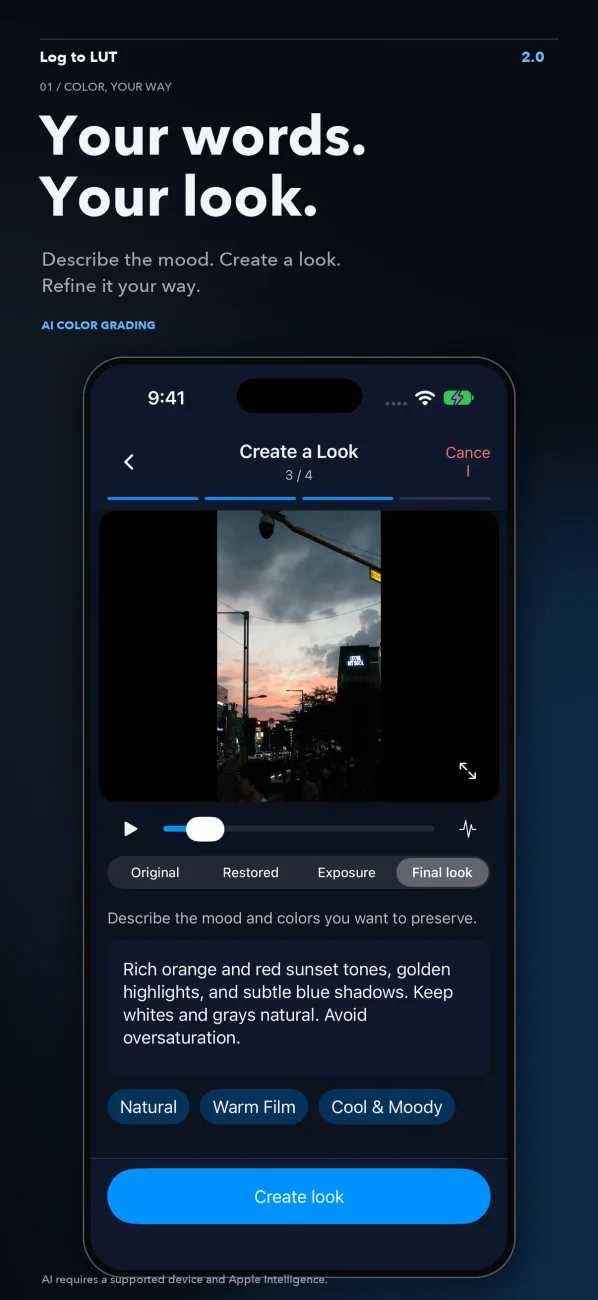
Log to LUT lets you apply LUTs, grade your videos, and create your own LUTs.
AI Color Grading and LUT Creation
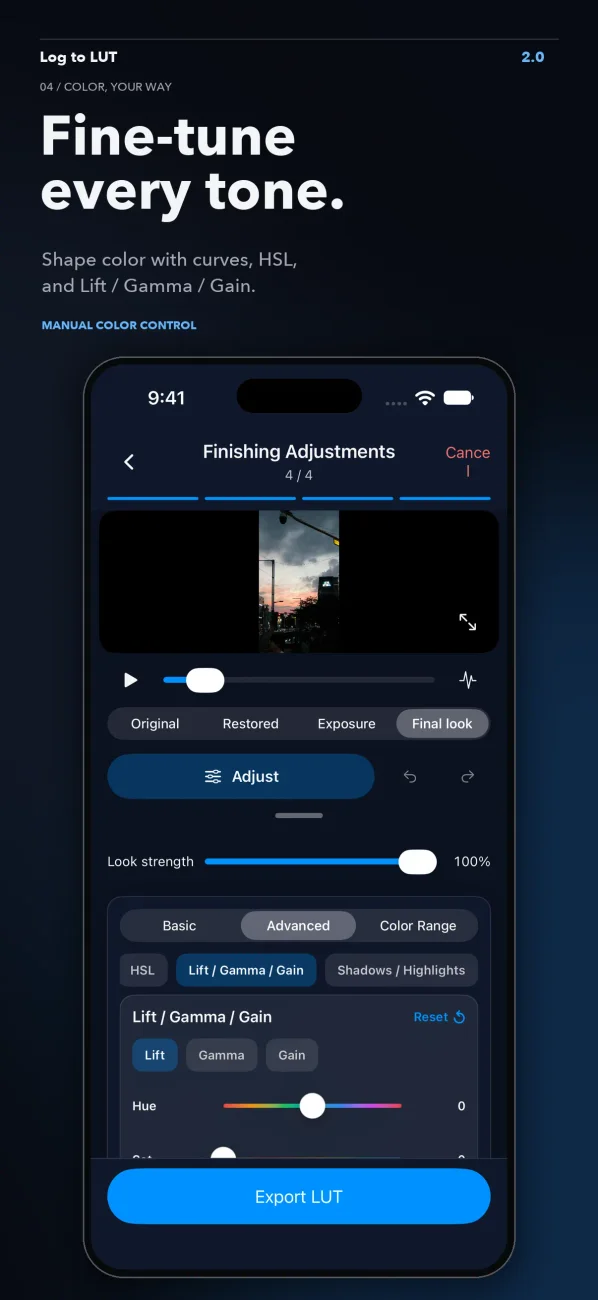
• Describe the look you want in natural language, then refine the result with manual color controls.
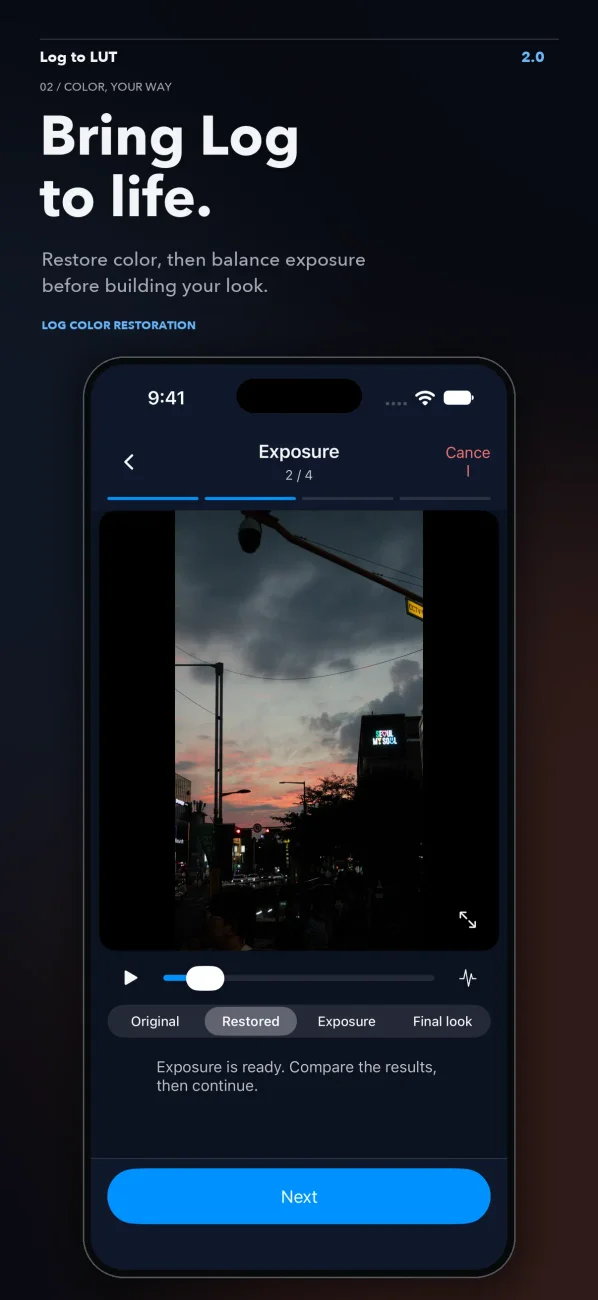
• Follow a guided workflow through shooting profile confirmation, color restoration, exposure correction, look creation, and final adjustments.
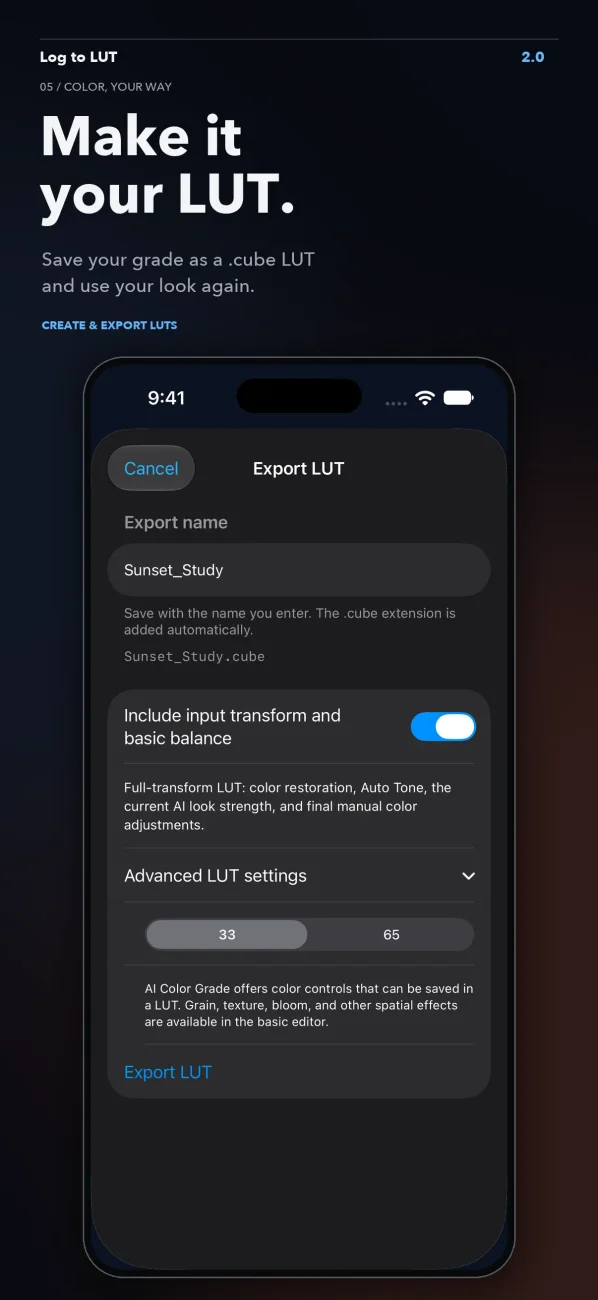
• Export your result as a .cube LUT or an edited video.
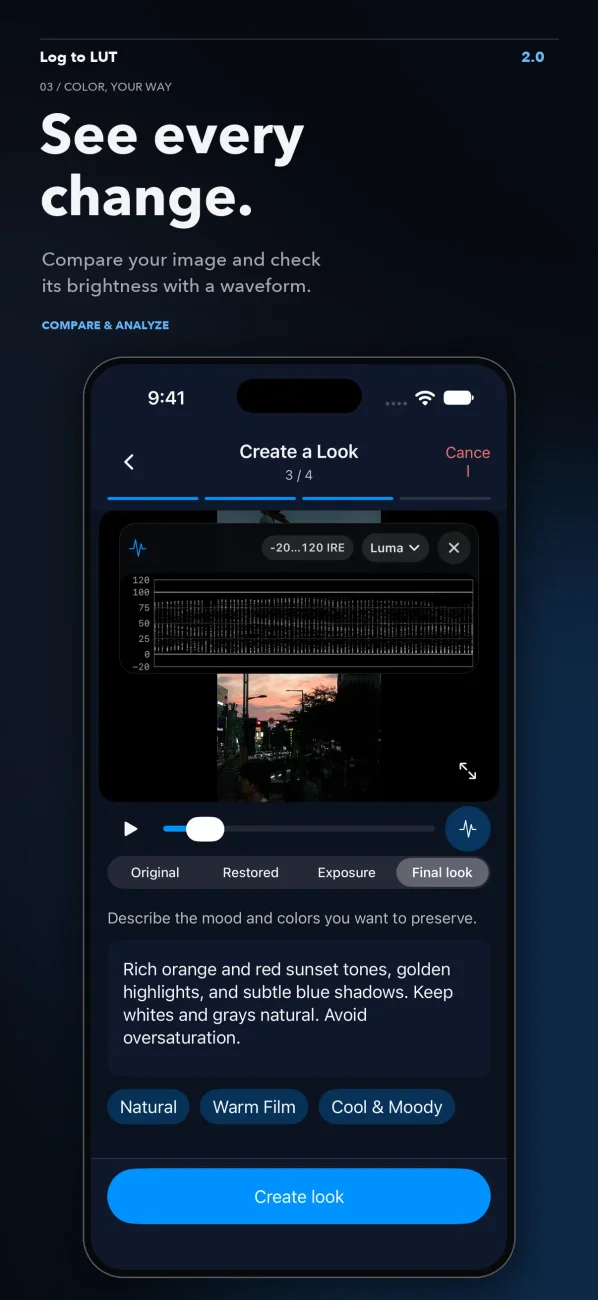
• Compare the original and graded image, and inspect brightness and color with scopes and a vectorscope.
• Save your AI editing session and resume interrupted work after reopening the app.
Image-based AI color grading and LUT creation require iOS/iPadOS 27 or later on a supported device with Apple Intelligence available. Availability depends on the device, language, region, and system model readiness. LUT application and manual color grading remain available without AI.
Color-grade compatible Log/HDR and standard video directly on iPhone and iPad.
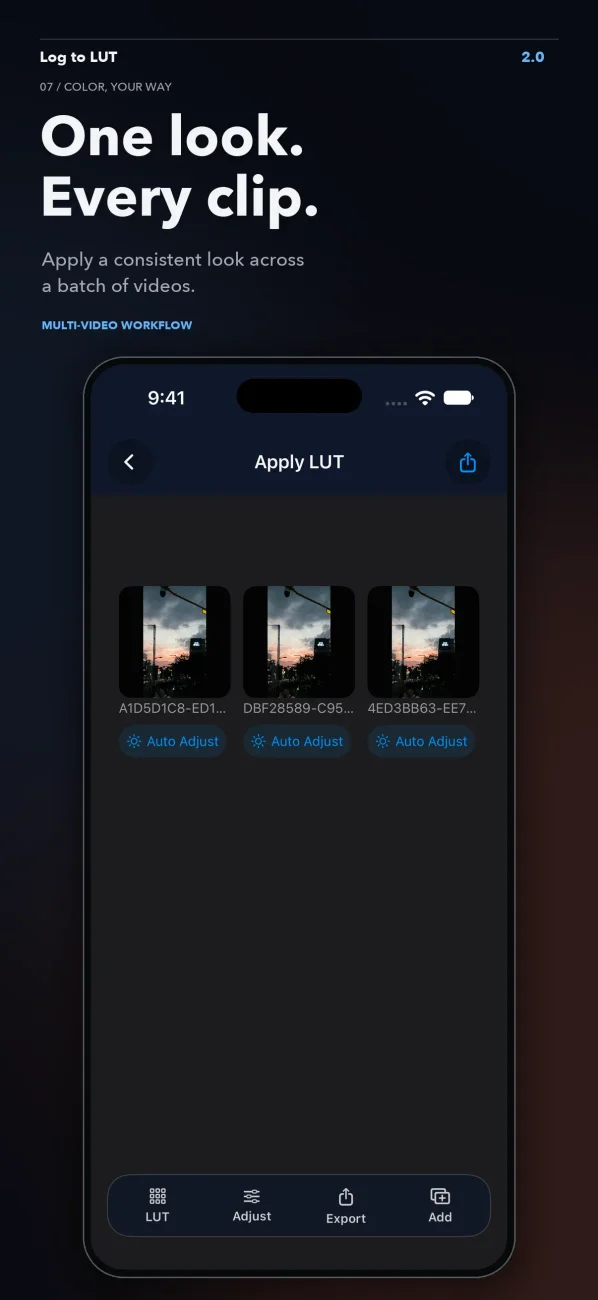
Log to LUT lets you import videos from Photos or Files, apply .cube LUTs and detailed grading adjustments, preview the result, and export finished videos. Work precisely on one clip or import up to 10 videos at a time to apply a consistent look across a batch.
VIDEO LUT WORKFLOW
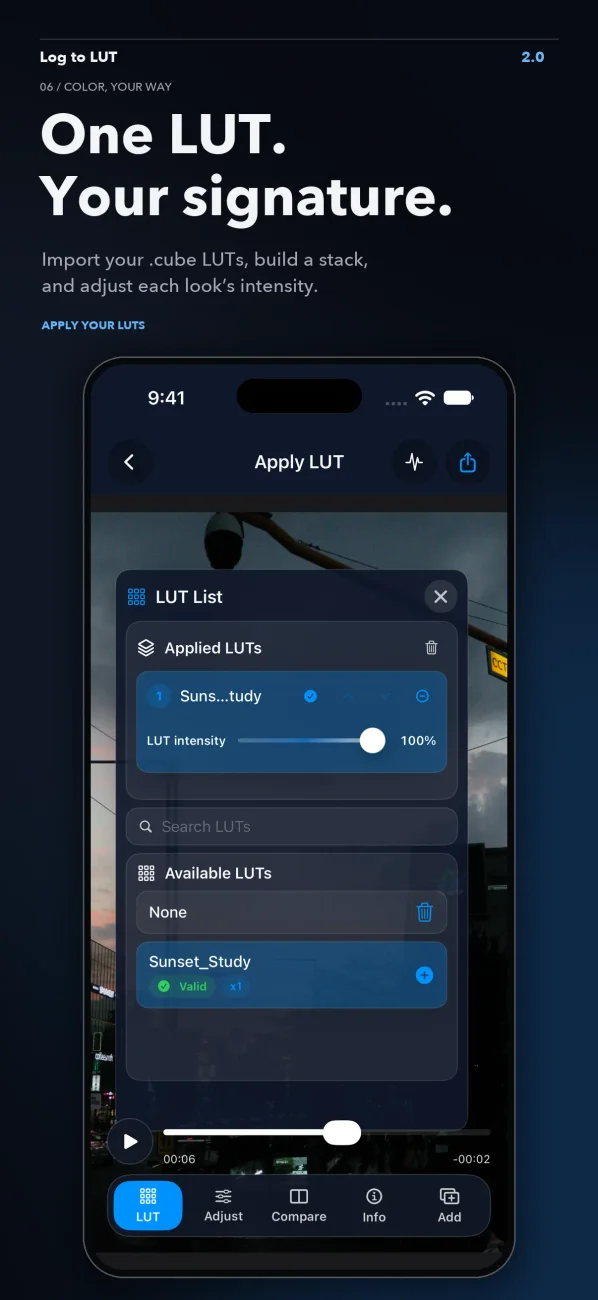
• Use bundled LUTs or import and manage your own .cube LUT files
• Build an ordered stack of up to four LUTs, with per-LUT application percentage, enable controls, and reordering
• Adjust exposure, contrast, highlights, shadows, whites, blacks, saturation, vibrance, white balance, global hue, and midtones
• Refine tone curves, HSL, Lift/Gamma/Gain, split toning, noise reduction, sharpen, clarity, vignette, grain, bloom and halation, highlight roll-off, and gamut compression
• Compare the processed and bypassed image with Before/After
• Check luminance and channel distribution with a Rec.709 waveform in Luma or RGB Overlay mode
• Save grading adjustments as presets, then import, share, and reuse them
• Apply the same LUT stack and saved grading preset across multiple videos
• Review codec, container, resolution, frame rate, bit depth, color metadata, HDR/SDR status, duration, and file size
• Export at the original resolution or 1080p
Video LUT workflow exports are converted to Rec.709 and saved to Photos.
LOG/HDR ENCODING CONVERSION
Analyze or manually select the source Log and gamut profile, then convert through a color-managed pipeline to REDWideGamutRGB / Log3G10, DaVinci Wide Gamut / Intermediate, ACEScct, or ARRI LogC4. Converted HEVC Main10 videos are delivered through the system share sheet with a sidecar JSON describing the target encoding.
No account is required. Video preview and rendering run on the device.
What’s new
Version 2.3.2 · Nov 2, 2026
- Added Copy LUT to create LUTs from reference photos or videos, with analysis area selection, additional grading, and LUT or video export.
- Improved the quality and reliability of looks generated with Order LUT.
- Added LUT folder importing and creation, file moving, and reordering.
- Improved the LUT list, intensity controls, and loading performance.
- Improved portrait and landscape editing on iPhone, video playback, before-and-after comparison, and waveform viewing.
- Added Gaussian Blur and grouped grain and paper texture controls.
- Removed system notifications when video export finishes.
- Updated the user guide to reflect the latest features and editing interface.
Bug fixes
- Fixed an issue where LUT intensity was not applied correctly with certain detail effects.
App privacy
What ilkyu choi declares on the App Store about how this app handles data.
-
Data not linked to you
May be collected but is not linked to your identity.
- Usage data
- Diagnostics
Privacy practices may vary, for example with the features you use or your age.
Information
- Seller
- ilkyu choi
- Category
- Photo & Video
- Version
- 2.3.2
- Updated
- Nov 2, 2026
- Released
- Mar 21, 2026
- Size
- 74.0 MB
- Requires
- iOS 17.0 or later
- Age rating
- 4+
- Languages
- Korean, English, Japanese, Simplified Chinese, Traditional Chinese
- Copyright
- © Project19
You might also like
-
 LUTSHOTShoot photos with video LUTs
-
 Color Grading - FärgLUTs & Motion Blur & Grain
-
 LUT Smith: Camera LooksMake .cube Color Presets
-
 pola - Retro Instant CameraVintage photos in white frames
-
 Pocket Log CameraNatural photos from Apple Log
-
 Alterframe: Blur Video EraserRemove Objects, Censor Faces
-
 GR StudioLive Shooting Studio Companion
-
 LUTLINE: Video Color GradingCinematic LUTs & Film Filters
-
 Stops+Precise Camera Attribute Calc
-
 ReelClip: Video Clip EditorSplit, Trim, Cut & AI Captions