
- Age rating4+
- CategoryEducation
- DeveloperAmir Sekely
- LanguagesEnglish+ 1 more
- Size3.6 MB
Links to the official App Store page
Download.org hosts no file of Lomdim. The button opens its official App Store page, published by Amir Sekely. Listing last checked on Nov 14, 2026.
Screenshots

About
Lomdim is a simple personal planner for school — your timetable, homework and exams, all in one place.
One message, the whole class's timetable
Every student in a class has the same timetable, and every one of them types it in from scratch. In Lomdim one person enters it and shares it on WhatsApp; everyone else adds it with one tap. The sender picks which days and classes go out, the receiver picks what to take — a whole day or a single class — and sees beforehand what will be added and what would be replaced. No account, no server, nothing uploaded.
Build your timetable once
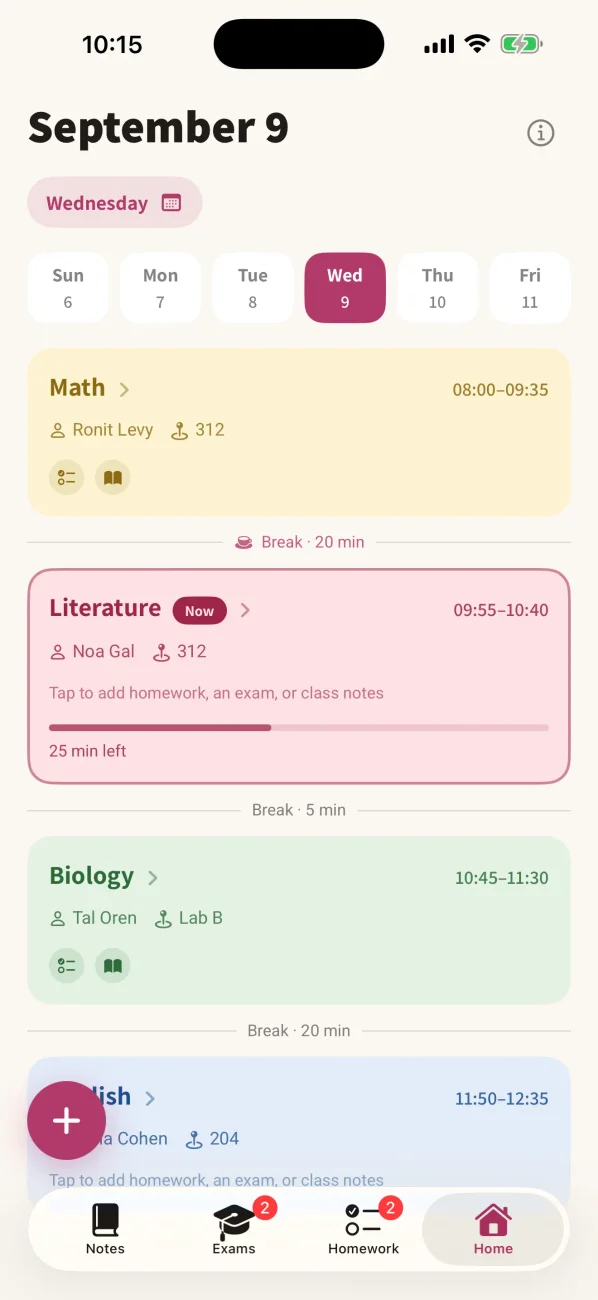
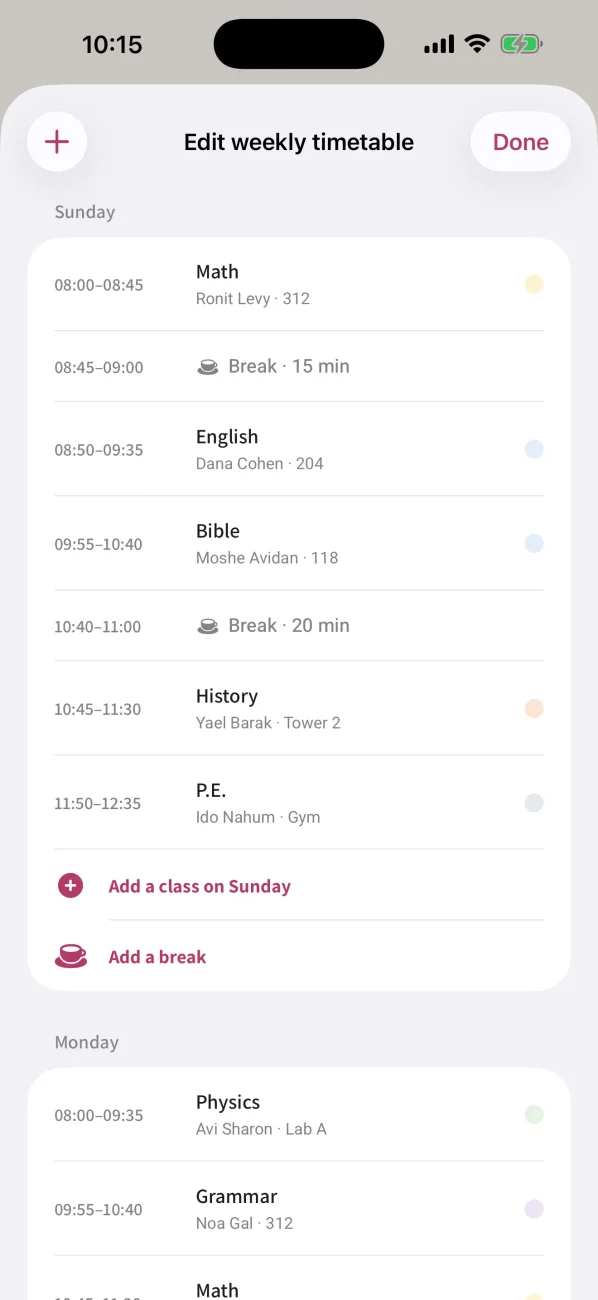
Add each regular class — subject, teacher, room and times — and it repeats automatically every week. Five, six or seven days: days you don't have class simply don't appear.
See the class you're in right now
The lesson happening at this moment is marked live on the home screen, with a progress bar and how much time is left in it.
Add work where it was given
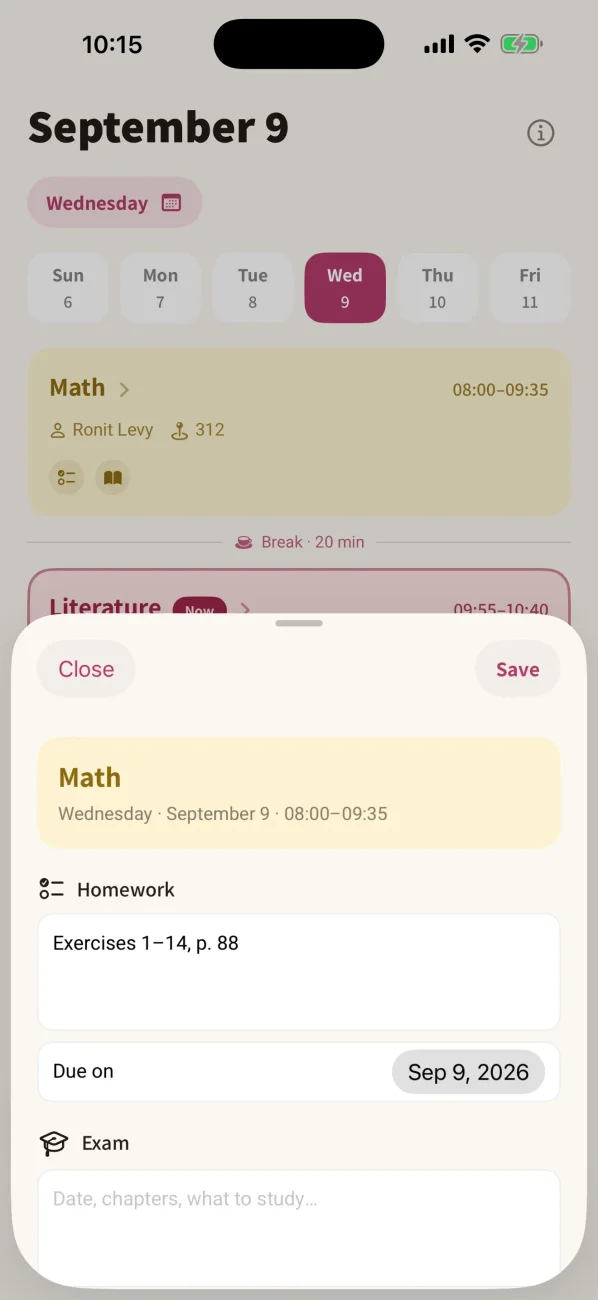
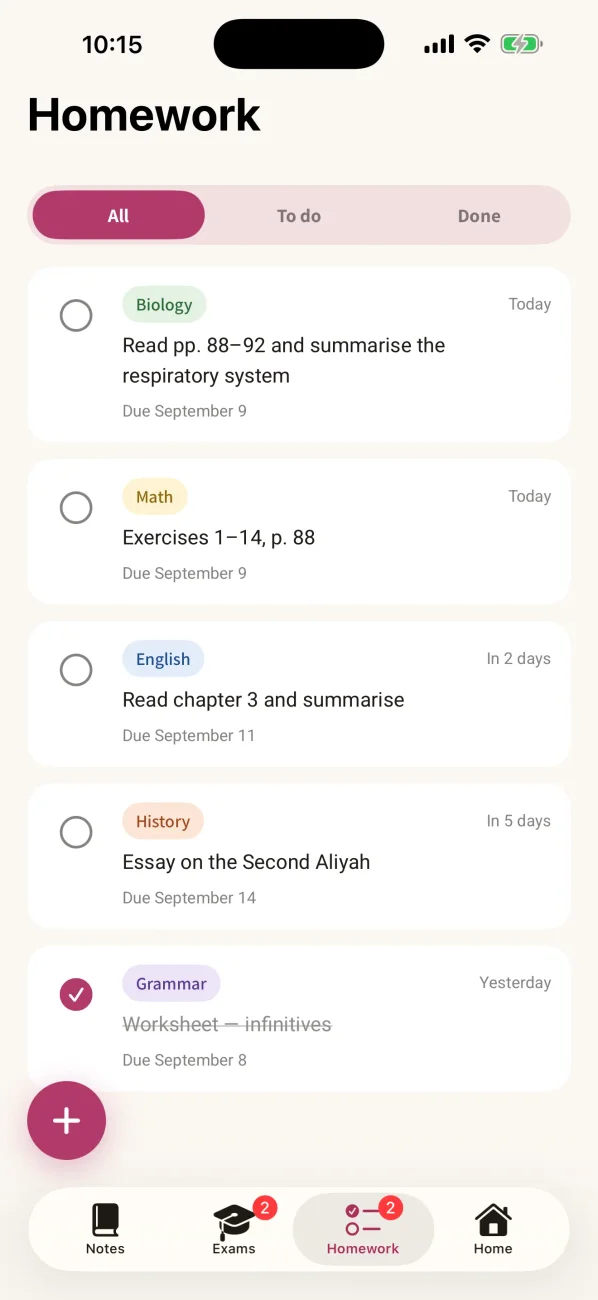
Tap a class in the daily view and add homework, an exam, or notes on what was covered. Everything files itself under the right subject and date, and shows up in the Homework, Exams and Notes tabs.
Never miss a deadline
• Three automatic reminders before every exam: a week, three days, and a day before.
• Your own custom reminder on any exam or homework item.
• Add any exam or due date straight to Apple Calendar or Google Calendar.
Exams, organised
Upcoming exams sorted by date with a countdown. Past exams keep the grade you got, including your average.
Your lock screen knows what's on
During school hours a Live Activity appears on the lock screen and in the Dynamic Island: which class is running, how many minutes are left, and what comes next — without opening the app. There's a home-screen widget with the next class too.
Import a timetable from a photo (optional)
Photograph your printed timetable and the app reads it for you. You can always build the timetable by hand — every other part of the app works offline.
Private by design
Everything is stored on your device. No account, no sign-in, no tracking.
The single exception is "Import from a photo": if you choose to use it, the photos you pick are sent to Google Gemini solely to read the timetable, using your own free key that you create yourself. Full details in the in-app privacy policy.
For school and university students who want order without the complexity.
What’s new
Version 1.6 · Nov 5, 2026
The Lock Screen now moves through the day on its own. The next class and the break come up by themselves, without opening the app — even when it is fully closed.
Every lesson now shows its period number, so you can tell which class you are in without counting.
Fixes: one card on the Lock Screen instead of two, a clock that got stuck on 00:00, and the time that went missing from the card between classes.
App privacy
What Amir Sekely declares on the App Store about how this app handles data.
-
Data not linked to you
May be collected but is not linked to your identity.
- User content
Privacy practices may vary, for example with the features you use or your age.
Information
- Seller
- Amir Sekely
- Category
- Education
- Version
- 1.6
- Updated
- Nov 5, 2026
- Released
- Sep 8, 2026
- Size
- 3.6 MB
- Requires
- iOS 17.0 or later
- Age rating
- 4+
- Languages
- English, Hebrew
- Copyright
- © 2026 Amir Sekely
You might also like
-
 מצטיין דיקןEducation
-
 Focusity: Study PlannerTimetable, tasks & exam prep
-
 Heftig – School PlannerHomework & exams, sorted
-
 סידור תפילהReference
-
 גרנדמייזר - אמירנטEducation
-
 Kajet: Student PlannerTimetable, grades, homework
-
 C2C - Connect To CollectEducation
-
 Maya AI Tutor: Homework HelpHomework Help for Kids
-
 שעת אפסEducation