- Age rating4+
- CategoryEducation
- Developerkenta yamada
- LanguagesEnglish
- Size149.9 MB
Links to the official App Store page
Download.org hosts no file of LookTimer - Visual Timer. The button opens its official App Store page, published by kenta yamada. Listing last checked on Nov 12, 2026.
Screenshots
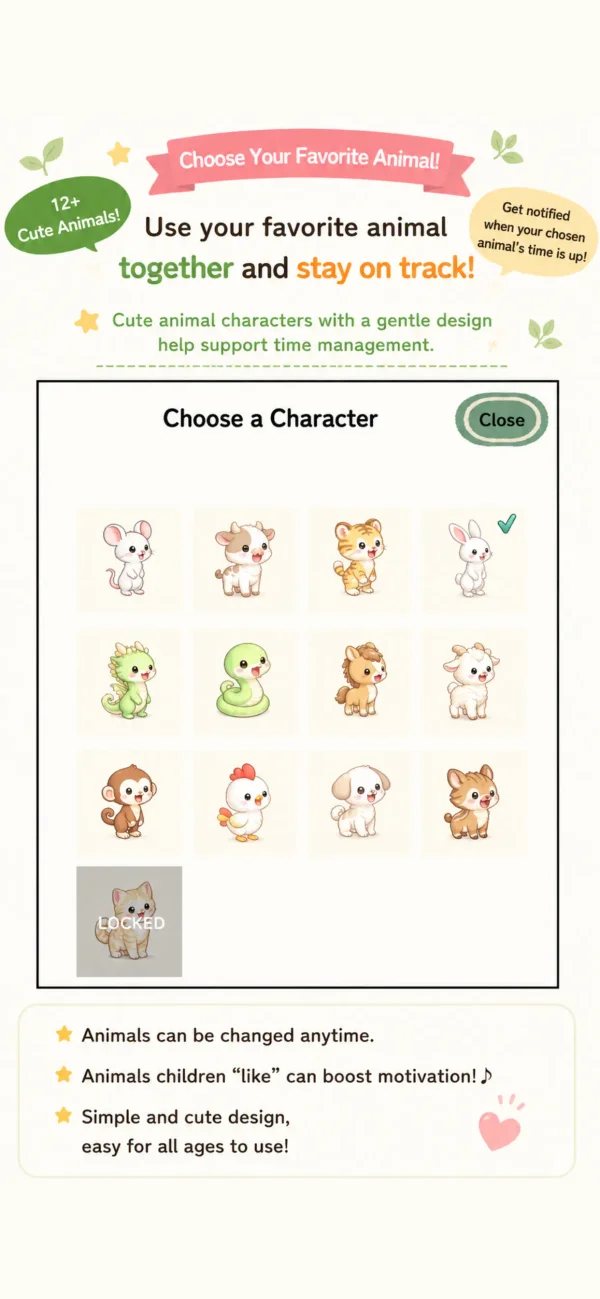
About
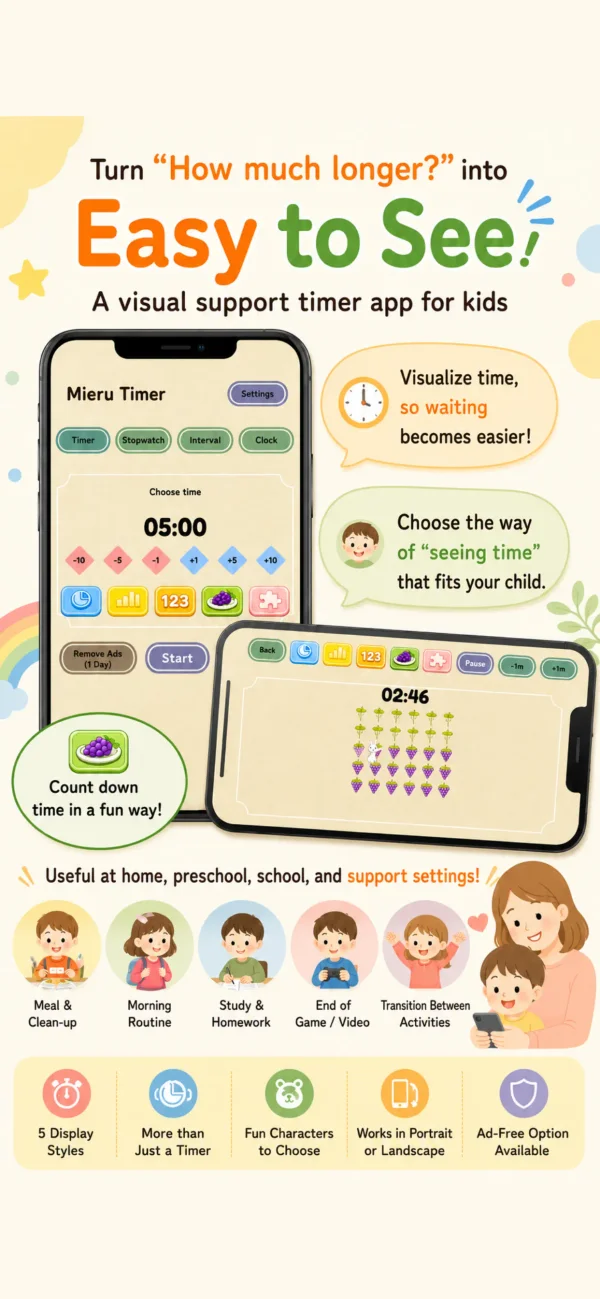
Mieru Timer is a visual support timer for children that can be used at home, in preschool, in school, and in other educational or support settings.
Because time cannot be seen, phrases such as “5 more minutes” or “It’s almost time to finish” may not always make it easy for children to understand how much time is left.
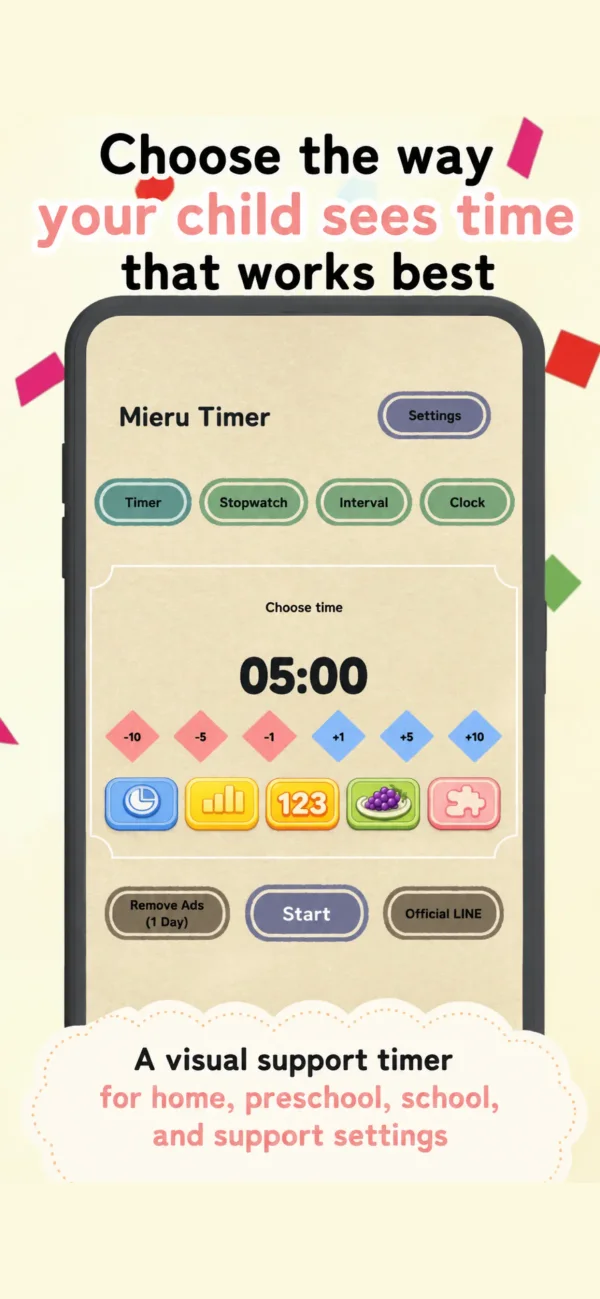
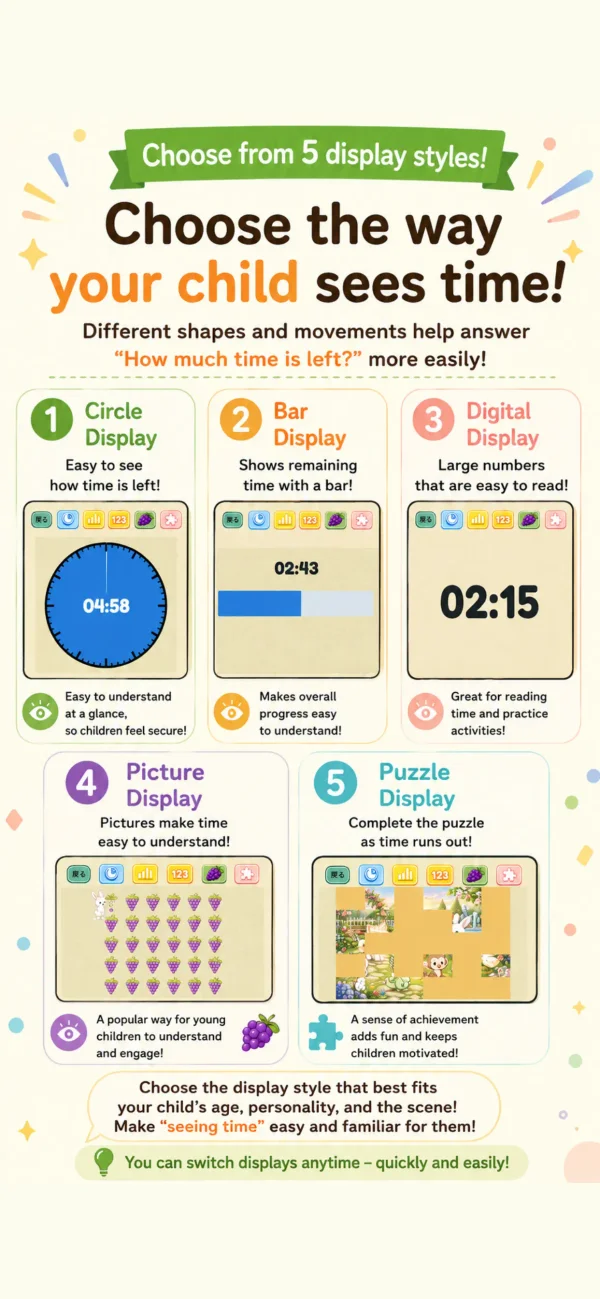
With Mieru Timer, remaining time can be shown in a variety of ways, including a circle, a bar, numbers, pictures, and puzzles.
Different children understand time in different ways.
“Numbers are easiest for me to understand.”
“It’s easier when I can see something gradually getting smaller.”
“Changes in pictures help me understand what will happen next.”
“Puzzle-style changes make checking the time more fun.”
One of the main features of Mieru Timer is that you can choose the way time is displayed to suit each child.
You can select a display style that is easy for your child to understand based on their age, developmental stage, and the activity they are doing.
5 Visual Timer Styles
Circle Display
See time decrease visually in a circle.
Bar Display
See the remaining time through the length of a bar.
Number Display
Check the remaining time clearly with numbers.
Picture Display
Watch pictures change as time passes.
Puzzle Display
Experience the passage of time through changing puzzle pieces.
Even when the amount of time is the same, changing how it is shown can make it easier to communicate in a way that works for each child.
Useful in Everyday Situations
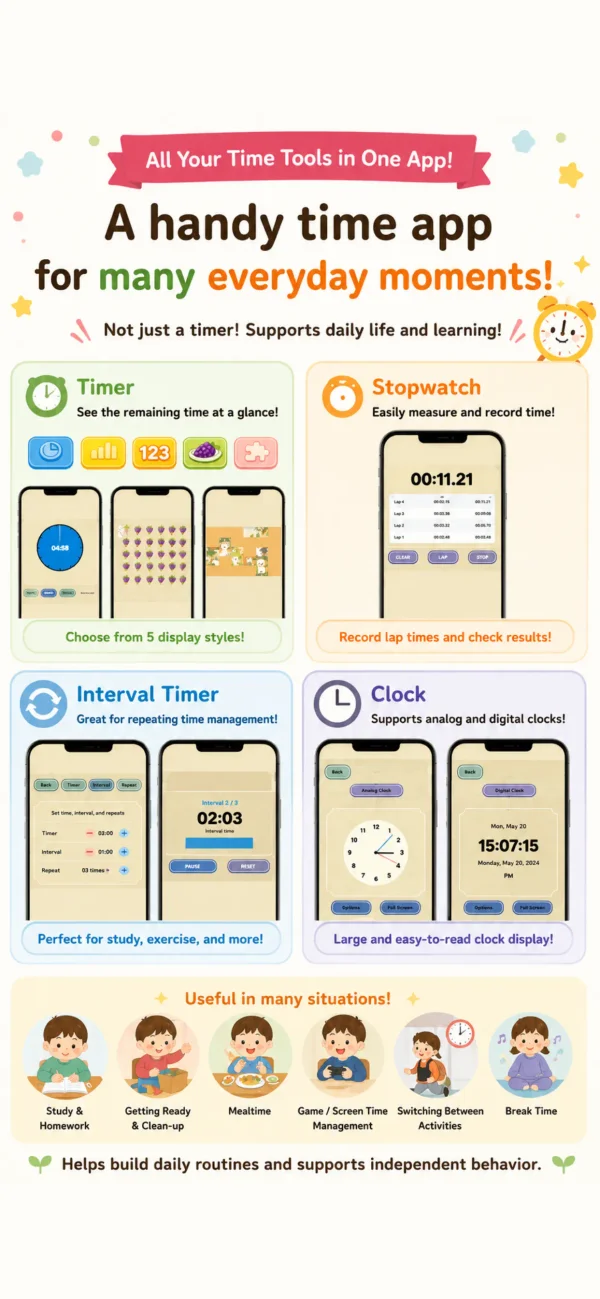
Mieru Timer can be used in many everyday situations, including:
Morning routines
Getting dressed and cleaning up
Mealtimes
Brushing teeth
Homework and study time
Reading time
Ending games or videos
Waiting before going out
Waiting until bath time
Transitioning from one activity to another
Break time
Time management in preschool or class
Instead of only saying, “5 more minutes,” you can look at the remaining time together. This can help children understand what is coming next and prepare for transitions.
More Than Just a Timer
Mieru Timer also includes:
Stopwatch
Interval Timer
Clock
These tools can be used for exercise, studying, repeated activities, practicing how to read time, and more.
For Home, Preschool, School, and Support Settings
Mieru Timer can be used not only at home, but also in places such as:
Preschools
Kindergartens
Early childhood education settings
Elementary schools
Special education settings
Developmental support settings
After-school support programs
It is not only a timer for adults to manage time. It can also be used as a tool for children to check for themselves, “How much longer?”
Make Time Visible, Not Just Verbal
“How much longer?”
“When will it be finished?”
“Is it time yet?”
Mieru Timer helps make questions about time easier to understand by showing the answer visually, not only with words.
It supports children in understanding how much time is left, anticipating what comes next, waiting, and transitioning between activities.
Choose the way of “seeing time” that works best for your child.
That is Mieru Timer.
App privacy
What kenta yamada declares on the App Store about how this app handles data.
-
Data linked to you
May be collected and linked to your identity.
- Location
- Identifiers
- Usage data
-
Data not linked to you
May be collected but is not linked to your identity.
- Diagnostics
Privacy practices may vary, for example with the features you use or your age.
Information
- Seller
- kenta yamada
- Category
- Education
- Version
- 1.0
- Updated
- Sep 3, 2026
- Released
- Sep 3, 2026
- Size
- 149.9 MB
- Requires
- iOS 15.0 or later
- Age rating
- 4+
- Languages
- English
- Copyright
- © 2026horohoro
You might also like
-
 ミエルタイマー のこり時間が見えるEducation
-
 Got It! CardsEducation
-
 つぎなにタイマー|子供の見通し支援Education
-
 フラッシュキッズ - にほんごカードEducation
-
 CardTalk AACPicture cards that speak
-
 Family Habit HeroStop Saying Hurry Up!
-
 こんなときどうする?SST・ソーシャルスキルトレーニングEducation
-
 Fun Visual Timer for KidsToddler Countdown & Routines
-
 タイマー -子供向けシンプルかわいい知育アプリEducation
-
 WaCard - どこでも使える音声対応絵カードEducation