
Lost Bluetooth Device Tracker
Find & Locate My Lost Device
Designed for iPhone, iPad
Free · In-app purchases
- Age rating4+
- CategoryUtilities
- DeveloperSule Demir
- LanguagesEnglish+ 5 more
- Size16.2 MB
Links to the official App Store page
Download.org hosts no file of Lost Bluetooth Device Tracker. The button opens its official App Store page, published by Sule Demir. Listing last checked on Nov 18, 2026.
Screenshots

About
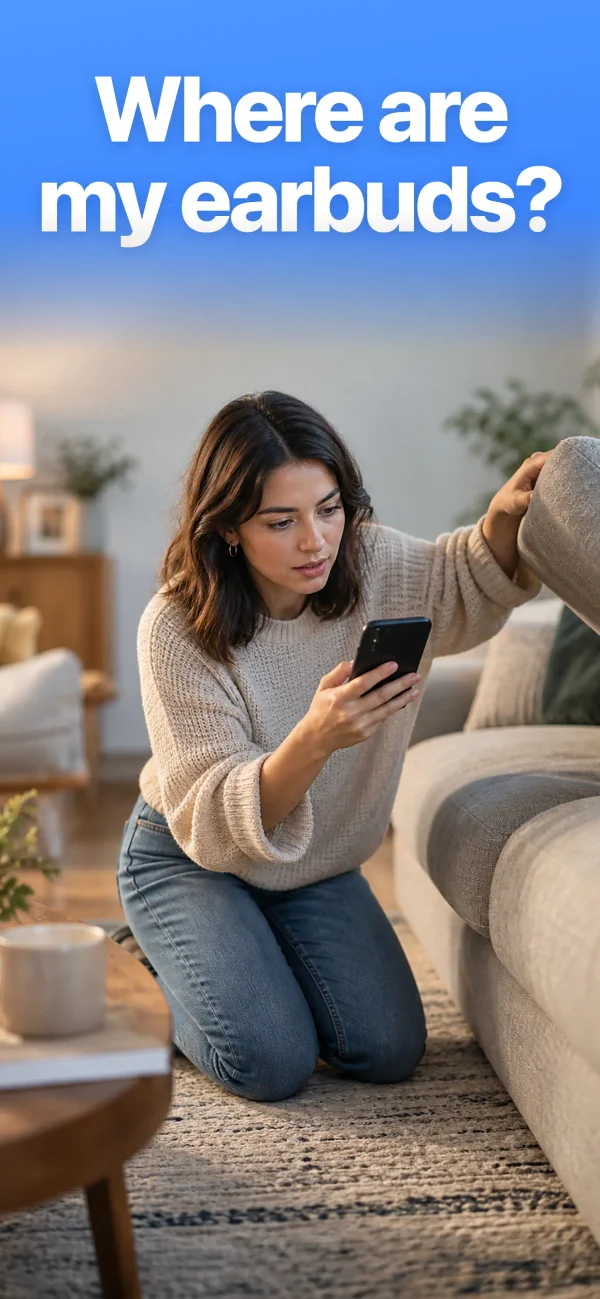
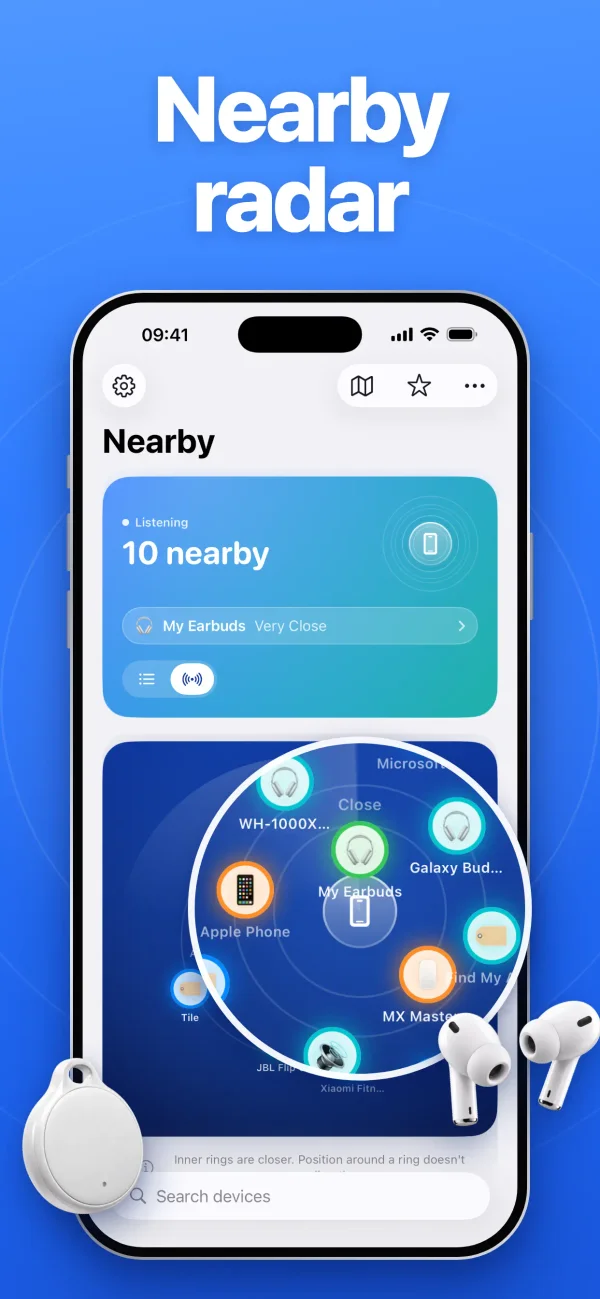
Lost your earbuds, speaker, tracker or keyboard? If it's switched on and nearby, this app walks you right to it.
HOW IT WORKS
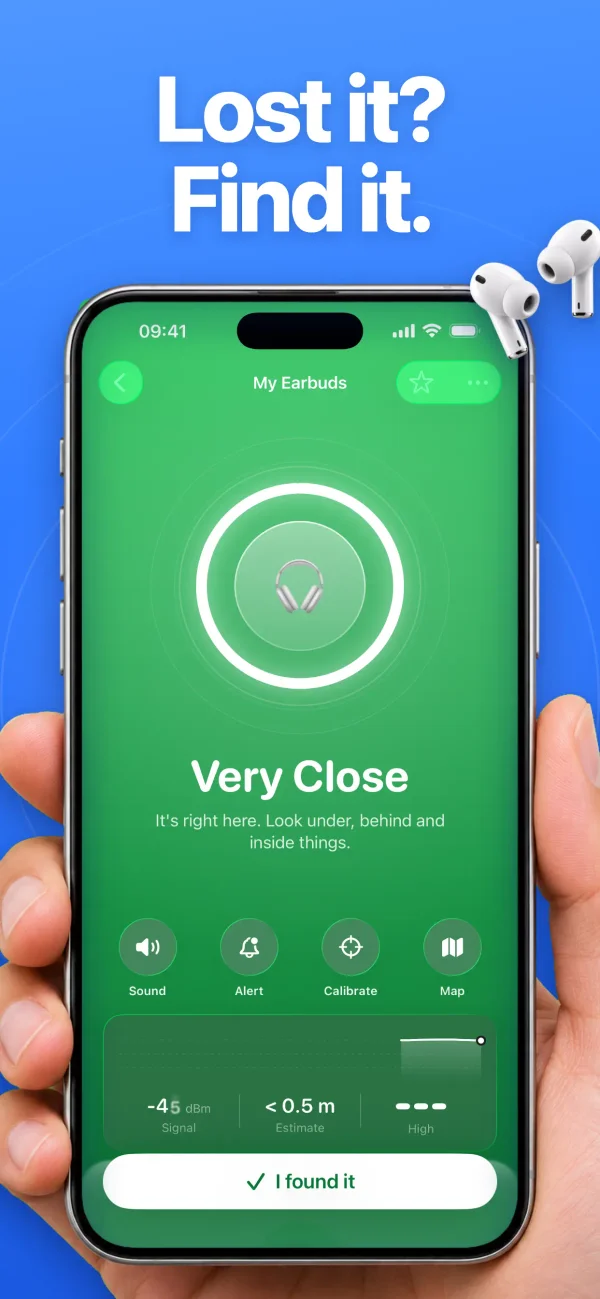
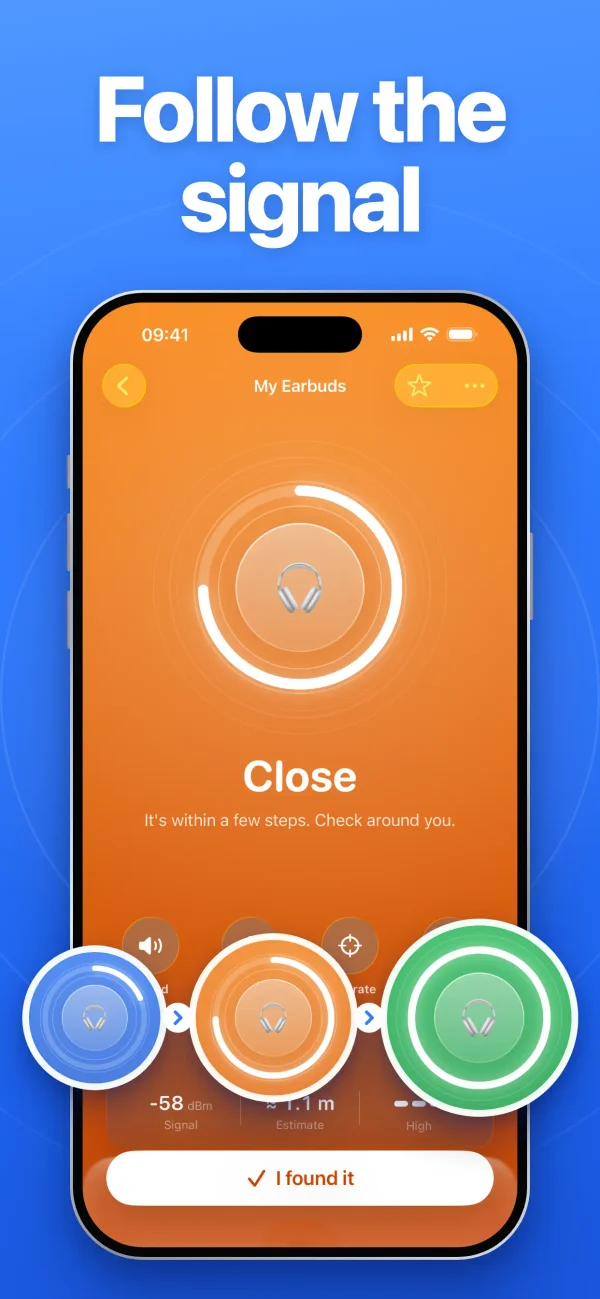
Open the app and every Bluetooth device around you appears within seconds. Tap the one you're looking for. A large ring fills as you get closer and tells you in plain words: Far, Getting Closer, Close, Very Close. No confusing numbers, no guesswork. Walk, watch the ring, and press "I found it" when it's in your hand.
FEEL IT, HEAR IT
• Progressive haptics: gentle taps that get faster and stronger as you approach, like a metal detector in your pocket.
• Audio guidance: an optional tone that rises in pitch as you get closer, so you can search with the phone in your pocket or alongside VoiceOver.
• Live Activity: the state word and ring stay on your Lock Screen and in the Dynamic Island while you search.
SMART DEVICE LIST
• Recognises earbuds, headphones, speakers, watches, item trackers, keyboards, mice, phones, computers and more, and names them even when they don't broadcast a name.
• List view or rings view, where closer devices sit nearer the centre.
• Search, hide unnamed devices, and star your favorites.
MADE FOR YOUR DEVICES
• Calibration: hold a device against your phone for three seconds and "Very Close" is tuned to that exact device.
• Play a sound through headphones or speakers that are connected to your iPhone.
• Left-behind alerts: get a warning when a watched device drops out of range while the app is open.
• Nicknames, favorites, recently seen devices, and a history of your finds.
REMEMBER WHERE YOU SEARCHED
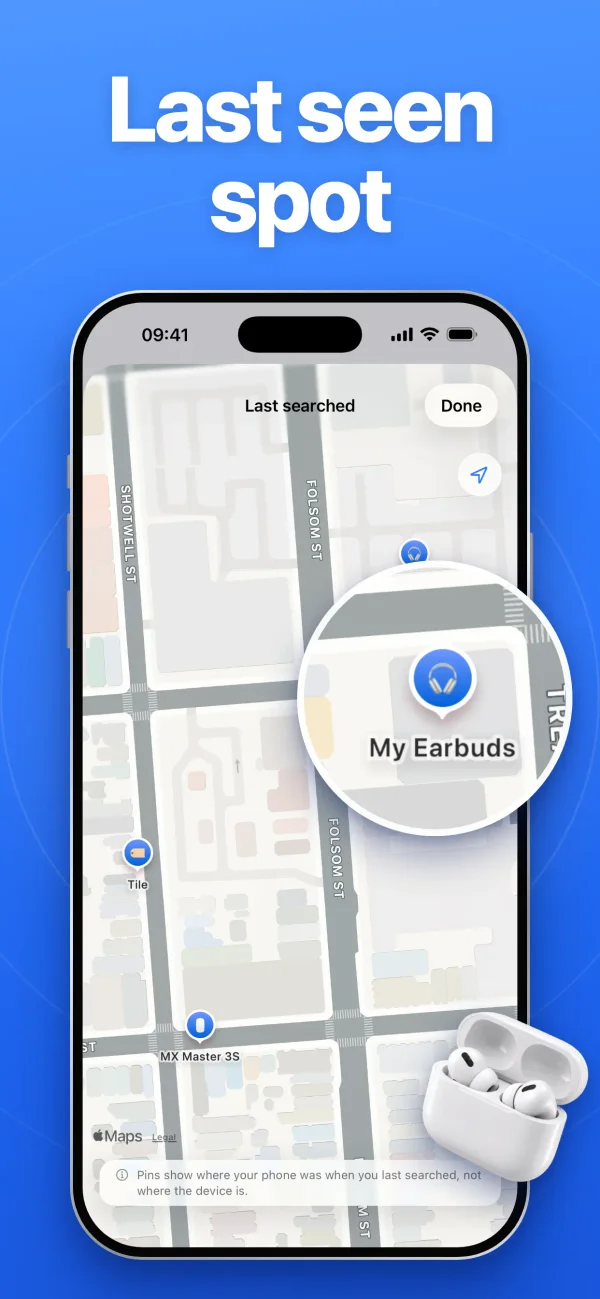
Turn on "Remember where I searched" and the app saves your phone's location each time you start a find. See it on a map later. It's where you were, not where the device is, and the app says so.
RIGHT FROM YOUR HOME SCREEN
• Widgets: your favorite devices on the Home Screen and Lock Screen. One tap opens the finder.
• Siri and Shortcuts: "Find my AirPods with Bluetooth Finder."
• Spotlight: search a saved device's name and jump straight to it.
• Control Center: a Scan Nearby control (iOS 18 and later).
SIGNAL DETAILS WHEN YOU WANT THEM
A live signal chart with strength, estimated distance and confidence sits under the ring. Turn it off in Settings if you prefer words only.
HONEST ABOUT BLUETOOTH
• Bluetooth tells you how near a device is, not which direction. The app never fakes a compass.
• Only devices that are switched on and broadcasting can be found. A dead battery or a closed case means silence.
• iOS pauses this kind of scanning in the background, so keep the app open while you search.
PRIVACY FIRST
No account. No ads. No data collected. Devices, favorites and places stay on your phone.
ACCESSIBLE
VoiceOver announces each state change, audio guidance works without looking at the screen, and the layout adapts to larger text sizes and Reduce Motion.
Privacy: https://suleapp.vercel.app/privacy
Terms: https://suleapp.vercel.app/privacy
App privacy
What Sule Demir declares on the App Store about how this app handles data.
-
Data not collected
The developer does not collect any data from this app.
Privacy practices may vary, for example with the features you use or your age.
Information
- Seller
- Sule Demir
- Category
- Utilities
- Version
- 1.0
- Updated
- Sep 21, 2026
- Released
- Sep 21, 2026
- Size
- 16.2 MB
- Requires
- iOS 17.0 or later
- Age rating
- 4+
- Price
- Free
- In-app purchases
- Yes
- Languages
- English, French, German, Japanese, Spanish, Turkish
- Copyright
- © @sule 2026
You might also like
-
 Find Lost DevicesEarbud, Watch & Stylus Finder
-
 Bluetooth Finder, ScannerFind lost Devices
-
 lithium connectUtilities
-
 Find Device Bluetooth ScannerTracker & Finder for Earbuds
-
 LuckyNote: Banknote CollectingIdentify, track & value bills
-
 FindSniff - Find Lost DeviceFind your lost devices.
-
 Device Scanner Find: 1-DetectCovert Pro Detection Finder
-
 BLE Beacon ToolkitBLE Tools & iBeacon Simulator
-
 Bluetooth Device Finder: TrackAirpods and lost device finder
-
 Firmware UpdaterUpdater tool for the ClariMate