
- Age rating17+
- CategoryTravel
- DeveloperWuhan Huakexunce Technology Co., Ltd.
- LanguagesEnglish+ 14 more
- Size161.5 MB
Links to the official App Store page
Download.org hosts no file of LPB-EBIKE. The button opens its official App Store page, published by Wuhan Huakexunce Technology Co., Ltd. Listing last checked on Nov 16, 2026.
Screenshots
About
LPB-EBIKE User Guide
1. Usage Instructions
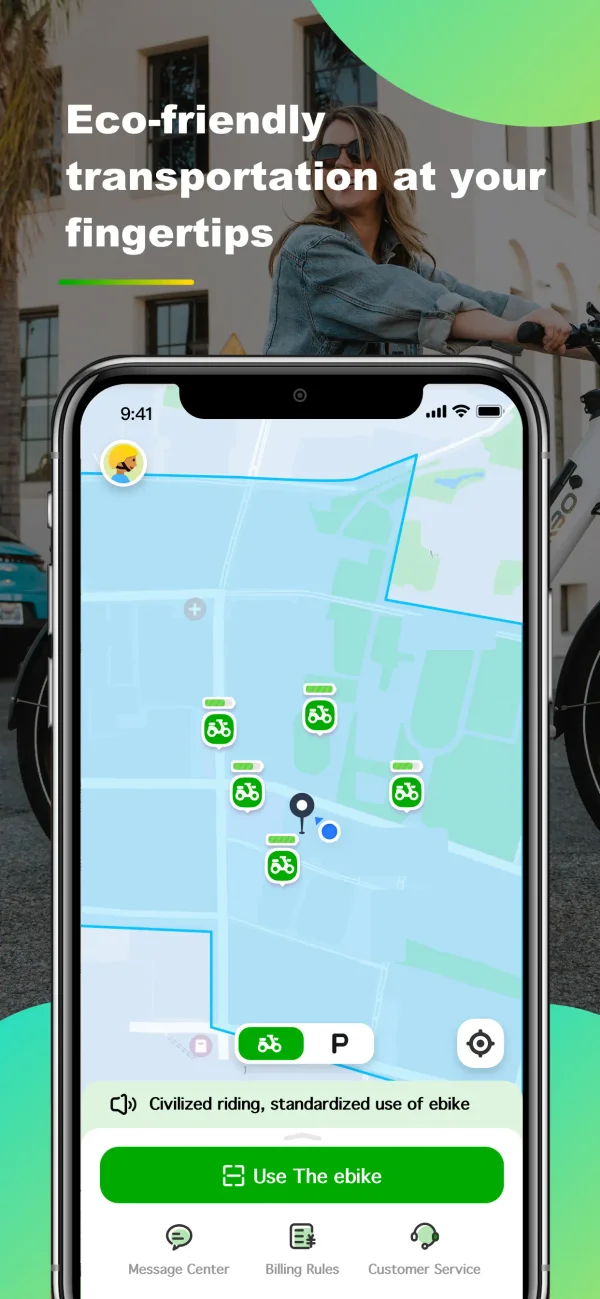
Finding a Bike: Discover nearby bikes by clicking on the bike icon to view details.
Unlocking: Scan the QR code on the bike, open the unlocking interface, tap Unlock, and the bike will unlock automatically.
Starting: Gently twist the right handle inward to begin riding.
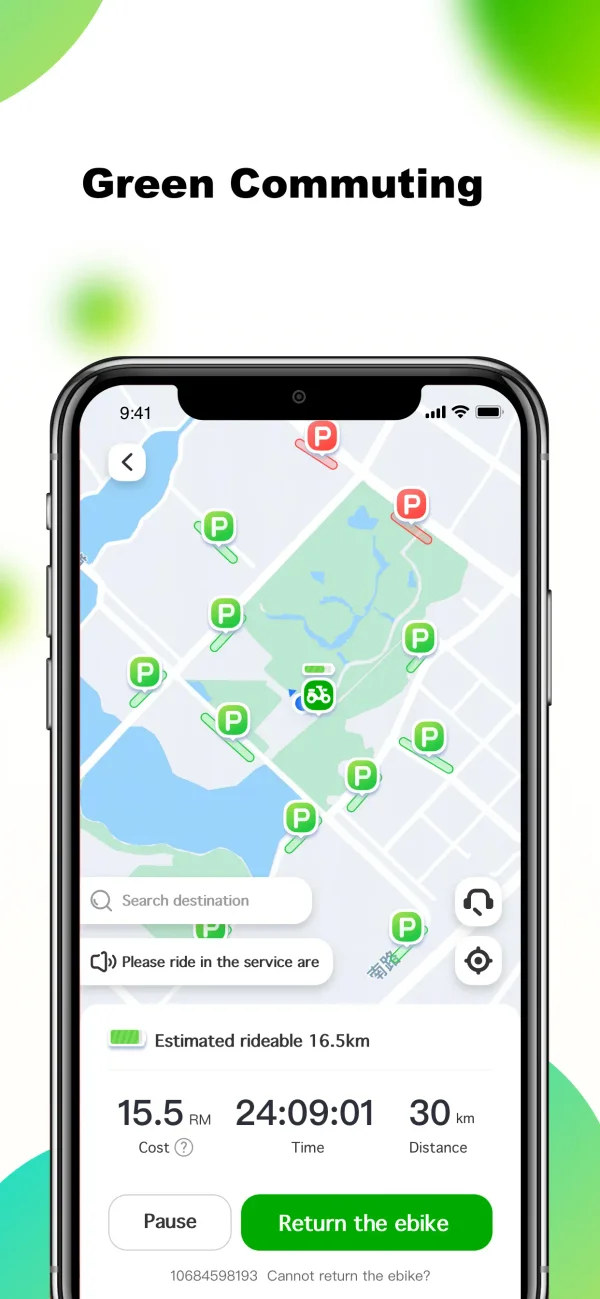
Ending the Ride: Tap End Ride in the app. The bike will lock automatically, and billing will stop.
2. Locking Failure
If locking fails, check your network connection.
You can also try unlocking/locking via Bluetooth.
Multiple attempts may succeed. If problems persist, contact Online Customer Service.
3. How to Unlock
Open the Scan to Ride feature at the bottom of the app.
Place the bike’s QR code within the viewfinder and confirm focus.
The remaining mileage will pop up. Ensure it exceeds your trip distance.
Tap Unlock. The bike will audibly confirm “Unlock Successful”.
In low light, you may turn on the Flashlight.
Alternatively, select Input Number to Unlock and manually enter the bike number.
4. Unlocking Failure
If the scan shows Bike Under Maintenance, Bike in Use, or Unlock Failed, LPB-EBIKE suggests switching to another bike.
Check the network or try unlocking via Bluetooth.
5. How to Lock
Return the bike within the service area.
Park at roadside white lines or designated non-motorized vehicle areas.
In the app, tap End Ride.
Wait until you hear “Lock Successful”. The app will then display trip and billing details.
Note: Bike return is supported only via mobile app.
6. Forgetting to Lock
Overdue orders will incur additional fees.
LPB-EBIKE will send SMS or call reminders for long inactivity.
Fees during this period will still apply.
Always confirm that the bike is locked.
If forgotten and the bike cannot be found, promptly contact customer service.
7. Temporary Locking
Temporary locking is charged at the normal rate.
To reduce costs, manage your parking time and proceed quickly to your destination.
What’s new
Version 1.1.30 · Jan 4, 2026
fix bug
App privacy
What Wuhan Huakexunce Technology Co., Ltd. declares on the App Store about how this app handles data.
-
Data not linked to you
May be collected but is not linked to your identity.
- Financial info
- Location
- Contact info
- Identifiers
- Usage data
- Diagnostics
Privacy practices may vary, for example with the features you use or your age.
Information
- Seller
- Wuhan Huakexunce Technology Co., Ltd.
- Category
- Travel
- Version
- 1.1.30
- Updated
- Jan 4, 2026
- Released
- Nov 26, 2025
- Size
- 161.5 MB
- Requires
- iOS 13.0 or later
- Age rating
- 17+
- Price
- Free
- Languages
- English, Filipino, French, Georgian, Japanese, Kazakh, Korean, Laotian, Mongolian, Russian, Simplified Chinese, Thai + 3 more
- Copyright
- © Wuhan Xiaoan Technology Co., LTD
You might also like
-
 LOCA: Laos Taxi, QR PaymentGet EV Taxi & Tourist Payment
-
 Loca EV - EV Charger NetworkThe Large EV Network in Laos
-
 Lao AirlinesThe All-New Lao Airlines App
-
 Loca DriverThis is the app for drivers
-
 Wayha BookingThe first booking app in Laos
-
 EV Station PluZ:PluZ HappinessEV Charging Station
-
 LaoBusTravel
-
 Angkor-PassTravel
-
 LDT BookingLDT Booking is app book ticket
-
 Mad Monkey HostelsTravel