
Lucia: Expense Tracker
Budget app, no subscription
Designed for iPhone, iPad
Free · In-app purchases
- Age rating4+
- CategoryFinance
- DeveloperJuan Pablo Martinez Saavedra
- LanguagesEnglish+ 5 more
- Size41.2 MB
Links to the official App Store page
Download.org hosts no file of Lucia: Expense Tracker. The button opens its official App Store page, published by Juan Pablo Martinez Saavedra. Listing last checked on Nov 22, 2026.
Screenshots
About
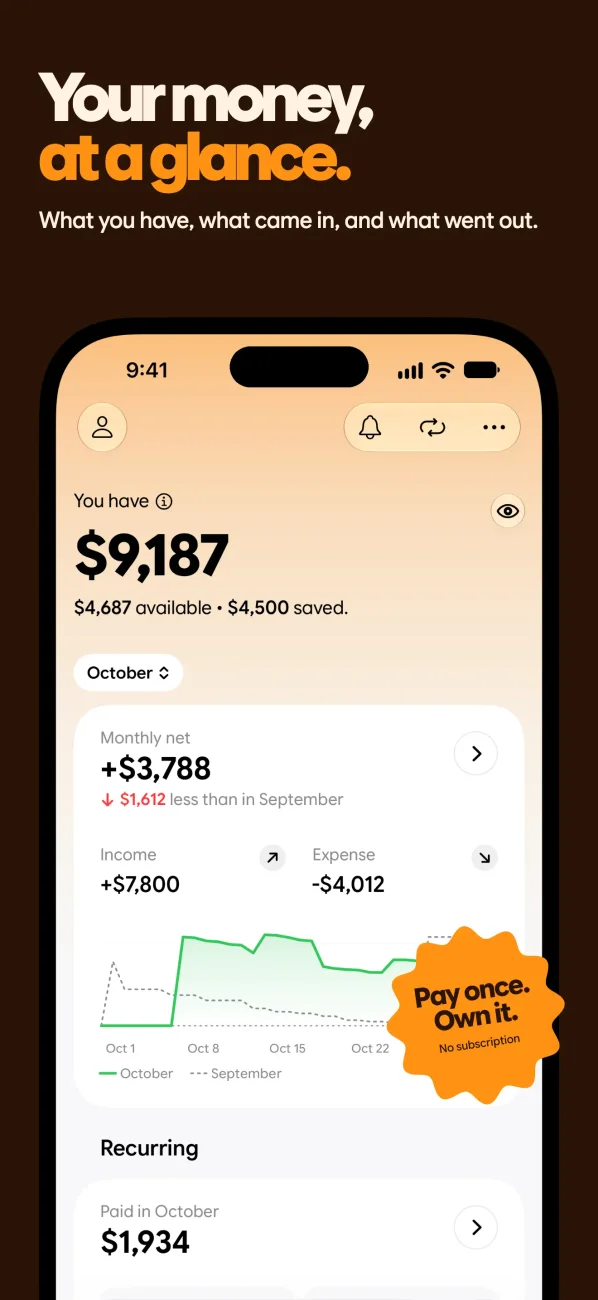
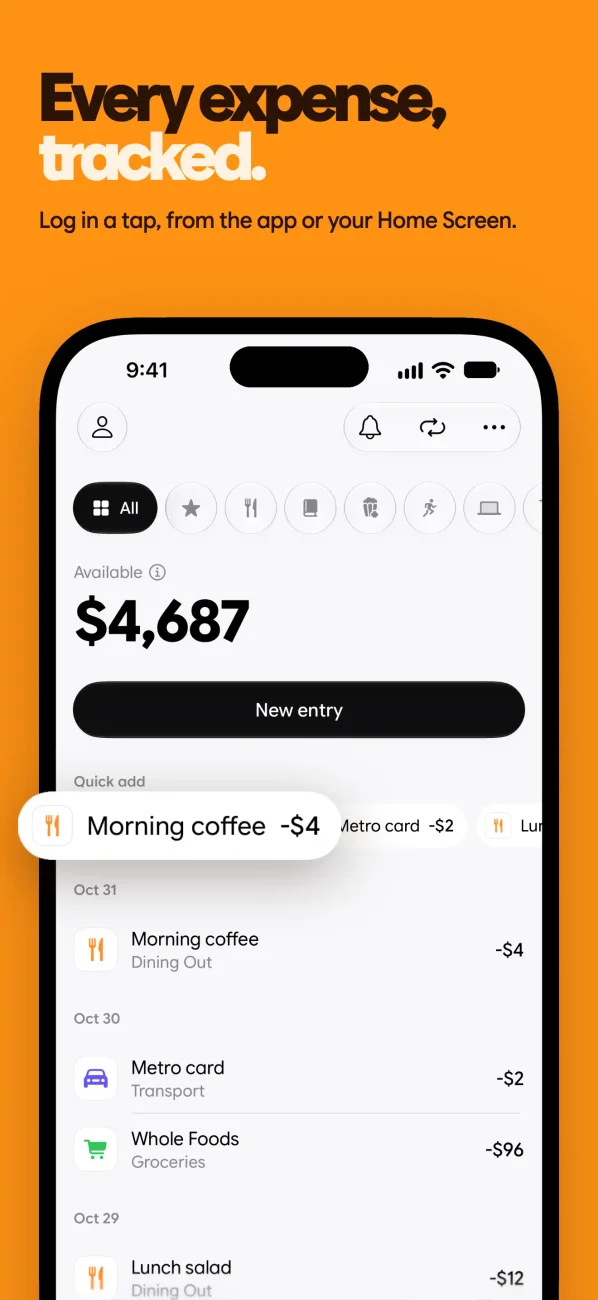
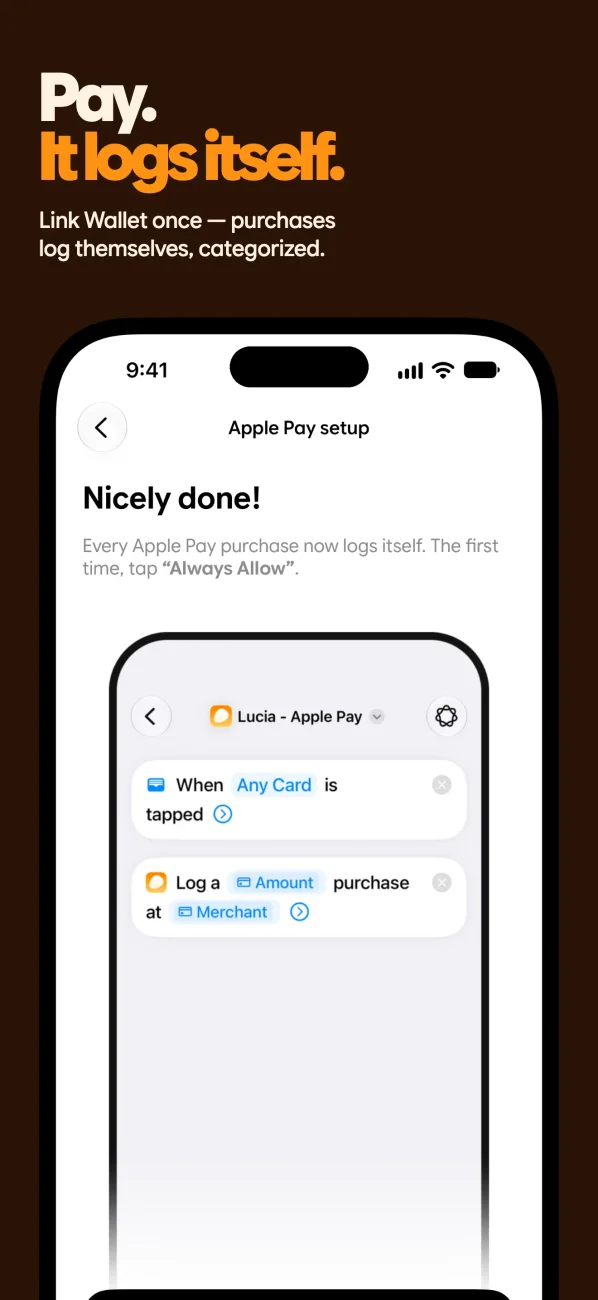
Lucia logs your spending for you. Link Wallet once and every Apple Pay purchase is saved and sorted in the background. Cash, and anything paid another way, takes one tap.
No subscription: pay once and Lucia is yours. No account, no ads, no trackers. Your data stays in your iCloud.
Logs itself
Purchases arrive in the right category, with an optional banner to confirm each one. Apple Pay purchases in another currency are converted to yours at the day's rate. You can also log with Siri, the Action Button, Back Tap, the Shortcuts app or a Home Screen widget.
Automatic logging
On iPhone with iOS 27, one shortcut logs your Apple Pay purchases and your bank's texts. Lucia asks about purchases in texts it doesn't know yet. After you save two of the same kind, the next ones log by themselves. Set it up in Settings › Shortcuts.
Where your money goes
Log income and expenses in categories you can make your own, and see each month broken down by category. Note how you paid (credit card, debit card, cash or transfer) and see how much went through each.
Where it comes from
Income has its own page: what came in this month, from which sources, and how you received it.
Spending limits
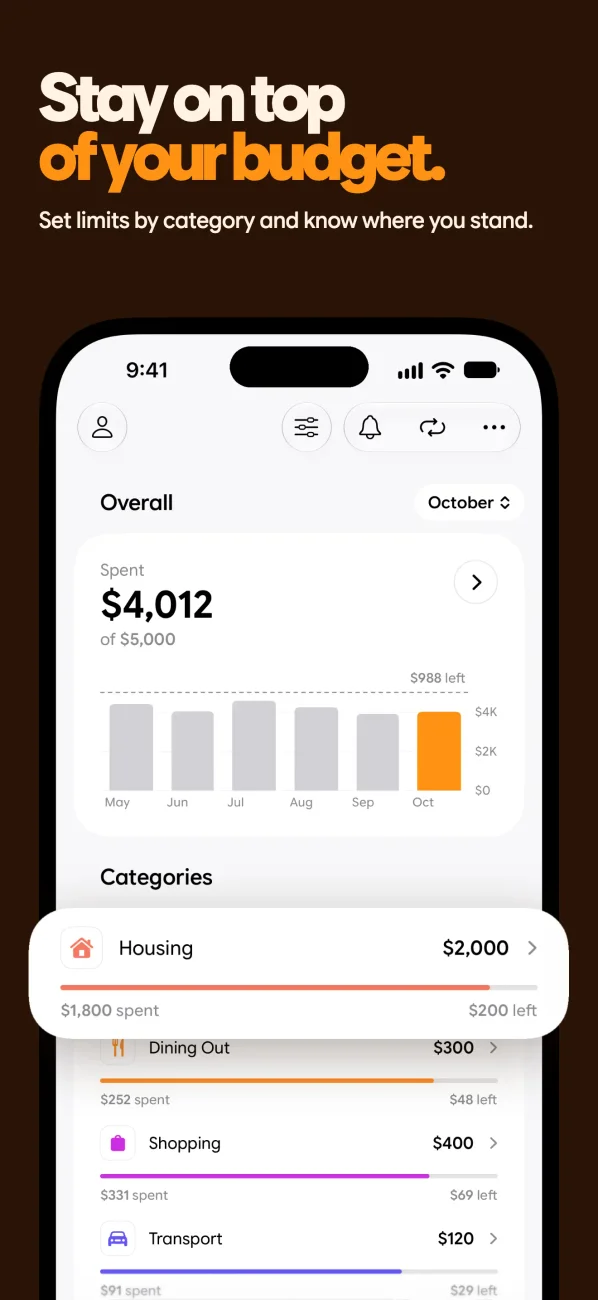
Set a monthly limit for each category and get an alert at 80% and at 100%.
Recurring and installments
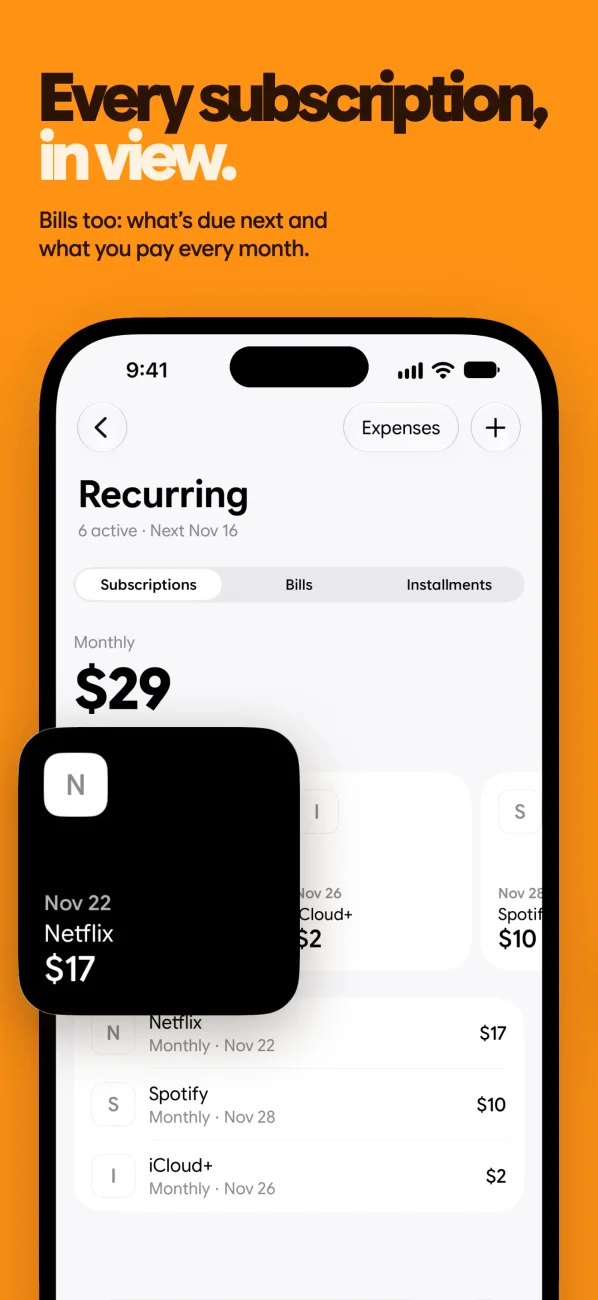
Add your subscriptions from over 100 services, each with its logo, and see what renews next and what you've paid this month. Bills and credit card installments go there too, repeating weekly, twice a month, monthly, every 3 or 6 months, or yearly. An installment plan can start on any day, each installment counts in its own month, and you always see what you still owe. Add a credit you were already paying, log extra payments on it, and let credit card purchases count next month, when you pay the card.
Vaults
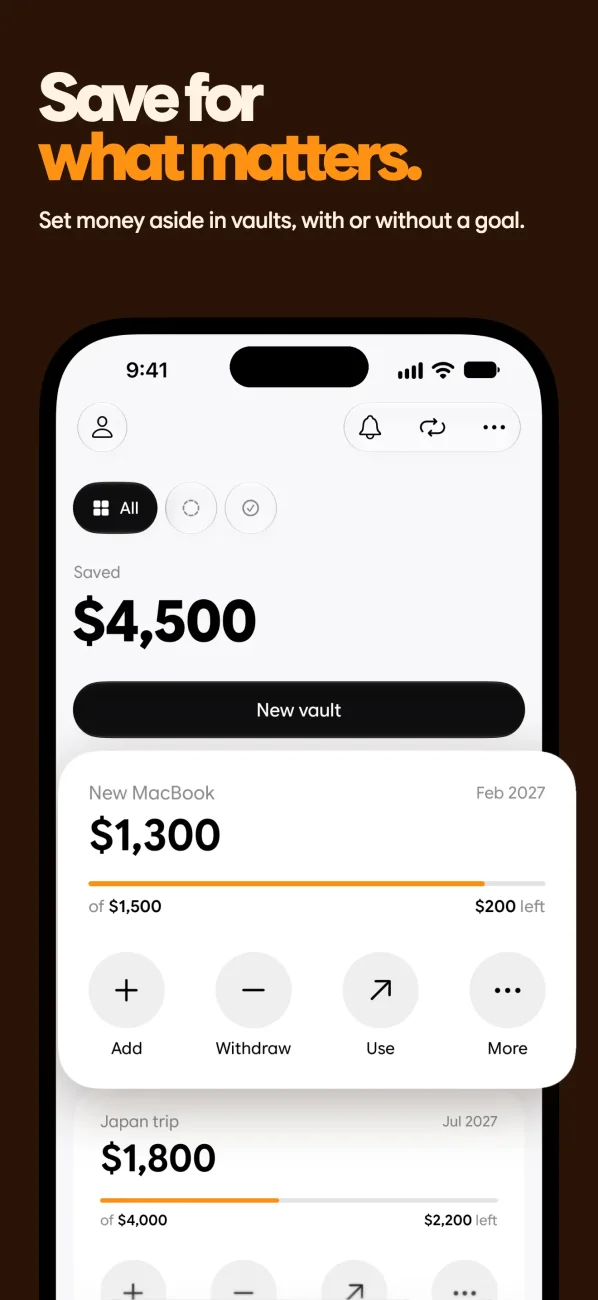
Save in vaults for anything: a trip, an emergency fund, a new gadget. Each can have a goal and a date, and an interest rate if your bank pays one. Add money, withdraw it, or use it to pay for a purchase, and always see what's available and what's saved.
Share a profile
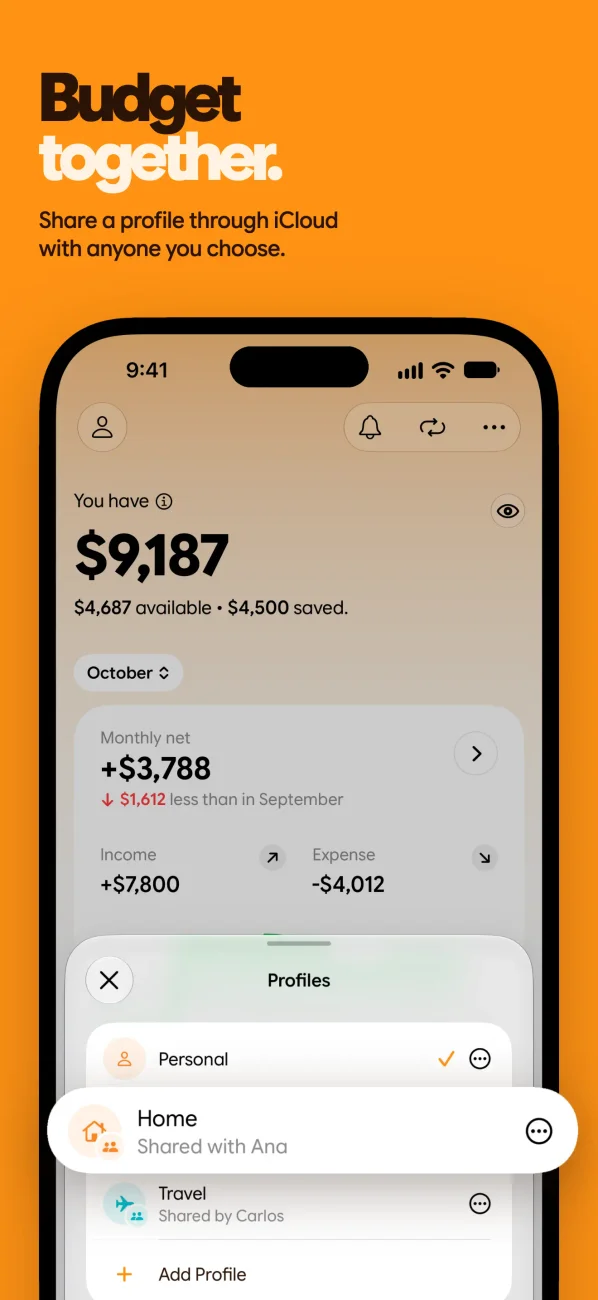
Share a profile through iCloud with the people you live or travel with. Everyone can add to it, each transaction shows who added it, and budgets and vaults stay in sync for all of you.
Widgets
See what's available, add a purchase in one tap, or check the charges due in the next 7 days, right from your Home Screen.
Import and export
Import what you export from other expense trackers, plus bank files and spreadsheets (CSV, TSV, OFX and Excel). It only adds, and Undo takes back a whole import. Export a PDF statement, an Excel workbook or a CSV for any period and profile.
Synced through your iCloud
Your transactions, budgets and vaults appear on every device you use, and come back on their own after a reinstall or a new phone.
Free to try
Try Lucia for free, then unlock it for good with one purchase.
Private by design
Lucia keeps everything on your device and in your own private iCloud, where only you, and anyone you share a profile with, can reach it. There are no servers of ours and nothing for anyone to read, not even us.
Made for iPhone, iPad and iPhone Duo
Built natively for iOS and iPadOS, with Dark Mode, Dynamic Type and every screen size.
Your money. Your iCloud.
What’s new
Version 1.6.1 · Nov 16, 2026
Apple Pay refunds log as income, in Refunds. A refund in another currency asks first, with a notification.
Deleted transactions and repeating charges stay deleted on all your devices.
Repeating charges on the 29th, 30th or 31st keep their day after you choose Don’t log.
When you swipe to delete a repeating charge, the question stays on screen until you answer.
Shake to Undo after an add or an edit also takes back the past charges it logged.
App privacy
What Juan Pablo Martinez Saavedra declares on the App Store about how this app handles data.
-
Data not collected
The developer does not collect any data from this app.
Privacy practices may vary, for example with the features you use or your age.
Information
- Seller
- Juan Pablo Martinez Saavedra
- Category
- Finance
- Version
- 1.6.1
- Updated
- Nov 16, 2026
- Released
- Sep 9, 2026
- Size
- 41.2 MB
- Requires
- iOS 26.0 or later
- Age rating
- 4+
- Price
- Free
- In-app purchases
- Yes
- Languages
- English, French, German, Portuguese, Simplified Chinese, Spanish
- Copyright
- © 2026 Juan Pablo Martinez
You might also like
-
 Lukas - Control de gastosAI-powered money tracker
-
 Expense Tracker - MonAiEasily track spending with AI
-
 Kelo: Bill Organizer & BudgetSubscriptions, expense tracker
-
 Neto: Money & Net WorthExpenses, savings & crypto
-
 OffRisk: Expense TrackerBudget, Spending & Savings
-
 AI Money Manager & ExpensesVoice expense & budget tracker
-
 Krumbs: Split Bills & ExpensesScan receipts, split by item
-
 Budget Tracker - BrimSpending, Bills & Savings
-
 Control: Budget TrackerExpense & Money Manager
-
 Parker: Expense Tracker BudgetBill Organizer & Money Tracker