
- Age rating4+
- CategoryMusic
- DeveloperPAOSystem
- LanguagesJapanese+ 1 more
- Size28.5 MB
Links to the official App Store page
Download.org hosts no file of LumiWave. The button opens its official App Store page, published by PAOSystem. Listing last checked on Nov 8, 2026.
Screenshots
About
LumiWave is a music player that lets you see your music, no matter where it comes from.
■ One playlist across every source
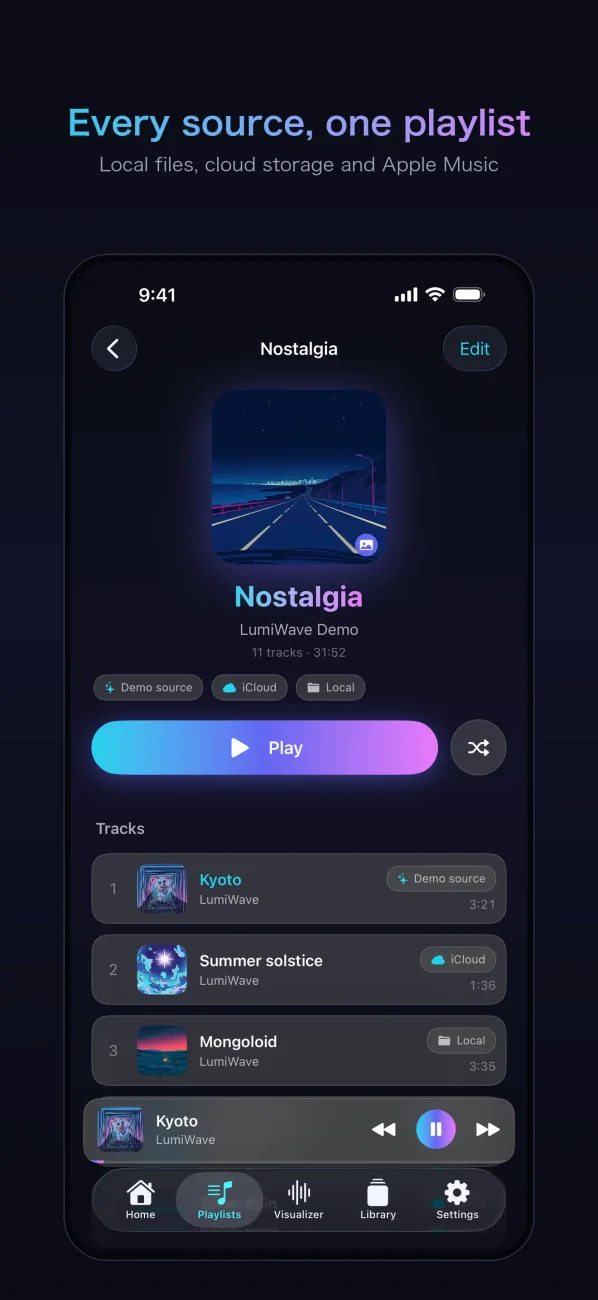
Files on iCloud Drive, Google Drive and other cloud services, local audio on your iPhone, and Apple Music (including tracks in your library imported from CDs) — LumiWave brings them together into a single playlist built around your mood, not around where each track came from.
■ Visualizers that react to sound
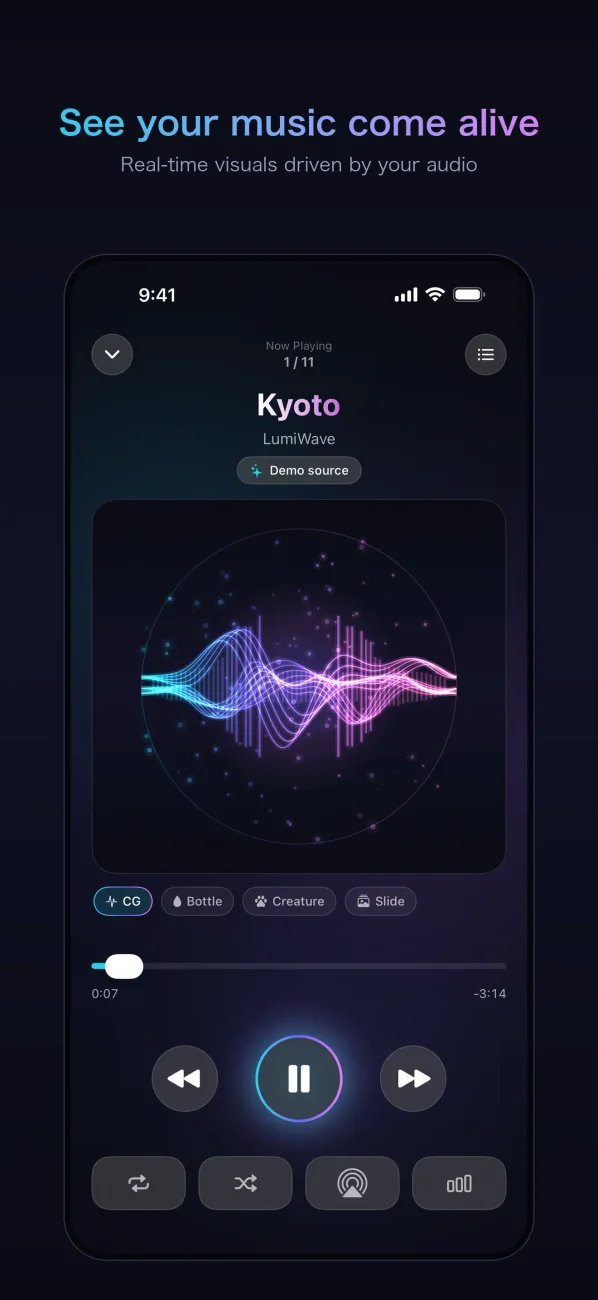
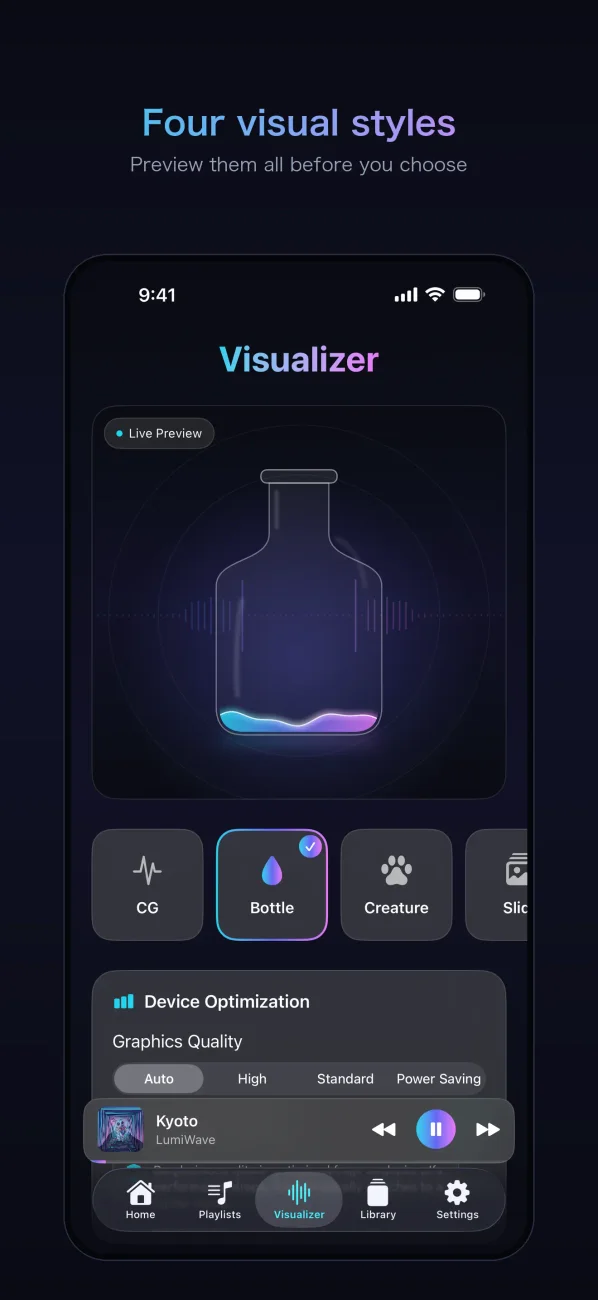
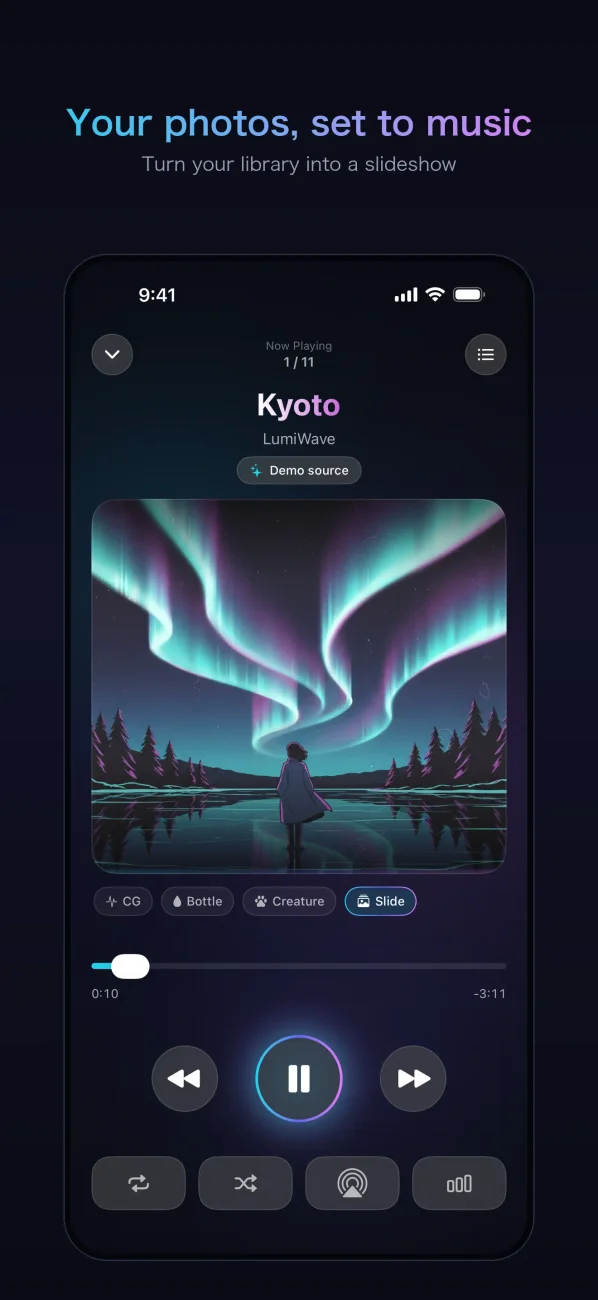
The playback screen is more than artwork and a play button. Five visualizers move in real time with your music:
- CG: reactive particles and waveforms
- Bottle: liquid fills as playback progresses
- Creature: little creatures gather when you tap
- Slide: your chosen photos or playlist artwork slowly pan and zoom
- Aquarium: a school of fish swims to the music and gathers when you tap to drop food
Pinch out for full-screen mode: nothing but the visualizer and minimal controls, so you can sink into the music.
For late-night listening, focus sessions, or just changing the mood of a room.
■ Honest about audio
The more striking the visuals, the more the sound has to be trustworthy. LumiWave treats the audio path with care.
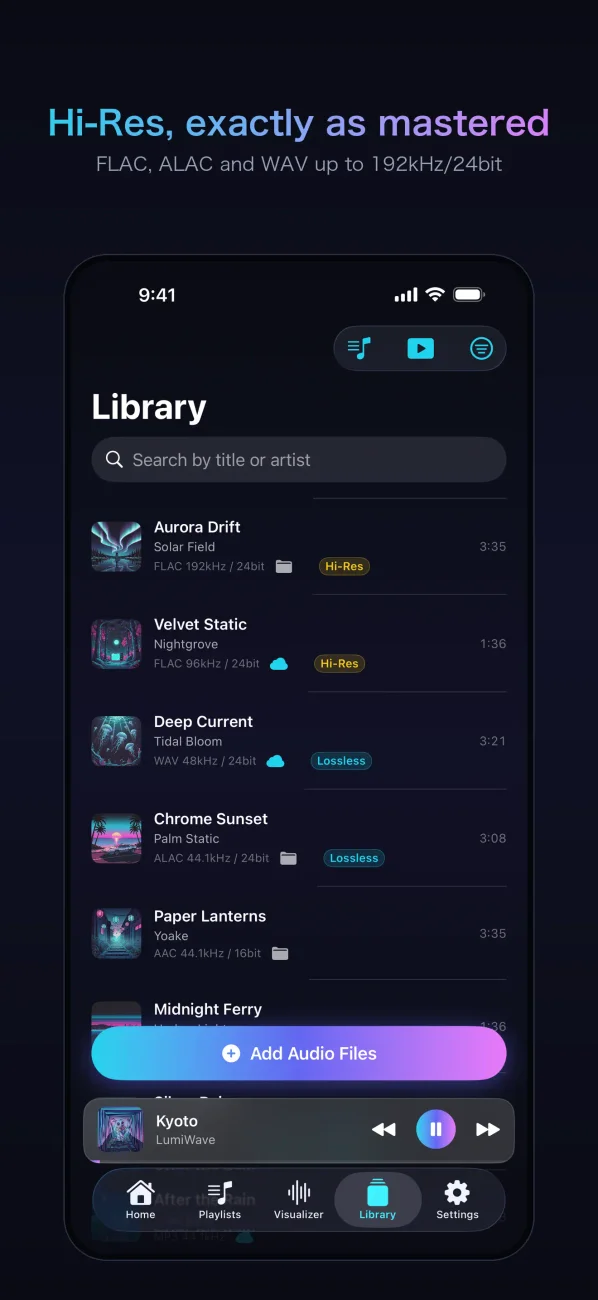
- Supports WAV, AIFF, FLAC, ALAC, AAC and MP3 (up to 192kHz / 24-bit)
- Plays imported files at their original quality
- Lossless and Hi-Res tracks are clearly badged, with format, sample rate and bit depth shown
- Playback comes first: under load, rendering quality drops automatically to protect the sound
■ Privacy
No account, no servers. Imported audio, playlists, photos and settings stay on your device, and audio analysis runs locally. Nothing is collected.
■ Visualizer Pro (one-time purchase)
All playback features, the CG and Slide visualizers, playlists and quality display are free. A one-time Pro purchase — not a subscription — unlocks the Bottle, Creature and Aquarium visualizers and any Pro features added later. You can preview the Pro visualizers for free before buying.
Music, set free.
What’s new
Version 1.4.0 · Sep 8, 2026
- Add tracks from your Apple Music library (including songs imported from CDs) to playlists
- New full-screen visualizer mode: pinch out (or double-tap) the visualizer on the playback screen to fill the whole screen with minimal controls
App privacy
What PAOSystem declares on the App Store about how this app handles data.
-
Data not collected
The developer does not collect any data from this app.
Privacy practices may vary, for example with the features you use or your age.
Information
- Seller
- PAOSystem
- Category
- Music
- Version
- 1.4.0
- Updated
- Sep 8, 2026
- Released
- Aug 24, 2026
- Size
- 28.5 MB
- Requires
- iOS 17.0 or later
- Age rating
- 4+
- In-app purchases
- Yes
- Languages
- Japanese, English
- Copyright
- © 2026 PAOSystem
You might also like
-
 CordataControl for HQPlayer
-
 Sonarc (Sonic Arc)Hi-res streaming music player
-
 Reverie MusicMusic
-
 MilkwaveReal-Time Audio Visualizer
-
 Simply Music PlayerA simple, offline music player
-
 AuranovaOffline Music Player & Radio
-
 Stochastic Music TyrantTrue shuffle. Every song once.
-
 Zlaayo PlayerPremium MP3 Music Player
-
 Music Pulse: Audio VisualizerVU Meters & Music Light Show
-
 My Music — Classic PlayerMusic LibraryPlayer